The Instagram Social Media Manager Toolkit: Tools and Schedule for 2026
The productivity tools and posting schedule every Instagram social media manager needs in 2026. From DM automation to content scheduling.

Being a social media manager in 2026 is not what it was two years ago. The algorithm shifted. Formats changed. Client expectations got bigger. And somehow you are supposed to juggle content creation, DMs, scheduling, invoicing, analytics, and strategy, often for multiple accounts at once. I have been in this game long enough to know that the difference between a burnt out social media manager and a thriving one usually comes down to two things: the right tools and a repeatable posting schedule. That is exactly what this post breaks down. No fluff, no “top 50 apps you should try” list. Just the seven tools that actually save me time every week, plus the posting rhythm that keeps accounts growing in 2026.
If you have been searching for a solid social media management toolkit or wondering how to schedule Instagram posts without losing your mind, you are in the right place.
TL;DR
Here is the short version if you want to skim and come back later:
- You only need seven core tools to run your social media management business efficiently
- Post five times per week on your Instagram feed and once daily on Stories
- Use Trial Reels to reach new people, carousels to build trust, talking Reels to deepen connection, and Stories to sell
- DM automation through a tool like Social by InstantDM handles the repetitive conversations so you can focus on strategy
- Pair your tools into a system instead of using them in isolation
Now let me walk through each piece in detail.
The 7 Productivity Tools Every Social Media Manager Needs
I have tested dozens of apps over the years. Most of them collected digital dust after a week. These seven stuck because they each solve a real, daily problem. Not a hypothetical one. An actual “I am wasting 45 minutes on this every single day” kind of problem.
1. Loom for Screen Recording and Client Feedback
Sending a client a 2 minute Loom video is faster than typing out a three paragraph email explaining why their caption needs editing. I use Loom for walkthroughs of content calendars, feedback on Reel drafts, and onboarding new clients. It cuts back and forth email chains in half. Clients appreciate seeing your face and hearing your reasoning. It builds trust in a way that text never will.
If you are onboarding clients and need solid contracts to go with those video walkthroughs, check out our guide on social media management contract clauses to make sure you are protected from day one.
2. Easynote for Quick Notes and Task Lists
Not every task needs a full project board. Sometimes you just need a clean, fast note taking app. Easynote is exactly that. I use it for quick ideas, meeting notes, and those random thoughts that hit you in the shower about a client’s content angle. It syncs across devices, loads fast, and does not try to be a second brain. It just keeps your notes organized.
3. InstantDM for DM Automation
This one is a game changer and I do not say that lightly. Instagram DMs are where deals happen, leads convert, and community gets built. But manually responding to every “how much?” and “can you send me the link?” message is a full time job on its own. With InstantDM, you can set up automated DM flows that trigger from keywords, story replies, or post comments. A follower comments “GUIDE” on your post, and they get the download link in their DMs instantly. No manual work from you.
Social by InstantDM is especially powerful for social media managers running multiple accounts because you can set up flows once and let them run. It frees up hours every week that used to be spent copy pasting the same five responses. If you want to dig deeper into how DM automation fits into a broader strategy, our post on social media scheduling covers the full workflow.
4. Notion for Project Management
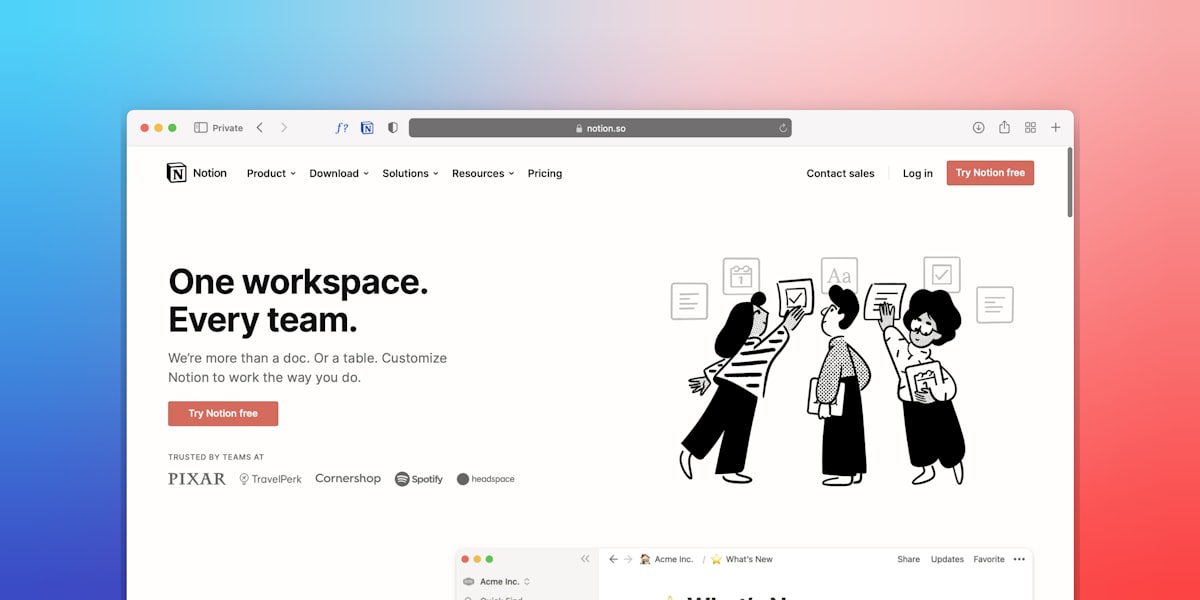
Notion is where the big picture lives. Client dashboards, content calendars, SOPs, team wikis. If Easynote is for quick capture, Notion is for structured planning. I keep a separate page for each client with their brand voice notes, content pillars, hashtag sets, and posting history. When a new team member joins, I just share the Notion page and they are up to speed in a day.
For freelancers building out their client load, having a solid project management setup is non negotiable. It is one of the things that separates hobbyists from professionals. If you are still figuring out how to structure your freelance business, our post on freelance SMM income ways breaks down different revenue models worth exploring.
5. Toggl Track for Time Tracking
You might think you know where your time goes. You are probably wrong. Toggl Track showed me that I was spending 6 hours a week on tasks I thought took 2. Once you see your actual time allocation, you can make real decisions about what to delegate, automate, or cut entirely. It also helps with client billing if you charge hourly or want to justify your retainer with data.
6. Skydo for International Payments
If you work with clients across borders, payment processing can eat into your earnings fast. Skydo handles international payments with lower fees than most traditional options and gives you a clean dashboard to track what is coming in and when. Getting paid should not be the hardest part of your business. This tool makes sure it is not.
7. A Morning Planner for Daily Tasks
This is not an app. It is a habit. Every morning, before I open Instagram or check a single DM, I write down the three most important tasks for the day. Paper works fine. A simple digital list works too. The point is to decide your priorities before the algorithm decides them for you. I have watched too many social media managers lose entire mornings to “just checking notifications” and emerging three hours later with nothing productive done.
The 2026 Instagram Posting Schedule
Now that your tools are sorted, let us talk about what you are actually posting and when. The Instagram algorithm in 2026 rewards consistency and format variety. Here is the schedule I recommend and use with clients.
Feed: 5 Times Per Week
Five feed posts per week is the sweet spot. Enough to stay visible without burning out your audience or yourself. The key is mixing formats. I rotate between Reels and carousels throughout the week. A typical week might look like:
- Monday: Carousel (educational or list style)
- Tuesday: Reel (trending audio or talking head)
- Wednesday: Carousel (storytelling or case study)
- Thursday: Reel (quick tip or behind the scenes)
- Friday: Carousel or Reel (whatever fits the content best)
The exact order matters less than the mix. Instagram’s own data shows that creators who use multiple formats see better reach than those who stick to just one. You can read more about optimal scheduling strategies in our detailed guide on how to schedule Instagram posts.
Stories: 1 Per Day Minimum
Stories are your relationship builder. One set of Stories per day keeps you at the top of your followers’ feeds and gives them a reason to engage beyond the polished grid posts. Stories are where you show the process, share quick polls, drop behind the scenes moments, and make your pitch. Do not overthink production quality here. Authenticity wins on Stories every time.
Trial Reels: 2 to 3 Per Week
Trial Reels are Instagram’s feature that lets you test Reels with non followers before they hit your main feed. This is huge for growth. You can experiment with new hooks, different formats, or topics outside your usual niche without risking engagement from your existing audience. If a Trial Reel performs well, you publish it. If it flops, only a test audience saw it. No harm done.
For social media managers looking for fresh content angles to test with Trial Reels, our SMM post ideas for high ticket clients gives you a solid starting point.
Matching Content Format to Goal
Not every post serves the same purpose. Here is how I think about format selection based on what I am trying to achieve.
Trial Reels for Reach
Want to get in front of people who have never heard of you? Trial Reels. The algorithm pushes short form video to Explore and suggested feeds aggressively. A well crafted 15 to 30 second Reel with a strong hook can reach thousands of people who do not follow you yet. The goal here is awareness. Do not sell. Do not educate deeply. Just make someone stop scrolling and think “this person is interesting.”
Carousels for Trust
Carousels are where you teach, share frameworks, and prove you know your stuff. A 7 to 10 slide carousel that walks through a process or shares a list of tips positions you as an authority. Carousels also have the highest save rate of any feed format, which signals to Instagram that your content is valuable. Every save is a vote that helps your next post get shown to more people.
Talking Reels for Connection
A talking Reel where you share a personal story, a strong opinion, or a vulnerable moment builds connection faster than any other format. People follow people, not content pillars. When someone sees your face, hears your voice, and relates to what you are saying, they feel like they know you. That emotional bond is what turns followers into clients.
Stories for Sales
Stories are where selling happens naturally. You are not launching a product in a feed post. You are sharing a quick “hey, I have 2 spots open this month” in your Stories with a link sticker. Or you are running a poll that doubles as market research. Or you are sharing a client win with a CTA to DM you for details. The casual, disappearing nature of Stories makes promotional content feel less salesy and more like a recommendation from a friend.
How These Tools Work Together as a System
Here is where most social media managers go wrong. They use great tools but use them in isolation. The magic happens when you connect them into a workflow.
Here is what a typical content day looks like for me with all seven tools working together.
Morning (8:00 AM): I open my morning planner and write down three priorities. Today it is: finalize two carousels for a client, record a Loom walkthrough of this week’s content calendar, and review DM automation flows in InstantDM.
Mid Morning (9:30 AM): In Notion, I pull up the client’s content calendar and make final edits. I check Easynote for any quick ideas I jotted down yesterday that might fit today’s posts. I start Toggl Track so I know exactly how long each client’s work takes.
Late Morning (11:00 AM): I record a quick Loom video walking the client through the week’s planned posts, explaining the strategy behind each format choice. I send the Loom link in an email and mark the task done.
Afternoon (1:00 PM): I check InstantDM flows for the accounts I manage. One client is running a lead magnet campaign where followers comment a keyword to get a free resource delivered via DM. I review the analytics, tweak a flow that has a low completion rate, and add a new upsell message at the end of the sequence. Social by InstantDM makes this kind of iteration fast because you can edit flows without rebuilding them from scratch.
End of Day (4:00 PM): I log time in Toggl Track, send an invoice through Skydo for an international client, and update my Notion dashboard with what got done and what rolls over to tomorrow.
That is a real day. Not a hypothetical one. And the reason it runs smoothly is because each tool has a clear role and they feed into each other. Loom gives clients visibility. Notion gives me structure. Easynote catches ideas. InstantDM handles DMs at scale. Toggl Track keeps me honest about time. Skydo gets me paid. And the morning planner keeps me focused before the chaos starts.
If you are building out your own toolkit and need templates for proposals, invoices, and other business documents, we have a full set in our guide on social media manager business documents and templates.
Final Thoughts
The social media managers who win in 2026 are not the ones posting the most. They are the ones with the best systems. A tight toolkit plus a consistent posting schedule is the foundation. Everything else, the viral moments, the big client wins, the passive income streams, gets built on top of that foundation.
Start with these seven tools. Follow the five posts per week plus daily Stories schedule. Match your formats to your goals. And automate wherever you can, especially in the DMs. Your future self will thank you when you are running multiple accounts without running on fumes.
If you want to see how DM automation can slot into your existing workflow, try InstantDM and set up your first automated flow this week. It takes about 15 minutes and it will change how you think about Instagram management forever.
What tools does a social media manager need? At minimum you need a scheduling tool, a DM automation tool, a screen recording app for client feedback, a project management tool, and a design tool like Canva.
How often should you post on Instagram in 2026? Five times per week on your feed (mix of Reels and carousels) plus daily Stories. Trial Reels are also worth adding to test new content with non followers.
What is the best format for Instagram growth? Trial Reels for reaching strangers, carousels for building trust, talking Reels for deepening connection, and Stories for selling naturally.
Frequently asked questions
What tools does a social media manager need?
At minimum you need a scheduling tool, a DM automation tool, a screen recording app for client feedback, a project management tool, and a design tool like Canva.
How often should you post on Instagram in 2026?
Five times per week on your feed (mix of Reels and carousels) plus daily Stories. Trial Reels are also worth adding to test new content with non-followers.
What is the best format for Instagram growth?
Trial Reels for reaching strangers, carousels for building trust, talking Reels for deepening connection, and Stories for selling naturally.