Best Instagram Carousel Makers (Templates + Auto-Split Tools) in 2026
10 Instagram carousel makers tested — AI generators, templates, and auto-split tools. Find the best one for your workflow.
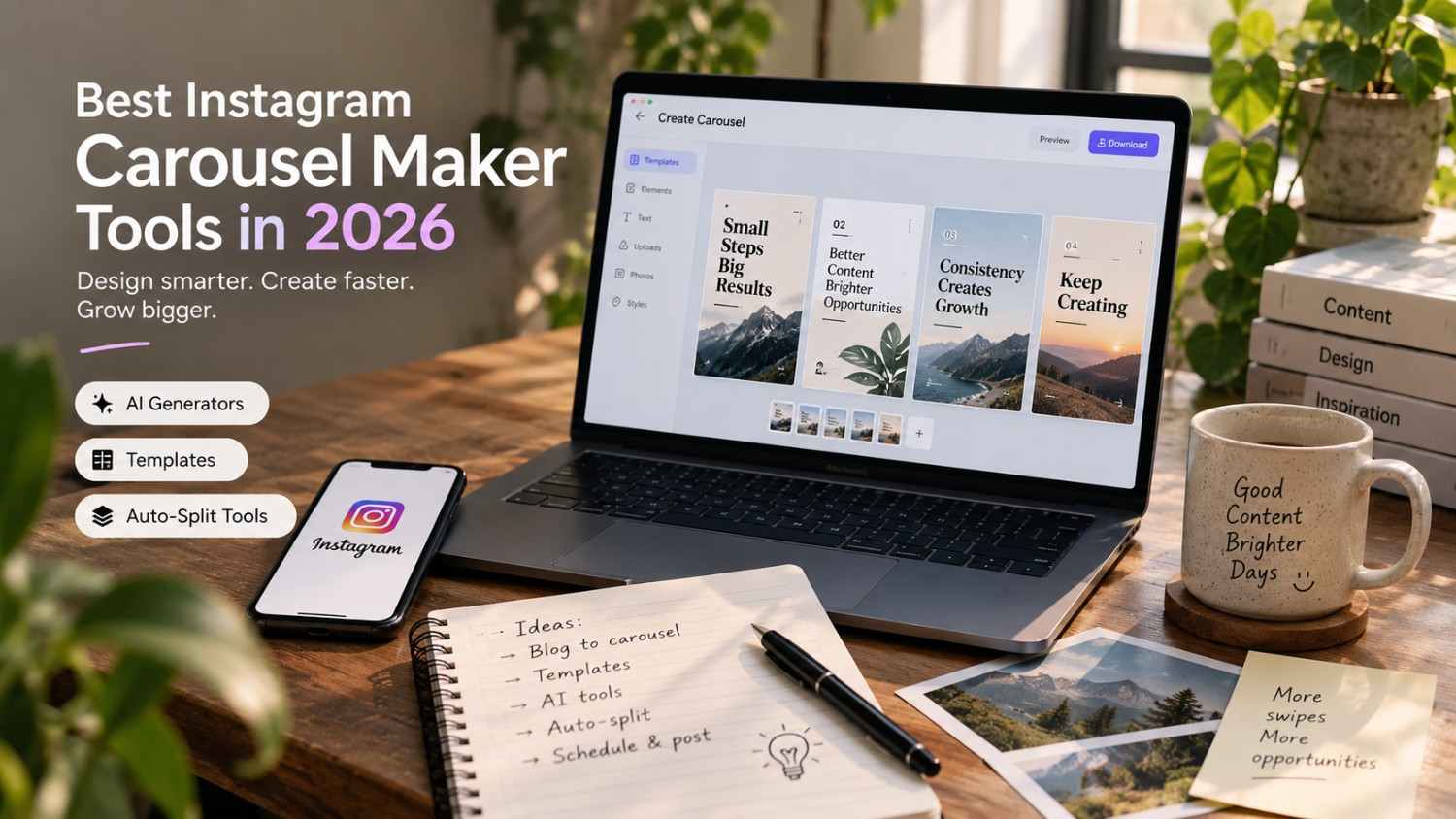
Introduction
There is a reason carousels keep showing up at the top of every Instagram growth guide written in the last couple of years. They ask for something a single photo never can, a swipe, and that small extra bit of interaction is exactly the kind of signal the algorithm rewards. The problem has always been production time. Designing eight consistent, on brand slides by hand takes real effort, which is exactly the gap carousel maker tools now exist to close.
This guide covers ten Instagram carousel makers tested across AI generators, template libraries, and auto split tools, along with the actual process for turning a blog post or a stray idea into a finished carousel in minutes rather than hours. Whether the priority is speed, brand consistency, or simply not having to open a design tool at all, there is an option below built around that need.
TL;DR
Instagram carousels get two to three times more engagement than single image posts. They get saves, shares, and considerably longer watch time. But creating carousels manually takes real hours. You need to design each slide, maintain consistent styling throughout, and export everything in the right format.
That is exactly where carousel maker tools come in. The best tools generate carousels from text, articles, or topics using AI. Others provide templates you can customize by hand. Auto split tools turn one long image into multiple carousel slides automatically.
Quick answer: Social by InstantDM tends to be the best overall pick for planning and publishing carousels across platforms. PostNitro excels specifically at AI powered carousel generation. Canva offers the best template library for manual design work.
Bottom line: if you are not using carousels, you are leaving real engagement on the table. These ten tools make carousel creation fast, easy, and genuinely professional looking.
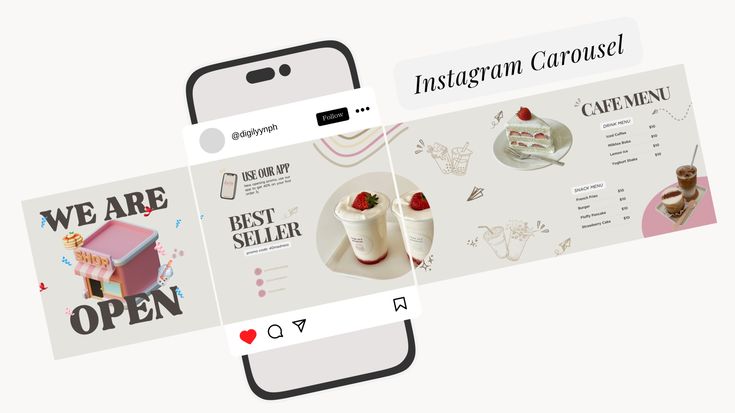
Best Instagram Carousel Maker Tools in 2026
Carousels are the highest performing content format on Instagram in 2026. The algorithm genuinely favors content that keeps people swiping, and carousels do exactly that by design.
Here is what mattered most when testing these tools.
AI generation. Can the tool create a carousel from text, an article, or a topic on its own? This saves genuine hours of manual design work.
Template quality. Does the tool offer professional templates that actually look good out of the box? Templates should be customizable and genuinely on brand, not generic.
Auto split capability. Can the tool split one long image into multiple carousel slides automatically? This matters considerably for repurposing blog posts and infographics.
Export quality. Do the exported images look crisp and professional? Blurry or pixelated slides quietly kill engagement before anyone even reads the content.
Ease of use. Can you realistically create a carousel in under five minutes? The tool should feel intuitive rather than genuinely complex.
A tool such as Social by InstantDM helps plan and publish carousels across platforms in practice. The AI generates content ideas and captions for carousel posts, while the scheduling ensures consistent publishing afterward.
Best AI Tools for Creating Instagram Carousels
AI has genuinely transformed carousel creation in 2026. Here are the strongest AI powered tools available.
PostNitro is the best dedicated AI carousel generator tested. You input text, a URL, or a topic, and the AI generates a complete carousel with slides, copy, and design together. It handles brand colors and fonts automatically without much manual adjustment.
Predis.ai generates carousels alongside other social creatives in the same platform. You describe what you want and it creates carousel posts complete with captions and hashtags.
Gamma turns ideas or raw text into slide based visual content. You can create carousels directly from articles, blog posts, or simple outlines, with the AI handling the design layer entirely.
Contentdrips turns written content into social carousels quickly. You paste your text and it generates carousel slides automatically without much extra setup.
aiCarousels is the fastest tool tested for text to carousel generation specifically. Minimal design work is required. You input text and get a finished carousel within seconds.
Why AI carousel tools handle repetition better than humans do
One underrated advantage of AI carousel generators shows up specifically when producing a lot of similar content over time. A human designer, even a skilled one, tends to introduce small inconsistencies across dozens of carousels, slightly different spacing, a font size that drifts, a color that is close but not exact. An AI tool applies the same template logic every single time without fatigue, which matters a great deal for brands publishing several carousels a week where visual consistency directly affects how recognizable the account feels in a crowded feed.

How to Create Instagram Carousels With AI
Creating carousels with AI is genuinely straightforward once you know the steps. Here is the process worth following.
Step 1: choose your topic. What do you actually want the carousel to cover? A list of tips, a step by step guide, or a direct comparison between two things.
Step 2: write your content. Write the text for each slide deliberately, keeping it short, roughly one to two sentences per slide at most.
Step 3: input into your AI tool. Paste your text directly into PostNitro, Predis.ai, or another AI carousel generator of your choice.
Step 4: customize the design. Adjust colors, fonts, and layout as needed to match your specific brand.
Step 5: export and publish. Download the finished carousel slides and upload them directly to Instagram.
The AI handles the design layer. You provide the actual content. The result is a genuinely professional carousel produced in minutes instead of hours.
Can I use Canva templates to build a professional carousel?
Yes. Canva offers hundreds of carousel templates that are genuinely easy to customize. You can create professional looking carousels without any real design skills required beforehand.
Best Free Instagram Carousel Makers for Creators
Free tools work reasonably well for basic carousel creation. Here is what turned up during testing.
Canva’s free plan includes a solid set of carousel templates. You can create genuinely professional carousels without paying anything upfront. The free plan carries some limitations, but it works well for most creators just getting started.
aiCarousels offers free carousel generation as well. You can create carousels directly from text without even signing up first. The free tier includes the basic features most creators actually need.
A free tier from a scheduler such as Social by InstantDM includes content ideas and scheduling specifically for carousel posts. You plan your carousels and schedule them across platforms from the same place.
The honest take is that free tools work well for testing the waters. But if you are creating carousels regularly as part of an ongoing strategy, paid tools tend to offer noticeably better templates, AI generation, and export quality.

Instagram Carousel Design Tools for Brands & Small Businesses
Brands need consistent, genuinely on brand carousels rather than one off designs that feel disconnected from everything else they post. Here is what works well for that specifically.
Canva offers the best template library tested for branded carousels. You can upload your brand colors, fonts, and logos directly, and every carousel afterward maintains that same brand consistency automatically.
Adobe Express provides polished, branded carousel graphics. The templates feel professional throughout, and the customization options run genuinely extensive.
VistaCreate is a strong Canva alternative worth considering. The templates feel modern, and the design tools stay intuitive even for less experienced users.
Simplified combines AI writing, design, and social content creation together in one platform. You can write carousel copy and design the actual slides without switching between separate tools.
Building a brand kit before touching a single template
Before jumping into template selection, it is worth spending twenty minutes building an actual brand kit inside whichever tool you choose, locking in your exact color codes, font choices, and logo files ahead of time. Skipping this step tends to mean recreating the same setup manually on every single carousel, which adds up to real wasted time over a month of consistent posting. Most of the tools above let you save this kit once and apply it automatically to every new carousel afterward.
AI Carousel Generator vs Canva Style Manual Design
Both approaches genuinely have merit depending on what you are trying to produce. Here is the comparison worth understanding.
AI carousel generators are fast, generating a full carousel in minutes. They stay consistent, since the AI maintains design consistency across every slide automatically. They are scalable, letting you create dozens of carousels quickly when needed. The tradeoff is limited customization, since you are working within the AI’s own design parameters rather than starting from a blank canvas.
Canva style manual design is genuinely custom, giving you full control over every single design element. It is creative, letting you build unique, eye catching designs that stand apart from templates everyone else is using. The tradeoff is that it is genuinely time consuming, and some basic design knowledge helps considerably along the way.
The best approach tends to combine both. Use AI for speed on your regular, day to day carousels. Use manual design specifically for flagship content that deserves extra attention and polish.

How to Turn Blog Posts Into Instagram Carousels
Blog posts are genuine carousel goldmines sitting mostly unused by most creators. Here is the process worth following.
Step 1: identify key points. Pull five to seven key takeaways directly from your blog post.
Step 2: write slide content. Each key point becomes exactly one slide, kept short at one to two sentences maximum.
Step 3: add a hook slide. The first slide should genuinely grab attention, something like seven things I wish I knew about a given topic.
Step 4: add a CTA slide. The last slide should drive a clear action, whether that is save this for later or follow for more tips.
Step 5: generate the carousel. Use an AI tool or Canva directly to actually create the slides from your written content.
Step 6: add alt text. Describe each slide using genuinely relevant keywords. This helps with both accessibility and search visibility together.
A tool like Social by InstantDM helps you specifically repurpose blog content into carousel posts. The AI generates carousel ideas straight from your blog content and schedules them across platforms afterward.
Best Tools for Creating Instagram Grid & Carousel Layouts
Grid layouts make your entire Instagram feed look genuinely cohesive rather than like a random collection of unrelated posts. Here is what works well for that.
Canva offers solid grid layout templates. You can plan your feed visually and see clearly how carousels fit into your overall aesthetic before publishing anything.
Later provides visual grid planning built directly into its scheduler. You can see exactly how carousel posts will look inside your feed before you actually publish them.
Planoly offers drag and drop grid planning as well. The visual interface makes it genuinely easy to maintain a consistent feed aesthetic over time without much manual guesswork.
Why grid planning catches problems before they go live
A carousel that looks fine in isolation can clash badly once it sits between two other posts in your actual feed, whether through a jarring color contrast or an awkward visual rhythm across the grid. Grid planning tools exist specifically to catch that kind of problem before it becomes visible to your audience, letting you swap a slide’s color scheme or adjust posting order while everything is still in draft rather than after it has already gone live and started collecting engagement data you cannot undo.

How to Write Hooks, Slides & CTAs for High-Performing Carousels
The actual content matters just as much as the design itself. Here is how to write carousels that genuinely perform well.
Hooks on the first slide might read: seven mistakes everyone makes with a given topic, the secret to a desired outcome, stop doing this framed around a common mistake, or here is what nobody tells you about a specific topic.
Slides in the middle should stick to one idea per slide, short sentences at one to two lines each, using numbers and lists wherever it makes sense, with clear visual breaks between separate points.
CTAs on the last slide might read: save this for later, share with someone who needs this, follow for more tips on the relevant topic, or drop an emoji if this was genuinely helpful.
The key here is keeping everything scannable. People swipe through carousels quickly, often within seconds. Make each slide work on its own instead of expecting the reader to slow down.
Which Instagram Carousel Maker Is Best for Your Workflow?
Here is a decision framework worth running through.
If you want AI generation specifically, both PostNitro and Predis.ai generate carousels from text within minutes.
If you want strong templates, Canva or Adobe Express both offer the best template libraries tested for manual design work.
If you want raw speed above all, aiCarousels or Contentdrips both offer the fastest text to carousel conversion available.
If you want an all in one solution, a tool such as Social by InstantDM or Simplified both combine content ideas, design, and scheduling in one platform.
If you want strict brand consistency, Canva or VistaCreate both let you upload brand assets and maintain consistency automatically across every carousel.
Why I Chose These Tools for This Blog
These tools were not picked randomly. Each one was tested specifically for Instagram carousel creation over the past three months.
PostNitro
PostNitro earned the top spot for AI carousel generation specifically. The AI creates genuinely professional carousels from text, URLs, or topics, with brand customization built directly into the workflow. The output quality tested was the best among every AI tool covered here.
What stood out most during testing was how well the AI handled longer source text, condensing a full article into slide sized chunks without losing the original point, which is a step that often trips up competing tools.
Social by InstantDM
This tool is here because carousel creation is genuinely one piece of a larger strategy rather than a standalone task. You need to plan, create, and publish carousels consistently over time. The AI generates content ideas, captions, and scheduling suggestions specifically for carousel posts.
What stood out during testing was how the scheduling suggestions accounted for carousel specific engagement patterns, recognizing that carousels often benefit from slightly different posting windows than single image posts.
Canva
Canva made the list because templates genuinely matter to a lot of creators. Not everyone needs or wants AI generation. Some creators genuinely prefer manual design paired with professional templates, and Canva’s template library remains unmatched among the tools tested.
The brand kit feature stood out specifically during testing, letting a full set of carousel templates update automatically the moment a brand color or font was changed in one central place.
Contentdrips
Contentdrips is included because speed genuinely matters for creators publishing carousels regularly. Turning written content into carousels quickly saves real hours every single week compared to manual design.
The direct text paste feature stood out during testing, converting a raw block of unformatted text into a structured, slide ready carousel without requiring much manual cleanup beforehand.
Gamma
Gamma earned its spot because versatility genuinely matters here. You can create carousels from articles, outlines, or loose ideas alike. The slide based format works particularly well for educational content specifically.
The outline to carousel conversion stood out during testing, taking a simple bulleted outline and expanding it into a fully designed carousel without requiring full sentences to start from.
Predis.ai
Predis.ai is here because AI generated creatives extend well beyond carousels specifically. The tool creates posts, Stories, and carousels together, all complete with captions and hashtags in the same workflow.
The unified content generation stood out during testing, since a single topic input produced a matching carousel and caption together rather than requiring two separate generation steps.
aiCarousels
aiCarousels made the cut because simplicity genuinely matters for creators who want speed over deep customization. Text to carousel conversion happens in seconds with minimal design work required on the user’s end.
The lack of a signup requirement stood out specifically during testing, letting a full carousel get generated and downloaded within a couple of minutes of first opening the tool.
Adobe Express
Adobe Express is included because polished design genuinely matters for brands with an established visual identity already. The templates feel professional throughout, and the customization options run extensive compared to lighter tools.
The integration with the broader Adobe ecosystem stood out during testing, letting assets move smoothly between Adobe Express and other Adobe tools without conversion issues along the way.
VistaCreate
VistaCreate earned its place because Canva alternatives genuinely provide useful variety. Different creators prefer different design interfaces, and VistaCreate’s layout felt noticeably different in a way some testers preferred outright.
The animated carousel option stood out specifically during testing, letting slides include subtle motion effects that Canva did not offer in quite the same way at the time of testing.
Simplified
Simplified is here because all in one platforms genuinely matter for creators trying to reduce context switching. Writing, designing, and scheduling carousels within one single tool saves real time and reduces the mental overhead of juggling separate apps.
The built in copywriting assistant stood out during testing, suggesting slide text directly inside the same design canvas rather than requiring content to be drafted separately beforehand.
The Bottom Line
Instagram carousels are the highest performing content format in 2026. They get more saves, shares, and engagement than single image posts by a meaningful margin. But creating carousels manually still takes real hours if you are starting from scratch each time.
The right carousel maker tool changes that equation entirely. AI generators create carousels from text within minutes. Templates provide genuinely professional designs without requiring design skills. Auto split tools help repurpose content you have already created elsewhere.
A tool such as Social by InstantDM helps plan and publish carousels across platforms in one place. The AI generates content ideas and captions, the scheduling ensures consistent publishing, and the analytics track how everything performs afterward.
Start creating carousels today. Pick one tool from this list. Create your first carousel. Publish it. Watch the engagement come in. Then create another. That is genuinely how carousel marketing works in practice.