How to Storyboard Instagram Stories That People Tap Through in 2026
Storyboard Instagram Stories that people actually tap through. Here is the exact framework for sequences that convert.

TL;DR
Most Instagram Stories get skipped because they are posted as isolated slides instead of a planned sequence. A storyboard gives your Stories a beginning, a middle, and an end, so each slide earns the tap to the next one.
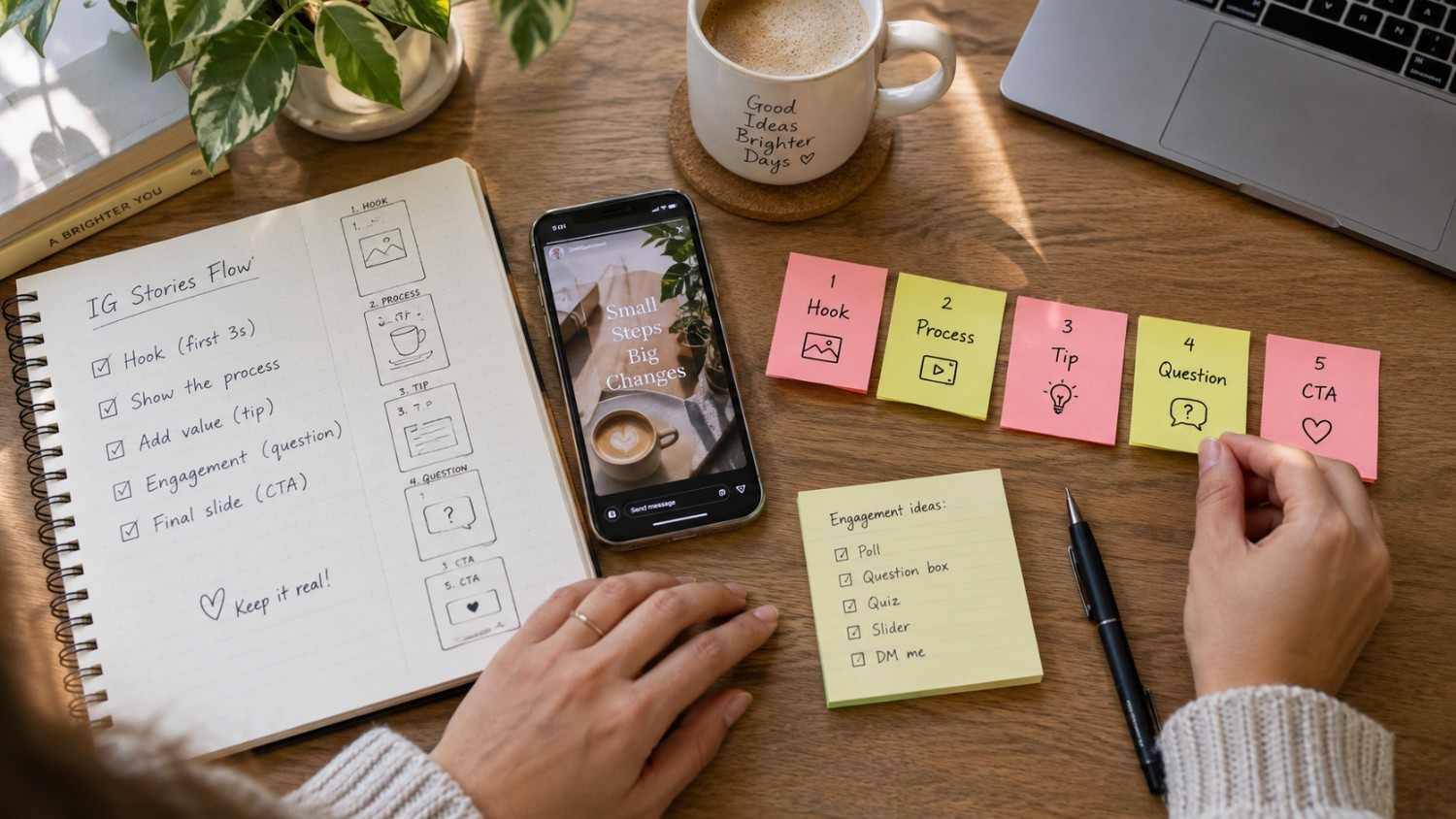
The basic structure is simple. Open with a hook that stops the scroll in the first second or two. Use the middle slides to deliver value, one idea per slide, with short text and strong visuals. Close with a clear call to action that tells the viewer exactly what to do next.
The sweet spot for most sequences is three to seven slides, with each slide held for three to seven seconds. Interactive stickers like polls, questions, and quizzes boost engagement because they turn passive viewers into active participants.
If you want help planning these sequences without staring at a blank screen, Social by InstantDM is one option worth trying. It generates content ideas and captions for Stories so you can focus on the creative side while it handles scheduling. This article breaks down the full framework so you can build tap through sequences whether or not you use a tool to help.
Introduction
If you have ever posted an Instagram Story and watched the view count drop off after the second slide, you already know the feeling. You spent time picking a photo, writing a caption, maybe even recording a clip, and within a second or two most people had already tapped past it. It is one of the most frustrating parts of running an Instagram account, and it happens to beginners and experienced creators alike.
The good news is that this is almost never a content quality problem. It is a planning problem. Stories that get tapped through from start to finish are not posted randomly. They are built as a sequence, with each slide doing a specific job that pulls the viewer forward to the next one. This is called storyboarding, and once you understand how it works, you start to see why some accounts hold attention for seven slides in a row while others lose people almost instantly.
This guide walks through the entire process of storyboarding Instagram Stories in 2026, from writing the opening hook to closing with a call to action that actually gets a response. Along the way we will cover sequence types that consistently perform well, the tools people use to build them, common mistakes that quietly kill completion rates, and how to adjust your approach depending on whether your goal is awareness, engagement, leads, or sales.

How to Storyboard Instagram Stories for Better Flow and Engagement
Storyboarding means planning your Stories before you create them. Instead of posting random slides whenever inspiration strikes, you map out a sequence with a clear beginning, middle, and end, the same way a filmmaker plans a scene before shooting it.
Here is the framework that works.
Hook slide (slide 1). This is your first impression, and you genuinely have one or two seconds to earn attention before someone swipes past. Use a bold statement, a question, or a curiosity gap. “Stop scrolling” works. “I made a huge mistake” works. “Here is what nobody tells you about this topic” works. The hook does not need to be clever. It needs to create a small gap between what the viewer knows and what they want to know.
Content slides (slides 2 to 5). This is where you deliver value. Each slide should build on the one before it, almost like a staircase. Keep the text short, one or two sentences per slide, and let visuals carry the rest of the weight. If a slide feels crowded, split it into two slides instead of shrinking the font.
CTA slide (final slide). This is where you drive action. Tell viewers exactly what to do next. “DM me the keyword” “Tap the link” “Reply with your answer” “Screenshot this” are all specific enough that people know what is expected of them.
The key insight is that your Stories should feel like a conversation, not a broadcast. Each slide should make the next one feel necessary. Viewers tap forward because they want to know what happens next, not because they are mindlessly swiping through everything in their feed.
Some creators use Social by InstantDM to help sketch out these sequences before filming anything, since it can suggest hook ideas, content slides, and CTAs based on a topic and audience. That takes some of the blank page pressure out of the planning stage, though the framework above works whether you are typing it into a notes app or using software to draft it.
Best Instagram Story Sequence Ideas for 2026
Here are the sequence types that consistently perform well across niches.
Tutorial sequence:
Slide 1: “How to achieve a result in three steps” Slides 2 to 4: One step per slide Slide 5: “Save this for later” or “Try it and tag me”
Behind the scenes sequence:
Slide 1: “Here is what my morning looks like” Slides 2 to 4: Show your routine Slide 5: “What does your morning routine look like?”
Poll and question sequence:
Slide 1: “Quick question” Slide 2: Poll sticker with two options Slide 3: Share the results Slide 4: “I was surprised by this”
Product showcase sequence:
Slide 1: “I have been testing this for two weeks” Slides 2 to 4: Show the product in use Slide 5: “Link in bio” or “DM me for details”
Storytelling sequence:
Slide 1: “Something happened today that changed my perspective” Slides 2 to 4: Tell the story Slide 5: “Here is what I learned”
Each of these formats works because it has a built in reason to keep watching. The tutorial promises a payoff at the end. The behind the scenes format taps into curiosity about how other people live and work. The poll format rewards curiosity about how the results turned out. None of them rely on the viewer already caring about you before they hit play.

How to Create Tap Through Instagram Story Sequences
Creating a sequence that people actually watch all the way through requires more planning than most creators put into it. Here is the process broken into steps you can follow every time.
Step 1: Define your goal. What do you want viewers to do after watching? Reply? Click a link? Share it with a friend? Your goal determines the entire structure of the sequence, so decide this before you write a single word.
Step 2: Write your hook. The first slide needs to stop the scroll. Write three to five hook options and pick the strongest one rather than settling for the first idea that comes to mind.
Step 3: Plan your middle slides. Each slide should deliver one piece of information. Do not cram multiple ideas onto one slide just because you are worried about running long. It is better to have six focused slides than four cluttered ones.
Step 4: Write your CTA. Tell viewers exactly what to do. Be specific. “DM me the word guide” is stronger than “check out my website” because it removes the guesswork.
Step 5: Add interactive elements. Polls, questions, quizzes, and sliders increase engagement, but they work best when used with intention rather than dropped in randomly on every slide.
Step 6: Create the visuals. Design each slide to support your text rather than compete with it. Use consistent colors and fonts so the sequence feels like one cohesive piece rather than a random collection of slides.
Step 7: Review the flow. Watch your sequence from start to finish the way a viewer would. Does it flow naturally? Does each slide make you want to tap forward, or does the pacing drag anywhere?
How to Use Tap to Reveal Stories to Increase Interaction
Tap to reveal is one of the more underused engagement tools on the platform. Here is how it works and why it performs so well.
The concept: You hide information behind a sticker or a visual element, and viewers tap to reveal what is underneath. This creates a small moment of curiosity that pulls them into the interaction rather than just scrolling past.
Ways to use tap to reveal: “Tap to reveal the answer” for a quiz format “Tap to see the result” for a before and after comparison “Tap for the surprise” for hidden content “Tap to unlock” for exclusive content
Why it works: Tap to reveal creates active participation. Instead of passively watching, viewers physically interact with your content. That interaction signals engagement to the platform and tends to increase completion rates for the whole sequence, not just that one slide.
The key rule is that the reveal has to be worth the tap. Do not tease something big and then deliver something forgettable. The payoff should meet or exceed what the setup promised, otherwise viewers learn not to trust your hooks the next time around.
A number of creators lean on Social by InstantDM when planning these interactive sequences, since it can suggest which engagement elements fit a particular content type and audience before the slides are even designed.
Best Instagram Story Tools for Creators and Brands
The right tool can make the difference between a sequence that takes twenty minutes to build and one that takes two hours. Here are the tools worth knowing about, along with more detail on what each one actually offers.
Social by InstantDM
Social by InstantDM focuses on the planning and scheduling side of Story creation rather than the visual design side. It generates content ideas for Stories based on a topic, suggests captions, and lets you schedule sequences across platforms instead of publishing everything manually. The analytics side tracks completion rates, so you can see where a sequence loses people instead of guessing. For creators who post consistently but struggle with what to actually say on each slide, this is the part of the workflow it tends to help with most. It is not a replacement for a design app, but it pairs well with one, since it handles the strategy and scheduling while a tool like Canva or Adobe Express handles the visuals.
Canva
Canva has become the default design tool for a huge number of creators, and for good reason. It offers hundreds of customizable Story templates covering nearly every content type, from tutorials to quote slides to product showcases. The drag and drop editor means you do not need any design background to put together a sequence that looks intentional. Brand kits let you lock in your fonts and colors once so every future Story matches without extra effort. The free version covers most needs, and the paid version adds more premium templates and stock assets.
Adobe Express
Adobe Express takes a slightly more polished approach than Canva, with templates that lean toward professional and brand forward designs. It includes brand kit support similar to Canva, which is useful for teams that need everyone posting Stories to stay visually consistent. Because it is built on Adobe’s broader design ecosystem, it tends to appeal to creators who already use other Adobe products and want something that feels familiar. The learning curve is slightly steeper than Canva, but the output often looks a notch more refined.
InShot
InShot is built specifically for mobile video editing, which makes it a strong fit for Story sequences that rely on video clips rather than static slides. It supports trimming, adding text overlays, layering music, and applying effects, all from a phone. For creators who film their content on the go and want to edit directly on their device without switching to a desktop app, InShot removes a lot of friction from that workflow. It is particularly useful for behind the scenes and tutorial sequences where movement and pacing matter more than static design.
Unfold
Unfold built its reputation on minimalist, aesthetic Story templates that feel more like a magazine layout than a typical social media graphic. The templates are clean, with generous white space and simple typography, which makes them a good fit for creators in fashion, lifestyle, wellness, or any niche where a polished, understated look matters. Because the templates are so structured, sequences built in Unfold tend to look cohesive with very little extra effort.
Mojo
Mojo specializes in animated Story templates, letting creators add motion graphics without needing any animation skills. Text that slides in, elements that pulse, and transitions between slides all come built in. This is especially useful for hook slides, where a bit of movement can catch the eye faster than a static image. For sequences aimed at product launches, countdowns, or promotions, Mojo’s animated templates tend to add energy that static tools cannot easily replicate.

How Many Story Slides Should You Use in One Sequence?
The optimal length depends heavily on your content type, and using the wrong length for the format is a common reason sequences underperform.
Quick tip or announcement: three to four slides. Get to the point fast, since this type of content does not need much setup.
Tutorial or step by step: five to seven slides. One step per slide keeps things digestible without rushing.
Storytelling: five to seven slides. This gives enough room to build the narrative naturally without dragging it out.
Product showcase: four to six slides. Enough to show the product from different angles without overstaying its welcome.
Behind the scenes: three to five slides. Keep it casual and authentic rather than overproduced.
The general rule across all formats is that three to seven slides is the sweet spot. Fewer than three does not give viewers enough to engage with, and it can feel like the sequence ends before it really begins. More than seven tends to lose people’s attention, especially since most viewers are moving through Stories quickly and are not committed to watching a long sequence from one account.
The goal is zero skipped Stories. Keep each slide to three to seven seconds. People move through Stories quickly, so respecting their time with tight pacing keeps them watching instead of tapping away.
How to Structure Hooks, Middle Slides, and CTAs in Instagram Stories
Structure matters more than any individual piece of content. Here is the exact framework broken down slide by slide.
Hooks (slide 1): Bold statement: “I quit my job last week” Question: “Are you making this mistake?” Curiosity gap: “Nobody talks about this” Controversy: “Unpopular opinion, here is my take” Promise: “Three tips that changed my life”
Middle slides (slides 2 to 5): One idea per slide Short text, one or two sentences Visual support for every slide Progressive flow, where each slide builds on the previous one
CTA slides (final slide): Direct: “DM me the word guide” Engagement: “Reply with your answer” Share: “Share this with someone who needs it” Save: “Screenshot this for later” Link: “Tap the link in bio”
The key rule across all three parts of the sequence is that every slide should have a purpose. If a slide does not add value or move the sequence forward, remove it. It is tempting to add extra slides just because you have more to say, but padding a sequence usually hurts completion rates more than it helps.

Best Tools for Designing Interactive Instagram Stories
Interactive elements are one of the easiest ways to boost engagement, and Instagram’s native stickers cover most of what you need without any third party tool. Here is a closer look at each one and how to use it well.
Poll sticker
Poll stickers ask binary questions with two answer options. They get high response rates because answering takes less than a second, which lowers the barrier to interaction almost to zero. Poll stickers work especially well early in a sequence, since they warm up the audience and give you a reason to bring up the results a slide or two later.
Question sticker
Question stickers invite open ended responses, which makes them useful for building connection and gathering audience insight at the same time. Asking something like “what is your biggest challenge right now” often produces replies you can turn into future content, so this sticker doubles as both an engagement tool and a research tool.
Quiz sticker
Quiz stickers test knowledge with multiple choice answers, and they work well for creating curiosity before a reveal. A question like “can you guess how many people made this mistake” pulls viewers into guessing before they even see the answer, which naturally increases the tap through rate to the next slide.
Slider sticker
Slider stickers let viewers rate something on a scale, usually represented by an emoji that moves along a bar. They are visually engaging and easy to use, and they work particularly well for gauging opinion on something specific, like how excited someone is about an upcoming launch.
Countdown sticker
Countdown stickers create urgency by counting down to a specific date or time. They work well for product launches, live sessions, or any moment you want your audience anticipating in advance. Viewers can also opt in for a reminder, which brings them back to your profile right when the countdown ends.
Link sticker
Link stickers are the only native way to drive external traffic from a Story, which makes them essential for any sequence where the goal is a click. Because tapping a link is a bigger commitment than tapping a poll, link stickers tend to perform best when they appear after the audience has already been warmed up by the rest of the sequence rather than on the very first slide.
Some creators use Social by InstantDM to help decide which of these interactive elements fits a given piece of content before they even open Instagram, since matching the right sticker to the right moment in a sequence makes a noticeable difference in completion rates.
Common Instagram Story Sequence Mistakes That Reduce Completion Rate
These mistakes quietly kill Story performance, often without the creator realizing why engagement dropped.
Mistake 1: No hook. If your first slide does not grab attention, viewers skip before they see anything else. Always lead with a strong hook, even for casual content.
Mistake 2: Too much text. Stories are a visual format. Keep text short, one or two sentences per slide, and let the visuals do the heavier lifting.
Mistake 3: No flow. Random, disconnected slides confuse viewers. Each slide should connect logically to the one before it.
Mistake 4: No CTA. If you do not tell viewers what to do, most of them will not do anything. Always end with a clear, specific call to action.
Mistake 5: Too many slides. More than seven slides tends to lose people’s attention. Keep sequences concise and cut anything that does not earn its place.
Mistake 6: Ignoring analytics. Your completion rate tells you exactly where viewers drop off. Check it regularly and adjust your sequences based on what the data shows rather than guessing.
Mistake 7: Not using interactive elements. Polls, questions, and quizzes boost engagement, and skipping them means leaving an easy win on the table.
Mistake 8: Posting at the wrong times. Check your analytics for when your specific audience is most active, since posting outside that window can quietly cap your reach no matter how good the content is.

How to Plan Instagram Stories for Engagement, Leads, and Conversions
Stories can drive real business results when they are planned around a specific outcome rather than posted on autopilot. Here is how to approach each goal.
For engagement: Use polls and questions to spark interaction Share behind the scenes content that feels personal Create sequences that tell a story rather than just present information Respond to every reply you get, since that reciprocity encourages people to keep engaging
For leads: Offer a free resource in exchange for a DM Use the question sticker to collect information indirectly Create a sequence that educates first and pitches second Use link stickers to drive traffic to a dedicated landing page
For conversions: Show social proof such as testimonials and results Create urgency with countdown stickers Use the tap to reveal format for special offers End with a clear, specific CTA that removes any ambiguity about what to do next
Some creators run this whole planning process through Social by InstantDM, letting it generate content ideas, captions, and CTAs based on the specific goal for that sequence, then adjusting the output to match their own voice before posting.
How Story Sequences Compare Across Content Goals
Different goals require genuinely different sequence structures, and using the wrong structure for your goal is one of the more common strategic mistakes creators make.
For brand awareness: Keep sequences short, three to four slides. Use bold hooks and visually striking content. End with a follow CTA. The goal is simply to introduce your brand to new viewers without asking too much of them yet.
For audience engagement: Use interactive elements on every slide, mixing polls, questions, and quizzes. Ask viewers to reply or share. The goal is to start conversations and build relationships rather than push toward a transaction.
For lead generation: Offer a free resource in exchange for a DM or an email address. Create a sequence that educates first and pitches second. Use the question sticker to collect contact information in a way that feels natural rather than transactional.
For direct sales: Show social proof first, such as testimonials and results. Create urgency with countdown stickers. End with a clear purchase CTA. Keep it tight, four to five slides maximum, since sales sequences tend to lose people if they drag on too long.
For community building: Share behind the scenes content that feels personal. Ask questions that invite genuine responses. Feature your audience in your Stories whenever you can. Build connection through authenticity rather than polish.
The key insight is that your sequence structure should match your goal. Do not use a sales sequence when you are building awareness, and do not use an engagement sequence when you are actually trying to drive conversions. Mismatched structure is one of the quietest ways a sequence underperforms even when the individual slides look good.
The Bottom Line
Instagram Stories are one of the platform’s most powerful features, yet most creators treat them as an afterthought. Random slides, no structure, no real strategy behind any of it.
Storyboarding changes that completely. When you plan your Stories as a sequence with a hook, content slides, and a CTA, viewers actually tap through instead of swiping past. Completion rates go up. Engagement goes up. And when the sequence is built around a specific goal, conversions tend to follow.
If planning every sequence from scratch feels like a lot to keep track of, tools like Social by InstantDM can help generate content ideas, hooks, and CTAs, along with scheduling and analytics to see what is actually working. But even without any tool at all, the framework in this guide is enough to build sequences that hold attention.
Start storyboarding today. Plan your next Story sequence. Write your hook. Map your slides. Write your CTA. Create it. Post it. Watch the completion rate. That is how Story marketing actually works in 2026.