Instagram Image Sizes 2026: Dimensions for Posts, Stories, and Reels
Every Instagram image size for 2026 — feed posts, Stories, Reels, carousels, and ads. Exact pixels and ratios inside.
TL;DR
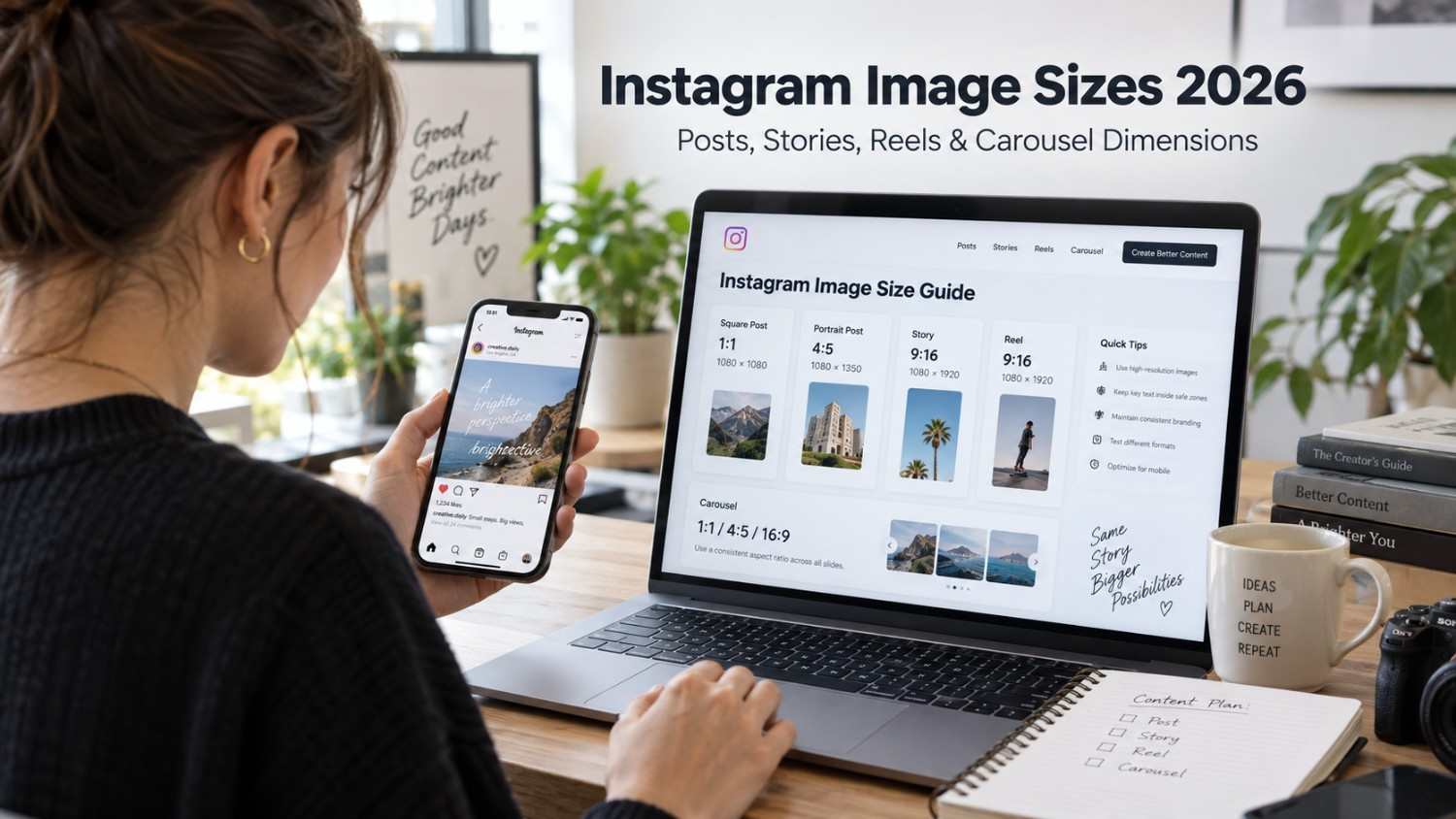
Instagram is not forgiving when it comes to image dimensions. Post the wrong size and you will end up with something cropped oddly, blurry around the edges, or compressed into mush by the platform’s own algorithm. Heading into 2026, the grid itself shifted to a 3:4 preview, Stories and Reels both run at 1080 by 1920 pixels, and feed posts still perform best at 1080 by 1350. The quick version looks like this. Feed posts should be 1080 by 1350 pixels at a 4:5 ratio if you want maximum screen space. Stories and Reels both need 1080 by 1920 pixels at 9:16. Your profile picture sits at 320 by 320 pixels, and carousels follow the same 1080 by 1350 spec as regular feed posts. Getting these numbers right is not about being fussy for no reason, it genuinely changes how professional your content looks the moment someone scrolls past it.
Introduction
There is a specific kind of frustration that comes from spending an hour on a design, uploading it, and watching Instagram crop off exactly the part you cared about most. It happens more than people realize, and it almost always comes down to one simple thing, the image was not built at the dimensions Instagram actually wants.
Instagram has quietly changed its sizing standards more than once over the past few years, and 2026 brought another round of small but meaningful shifts, particularly around how the grid displays your posts. If you are still designing at dimensions that were standard two or three years ago, there is a decent chance your content is getting compressed, cropped, or just looking slightly off without you fully understanding why.
This guide lays out every dimension you actually need, feed posts, Stories, Reels, carousels, profile pictures, thumbnails, and ads, along with the file size and resolution requirements that determine whether your upload looks sharp or slightly soft. By the end, you should be able to design once, upload with confidence, and stop guessing at what Instagram actually wants from you.
It helps to think of this less as a rulebook and more as a reference you keep coming back to. Even experienced designers mix up which ratio belongs to which format once they are juggling feed posts, Stories, carousels, and ad creative all in the same week. Bookmarking the right numbers now saves you from re Googling them every single time you open a new design file.
Instagram Image Sizes & Dimensions in 2026: Complete Guide
Instagram runs on specific dimensions for every single content type, and mixing them up is one of the most common, and most avoidable, mistakes creators make. Here is the full breakdown before we get into the details of each one.
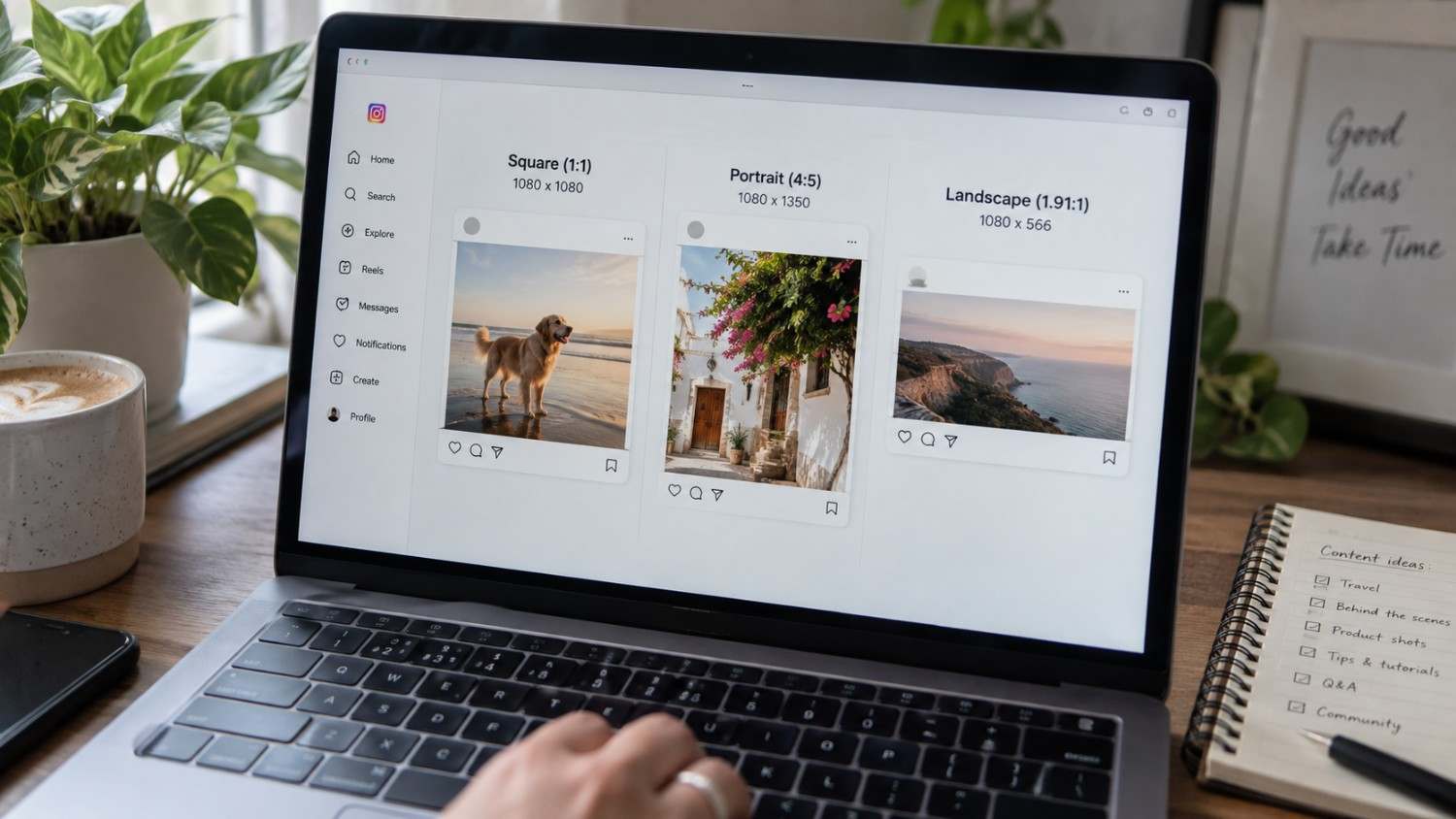
For feed posts, square images sit at 1080 by 1080 pixels for a 1:1 ratio, portrait images run 1080 by 1350 pixels at 4:5, and landscape images come in at 1080 by 566 pixels for a 1.91:1 ratio. Stories and Reels both use 1080 by 1920 pixels at 9:16, and Reel covers follow that exact same spec so everything lines up visually across your profile.
Beyond that, carousels use the same 1080 by 1350 pixel spec as portrait feed posts, profile pictures sit at 320 by 320 pixels, and thumbnails come in much smaller at 161 by 161 pixels.
The rule worth remembering across all of this is simple. Stick to the recommended dimensions every time. Instagram compresses anything that does not match, and that compression is usually where the blur and softness people complain about actually comes from.
https://youtu.be/kRrrMB5f1xQ?si=nQeZVjAU74u2LLQX
Instagram Feed Post Size: Square, Portrait & Landscape
Feed posts remain the most common type of content on the platform, so getting these dimensions right matters more than almost anything else in this guide.
Square (1:1)
The square format runs at 1080 by 1080 pixels, and it is still the classic Instagram look most people associate with the platform. It works reasonably well for almost any kind of content, though it does take up noticeably less screen space in the feed compared to portrait images.
Portrait (4:5)
Portrait comes in at 1080 by 1350 pixels, and it claims the most screen real estate of any standard feed format. This makes it the strongest choice for single images and for carousels, since it simply gives your content more room to be seen before someone scrolls past it.
Landscape (1.91:1)
Landscape sits at 1080 by 566 pixels and takes up the least screen space of the three. It still has its place, particularly for wide shots or group photos where the horizontal framing genuinely serves the image better than cropping it into a taller format would.
If you only remember one recommendation from this section, make it this one. Use portrait at 4:5 whenever maximum visibility matters, since it occupies roughly twenty percent more screen space than a standard square post.
Best Instagram Portrait Size for Maximum Screen Space
Portrait posts consistently take up the most room in the feed, and there are a few concrete reasons that actually matters beyond just looking bigger on screen.
More visibility comes first. A 4:5 post simply occupies more of the visible feed than either a 1:1 square or a 1.91:1 landscape image, which increases the odds of actually stopping someone mid scroll rather than blending into the background.
Text also works better within a portrait frame. The extra vertical space gives you more room for overlays and captions without everything feeling cramped or forcing you to shrink your font down to something barely readable.
There is also a real engagement angle here. Several studies have shown that portrait posts tend to outperform square or landscape posts on engagement, likely tied directly to that increased visibility in the feed.
The dimensions to remember are 1080 by 1350 pixels at a 4:5 aspect ratio, and heading into 2026 this remains the optimal size for standard feed posts across most account types.
Instagram Story Size & Safe Zone Dimensions
Stories run on a completely different format than feed posts, and understanding the safe zone here matters just as much as getting the base canvas size right.
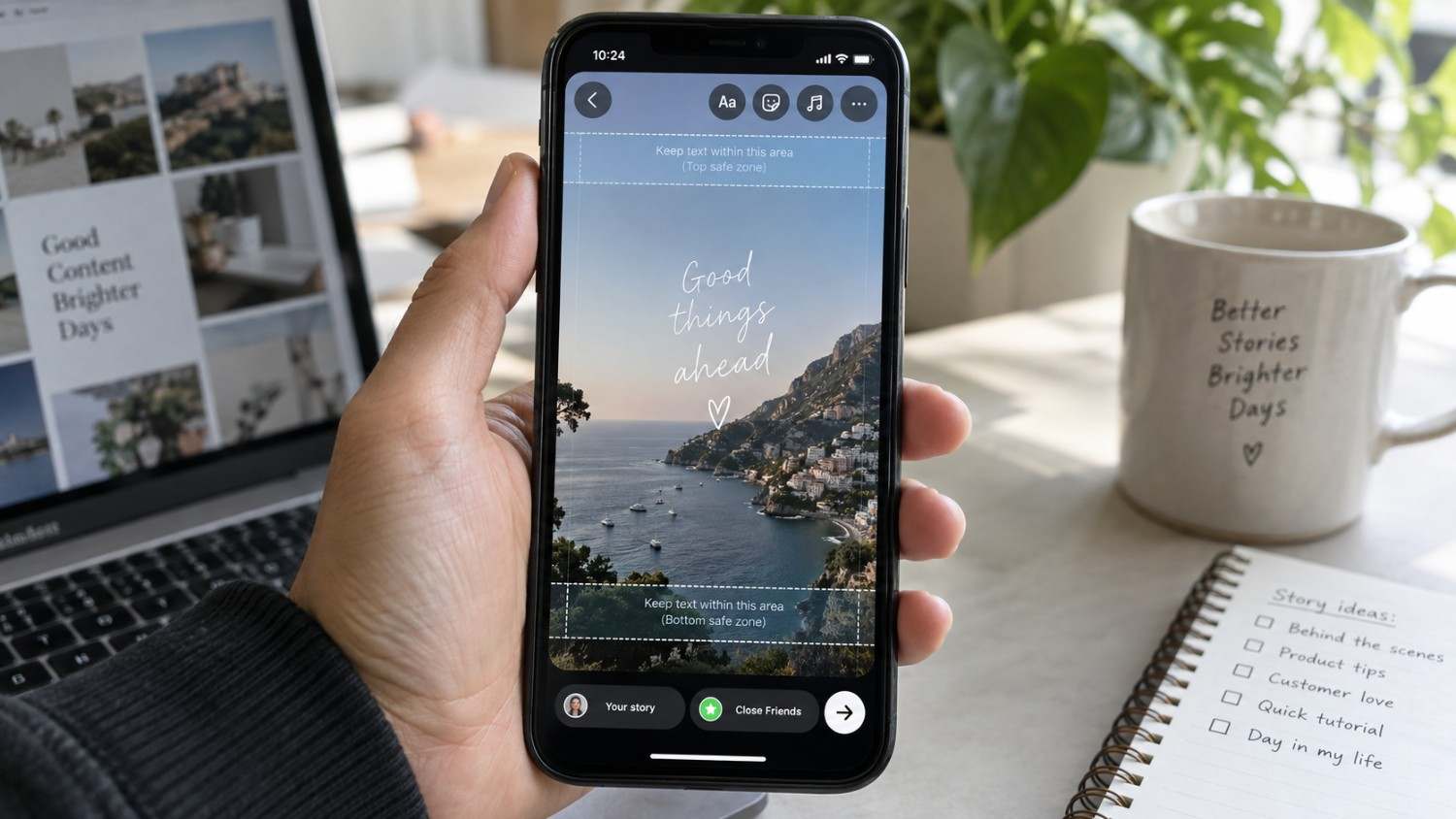
The canvas itself sits at 1080 by 1920 pixels for a full 9:16 aspect ratio. Within that canvas, there is a safe zone of roughly 1080 by 1610 pixels where your important content should actually live, since Instagram’s own interface covers portions of the top and bottom edges regardless of what you design.
Specifically, the top 155 pixels get covered by the username and timestamp, and the bottom 155 pixels get covered by the reply bar and any stickers someone has added. Anything placed in those zones risks being partially or fully hidden depending on the viewer’s device.
The rule here is straightforward. Always design at the full 1080 by 1920 canvas, but keep your text and any key visual elements tucked safely within that inner safe zone so nothing important gets covered by the interface itself.
Instagram Reels Size, Aspect Ratio & Cover Dimensions
Reels share the same base format as Stories, which makes sense given how closely tied the two formats are visually within the app.
The video itself runs at 1080 by 1920 pixels for a 9:16 ratio, and the cover image follows that exact same spec. Reels can run up to ninety seconds long, though Instagram’s own recommendation still leans toward keeping things under thirty seconds if you want the strongest possible performance.
The detail worth paying attention to is consistency. Using the same dimensions for both your video and your cover image keeps everything visually aligned, both in the main feed and on your profile grid, where mismatched sizing tends to stand out in a way that looks unintentional and slightly unpolished.
Instagram Carousel Size & Recommended Aspect Ratios
Carousels let you post several images within a single post, and getting the dimensions consistent across every slide matters more here than in almost any other format.
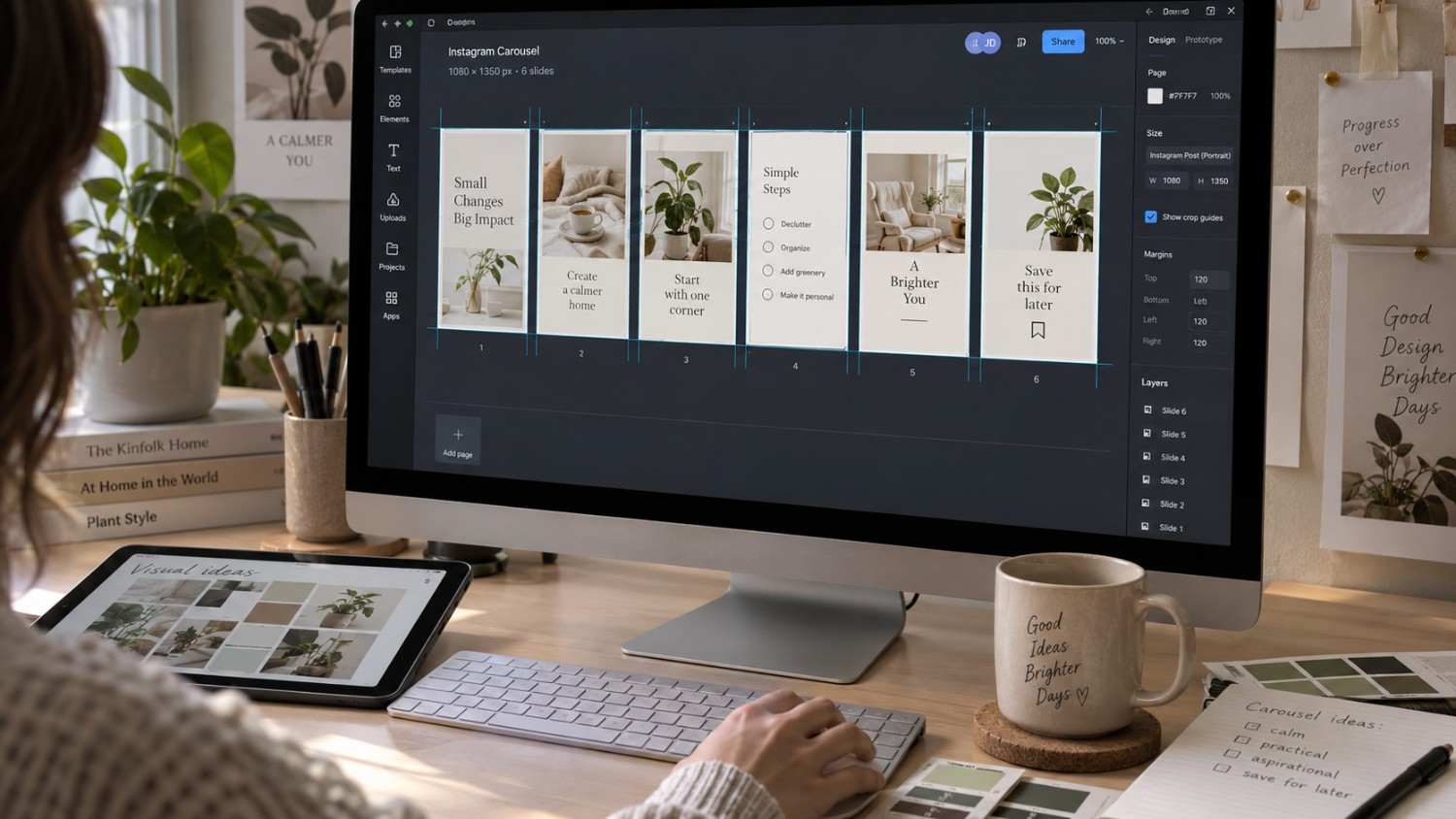
The recommended size per slide is 1080 by 1350 pixels at a 4:5 ratio, matching the standard specification for portrait feed posts. Carousels support anywhere from a minimum of two images to a maximum of twenty images.
While Instagram technically allows you to mix aspect ratios within a single carousel, sticking with a consistent 4:5 across every slide simply looks better and creates a smoother swiping experience for anyone flipping through your post. Using 4:5 throughout also guarantees that every slide takes up the exact same amount of screen space, which keeps the whole carousel feeling cohesive rather than jumping around in size from one slide to the next.
Instagram Profile Picture Size
Your profile picture functions as the face of your brand across the entire platform, and it deserves more thought than most creators actually give it.
The spec here is 320 by 320 pixels, displayed to viewers as a circle rather than a square, so keep that framing in mind when you are designing. Both JPG and PNG formats work fine for upload.
Since your profile picture shows up quite small across feeds, comments, and search results, clarity matters more than complexity. A busy or detailed image tends to turn into a blurry smudge at small sizes, so a simple, recognizable image almost always performs better than something intricate.
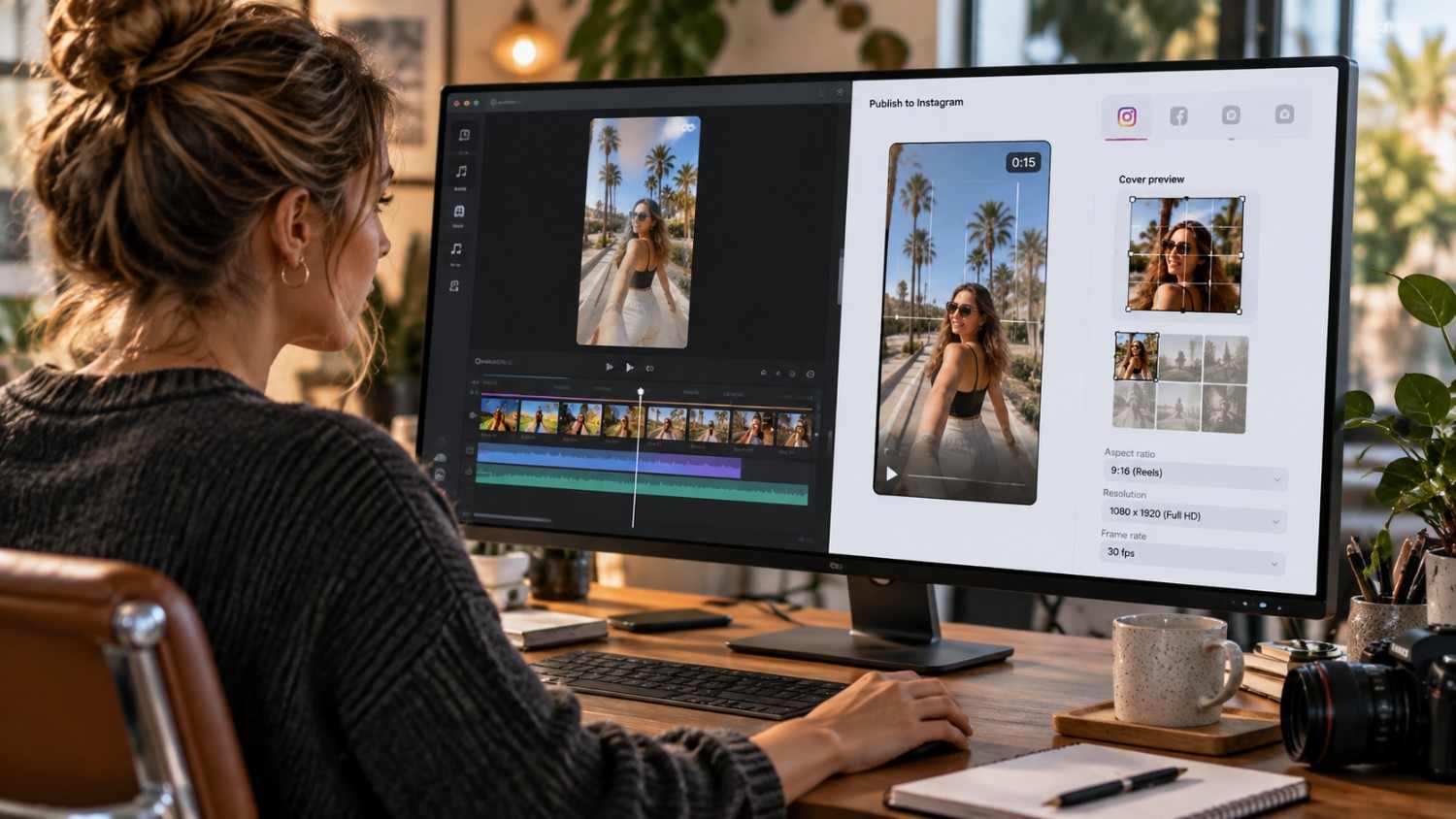
Instagram Thumbnail & Reel Cover Size
Thumbnails and Reel covers shape a viewer’s very first impression before they have even watched a second of your content, so it is worth treating them as more than an afterthought.
Reel covers run at 1080 by 1920 pixels, matching the 9:16 video format, and the frame you choose should genuinely represent what the Reel is actually about rather than being a random freeze frame. Thumbnails, on the other hand, are much smaller at just 161 by 161 pixels, and this is how your content appears within search results and the explore tab.
Since the cover is often the very first thing a potential viewer sees before deciding whether to tap in, choosing something visually striking tends to pay off far more than choosing something purely convenient.
Instagram Ad Sizes for Feed, Stories & Reels
Paid content on Instagram runs on the exact same dimensions as organic posts, which at least simplifies things if you are already comfortable with the specs above.
Feed ads follow the same square, portrait, and landscape options as organic feed posts, sitting at 1080 by 1080, 1080 by 1350, and 1080 by 566 pixels respectively. Story ads use the standard 1080 by 1920 pixel Story format, and Reel ads follow that same 1080 by 1920 spec as well.
The rule to remember is that consistency carries through here too. Use the same dimensions for ads as you would for organic content, since Instagram compresses ad creative that does not match its recommended sizes just as readily as it compresses organic posts.
https://youtu.be/ctjFm465YZE?si=GryPfhgU4vvgwNf1
Instagram Image Resolution, File Size & Quality Requirements
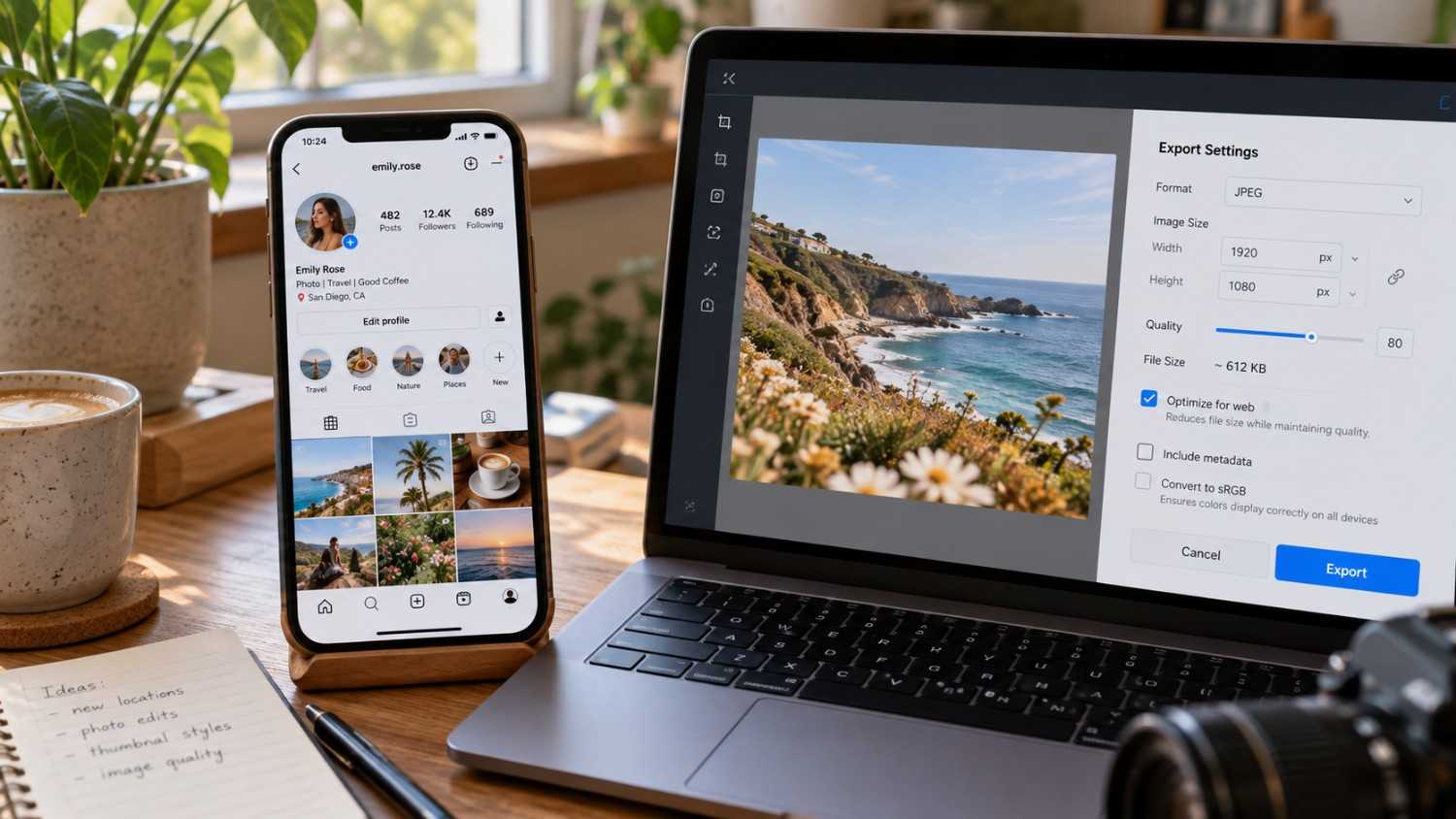
Dimensions are only part of the equation. Resolution and file size play a real role in how sharp your final upload actually looks once it hits someone’s feed.
Always upload images at 1080 pixels wide, since Instagram compresses anything larger down to that width regardless of what you send it. On the file size side, images can run up to 30MB, while video can go as large as 4GB. Stick to JPG or PNG for images, and MP4 or MOV for video content.
A practical quality tip worth following is to export at the highest quality your editing software allows, even though Instagram will compress the file on its end regardless. Starting from the best possible quality gives that compression less to work with, and the difference is often noticeable once you compare a properly exported image against one that was already low quality going in.
This matters even more for text heavy graphics, quote cards, infographics, and anything with fine detail, since compression artifacts show up fastest around sharp edges and small text. A photo can usually absorb a bit of compression without looking obviously worse, but a graphic with thin lines or small fonts will often turn noticeably fuzzy if you skip the export quality step.
Best Aspect Ratios for Instagram Posts in 2026
Aspect ratio determines exactly how your image sits within its frame, and 2026 brought a small but important update to how the grid itself displays your content.
1:1 Square
Running at 1080 by 1080 pixels, this remains the classic Instagram format, and it still works reasonably well across nearly any type of content you want to post.
4:5 Portrait
At 1080 by 1350 pixels, portrait gives you the most screen space of any standard format and remains the strongest choice for feed posts specifically.
9:16 Vertical
Running full screen at 1080 by 1920 pixels, this ratio is built for Stories and Reels, where taking up the entire viewport is exactly the point.
1.91:1 Landscape
At 1080 by 566 pixels, this wide format suits group photos and other horizontally framed content where a taller crop would cut off important parts of the image.
3:4 Grid Preview
This is the update worth paying close attention to. Instagram’s grid now displays content at a 3:4 ratio rather than the previous standard, which means your 4:5 posts get cropped slightly to fit that grid view even though the full image still displays correctly when someone taps into the post itself.
The overall recommendation still holds. Use 4:5 for feed posts, since it gives you maximum screen space in the main feed while still displaying acceptably within the newer 3:4 grid preview.
If you are trying to figure out the aspect ratio of a specific image yourself, the math is simple. Divide the width by the height. For a standard feed post, 1080 divided by 1350 comes out to 0.8, which lines up with a 4:5 ratio. For a Story, 1080 divided by 1920 comes out to 0.5625, matching the 9:16 ratio. Online calculators and most design tools will verify this for you automatically if you would rather skip the math entirely.
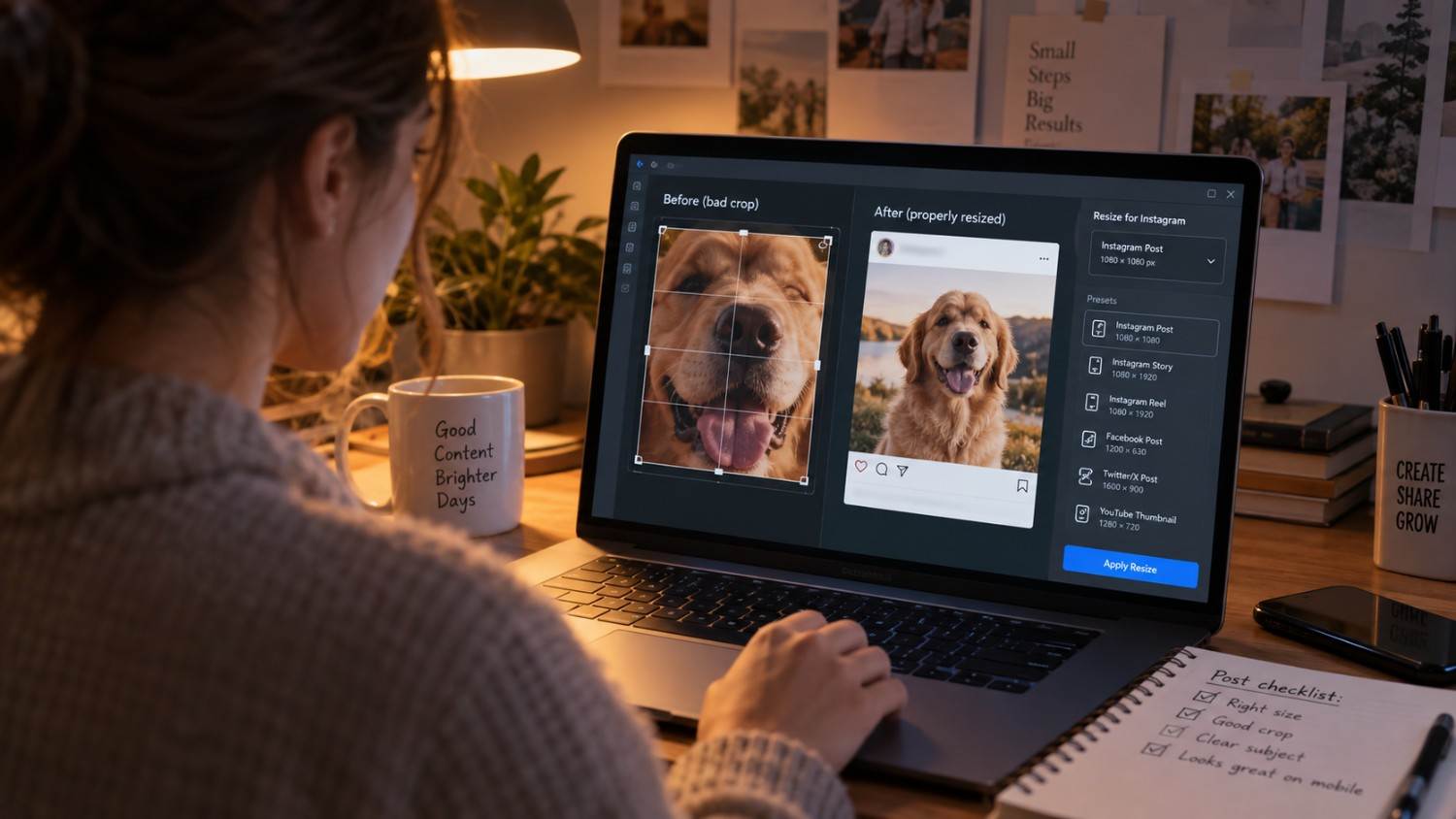
How to Resize Images Without Losing Quality
Resizing incorrectly is one of the fastest ways to end up with soft, blurry, or oddly stretched images, so it is worth doing this step properly rather than rushing through it.
Lean on dedicated design tools rather than generic resizing software, since tools built specifically for social content tend to handle proportions and compression more intelligently. Whatever software you use, export the image at its original resolution rather than shrinking it down yourself beforehand. Instagram’s own compression is designed to work with full-resolution uploads, and pre-shrinking an image before you upload it usually just makes the final compressed result look softer than it needs to be.
Format choice matters too. PNG files preserve quality slightly better than JPG, though they do tend to run larger in file size, which is a reasonable tradeoff to accept if quality is your priority. And whatever you do, avoid stretching an image to force it into a specific dimension. Cropping strategically, or adding a background to fill extra space, will almost always look better than a visibly distorted, stretched photo.
If you are looking for practical resizing tools, Canva remains one of the most accessible options, offering free resizing templates built for every major social platform. Adobe Express covers similar ground with quick resizing and brand kit support baked in, and Later includes a resizing feature specifically aimed at creators doing visual planning across their content calendar.
Where Social by InstantDM Fits In
Social by InstantDM is worth mentioning on its own, separate from the general resizing tools above. Beyond helping resize images correctly for multi-platform publishing, it also suggests content ideas that are built to fit within Instagram’s recommended dimensions from the start, rather than forcing you to retrofit an idea into the right size after the fact. If dimension planning has been an afterthought in your workflow up to this point, folding it into the content planning stage itself, rather than treating it as a separate step later, tends to save a fair amount of back and forth.
The Bottom Line
Instagram image sizes are not a minor technical detail, they genuinely shape how professional and polished your content looks the moment someone scrolls past it. Get the dimensions wrong and you end up with something cropped, blurry, or compressed in a way that quietly undercuts everything else you did right. Heading into 2026, the grid shifted to a 3:4 preview, while Stories and Reels both continue running at 1080 by 1920 pixels.
The key numbers to remember are these. Feed posts at 1080 by 1350 pixels for a 4:5 ratio, Stories and Reels at 1080 by 1920 pixels for 9:16, and profile pictures are at 320 by 320 pixels.
Start applying the right dimensions today. Resize what needs resizing, export at the correct size, and upload at the highest quality you can manage. The difference shows up almost immediately in how much more professional your content looks once it is live. That is really all there is to getting the sizing right on Instagram.
Sources for This Guide:
References:
https://buffer.com/resources/instagram-image-size/
https://blog.hootsuite.com/social-media-image-sizes-guide/
https://sproutsocial.com/insights/social-media-image-sizes-guide/
Frequently asked questions
What is the best Instagram image size for 2026?
1080 by 1350 pixels at a 4:5 ratio works best for feed posts. Stories and Reels both call for 1080 by 1920 pixels at 9:16, and profile pictures should stay at 320 by 320 pixels.
Why do my Instagram images look blurry?
In most cases, the image is either the wrong dimension or was uploaded at too low a resolution to begin with. Always upload at 1080 pixels wide and stick to the recommended aspect ratios covered throughout this guide.
What aspect ratio should I use for Instagram feed posts?
A 4:5 ratio at 1080 by 1350 pixels gives you the most screen space in the feed. The classic 1:1 square at 1080 by 1080 pixels still works fine, though 4:5 tends to perform better for engagement specifically.
How do I resize images for Instagram?
Tools like Canva, Adobe Express, and other design platforms built for social content will resize images while preserving quality far better than generic resizing software. Always export at the highest quality setting your tool allows before uploading.
What size should my Instagram Reel cover be?
Your Reel cover should be 1080 by 1920 pixels, matching the 9:16 aspect ratio of the Reel itself. Use the exact same dimensions as your video, and choose a frame that is genuinely visually striking rather than a random default.