11 Best Open Source Social Media Schedulers in 2026 (Verified)
I checked the GitHub commit history of every open source scheduler on the popular 2026 lists. Five are abandoned and still being recommended. Here are the 11 that are genuinely maintained, and what self-hosting actually costs.

Why do open source scheduler lists keep recommending dead projects?
Because checking is boring, and nobody does it.
The most-cited article in this category is titled “Top 12 Open Source Social Media Scheduler Tools for 2025.” It’s a genuinely decent piece. It was also published in August 2025, mentions the year three times, has no FAQ, and still sits near the top of results a year later. Three of the twelve projects it recommends were already struggling when it went out. They’re worse now.
That’s not a dig at the author. It’s the nature of the format: open source lists rot faster than any other kind of software list, because the thing being reviewed can be abandoned by one person losing interest on a Tuesday. A SaaS company at least sends a shutdown email.
So this list does one thing differently. For every project below, I pulled the GitHub API on 28 July 2026 and recorded the last commit date, star count, open issue count, licence, and whether the repo is archived. Those are facts, not opinions, and you can re-run them yourself in about a minute. Where a project is dead, I say it’s dead and give you the date it died.
How did I check which projects are actually maintained?
For each candidate I queried api.github.com/repos/{owner}/{name} and recorded six fields:
pushed_at— the last time any code was pushedstargazers_count— adoption proxyopen_issues_count— maintenance backlogarchived— whether the owner has formally frozen itlicense.spdx_id— the actual licence GitHub’s classifier detects- Whether the repository still exists at the URL people cite
That last one matters more than it sounds. github.com/trypost-it/trypost is cited in the wild as trypost’s home. It 404s. The project moved to github.com/trypostit/trypost, and the old URL is still being passed around.
What I have not done: run all eleven of these in production for a year. Nobody writing a list like this has, and where I’m relying on a project’s own documentation rather than experience, I say so.
Which open source schedulers are still alive in 2026?
Every figure below read from the GitHub API on 28 July 2026.
| Project | Stars | Last commit | Licence | Open issues | Status |
|---|---|---|---|---|---|
| Postiz | 33,854 | 2026-07-28 | AGPL-3.0 | 219 | Very active |
| Mixpost | 3,462 | 2026-03-16 | MIT | 33 | Active, 4 months quiet |
| LangChain social-media-agent | 2,691 | 2026-07-27 | MIT | — | Very active (agent, not scheduler) |
| Brightbean Studio | 2,080 | 2026-07-12 | AGPL-3.0 | 26 | Active |
| Socioboard 5.0 | 1,484 | 2026-01-30 | Unrecognised | 32 | 6 months quiet |
| Free AI Social Media Scheduler | 470 | 2026-07-21 | MIT | — | Active |
| trypost | 443 | 2026-07-26 | AGPL-3.0 | 22 | Very active |
| Postiz Agent | 381 | 2026-07-20 | Unrecognised | — | Active |
| easy-uploader | 375 | 2026-05-13 | MIT | — | Active |
| Latewiz | 60 | 2026-07-23 | MIT | — | Active, very small |
| Imposting | 45 | 2026-06-29 | MIT | — | Active, very small |
Star counts are an adoption signal, not a quality one. A 45-star project maintained by someone who actually uses it daily can be more reliable than a 2,000-star repo whose author moved on. Last commit date is the number I’d weight highest.
What does self-hosting actually cost?
This is the section every open source roundup skips, and it’s the one that decides whether self-hosting is a bargain or a trap.
Why is the software free but the platform access isn’t?
Because you are no longer using the vendor’s developer apps. You’re using yours.
When you pay Buffer or Hootsuite, part of what you’re buying is their relationship with Meta, X, LinkedIn and TikTok — approved apps, negotiated rate limits, compliance reviews already passed. Self-host and all of that becomes your job. The software is a free download; the permission to post is not.
What does X charge per post in 2026?
X moved to pay-per-use, which is the single biggest change to self-hosting economics in recent years. Our earlier guide to free social media scheduling tools documented rates of $0.015 per post and $0.20 per post containing a link when we checked in July 2026.
I’d treat those as indicative rather than locked. X has changed developer pricing repeatedly, and it’s the number most likely to be stale by the time you read this. Check it yourself before you build a posting volume assumption on top of it — at $0.20 per link post, an agency pushing 500 link posts a month is looking at $100 in API fees alone, on “free” software.
What do TikTok, LinkedIn and Meta require?
- TikTok requires a compliance audit before your app’s posts are visible to anyone except you. Until you pass it, you have built a very elaborate private diary.
- LinkedIn Page posting requires a registered legal entity. A sole trader without a company registration cannot complete it.
- Meta requires app review for the permissions needed to publish to Pages and Instagram professional accounts.
None of these are hard, exactly. They’re just slow, and they’re the reason self-hosting a scheduler is a fundamentally different project from self-hosting, say, a wiki. Budget a weekend of forms before you post anything.
What’s the actual monthly bill?
A VPS capable of running one of these sits around $5-12/month. Add your API costs. Add your own time at whatever you bill.
For most people the honest arithmetic is: self-hosting saves money at scale and costs money at small scale, and the crossover is higher than you’d guess — somewhere past the point where a hosted plan would be $50-100/month.
Which 11 projects are worth running, and what breaks in each?
Is Postiz the best open source social media scheduler in 2026?
Yes, and nothing else is close on the numbers.
 Postiz had 33,854 stars and a commit from the same day I checked. It is the centre of gravity in this category.
Verified on 28 Jul 2026: 33,854 stars, last commit 2026-07-28, AGPL-3.0, 219 open issues, not archived.
Hosted pricing, if you’d rather not self-host: Standard $29/month (5 channels, no team members), Team $39/month (10 channels, unlimited team members), Pro $49/month (30 channels), Ultimate $99/month (100 channels). 7-day free trial. The pricing page states plainly that you can alternatively deploy the open source version on your own cloud for free.
Why it leads: the activity is not close. A commit on the day of checking, 33k stars, and a separate agent repository under active development. If you want the project most likely to still exist in three years, this is the bet.
What to weigh: 219 open issues is a real backlog, and the AGPL-3.0 licence has teeth. If you run modified Postiz as a network service other people use, AGPL obliges you to publish those modifications. For personal or internal use that’s irrelevant. If you’re planning to resell it as your own product, read the licence properly or talk to a lawyer — this is the clause that catches people.
Takeaway: the default choice, with a licence you need to actually read before commercialising.
Is Mixpost worth $299 one-time?
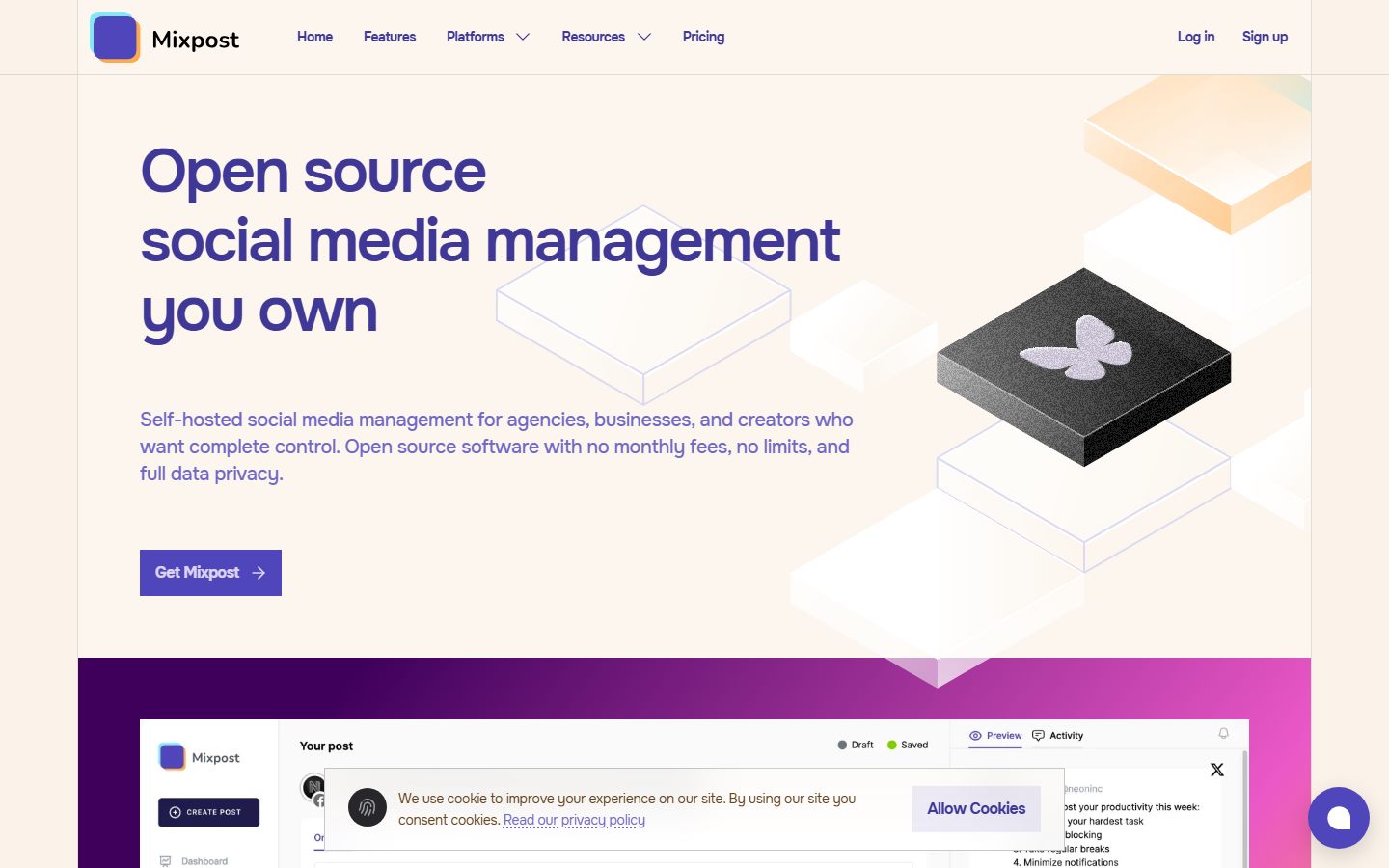 Mixpost sells a perpetual licence rather than a subscription — a genuinely different model from everything else here.
Verified on 28 Jul 2026: 3,462 stars, last commit 2026-03-16, MIT, 33 open issues.
Verified pricing: Lite is free with lifetime updates, community support, and support for Facebook Pages, X and Mastodon only. Pro is $299 one-time with a year of free updates and perpetual use afterwards, all 11 platforms, AI assistant, advanced analytics, approval flow, hashtag manager, post templates, API, webhooks, MCP, basic white-label and unlimited workspaces. Enterprise is $1,199 one-time and adds subscription management, a customer dashboard, automated billing, coupons and full white-label branding. Non-profits get 30% off Pro. All paid packages include a perpetual fallback licence.
Why it’s the strongest alternative: the MIT licence is far more permissive than Postiz’s AGPL, which matters enormously if you’re building a commercial product. And the Enterprise edition is explicitly a “launch your own SaaS” kit — subscription management, billing, customer dashboard, white-label. Nothing else in open source social scheduling ships that.
What to weigh: the last commit was 16 March 2026, roughly four months before I checked. That’s not abandonment, but it’s a different rhythm from Postiz’s daily activity. Also note the free Lite edition supports only three platforms — if you need Instagram, LinkedIn or TikTok, your real entry price is $299.
Takeaway: the best licence and the only real reselling story; pay once, and accept a slower release cadence.
Postiz vs Mixpost: which should you actually pick?
Ninety percent of this decision comes down to two projects, so here they are side by side. Everything verified 28 July 2026.
| Postiz | Mixpost | |
|---|---|---|
| Stars | 33,854 | 3,462 |
| Last commit | 2026-07-28 | 2026-03-16 |
| Licence | AGPL-3.0 | MIT |
| Open issues | 219 | 33 |
| Cost to self-host | $0 | Lite free / Pro $299 once / Enterprise $1,199 once |
| Free tier platforms | All | Facebook Pages, X, Mastodon only |
| Approval workflow | Not published | Yes, Pro edition |
| MCP / agent support | Separate postiz-agent repo | Listed on Pro |
| White-label | Not published | Basic on Pro, full on Enterprise |
| Hosted option | $29-99/month | Self-host only |
| Resell as your own SaaS | AGPL makes this legally involved | Enterprise is built for it |
Pick Postiz if you want the most active project in the category and the strongest odds it still exists in three years, you’re using it internally or personally, and you’d like the option of paying $29-99/month to stop maintaining it yourself.
Pick Mixpost if the licence matters. MIT versus AGPL is the single biggest practical difference here, and it decides whether “build a product on this” is a straightforward decision or a legal conversation. Mixpost also wins outright on approvals and reselling, and its one-time pricing means a three-year total of $587 against Postiz Cloud’s $1,404.
The trap in both directions: people pick Postiz for the star count and then discover AGPL when they try to commercialise, or pick Mixpost Lite for the price and then discover it only posts to Facebook Pages, X and Mastodon. Check the licence if you’re building a business. Check the platform list if you need Instagram.
Should you use trypost?
Verified on 28 Jul 2026: 443 stars, last commit 2026-07-26, AGPL-3.0, 22 open issues.
Young, small, and genuinely active — a commit two days before I looked. AGPL-3.0, same commercial caveat as Postiz.
What to weigh: 443 stars is early-adopter territory, and the ratio matters as much as the number. 22 open issues against 443 stars is proportionally heavier than Postiz’s 219 against 33,854, which usually signals a project where the maintainer is still doing everything personally. That’s fine while they’re enthusiastic and a problem the week they aren’t.
There’s also the URL problem worth repeating, because it’s a live trap: the widely-cited trypost-it/trypost is dead. The live repo is trypostit/trypost. If a tutorial you’re following clones the first one, it will fail in a way that looks like your fault.
Takeaway: promising and clearly alive, but don’t put a client roster on a 443-star project yet.
What is Brightbean Studio?
Verified on 28 Jul 2026: 2,080 stars, last commit 2026-07-12, AGPL-3.0, 26 open issues.
The quiet second-place finisher on adoption after Postiz and Mixpost, and at the time of checking it was actually more recently updated than Mixpost — 12 July against 16 March. On the raw maintenance numbers it deserves to be discussed alongside the two leaders far more often than it is.
What to weigh: it’s under-documented relative to its adoption. 2,080 stars with very little written about it means that when something breaks, you’re reading source rather than a StackOverflow answer. For a team with an engineer, that’s acceptable. For a marketing team, it’s a hidden cost.
Same AGPL-3.0 licence caveat as Postiz: fine internally, read it carefully before building a commercial service on top.
Takeaway: underrated on the numbers, under-documented in practice — the gap between those two is the risk you’re taking.
Is Socioboard 5.0 still safe to build on?
Verified on 28 Jul 2026: 1,484 stars, last commit 2026-01-30, licence unrecognised by GitHub, 32 open issues.
Two problems, and the second is the serious one.
Six months since the last push puts it in the grey zone — not abandoned, not healthy. On its own I’d call that a wait-and-see.
The licence is the real issue. GitHub’s classifier returns NOASSERTION, meaning the licence file doesn’t resolve to a standard SPDX identifier. That sounds like paperwork pedantry and isn’t. The single biggest reason to choose open source over a subscription is knowing exactly what you’re permitted to do with it, and an unrecognised licence means answering “can I use this commercially?” requires a lawyer reading the actual text. At that point you’ve spent more on legal advice than three years of a hosted plan.
Takeaway: the licence ambiguity alone rules it out for commercial use. Fine for a personal experiment where the question never comes up.
What about the AI-first projects — Postiz Agent, LangChain, and Free AI Scheduler?
Three projects sit at the boundary between “scheduler” and “agent,” and they’re worth knowing about because this is where the category is actually moving.
- Postiz Agent — 381 stars, last commit 2026-07-20, licence unrecognised. Postiz’s own agent-side companion.
- LangChain social-media-agent — 2,691 stars, last commit 2026-07-27, MIT. The most-starred of the three, but it’s an agent framework, not something you hand to a social media manager.
- Free AI Social Media Scheduler (Anil-matcha) — 470 stars, last commit 2026-07-21, MIT.
Takeaway: none of these replaces a scheduler for a team. All three are worth watching if you want an AI agent doing the posting, which is the direction this whole category is heading.
Are the tiny projects worth considering?
Three genuinely maintained but very small options:
- easy-uploader — 375 stars, 2026-05-13, MIT
- Latewiz — 60 stars, 2026-07-23, MIT
- Imposting — 45 stars, 2026-06-29, MIT
All MIT-licensed, all recently touched, all one-maintainer-deep. For a personal setup where you can read the whole codebase in an afternoon, that’s a feature rather than a risk.
Takeaway: good for individuals, wrong for anything with clients attached.
Which projects should you stop recommending in 2026?
These still appear on lists. Every one of them is dead or effectively so, verified 28 July 2026.
| Project | Last commit | Archived? | Verdict |
|---|---|---|---|
| Shoutify | 2023-01-28 | Yes | Formally archived 3.5 years ago |
| OpenSMM | 2024-09-17 | No | Untouched for ~22 months |
| Media-Manager | 2023-08-02 | No | 3 years stale, looks alive, isn’t |
| Laterpost | 2018-07-24 | Yes | Archived 8 years ago |
| Threaduler | 2025-12-01 | No | 6 stars, 8 months quiet |
The dangerous ones are the middle three. An archived repo announces itself — GitHub puts a banner at the top. A repo that simply stopped receiving commits three years ago looks completely normal until you notice the dates, which is exactly why lists keep recommending them.
Running an unmaintained social scheduler is worse than running unmaintained software generally, because the platform APIs underneath it change constantly. Instagram alters an endpoint, and nobody ships the fix.
How do you deploy one without becoming a sysadmin?
The assumption baked into most open source roundups is that self-hosting means a bare VPS, a Docker compose file and an afternoon with the docs. That’s one option, and it’s no longer the only one.
What are the managed one-click options?
Two of the projects here have reached the point where hosting providers package them as installable apps, which removes most of the server work while keeping the software open source and your data yours:
- Hostinger publishes application pages for both Postiz and Mixpost
- Elest.io offers managed Postiz hosting
All three URLs resolved when I checked on 28 July 2026. I haven’t run either provider’s install to completion, so treat this as “the option exists” rather than “I recommend this provider.”
The reason this matters: it collapses the self-host decision from “can I run and maintain a server” to “do I want to own the data and the licence.” Those are very different questions, and the second one is a lot easier to answer yes to.
Does managed hosting defeat the point of self-hosting?
Partly, and it depends which point you cared about.
If you self-host for data ownership and licence freedom, managed hosting keeps both. Your database, your instance, your right to modify.
If you self-host to spend nothing, managed hosting defeats it entirely — you’ve swapped a $29/month SaaS bill for a hosting bill plus setup.
If you self-host because a client contract or regulator requires specific data residency, read the provider’s region terms carefully. A one-click install in the wrong jurisdiction solves nothing.
What still lands on you either way?
Managed hosting handles the server. It does not handle the platform side, and that’s the part people underestimate. You still register your own developer apps, still sit through TikTok’s compliance audit, still supply a legal entity for LinkedIn Pages, still submit to Meta app review, and still pay X per post.
No hosting provider can do that for you, because those relationships are between you and the platform.
What do open source schedulers still not do well?
Open source roundups tend to read like the only difference from paid software is the bill. That isn’t true, and pretending otherwise is how people end up migrating back six weeks later. Four gaps show up consistently.
Is the analytics as good as paid tools?
No, and it isn’t close. Paid platforms buy analytics access, retention windows and benchmarking data that a self-hosted app doesn’t get for free. Sprout Social charges $299 per seat per month largely for reporting depth, and there’s a reason nobody has replicated it in open source. Mixpost lists advanced analytics on its Pro edition and Postiz ships analytics too, but you’re getting the platform’s own numbers rendered nicely, not competitive benchmarking or historical retention beyond what the API gives you.
If your deliverable is a monthly client report with competitor context, self-hosting will disappoint you.
Do any of them have a proper social inbox?
Mostly no. Unified inbox — replies, DMs, comments across every network in one queue with assignment and SLA tracking — is the feature paid tools guard most closely, because it’s operationally expensive to maintain across a dozen changing APIs. Agorapulse and Statusbrew build their pricing around it.
If your team does community management rather than just publishing, this is the gap that will hurt.
Which of them actually have approval workflows?
Only one, clearly. Mixpost lists an approval flow on its Pro edition at $299 one-time. That’s the cleanest answer in this category, and it’s a genuine reason to pick Mixpost over Postiz for agency use.
For everything else here, if a client needs to sign off before a post goes live, you’ll be building that process in Slack or Notion around the tool rather than inside it.
What about best-time-to-post and mobile apps?
Both are thin across the board. Best-time-to-post scheduling requires a data set most open source projects don’t have. Native mobile apps require an app store presence, review cycles and a release process that volunteer-maintained projects rarely sustain.
Neither is a dealbreaker for most people. Both are things you’ll notice you’ve given up.
What does self-hosting actually cost over three years?
Here’s the arithmetic nobody publishes. Assume 10 connected channels, a small team, and 36 months. VPS at $8/month, which is mid-range for what these need.
| Option | Software | Infrastructure | 3-year total |
|---|---|---|---|
| Postiz, self-hosted | $0 | $288 | $288 + your time + API fees |
| Mixpost Pro, self-hosted | $299 once | $288 | $587 + your time + API fees |
| Mixpost Enterprise, self-hosted | $1,199 once | $288 | $1,487 (includes billing + full white-label) |
| Postiz Cloud, Team plan | $39/mo | included | $1,404 |
| Buffer Team, 10 channels | $10/mo per channel | included | $3,600 |
| Sendible Plus | $99/mo | included | $3,564 |
Three caveats, because this table is easy to misread:
It excludes your labour, which is the largest line item for most people. Ten hours of setup and a few hours a year of maintenance, at any realistic rate, closes most of the gap between the top rows and the bottom ones.
It excludes API fees, which are usage-dependent and land entirely on the self-hosted rows. Hosted plans absorb them.
Mixpost’s updates run one year, not three. You keep using it perpetually, but the $299 doesn’t buy three years of new features.
Read properly, the table says something more interesting than “open source is cheaper.” It says Mixpost Pro at $587 over three years against Sendible at $3,564 is a genuine six-fold difference — and that Postiz Cloud at $1,404 sits close enough to self-hosted Mixpost that the decision stops being about money and starts being about whether you want to own a server.
Should you self-host or just pay for hosted?
Self-host if any of these are true:
- You already run servers and a VPS is not a new skill you’re acquiring
- Data residency is a contractual requirement from a client or regulator
- You’re reselling and want to own the whole stack — in which case Mixpost Enterprise at $1,199 one-time is the shortest path
- You want to modify the software, and you’ve read the licence
Pay for hosted if any of these are true:
- Nobody on the team wants to own an on-call rotation for a marketing tool
- You need TikTok, LinkedIn Pages or Instagram working this week rather than after an approval cycle
- Your posting volume makes X’s per-post API pricing material
- The software cost was never the expensive part — the labour was
The honest crossover is higher than open source enthusiasm suggests. Postiz’s own hosted Standard plan is $29/month. A VPS is $5-12 of that before you’ve done any work at all, and the remaining $17-24 buys you every API relationship, upgrade and outage handled by someone else.
When is self-hosting the wrong call entirely?
Social by InstantDM is closed source and not self-hostable. If self-hosting is a hard requirement — data residency, air-gapped network, a client contract that demands it — then we are not an option and Postiz or Mixpost is your answer. I’d rather say that plainly than pretend the categories overlap.
Where the comparison is actually live is the case where people think they need self-hosting but are really after two other things: not being nickel-and-dimed per seat, and being able to drive the tool programmatically. Our plans are $19, $49 and $99/month with unlimited team members on every tier and API plus MCP access on every tier. That covers “I want to automate this from my own code” without you taking on app review, a compliance audit and a VPS.
What it doesn’t cover: owning the data, modifying the software, or reselling it as yours. For those three, self-host. That’s not a close call.
What should you check before committing to any of these?
Four things, in about ten minutes:
- Open the repo and look at the last commit date. Not the star count, not the README. The date. If it’s more than six months old, ask why.
- Check the licence resolves to a real SPDX identifier. If GitHub can’t classify it, neither can you.
- Check whether the platforms you actually need are supported in the free tier. Mixpost Lite covers Facebook Pages, X and Mastodon. If you need Instagram, that’s the $299 edition.
- Price your API usage before you install anything. X’s per-post pricing is the one that surprises people.
And re-run the GitHub check yourself rather than trusting this list, including in six months when this page is the stale one. That’s the whole point: the data is a one-minute API call, and the reason these lists rot is that nobody makes it.
Frequently asked questions
What is the best open source social media scheduler in 2026?
Postiz, by a wide margin on every measurable signal. It has 33,854 GitHub stars, is licensed AGPL-3.0, and its last commit was on 28 July 2026 — the day I checked. Mixpost is the strongest alternative if you prefer a one-time payment and a Laravel codebase, but its last push was 16 March 2026, about four months before I checked. Nothing else in this category is close on activity or adoption.
Is self-hosting a social media scheduler actually free?
The software is free. The platform access is not. You supply your own developer apps, which means X's API is pay-per-use, TikTok requires a compliance audit before your posts are visible to anyone but you, LinkedIn Page posting requires a registered legal entity, and Meta requires app review. Add a VPS at roughly $5-12/month. The realistic cost of self-hosting is a weekend of paperwork plus an API bill, not zero.
Which open source social media schedulers are abandoned in 2026?
Five that still appear on popular lists. Shoutify has been archived on GitHub since January 2023. OpenSMM's last commit was September 2024. Visualistic Studios' Media-Manager last shipped in August 2023 and is not marked archived, so it looks alive. Laterpost was archived in 2018. Threaduler has 6 stars and last shipped in December 2025. Every one of these is still recommended somewhere.
Postiz vs Mixpost — which should you choose?
Postiz if you want the most active project and are comfortable with AGPL-3.0, which requires you to publish your modifications if you offer it as a network service. Mixpost if you want to pay once and own it: Pro is $299 one-time and includes the AI assistant, approval flow, API, webhooks, MCP and basic white-label, and Enterprise at $1,199 adds subscription management and full white-label branding for reselling. Mixpost's MIT licence is far more permissive than Postiz's AGPL.
How much does Postiz cost if you don't self-host?
Postiz's hosted plans are $29/month for Standard with 5 channels and no team members, $39/month for Team with 10 channels and unlimited team members, $49/month for Pro with 30 channels, and $99/month for Ultimate with 100 channels. There's a 7-day free trial. Postiz's own pricing page states you can alternatively deploy the open source version on your own cloud for free.
Does any open source social media scheduler support MCP or AI agents?
Yes, two. Mixpost lists MCP as an included feature on its Pro edition at $299 one-time. Postiz maintains a separate postiz-agent repository, which had 381 stars and a last commit of 20 July 2026 when I checked. LangChain also publishes social-media-agent at 2,691 stars, though that's an agent framework rather than a scheduler you'd host for a team.
What licence do open source social media schedulers use?
It splits sharply. Postiz, trypost and Brightbean Studio are AGPL-3.0, which obliges you to publish your source modifications if you run the software as a network service others use. Mixpost, Latewiz, Imposting and the Free AI Social Media Scheduler are MIT, which does not. Socioboard 5.0's licence is unrecognised by GitHub's classifier, which is a genuine risk if you plan to build a commercial product on it.
Should a small agency self-host its social media scheduler?
Usually not. Self-hosting makes sense if you have someone who already runs servers, if data residency is a contractual requirement, or if you're reselling and want to own the stack. For a 3-person agency without a sysadmin, the platform API paperwork alone — TikTok's audit, LinkedIn's entity requirement, Meta's app review — costs more in billable hours than a few years of a hosted subscription.