Planoly Pricing 2026: Actual Costs, Limits, & Affordable Alternatives
Planoly pricing: $16-$54/month. Here's what you really get, the hidden limitations, and cheaper alternatives that might be better.

TL;DR
Planoly pricing goes from $16/month (Starter) to $54/month (Pro Plus). The free plan allows you 10 uploads per month. Paid plans have more uploads, analytics, and AI features but are expensive compared to alternatives such as Buffer ($6/channel/mo) and Metricool ($22/mo). Planoly is solid in terms of planning your Instagram grid. If you want multi-platform scheduling or AI features, look elsewhere for cheaper options.
What is the real cost of Planoly in 2026?
Okay so let me get to the numbers here because that’s what you’re here for. Planoly has four plans, one free and three paid. I’m going to go through exactly what you get with each one.
The free plan is limited to 10 uploads per month. That’s all. No analysis. No automation for scheduling. Only 10 uploads for the grid planning. If you post twice a week, you’ll be out of steam in two and a half weeks. Not great.
The Starter plan is $16/month. You get 1 social set – that’s Instagram, Facebook, Pinterest and TikTok – unlimited uploads, basic scheduling and basic analytics. The scheduling is nice, as you can queue up your posts and they go live automatically. The analytics, though, are fairly basic.
The growth plan is $28/month. Starter gives you all that, plus a bunch of social sets, advanced analytics and AI caption writing. The AI caption feature is actually pretty handy. You give it a topic, and it gives you a caption. “It’s not perfect, but it’s a time-saver.”
The Pro Plus plan costs $54/month. Includes all of Growth, plus Creator Store features, priority support and advanced team tools. Creator Store lets you sell products direct through your Instagram. But you pay transaction fees on top of the subscription.
That’s the official rate. But that’s not what you see on the pricing page.

Hidden costs of Planoly
Planoly’s pricing seems straightforward, but there were a few things that threw me off.
Upload limits for free plan. Free plan limits you to 10 uploads per month. If you post more than twice a week you will run out rapidly. I reached that limit my first week.
Social restrictions. There are a limited number of social sets per paid plan. A social set is a group of linked accounts. If you have multiple brands you will need to upgrade to a higher plan. That gets expensive quickly.
Creator Store fees. If you sell products using the Creator Store feature in Planoly, you’ll have transaction fees in addition to your subscription. These are additional to the plan price. That’s something to keep in mind.
Yearly billing discount. Planoly has a 15% discount for annual payments. But that means shelling out a whole year up front. If you quit in the middle of the year you don’t get your money back. That is a risk.
These hidden costs accumulate. Just be sure you know the whole story before you commit.
Is the free Planoly worth it?
My honest opinion is: The free plan is only worth it if you post less than 2 times a week.
Free plan allows 10 uploads per month. That is enough for someone who posts once or twice a week. But if you’re posting every day, you’ll run out of uploads in the first week.
Scheduling is not included in the free plan. You will need to upload and layout your content yourself. No auto-publishing. You’re basically previewing it as a grid.
The free plan does not include analytics. You won’t be able to see the most successful posts or when your audience is most active. You’re in the dark.
Most creators know the free plan isn’t a long-term solution, it’s a trial. Soon you will reach the limits and will need to upgrade. If you just want a free tool to preview the grid, then PlanMyGrid or GridPeek are better choices.

What is included in Planoly’s paid plans?
I will go over each of the plans in detail.
Starter ($16/mo):
Included in 1 social set: Instagram, Facebook, Pinterest & TikTok. Unlimited uploads. Simple scheduling – you can queue up posts and they go live at the scheduled time Basic analytics – like comments and follower growth. Grid preview — see how your feed will look before you post.
Growth ($28/month):
And all the starters and a few social sets. This is useful if you work with multiple brands or accounts. Advanced analytics – view engagement by post type, time and platform. AI Caption Writing - tool that generates captions for you by your topic. Content calendar — see your whole schedule at a glance.
Pro Plus ($54/month)
All features of Growth plus Creator Store. This allows you to sell products right from your Instagram. Priority support – you’ll receive faster answers from the Planoly team. Advanced team tools feature approval workflows, role-based access and collaboration features.
The features are good. But the pricing is steep against alternatives.
Do you have any good suggestions for alternatives to Planoly and Later for Instagram planning?
I get this question a lot and truthfully, yes. There are other options that may work better depending on your situation.
Buffer - $6/channel/month. This is the easiest scheduling tool I have ever used. Clean interface. Link your accounts, upload your media, pick a time and you’re done. The free plan includes 3 channels and 10 scheduled posts per channel. Auto-publishing is included in the free plan. If you want to schedule posts and don’t want a learning curve, Buffer is the simplest option.
Metricool ($22/month) This is the budget model. The free plan lets you add 1 brand with scheduling on all platforms. The analytics are pretty good. Content calendar is going well. The interface is a little dated, but it does the job. If you want full scheduling features but are on a budget, Metricool is the best value.
Social by InstantDM This is the AI solution. Unlimited scheduled posts. 8 platforms. AI agent integration. Describe your content idea in plain language and it will be auto-drafted and scheduled. I’ve been using this for a few weeks, it’s actually pretty useful. If you want to automate your content workflow, this is the one.
Later ($25/month) Here’s the cross platform alternative. Works on 10+ platforms. The analytics are more detailed than Planoly offers. The link in bio page is built in. The grid preview is good, but not the best. Later is a good choice if you want multi-platform scheduling and decent analytics.
PlanMyGrid (gratis). This is the grid planner - free. No account necessary. Works in all browsers. Upload your pictures Arrange your pictures in a grid preview See how your feed will look like If you just need a quick grid preview and don’t want to spend any cash, this is the best option for you.
Every choice has good things. Buffer for simplicity Metricool for budget Social by InstantDM for AI Later for multi-platform PlanMyGrid for free preview

What are the differences between Planoly and other alternatives?
Here’s a side-by-side comparison I created after testing all these tools.
| Feature | Planoly | Buffer | Metricool | Social by InstantDM |
|---|---|---|---|---|
| Price | $16–$54/month | $6/channel/month | $22/month | Free plan |
| Grid Preview | Good | Basic | Basic | Excellent |
| Platform Support | Limited | 10+ | All | 8 platforms |
| Analytics | Basic | Basic | Good | Advanced |
| AI Features | Limited | Limited | Limited | Yes |
| Free Plan | 10 uploads | 3 channels | 1 brand | Unlimited access |
The table speaks for itself. Planoly has the best grid preview but the least features overall. Buffer is cheaper, but it’s easier. More platforms, cheaper with Metricool. Free access to Social by InstantDM, which includes AI capabilities.
If you care most about grid planning, Planoly is the winner. If you want more features for less money, the alternatives win.
Later versus Planoly
This is the comparison I hear most frequently. Let me be frank with you.
Planoly is better for creating your Instagram grid. The grid preview is most accurate in this comparison. Drag and drop is smooth. The mobile app is working well. If you care most about the look of your feed, Planoly is the winner.
Multiplatform scheduling is better later. Powered by more than 10 platforms including LinkedIn, YouTube and X. The analytics are more granular. The link-in-bio page is built-in. If you need to handle multiple accounts on multiple platforms, Later wins.
The pricing is also different. Planoly Pricing: $16/month and up. Starts at $25/month later. Both offer limited free plans.
My honest take: if you’re an Instagram-only user and care about grid aesthetics, go with Planoly. If you want more platforms, better analytics and more features then later is a better choice.
But here’s the thing: Neither Planoly nor Later has strong AI features. You need a different tool for AI-powered scheduling. Social by InstantDM (https://socialbyidm.com) Agent integration, support for AI scheduling on MCP servers.
Is Planoly Worth the Money?
This is the question you are really asking: And the answer is: it depends.
If Instagram grid planning is your top priority and you don’t need multi-platform scheduling, it’s worth it. The grid preview is excellent. The interface is neat. The mobile app is great. You’re paying for a niche tool that does one thing great.
If you need to schedule to multiple platforms, have better analytics or AI features, Planoly is overpriced. Tools like Buffer, Metricool or Social by InstantDM can bring you more features for less money.
However, Planoly’s free plan doesn’t offer enough for those on a tight budget. PlanMyGrid or GridPeek can help you better plan your free grid.
The secret is to know what you want. Don’t buy features you won’t use. Not to spend too much on a specialised tool when a generalist tool would do better.

Planoly pricing chart comparison
Here’s a detailed side-by-side comparison of Planoly plans.
| Plan | Price | Social Packages | Uploads | Analytics | AI Features |
|---|---|---|---|---|---|
| Free | $0 | 1 | 10/month | No | No |
| Starter | $16/month | 1 | Unlimited | Basic | No |
| Growth | $28/month | Multiple | Unlimited | Advanced | Yes |
| Pro Plus | $54/month | Multiple | Unlimited | Advanced | Yes |
The leap from free to Starter is a pretty big leap. You go from 10 uploads to unlimited uploads. But you’re paying $16/month for that. Does it make sense? Yes if you post more than 2 times a week.
The move from Starter to Growth brings in a number of social sets and AI features. If you’re managing multiple brands, that’s worth it. If you only run one account, you don’t need it.
Upgrading from Growth to Pro Plus adds Creator Store features and priority support. You only get paid if you sell products in the Creator Store. If not, keep your cash.
Top tips when choosing a Planoly
I see people do all these things all the time.
Only grid planning for selection. If grid planning is your thing, Planoly still might be the best option. But if you’re looking for more – multi-platform scheduling, analytics, AI features – don’t limit yourself to Planoly.
No free plan limits. The free plan allows 10 uploads. If you post more than twice a week you’ll run out quickly. Plan for it before you take the plunge.
Not factoring in future growth. If you intend to expand to multiple platforms, choose a tool that supports that now. Later choosing the wrong tool hurts. You’ll lose your content library, your scheduling history, your analytics data.
Omitting AI features. AI scheduling will be standard by 2026. If you want to automate more of your workflow, look for tools that allow AI integration. Planoly’s AI tools are only for caption writing.
“I’m skipping the analytics. You’re guessing if you’re not measuring what works. Get good analytics on your tool. Planoly analytics are simple on the lower tiers.
How to move from Planoly to another tool
Here’s how to switch without losing your content, if you’re ready to do it.
Publish your stuff. Before cancelling, download your scheduled posts and content library from Planoly. You can export to CSV or JSON in most tools.
Install the new tool. Set up your account, link your social profiles, and import your content. Most tools have import features that make this a simple process.
Try a few posts. Don’t move everything at once. Set a few posts and experience the new tool. Make sure the interface works correctly for you.
Unsubscribe from Planoly Once you are confident the new tool is working, you can cancel your Planoly subscription. First of all, make sure you’ve exported everything you need.
It normally takes about half an hour to migrate It’s not as bad as people think. The hardest part is rebuilding your content library in the new tool.
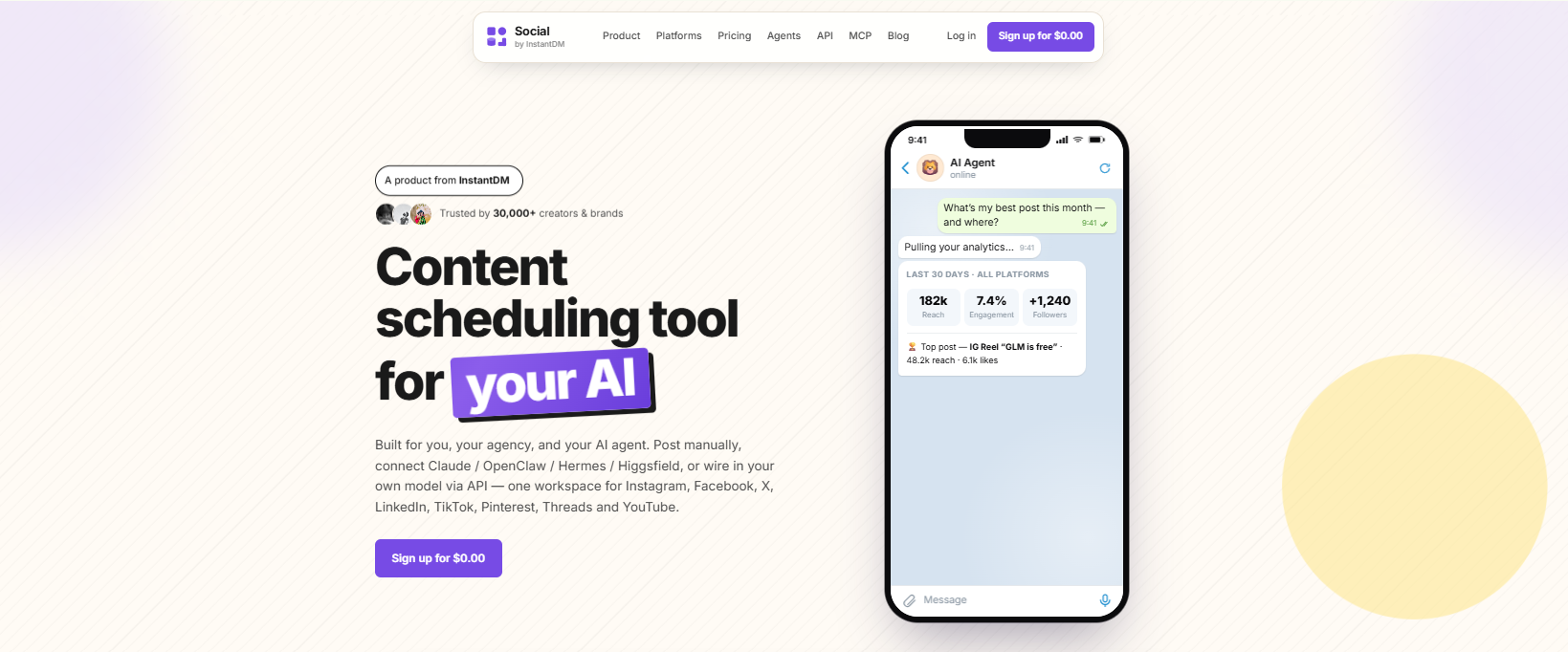
The use of AI in social media scheduling
This Planoly is not a good job. AI features are only for writing captions. No AI-powered scheduling. No AI agent integration. No API access. You’re still doing everything by hand.
AI is revolutionising social media scheduling. Tools such as Social by InstantDM let you connect AI agents that write captions, suggest posting times, and even schedule posts automatically based on your content pillars.
Here’s how it works. You explain your content idea in simple terms. The AI writes a caption, suggests hashtags and schedules the post to go live at the optimal time. The whole process takes around 30 seconds. Now compare that to the 10 or 15 minutes it takes to do it manually.
In 2026, we’re seeing a widening gap between manual scheduling tools (like Planoly) vs AI-powered scheduling tools. AI integration is vital if you want to stay competitive.
The conclusion
Planoly is a decent tool for planning your Instagram grid. In this comparison, the grid preview is the best. Clean interface. The mobile app is great.
But for what you get, it’s expensive. The free plan is too restricted. The paid plans are more expensive than more feature-rich options.
If you are looking for Instagram grid planning, then Planoly is worth it. If you need cross-platform scheduling, better analytics or AI features, look at cheaper alternatives such as Buffer, Metricool or Social by InstantDM.
Don’t pay for features you don’t need. Start with the free plans Choose the tool that fits your workflow. Now that is the best option.
Frequently asked questions
How much does Planoly cost in 2026?
Planoly's pricing ranges from $16/month (Starter) to $54/month (Pro Plus). The free plan is limited to 10 uploads per month.
Is Planoly's free plan worth it?
Only if you post less than twice a week. The free plan gives you 10 uploads per month with no scheduling or analytics.
What are the cheapest alternatives to Planoly?
Buffer starts at $6/channel/month. Metricool starts at $22/month. Social by InstantDM has a free plan with unlimited posts and AI features.
Does Planoly support multiple platforms?
Planoly supports Instagram, Facebook, Pinterest, and TikTok. That's fewer platforms than Buffer, Metricool, or Social by InstantDM.
Is Planoly better than Later?
It depends on your needs. Planoly is better for Instagram grid planning. Later is better for multi-platform scheduling. Neither has strong AI features.