How to Schedule LinkedIn Posts: The Complete 2026 Guide
Scheduling LinkedIn posts saves time and boosts consistency. Here's how to do it with native tools and third-party schedulers.
TL;DR
LinkedIn has quietly built a genuinely solid free scheduler right into the platform, letting you plan posts as far as three months out without paying anyone a cent. If you need more than that though, things like real analytics, posting across other platforms at the same time, or AI helping draft your captions, a handful of third party tools pick up where LinkedIn’s own scheduler leaves off. Social by InstantDM offers a free plan covering eight platforms with genuine AI agent features, Buffer runs $6 a month, and Hootsuite sits at $99 a month for teams that need real enterprise features. If AI-powered scheduling across more than just LinkedIn is what you’re after, Social by InstantDM is genuinely the strongest free option available right now.
Introduction
I used to manually post on LinkedIn at whatever time I happened to be sitting at my desk, which in practice meant a lot of my posts went out at genuinely random hours with no thought behind timing at all. Once I actually looked into LinkedIn’s built-in scheduling option, along with a handful of third-party tools that go further, my whole approach to posting there changed pretty quickly.
What follows covers exactly how to use LinkedIn’s native scheduler step by step, a full rundown of the strongest third-party tools available right now; a direct comparison between native and third-party scheduling; what’s genuinely free; what to actually look for when choosing a tool, and recommendations broken down by whether you’re a solo creator, part of a team, or running a business account.
I’d add that LinkedIn specifically rewards a different posting rhythm than a platform like Instagram or TikTok does. The audience here tends to be checking in during work hours, thinking in a more professional headspace, and scrolling with a bit more patience than someone flicking through a feed on their phone during a commute. That difference genuinely changes what good scheduling looks like on LinkedIn compared to anywhere else, which is part of why I wanted to actually map this out properly rather than just applying whatever worked for me on other platforms.

How to schedule LinkedIn posts step by step
Let me start with the basics. Scheduling a LinkedIn post is genuinely simpler than most people assume, so here’s the exact process using LinkedIn’s own built in scheduler.
Open LinkedIn and click start a post at the top of your feed, the same way you would for any regular post.
Write out your content from there, adding text, images, video, or a document, whatever the post actually calls for.
Click the clock icon sitting in the lower right corner of the composer. That’s what opens up the scheduling options.
Pick your date and time. You’ve got a fairly wide window here, since LinkedIn lets you schedule as far as three months ahead.
Click next, and then schedule. At that point your post is genuinely locked in and ready to go.
That’s really the whole process. It takes about two minutes start to finish, and your post will publish automatically at the time you picked without you needing to do anything else.
I tested this on both desktop and mobile just to be thorough, and the process works identically on either.
One small detail worth mentioning is that once a post is scheduled through LinkedIn’s native tool, editing it afterward is more limited than you might expect. You can delete a scheduled post entirely and start over, but you can’t simply tweak the wording of something already queued up the way you might with a draft. I’d recommend giving your post one final read before you actually schedule it, rather than assuming you’ll be able to make small edits later on.
Best LinkedIn scheduling tools in 2026
Here are the tools that handle LinkedIn scheduling well, based on what I’ve actually tested.
1. Social by InstantDM
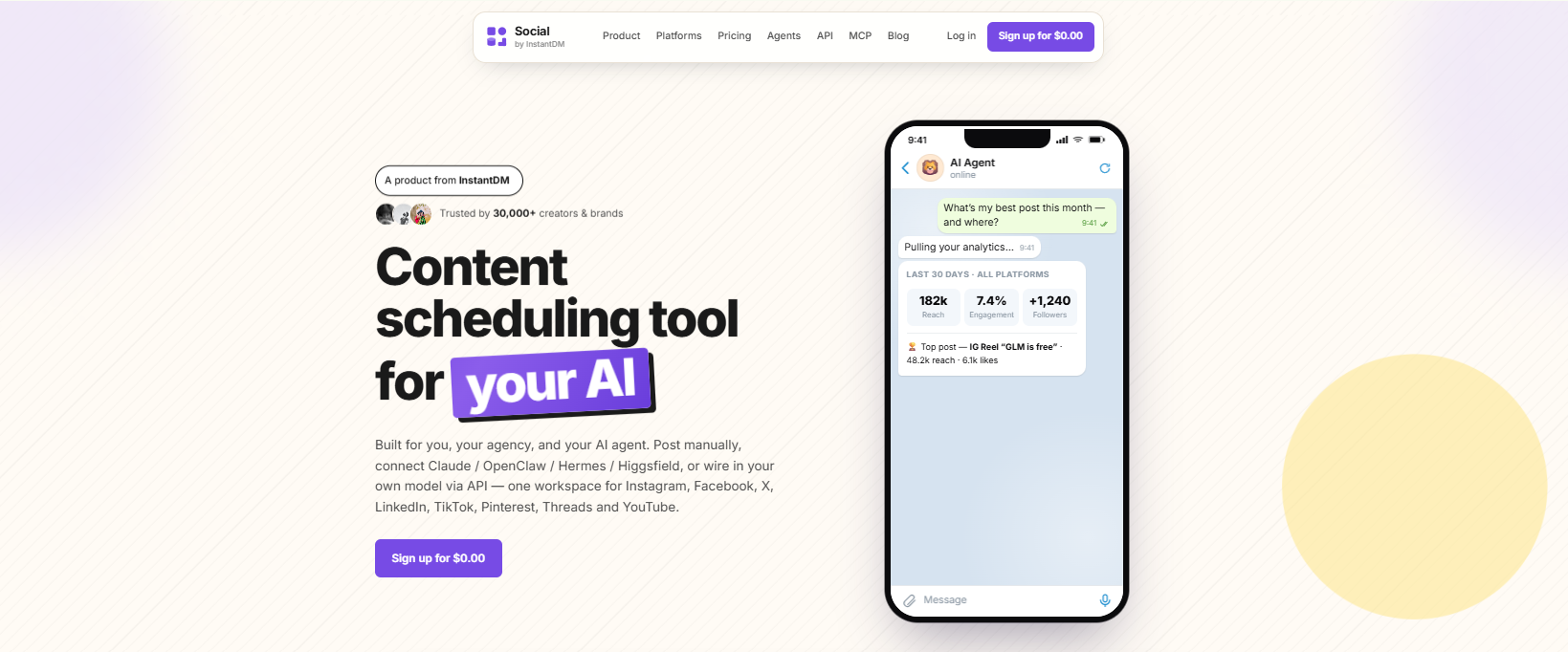
Social by InstantDM is the tool I’ve personally been using for the past few weeks, and it turned out to be the only free scheduler I tested offering genuine auto publishing across eight platforms, LinkedIn included.
The free plan comes with unlimited scheduled posts along with real AI agent integration. You can describe a content idea in plain language and have it drafted and scheduled without writing the post yourself from scratch.
The free plan here covers unlimited posts, all eight platforms, and the AI agent integration at no cost whatsoever.
Best suited for AI powered LinkedIn scheduling specifically.
What made this one stand out during testing wasn’t just the price, it was how naturally the AI agent handled LinkedIn’s more professional tone compared to what I’d expect from a general purpose caption generator. Describing a rough idea and getting back something that actually reads like a LinkedIn post, rather than a caption clearly written for Instagram and awkwardly reused, made a real difference in how much editing I needed to do afterward.
2. LinkedIn’s Native Scheduler
LinkedIn’s own built-in scheduler is free and genuinely works well for what it does. You can schedule posts as far as three months ahead.
The real limitation here is that it comes without analytics, without support for other platforms, and without any team collaboration features attached.
Best suited for simple scheduling when you’re already working directly within LinkedIn anyway.
I’d genuinely recommend this option first for anyone who’s never scheduled a LinkedIn post before, simply because there’s zero setup involved beyond what you’re already doing inside the app. You’re not connecting a third party account, granting extra permissions, or learning a separate interface, you’re just clicking one additional icon during a process you already know.
3. Buffer
Buffer is still one of the simplest scheduling tools available. It supports LinkedIn directly and offers genuine auto publishing once you’re on a paid plan.
The free plan covers three channels with ten scheduled posts on each.
Best suited for straightforward, no frills scheduling.
4. Hootsuite
Hootsuite supports LinkedIn scheduling on its paid tiers, functioning as the enterprise option in this comparison.
The paid plan starts at $99 per user each month.
Best suited for larger teams operating at an enterprise scale.

5. Later
Later supports LinkedIn scheduling with genuine auto publishing on its paid plans, and the visual calendar it’s built around is genuinely well designed.
The paid plan starts at $25 a month.
Best suited for visually oriented brands.
6. SocialPilot
SocialPilot supports LinkedIn scheduling on paid plans, with pricing starting around $30 a month.
Best suited for anyone managing scheduling across several platforms from a single dashboard.
7. Metricool
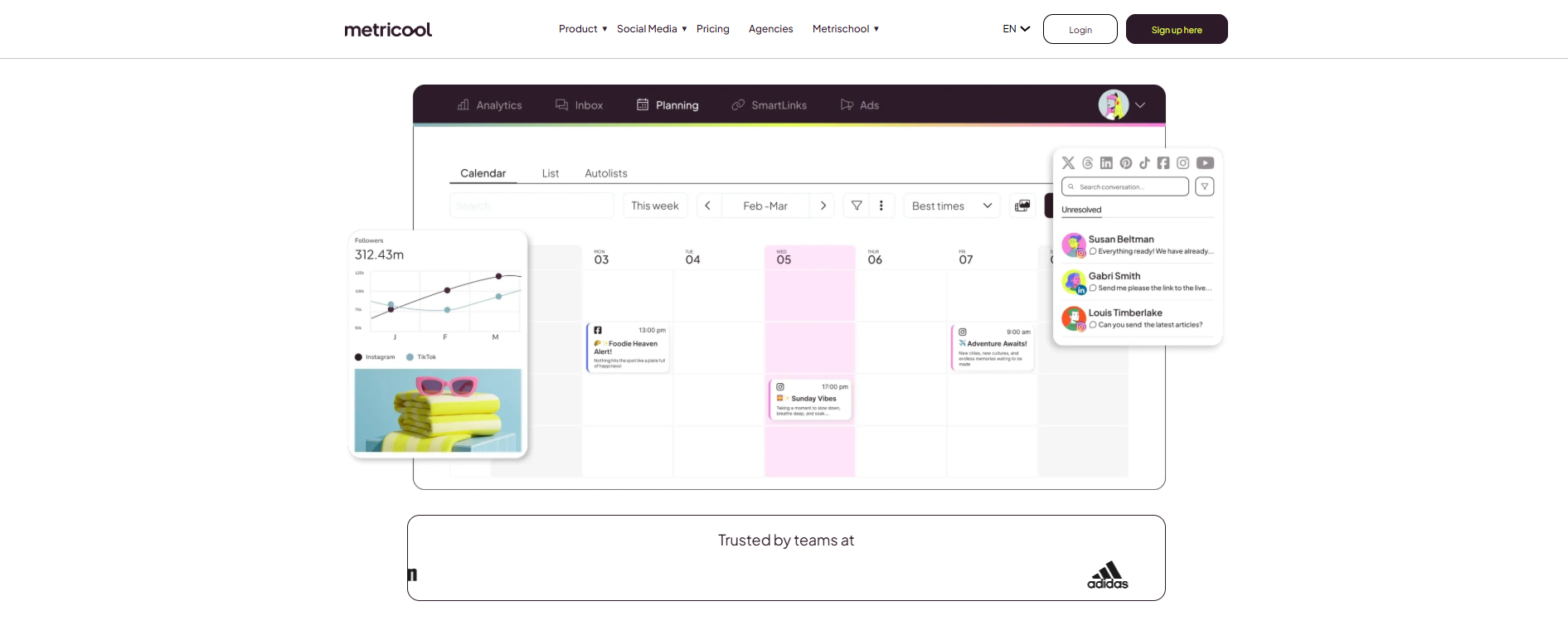
Metricool includes LinkedIn scheduling right on its free plan, which covers one brand across every platform it supports.
Best suited for creators keeping a close eye on their budget.
LinkedIn native scheduler vs third-party scheduling tools
Here’s how the two approaches actually compare.
LinkedIn’s native scheduler is free, lets you schedule up to three months ahead, and comes without analytics, without multi platform support, without team collaboration, and without any AI features attached.
Third party tools are mostly paid, though a few genuinely offer solid free tiers, and they generally let you schedule days or weeks ahead rather than a full three months, while including real analytics, multi platform support, team collaboration, and in some cases genuine AI features.
For most people, LinkedIn’s native scheduler is genuinely enough on its own. If you need more than that, a third party tool is worth the actual investment, whether that’s a paid subscription or just the setup time for a free one.
I’d frame the decision this way. If your only real need is spacing out posts you’d otherwise publish manually, the native option covers that completely and there’s no reason to add another tool into your workflow. The moment you start caring about how a LinkedIn post performed relative to your last five, or you want that same content adapted and pushed out to other platforms at the same time, that’s genuinely when a third party tool starts earning its place.
Best free LinkedIn scheduling tools
Here are the free options that genuinely hold up.
LinkedIn’s own native scheduler is free and lets you plan up to three months ahead, though it comes without analytics or support for other platforms.
Social by InstantDM offers a free plan with unlimited scheduled posts across eight platforms along with AI agent integration built in.
Buffer’s free plan covers three channels with ten scheduled posts on each.
Metricool’s free plan covers one brand across every platform it supports.
Out of everything here, Social by InstantDM stands out as the strongest free option by a clear margin. Unlimited posts, eight platforms, and genuine AI features is a combination nothing else on this list comes close to matching for free.
It’s worth pointing out that LinkedIn’s native option and Social by InstantDM aren’t necessarily competing for the exact same use case either. If LinkedIn genuinely is the only platform you post to and you don’t need analytics, sticking with the native scheduler is completely reasonable. The moment a second or third platform enters the picture though, maintaining separate scheduling habits across each one starts costing more time than it saves, which is really where a tool covering all of them at once starts to make sense.

What to look for in a LinkedIn post scheduler
Here’s what genuinely matters when you’re actually choosing between tools.
Auto publishing is the first thing worth confirming. Does the tool genuinely post on your behalf, or does it just send you a reminder and leave the actual work to you.
Analytics matter too. Being able to see what’s actually working helps you make smarter decisions going forward rather than guessing.
Multi platform support is worth thinking through honestly. Do you actually need to post somewhere besides LinkedIn, or is this genuinely a LinkedIn only concern for you.
Team collaboration becomes important the moment more than one person touches your account. Approval workflows and role based access keep things organized rather than chaotic.
AI features are worth weighing too. Can the tool genuinely help draft a caption or suggest relevant hashtags when you’re short on time.
And pricing, obviously, matters at the end of the day. What does it actually cost once you need more than the free tier provides.
The real key here is being honest about what you genuinely need. There’s no reason to pay for a feature set you’ll never actually use.
I’d add one more consideration that’s easy to overlook, which is how a tool actually handles LinkedIn specifically versus treating it as just another platform in a list. Some schedulers clearly built their whole system around Instagram or TikTok first, then added LinkedIn support almost as an afterthought, which sometimes shows up as awkward formatting or missing features like document uploads. Testing how a tool handles a LinkedIn post specifically, rather than assuming multi platform support means equal support everywhere, is worth the extra few minutes before you commit.
Pricing structure is worth scrutinizing carefully too, beyond just the headline number on a tool’s homepage. Some charge per platform connected, others charge per seat, and a few blend both models together in ways that only become clear once you’re actually trying to configure your account. Reading through a tool’s actual pricing page in detail, rather than trusting a comparison chart alone, mine included, is always worth the extra five minutes before you commit to anything.
Which LinkedIn scheduling tool is best for creators, teams, and businesses?
Here’s how I’d steer different types of users based on everything above.
For individual creators, Social by InstantDM stands out clearly, thanks to its free plan with unlimited posts, eight platform coverage, and genuine AI features.
For teams, Hootsuite is often the best choice, offering enterprise features, approval workflows, and deep analytics, with plans starting at $99 a month.
For businesses more broadly, Buffer offers simple scheduling with transparent pricing starting at $6 a month per channel.
For anyone on a tight budget, Metricool’s free plan, which covers one brand across every platform it supports, is a solid pick.
For anyone posting across multiple platforms, Social by InstantDM again comes out ahead, since its free plan already covers all eight platforms it supports.
Which is the top scheduler for LinkedIn to plan my posts?
The honest answer really depends on what you actually need.
If simplicity is your priority, LinkedIn’s own native scheduler is free, built right in, and genuinely works well for straightforward planning.
If AI powered scheduling appeals to you, Social by InstantDM offers a free plan with unlimited posts, eight platforms, and real AI features.
If you’re running an enterprise level team, Hootsuite brings approval workflows, deep analytics, and genuine team collaboration to the table.
If you’re watching your budget closely, Metricool’s free plan covering one brand across every platform it supports holds up well.
If visual planning matters most to you, Later brings a strong grid preview and visual calendar starting at $25 a month.
What features should I look for in a scheduling platform?
Here are the essentials worth confirming before you commit to any tool.
Auto publishing should genuinely mean the tool posts on your behalf at the scheduled time, not just reminds you to do it yourself.
Analytics need to actually show you what’s working and what isn’t, rather than just surface level numbers that look impressive without telling you much.
Multi platform support matters if you’re posting anywhere beyond a single platform, since the right tool should handle all of them from one place.
Team collaboration should let more than one person manage your accounts without stepping on each other’s work.
AI features are worth having if they genuinely help draft captions, suggest hashtags, or figure out optimal posting times rather than just being a marketing bullet point on the pricing page.
The real key across all of this is finding a tool that genuinely fits how you already work. Don’t overpay for capability you’re never going to touch.
Digital scheduling and planning tools
Scheduling tools broadly have come a long way by 2026, so here’s a quick overview of where things currently stand.
Social by InstantDM offers AI-powered scheduling across eight platforms, with a free plan that includes unlimited posts.
Buffer keeps things simple with a clean interface, and its free plan covers three channels.
Hootsuite brings enterprise-level features and deep analytics, with paid plans starting at $99 a month.
Later focuses on visual planning with its grid preview, starting at $25 a month.
Metricool works well as a budget option with decent analytics, and its free plan covers one brand.
My honest recommendation across the board is to start with whatever’s free and only upgrade once you’ve genuinely outgrown it, rather than assuming you need a paid tool from day one.
It’s also worth revisiting this decision periodically rather than treating your initial choice as permanent. A tool that made perfect sense when you were posting solo might genuinely stop fitting once you bring on a teammate to help with content, or once you expand from LinkedIn alone into three or four platforms at once. Checking back in every few months, the same way you’d review any other recurring expense, keeps you from either overpaying for capability you’ve outgrown in the other direction or sticking with a free tool that’s quietly started holding you back.
Frequently asked questions
How do I schedule a LinkedIn post?
Open LinkedIn, click ‘Start a post’, write your content, click the clock icon, pick your date and time, and click ‘Schedule’. Your post will publish automatically at that scheduled time.
Can I schedule LinkedIn posts for free?
Yes, genuinely. LinkedIn’s own native scheduler is free and lets you plan up to three months ahead. Third-party tools like Social by InstantDM also offer free plans of their own.
What is the best LinkedIn scheduling tool?
Social by InstantDM offers the most generous free plan, with unlimited posts, eight platforms, and AI agent integration included. LinkedIn’s native scheduler remains the simplest option if all you need is basic scheduling.
How far in advance can I schedule LinkedIn posts?
LinkedIn’s own scheduler lets you plan as far as three months ahead. Third-party tools may work within a different window depending on how each one is built.
Do I need a third-party tool to schedule LinkedIn posts?
Not necessarily. LinkedIn’s native scheduler handles basic scheduling well on its own. Third-party tools become worth it once you need analytics, support for other platforms, or genuine AI features.
The bottom line
Scheduling LinkedIn posts in 2026 is genuinely straightforward. LinkedIn’s own native scheduler is free and handles basic scheduling perfectly well on its own.
If you need more than that though, real analytics, support for other platforms, or genuine AI assistance, a third party tool is worth the investment, whether that’s a paid subscription or the setup time on a strong free plan.
Buffer works well if simplicity is your priority. Social by InstantDM stands out for AI powered scheduling on a genuinely free plan. Hootsuite fits enterprise teams that need deeper features. Metricool suits anyone watching their budget closely.
Pick whichever tool actually fits how you work, and get your first batch of posts scheduled. Your LinkedIn content deserves to be seen, even on the days you’re too busy to post it yourself.
The single biggest shift I’d encourage anyone to make, regardless of which tool you end up choosing, is simply moving from posting in the moment to actually planning a week or two ahead. That change alone tends to matter more than which specific tool sits behind it, since even LinkedIn’s free native scheduler, used consistently, will outperform a much fancier tool that ends up abandoned after the first week.