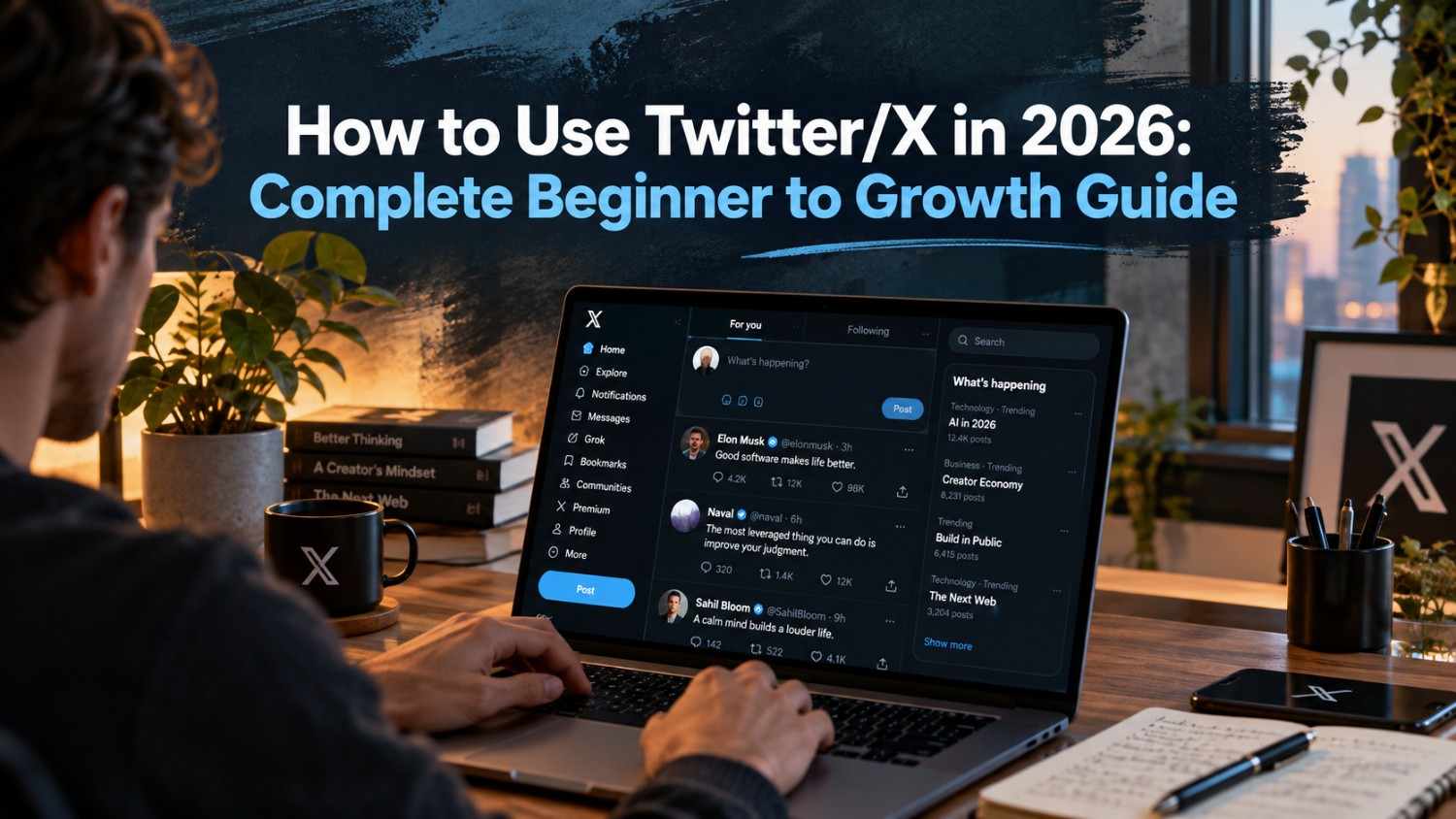
How to Use Twitter/X in 2026: Complete Beginner to Growth Guide
Complete X (Twitter) guide for 2026: profile setup, algorithm, posting, growth, and how brands use X for marketing.
TL;DR
X in 2026 runs on conversation, not broadcasting. The algorithm rewards engagement velocity in the first 60 minutes after you post, weighs replies roughly 15 times heavier than likes, and rewards constructive content over combative posts. X Premium subscribers get a modest algorithmic boost on top of that.
Quick version: optimize your profile first, post consistently at 3 to 5 times a day, reply to other accounts before you post your own content, write posts with real keywords people actually search for, and engage like a person rather than a broadcaster. Everything below covers setup, the algorithm, growth tactics, timing, threads, analytics and how brands should approach the platform differently than individuals do.
Introduction
X rewards a different set of habits than most other platforms, and a lot of people carry over an Instagram or LinkedIn mindset without realizing it does not translate directly. Posting a polished update and walking away works reasonably well elsewhere. On X, that same post often goes nowhere, because the platform is built around back-and-forth conversation rather than one way announcements.
This guide starts with the fundamentals, your profile, your first posts, and how the algorithm actually decides what to amplify, then moves into growth tactics, timing, thread structure, and how brands should specifically approach the platform. Read it in order if you are starting from zero, or jump to the section you need if you already have an account and want to sharpen your approach.

How to Use Twitter/X in 2026
X has changed shape several times in recent years, so it’s worth starting with what the platform is today rather than what it used to be.
The Platform Itself
X functions as a real time conversation platform. People share thoughts as they have them, react to news within minutes of it breaking, and engage in ongoing public discussions that unfold over hours rather than being posted once and forgotten.
The Algorithm and Audience
X’s recommendation system prioritizes posts that people are likely to actually engage with, not just view. Engagement velocity in the first 60 minutes after posting is treated as a critical signal, since a fast early response tells the algorithm the content is worth pushing further.
The audience reflects this too. X users tend to be highly engaged compared to other platforms, replying, reposting and bookmarking content on a regular basis rather than passively scrolling past it.
The underlying rule to hold onto through the rest of this guide: X rewards conversation, not broadcasting. Posting and disappearing rarely works. Showing up, replying and genuinely participating does.
https://youtu.be/VTivhrGN4ss?si=WE5s_x3C5JlwmMgP
How to Set Up and Optimize Your X Profile
Your profile is the first real impression anyone gets of you on the platform, so it is worth spending real time on it rather than treating it as an afterthought.
Photo, Banner and Bio
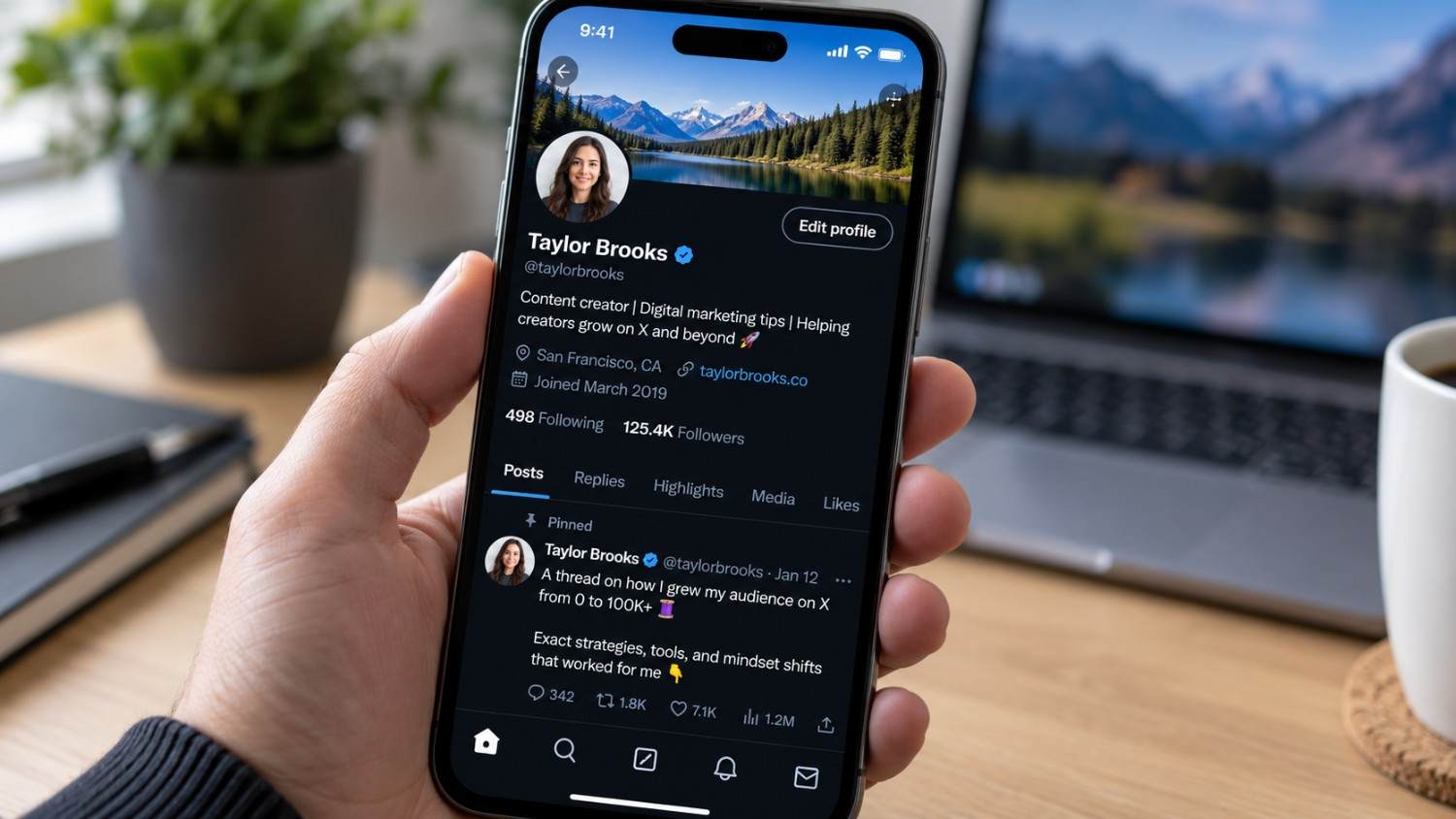
Your profile photo should be clear and immediately recognizable. For personal brands specifically, a straightforward headshot tends to outperform a logo or an abstract graphic, since it puts a real face to the account.
Your banner image is prime, underused real estate. Use it to represent your brand visually and to state your value proposition clearly, so someone landing on your profile understands what you do within a couple of seconds.
Your bio should be clear and keyword rich, explaining plainly what you do and who you help. Avoid vague, clever phrasing here in favor of something a stranger could read and immediately understand.
Pinned Tweet, Location and Link
Pin your best-performing tweet to the top of your profile. This is often the very first piece of content a new visitor sees, so it should represent your best work or your clearest introduction, not whatever you happened to post most recently.
Add your location and a website link if you have one. Both small details add a layer of credibility that an empty, bare profile lacks.
The overall goal is simple: a well-optimised profile makes you credible and discoverable at a glance, before anyone has read a single post.

How to Post on X: Tweets, Threads, Images and Videos
X supports several distinct content types, and each one plays a slightly different role in how you show up on the platform.
Tweets and Threads
A standard tweet runs up to 280 characters for free users, while X Premium subscribers can post up to 25,000 characters in a single tweet. Tweets remain the most common format and work best as text based conversation starters, a quick thought, a question or a reaction to something happening in real time.
Threads string multiple connected tweets together, and they suit in depth content and storytelling that a single tweet cannot hold. A well built thread can carry the weight of a short blog post while staying native to how people actually read on the platform.
Images, Videos and Polls
Images can be posted as a single photo or as a carousel, and visual content is genuinely effective at stopping a scroll in a feed that is otherwise mostly text.
Video runs up to 2 hours and 20 minutes for X Premium subscribers, though short videos, well under a minute, tend to perform best for everyday engagement rather than long uploads.
Polls are a quick, low effort way to drive engagement, since participating takes a single tap rather than composing a reply.
The overall approach that works best is mixing formats deliberately. Text for quick conversation, images to stop the scroll, and threads when a topic genuinely needs more depth than a single post can carry.
How the X Algorithm Works
Understanding what the algorithm actually rewards changes how you write and time your posts, so it is worth breaking down each signal individually.
Engagement Velocity and Reply Weighting
Posts that get strong engagement within the first 60 minutes are amplified well beyond that early audience. This is arguably the single most important mechanic to understand, since it means the window immediately after posting matters more than almost anything else you do.
Replies carry roughly 15 times more algorithmic weight than likes. A post that generates a handful of genuine replies will typically outperform one that racks up a hundred likes and nothing else, because replies signal real conversation rather than passive approval.
Sentiment, Premium Status and Keywords
The algorithm also factors in sentiment analysis. Constructive, thoughtful content tends to be rewarded, while negative or combative posts are throttled, even when they generate a lot of raw activity in the moment.
X Premium subscribers receive a modest boost in algorithmic reach on top of everything else, though it is a supplement to good content rather than a replacement for it.
Keyword relevance matters too. Posts containing relevant, specific keywords rank higher in search results, which extends their visibility well past the initial engagement window.
The practical focus, given all of this, should be on the first 60 minutes after posting, actively encouraging replies rather than just likes, and writing in a way that invites genuine, constructive conversation.

How to Grow Followers on X
Growth on X rewards a specific set of habits more reliably than it rewards raw posting volume alone.
Engage First, Then Post
Spend 15 to 30 minutes replying to other accounts before you post anything of your own. This warms up your presence in the platform’s eyes and puts your name in front of other people’s audiences before you ever ask for their attention directly.
Post consistently, aiming for 3 to 5 posts a day. Consistency signals an active, engaged account, which the algorithm favors over sporadic bursts of activity followed by long silences.
Keywords, Big Accounts and Communities
Write content with real, specific keywords people actually search for. This improves how discoverable your posts are well beyond your existing follower base.
Reply thoughtfully to larger accounts in your niche. A genuinely useful, well written reply on a big account’s post can expose you to an audience far larger than your own, sometimes overnight.
Join Communities relevant to your niche. These are smaller, topic focused spaces where the audience is already interested in exactly what you talk about, which tends to produce far more relevant engagement than posting into the general feed.
The overall pattern holds up consistently: organic growth built on genuine engagement outperforms buying or otherwise acquiring fake followers. Fake followers actively hurt you, since they drag down your engagement rate, and the algorithm uses that rate to judge how worthwhile your account is to promote.
https://youtu.be/n3RInK7Kbx4?si=FPTeG6_T45lZVl1O
Best Times to Post on X
Timing genuinely affects how much engagement a post gets, particularly given how much weight the algorithm places on that critical first 60 minutes.
General Peak Windows
On weekdays, the strongest windows tend to fall around 8 to 10 AM, 12 to 2 PM and 5 to 7 PM in your local audience’s time zone, roughly matching commute times, lunch breaks and the end of the workday.
On weekends, the pattern shifts slightly, with 9 to 11 AM and 1 to 3 PM tending to perform well as people check the app later in a more relaxed morning or early afternoon.
Secondary Windows and Times to Avoid
Early morning, around 6 to 8 AM, and evening, around 8 to 10 PM, both tend to work reasonably well too, catching people either right as they wake up or winding down before bed.
Late night, roughly 11 PM to 6 AM, is generally the weakest window across most audiences, though this varies by time zone and by how global your specific following is.
These are general benchmarks, not fixed rules. Check your own X Analytics regularly to see when your specific audience is actually active, since a creator with a heavily international following may see a completely different pattern than these averages suggest.
How Often Should You Post on X?
Posting frequency depends heavily on what kind of account you are running, and the right number differs noticeably between personal accounts, brands and full time creators.
Personal accounts tend to do well posting 3 to 5 times a day, mixing original thoughts with genuine replies to others.
Brand accounts can generally sustain more, somewhere around 5 to 10 posts a day, since more content means more individual opportunities for someone to engage.
Creator accounts, particularly those building a following as their primary focus, often post anywhere from 5 to 15 times a day to maximize overall visibility.
The general pattern is that more posts create more opportunities for engagement, but this comes with a real caveat: quality still matters more than raw quantity. Ten mediocre posts a day will underperform five genuinely good ones, so treat these numbers as a ceiling to work toward, not a quota to hit regardless of quality.
How to Use X Hashtags Without Overdoing Them
Hashtags function very differently on X than they do on Instagram, and treating them the same way on both platforms is a common mistake.
Why Less Works Better Here
X does not prioritize hashtags nearly as heavily as Instagram does in its discovery system, so using one or two per post is generally the practical maximum. Piling on more than that tends to look spammy rather than helpful.
Relevance matters more than volume. Only use a hashtag that directly and honestly relates to what your post is actually about.
Trending Tags and Keyword Focus
Jumping on a relevant trending hashtag can genuinely boost visibility, particularly if your post adds something real to that conversation. Forcing an unrelated hashtag onto a post just because it is trending tends to backfire, since it reads as an obvious attempt to game visibility rather than participate honestly.
The bigger takeaway is that X is fundamentally keyword driven rather than hashtag driven. Spend more energy on writing posts with natural, relevant keywords woven into the sentence itself than on stacking hashtags at the end.
How to Write Better Posts That Get Replies and Reposts
Posts built specifically to invite engagement tend to consistently outperform ones that simply state something and stop.
Hooks and Questions
The first line of a post largely determines whether anyone reads further, so open with something that actually earns attention, a genuine question or a bold, specific statement rather than a slow windup.
Ending a post with a direct question invites replies naturally, since you have given the reader an obvious, easy thing to respond to.
Opinions and Keywords
Sharing a genuine, constructive opinion tends to spark real conversation, as long as it is delivered with some care. Being bold works far better than being combative, and the sentiment analysis covered earlier in this guide actually penalizes posts that read as needlessly negative.
Weaving in relevant keywords naturally continues to help with search discoverability, extending a post’s reach well past whoever happens to be scrolling in the exact moment you post it.
The overall pattern to remember: posts that genuinely spark conversation get amplified, and given that replies carry roughly 15 times more weight than likes, writing specifically to invite a reply is one of the highest leverage habits you can build on this platform.

How to Create and Use X Threads
Threads let you go deeper than a single post allows, and a well-structured one can build real authority over time.
Structure and Length
The same simple shape that works for captions elsewhere works well here too: hook, then value, then a call to action. The hook grabs attention in that crucial first tweet, the body of the thread delivers genuine value across the following tweets, and the final tweet drives a specific action, whether that is a reply, a follow or a link click.
Aim for somewhere around 5 to 10 tweets per thread. That range is generally long enough to actually deliver value on a topic while staying short enough to hold attention all the way through.
Visuals and Consistency
Add images or simple charts to key tweets within the thread wherever they genuinely help. Visual content breaks up long stretches of text and gives the reader a natural pause point.
Post threads on a consistent basis rather than only occasionally. Regular, well built threads are one of the more reliable ways to build genuine authority and attract new followers over time, since they showcase depth that a single tweet simply cannot.
How to Use X Search and Advanced Search
Search on X functions as a genuinely useful research tool, not just a way to find your own old posts.
Basic and Advanced Search
Basic search lets you type keywords to find relevant posts and people across the entire platform, which is useful for tracking a topic or checking what conversation already exists before you weigh in.
Advanced search operators give you far more precise control. Typing “from:username” pulls up posts from a specific account only, which is handy for researching a competitor or a creator you admire closely.
Date and Engagement Filters
Date filters, using the format “since:YYYY-MM-DD”, let you narrow a search to a specific time period, which is useful when researching how a topic or a conversation evolved over time.
Engagement filters, such as “min_faves:100”, let you surface only the highest performing posts on a given topic, which is a genuinely efficient way to study what already works before you write your own version.
How to Use Lists, Bookmarks and Communities
Beyond posting itself, X has a handful of organizational features worth using deliberately rather than ignoring.
Lists let you organize accounts into curated groups, so you can follow a specific topic or industry closely without needing to actually follow every individual account involved.
Bookmarks let you save posts privately for later reference, which is a simple but genuinely useful way to build a personal research library without cluttering your public likes.
Communities let you join spaces built around a specific niche, exposing you to a targeted audience that is already interested in exactly what you talk about, rather than posting purely into the general feed and hoping the right people see it.
How Brands Should Use X for Marketing
Brands that treat X as a broadcast channel, the same way they might treat a press release feed, tend to underperform compared to ones that actually engage.
Support and Thought Leadership
Customer support is one of the most practical uses of X for a brand. Real time responses to questions and complaints, handled quickly and visibly, build trust in a way that a slower support ticket system simply cannot replicate.
Thought leadership works well too. Sharing genuine industry insights and honest opinions helps build authority over time, positioning the brand as a real participant in its industry’s conversation rather than just a logo posting announcements.
Engagement and Content Promotion
Actively replying to mentions and ongoing conversations builds real relationships with customers and prospects, rather than leaving those interactions unanswered.
Sharing blog posts, videos and other resources drives traffic back to owned content, as long as it is balanced with genuine conversation rather than being the only thing the account ever does.
The core principle for brands is the same one that applies to individuals: converse, do not broadcast. Engage authentically with your audience, and the promotional content will land far better as a result.
How to Use X Analytics to Track Performance
Analytics reveal what is actually working, rather than what you assume is working based on gut feel alone.
The Core Metrics
Impressions show how many people saw your posts in total, giving you a baseline sense of reach.
Engagement rate, calculated as engagements divided by impressions and multiplied by 100, tells you how compelling your content actually was relative to how many people saw it.
Profile visits show how many people were curious enough to click through and look at your full profile after seeing a post.
Follower growth shows how quickly your audience is expanding over time, and top posts show which specific pieces performed best, giving you a starting point for figuring out why.
Keeping X Analytics in the Same Place as Everything Else
Checking X Analytics in isolation works fine if X is the only platform you run. Most creators and brands are not in that position anymore, and jumping between five separate native analytics dashboards to piece together a full picture eats up time every single week.
Social by InstantDM is a scheduling and publishing tool that supports X natively, including its threads, scheduled replies and long form posts up to 25,000 characters, alongside Instagram, Facebook, LinkedIn, TikTok, Pinterest, Threads and YouTube. Its analytics module tracks impressions, engagement, clicks and follower growth per post across every connected platform, so your X numbers sit in the same dashboard as everything else rather than in a separate tab you have to remember to check. It does not currently suggest content ideas or posting times based on your niche, that kind of recommendation is not part of what it does today, so the actual timing and content decisions covered earlier in this guide still rest with you. You can see how it works at https://socialbyidm.com.
X Growth Strategy Comparison
| Strategy | Effort | Results | Best For |
|---|---|---|---|
| Reply engagement | Low | Medium | Building relationships |
| Original tweets | Medium | High | Establishing authority |
| Threads | High | High | Deep engagement |
| Hashtag use | Low | Low | Niche discovery |
| X Premium | Medium | Medium | Algorithmic reach |
| Communities | Medium | High | Targeted audience |
The Bottom Line
X in 2026 remains a conversation driven platform at its core. The algorithm rewards engagement velocity, genuine replies over passive likes, and constructive content over combative posting, and growth on the platform still comes down to authentic engagement paired with consistent posting.
The key strategies worth repeating: optimize your profile properly, post consistently, reply to others before broadcasting your own content, write with real keywords, and engage like an actual person rather than an account running on autopilot.
Start using X with intention today. Optimise your profile, engage authentically, and post consistently. That combination, more than any single trick, is genuinely how growth on X works.
Reference:
https://buffer.com/resources/how-to-use-twitter/
https://socialbee.com/blog/how-to-create-x-marketing-strategy/
Frequently asked questions
How do I start using X (Twitter) in 2026?
Set up your profile properly, optimize your bio, and start engaging right away. Reply to others before posting your own content, aim for 3 to 5 posts a day, and focus on conversation rather than broadcasting.
How does the X algorithm work in 2026?
The algorithm rewards engagement velocity within the first 60 minutes, weighs replies roughly 15 times heavier than likes, and favors constructive content over combative posts. X Premium subscribers receive a modest additional reach boost.
How often should I post on X?
Personal accounts do well at 3 to 5 posts a day, brands around 5 to 10, and creators anywhere from 5 to 15. Consistency matters, but quality still outweighs raw quantity.
How do I grow followers on X?
Engage before you post, post consistently, write content with real keywords, reply thoughtfully to larger accounts, and join relevant Communities. Organic growth through genuine engagement outperforms any shortcut.
Should I pay for X Premium?
X Premium offers algorithmic reach benefits and longer posts, which makes it close to essential for brands and serious creators. For casual, occasional users, the free tier covers most needs comfortably.