Pinterest SEO in 2026: How Pins Actually Get Ranked
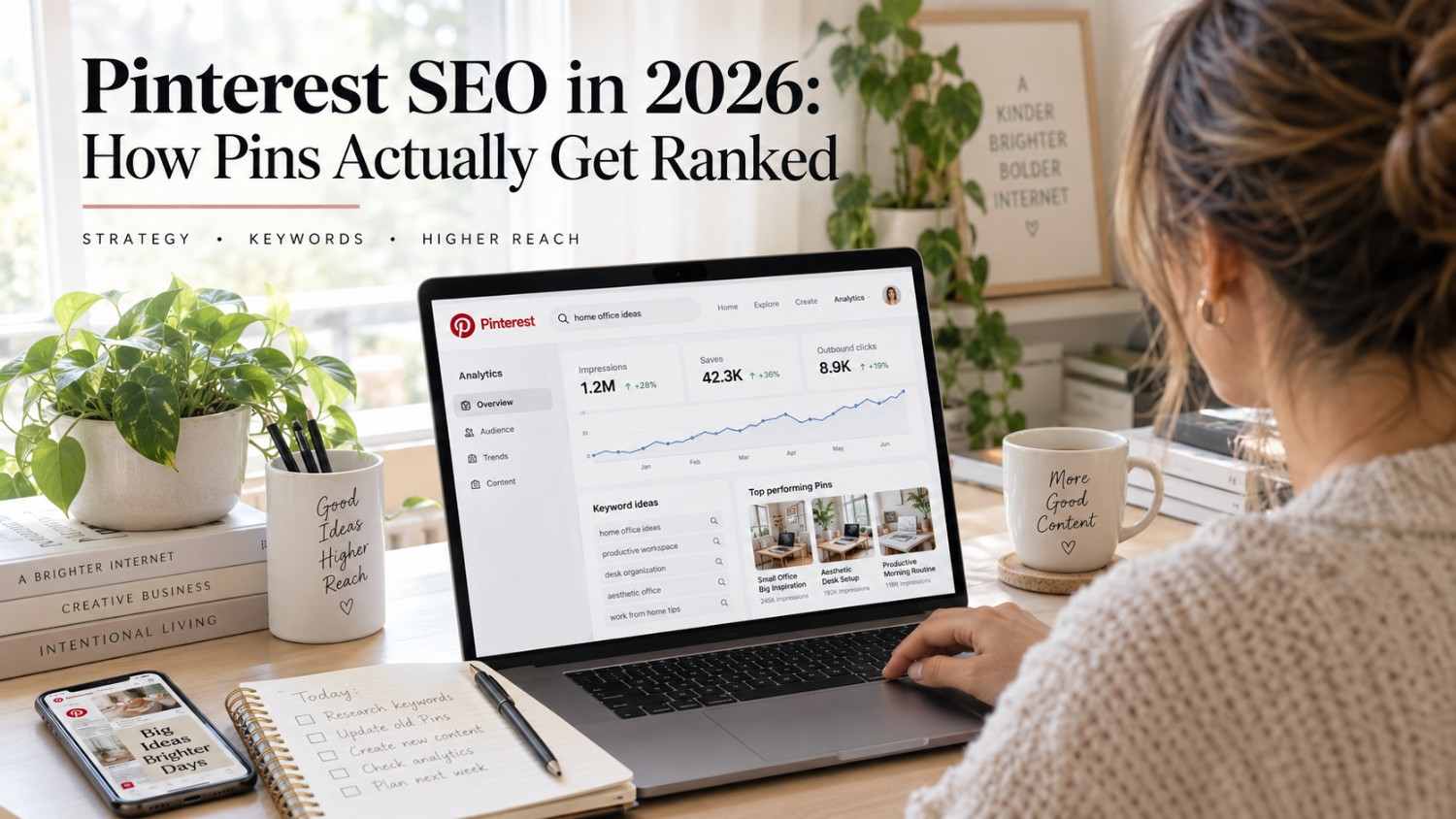
Pinterest SEO explained, covering how the algorithm ranks pins, where to use keywords, and what makes pins get discovered in 2026.
Introduction
Many people treat Pinterest like a slower version of Instagram, posting the occasional pretty photo and wondering why traffic never really picks up. That mismatch is usually due to a basic misunderstanding of what Pinterest actually is. It is not really a social network in the way Instagram or TikTok are. It behaves far more like a visual search engine, closer in spirit to Google than to a typical feed built around followers and likes.
That distinction changes almost everything about how you should approach it. Follower count barely matters on Pinterest. What matters is whether your pin appears when someone types a specific search query, and that depends on keywords, visual quality, and engagement signals like saves, not how many people follow your account. A pin from an account with two hundred followers can easily outrank a pin from an account with two hundred thousand, purely because it matched the search better and got saved more.
This guide breaks down exactly how Pinterest’s algorithm actually ranks pins in 2026, where keywords genuinely need to go, how to find the right ones, and the specific visual and structural choices that push a pin higher in search results.
TL;DR
Pinterest is genuinely a search engine, not a social network. Your pins get ranked based on keywords, engagement, and visual quality, not follower count. In 2026, the algorithm continues to reward fresh pins, relevant keywords, and high save rates specifically.
Here is the quick version. Use keyword-rich pin titles and descriptions. Create fresh pins instead of only republishing old ones. Optimise your boards with keyword-rich titles. Focus on saves and clicks rather than views alone.
Quick answer: Pinterest ranks pins primarily on relevance, quality, engagement, and freshness, with saves standing out as the single most important engagement signal of the four.
Pinterest SEO genuinely works differently from Google SEO. This guide breaks down exactly how the algorithm ranks pins and what you can actually do to rank higher within it.

How the Pinterest Algorithm Ranks Pins in 2026
Pinterest’s algorithm decides which pins actually appear in search results and within the Smart Feed. Here is how it works in 2026.
The algorithm weighs four main factors when deciding where a pin lands.
Relevance
Relevance measures how well a pin matches a given search query. Keywords appearing in your pin title, your description, and even the text overlaid on the image itself all factor into how relevant Pinterest considers that pin to be for a specific search.
Quality
Quality refers to the actual visual quality of the pin itself. High resolution images, clear and readable text overlays, and generally professional looking design all tend to rank noticeably higher than blurry, low effort, or poorly cropped images.
Engagement
Engagement covers how users actually interact with a pin once they see it. Saves, clicks, and close ups all signal quality to the algorithm, essentially telling Pinterest that real users found the content worth their time.
Freshness
Freshness matters because new pins get an initial ranking boost simply for being new. Pinterest generally prioritises fresh content over pins that have already been circulating for a while, which is part of why consistently creating new pins tends to outperform relying entirely on older content.
The Smart Feed, Pinterest’s version of a home feed, runs on a separate but related personalised algorithm. It shows pins based on a user’s interests, past engagement history, and search behaviour, meaning your pins tend to surface specifically in the feeds of users who are statistically likely to actually engage with them.
https://youtu.be/Zb4iVKzK81Y?si=bBU9_6eKx7eJOyPo
Pinterest SEO Basics for Beginners
Pinterest SEO is the practice of optimizing your profile, boards, and pins so they genuinely rank well within Pinterest’s own search results.
Here are the fundamentals worth understanding from the start.
Keywords matter more than almost anything else. Pinterest functions as a visual search engine, and users find content by typing keywords into the search bar. Your pins need to include the actual keywords people are searching for, not just words you assume are relevant.
Optimisation needs to happen across three separate layers, covering your profile, your boards, and your individual pins. Each of these three layers benefits from its own keyword optimisation rather than treating the whole account as a single unit.
Visual quality genuinely counts for a lot. Pinterest is fundamentally a visual-first platform, and high-quality images consistently rank better than blurry or low-resolution ones, regardless of how strong the surrounding keywords might be.
Freshness matters throughout the account, not just for individual pins. New pins get an initial ranking boost, and pinning consistently over time signals to Pinterest that an account is genuinely active rather than dormant.
Engagement genuinely drives ranking more than raw view counts do. Saves and clicks matter considerably more than impressions alone, which means the real goal is creating pins people actually want to save for later, not just glance at once.

How Pinterest Search Understands Keywords and Topics
Pinterest’s search algorithm understands keywords and topics somewhat differently from how Google approaches the same problem.
Keyword matching works by comparing a pin’s keywords directly against a user’s search query, with exact matches generally ranking higher than loose or partial matches.
Topic clustering groups related topics together behind the scenes. A pin about vegan recipes, for example, may also surface for a related search like ‘plant-based cooking’, even if that exact phrase does not appear anywhere in the pin itself.
Visual recognition plays a real role too, since Pinterest’s own AI analyses the actual image within a pin, identifying objects, colors, and any text present within the visual itself, not just the surrounding metadata.
Semantic understanding rounds things out, with Pinterest recognising synonyms and closely related terms. The algorithm treats something like healthy dinner and nutritious meals fairly similarly, even though they use entirely different words.
The key takeaway is to use specific, descriptive keywords rather than broad, generic ones. A long tail phrase like easy vegan pasta recipe tends to rank considerably better than a single broad word like pasta, largely because it matches far more precisely with what someone is actually searching for.
Where to Use Keywords: Pin Titles, Descriptions, Boards and Profiles
Keywords need to show up in specific, deliberate places across an account rather than being scattered randomly. Here is exactly where.
Pin titles
Including your primary keyword directly in the pin title matters a great deal, while still keeping the phrasing natural and genuinely descriptive rather than robotic. Something like Easy Vegan Pasta Recipe for Weeknight Dinners works well because it reads naturally while still covering the core keyword clearly.
Pin descriptions
Writing two to three sentences that include both your primary and secondary keywords helps considerably, describing what the pin actually shows and why it is genuinely worth saving rather than just repeating the title in different words.
Board titles
Using exact keyword phrases as board titles matters more than people often assume. Something like Vegan Dinner Recipes performs considerably better than a vague title like Yummy Food, since the former actually matches real search behavior.
Board descriptions
Including relevant keywords within a board’s description, alongside a clear explanation of what the board actually covers, helps Pinterest understand the board’s overall theme more precisely.
Profile bio
Including relevant keywords within your profile description helps Pinterest understand what your entire account is generally about, which can influence how your pins get surfaced more broadly across search and the Smart Feed alike.

How to Find Pinterest Keywords Using Search Suggestions and Trends
Finding the right keywords is genuinely essential, and Pinterest offers several free ways to identify them directly.
Pinterest search suggestions appear the moment you start typing a keyword into Pinterest’s own search bar. The suggested completions Pinterest shows represent genuinely popular search terms worth considering for your own pins.
Pinterest Trends is worth checking regularly to see what is currently trending on the platform. Seasonal trends in particular matter enormously for food, fashion, and home decor content, where interest shifts noticeably throughout the year.
Related searches appear near the top of the results page after you run a search and show additional keywords that people commonly search for alongside your original query.
The Pinterest Ads keyword tool remains useful even if you are not actually running any paid ads. It shows search volume alongside related terms, giving a genuinely useful window into what people are searching for even without spending any ad budget.
Competitor analysis rounds out the process well. Looking at what keywords successful pinners within your specific niche are already using, particularly within their pin titles and descriptions, can reveal patterns worth adapting for your own content.
Social by InstantDM can help with this keyword research process specifically, with the AI suggesting keywords based on your niche and whatever topics are trending at the time.
https://youtu.be/CHt9wjs9JKg?si=ZA88cNvzZa8kYOry
What Makes a Pin Rank Higher in Pinterest Search
Several distinct factors determine how a pin ultimately ranks. Here are the most important factors.
Keyword relevance remains foundational. Pins with keywords that genuinely match a given search query rank higher, so using exact match keywords in both titles and descriptions consistently matters.
Visual quality remains an important factor. High resolution images paired with clear text overlays rank noticeably better, and Pinterest specifically tends to favor vertical images sized around 1000 by 1500 pixels.
Engagement signals, including saves, clicks, and close ups, all indicate quality directly to the algorithm. Pins with genuinely high save rates consistently rank higher than pins that get viewed but rarely saved.
Freshness continues to matter throughout an account’s history. New pins get an initial ranking boost, and consistently pinning fresh content over time tends to improve an entire account’s overall ranking, not just the ranking of that individual pin.
Link quality plays a role too, since pins that link to fast loading, genuinely mobile optimized pages tend to rank better than pins linking to a slow or poorly formatted page. Pinterest actively checks what happens after someone clicks through a pin, not just whether the pin itself looks appealing.

Fresh Pins vs Republished Pins: What Performs Better?
Freshness genuinely matters on Pinterest in a way that differs from most other platforms. Here is the actual difference between the two approaches.
Fresh pins use new images, new descriptions, and sometimes new links entirely. These consistently get an initial ranking boost, since Pinterest genuinely prioritizes fresh content over material that has already been circulating for a while.
Republished pins, meaning simply resharing the exact same pin again, tend to get noticeably less reach than a genuinely fresh pin would. That said, a republished pin can still drive real traffic if the underlying content is strong enough on its own merits.
The overall strategy worth following is creating fresh pins specifically for your best content on an ongoing basis, while republishing older pins only occasionally rather than relying on that approach as a primary strategy.
How Saves, Clicks and Engagement Affect Pinterest Rankings
Engagement signals genuinely tell Pinterest that a pin is worth showing to more people. Here is what matters most within that category.
Saves function as the single most important engagement signal available. When someone saves your pin, it tells Pinterest directly that the content is genuinely worth sharing further, which the algorithm weighs heavily.
Clicks matter too, since a user clicking through to visit your actual website signals that the content behind the pin is relevant and valuable, not just visually appealing in isolation.
Close ups, meaning a user zooming in on a pin’s image, indicate a smaller but still meaningful degree of interest, functioning as a modestly positive signal even without a save or click attached.
Comments remain considerably less common on Pinterest compared to other platforms, but they still indicate a meaningful level of engagement when they do happen.
The key focus worth keeping in mind is creating pins that people genuinely want to save. Saves drive more ranking benefit than any other single engagement signal Pinterest tracks.

Pinterest Image SEO: Pin Size, Visual Quality and Text Overlays
Visual optimization is genuinely critical for Pinterest SEO, arguably more so than on most other platforms. Here is what to actually do.
Pin size should follow Pinterest’s recommended 1000 by 1500 pixel dimensions, which works out to a 2 to 3 aspect ratio. Vertical images consistently perform best on the platform compared to square or horizontal alternatives.
Visual quality needs to stay high throughout, with sharp, clear visuals rather than anything blurry or pixelated, since low quality images tend to get passed over quickly regardless of how strong the underlying keywords are.
Text overlays help users understand what a pin is actually about at a glance, and using large, genuinely readable fonts matters considerably more than a stylish but hard to read font choice would.
Brand consistency, meaning using the same colors, fonts, and overall style across your pins, builds genuine recognition over time, helping users identify your content even before reading a single word.
Mobile optimization deserves real attention too, since most Pinterest users browse from a phone. Making sure pins genuinely look good and stay legible on a small screen matters more than how they appear on a large desktop monitor.
How Board SEO Helps Your Pins Get Discovered
Boards function as the structural backbone underneath Pinterest SEO as a whole. Here is how to optimize them properly.
Board titles should use exact keyword phrases rather than vague, casual language. Vegan Dinner Recipes performs considerably better than something like Food I Like, since the former actually matches real search behavior directly.
Board descriptions should include relevant keywords while also clearly describing what the board covers and who it is genuinely meant for.
Board organization matters too, and keeping each board focused on a single topic rather than mixing unrelated content together helps Pinterest understand exactly what that board represents.
Board covers deserve some real thought as well, since a visually appealing cover image genuinely affects click through rates for anyone browsing a profile rather than arriving through search directly.
Board consistency rounds things out. Pinning regularly to a given board signals that it is genuinely active, and active boards consistently rank higher than boards that have gone dormant for months at a time.

Pinterest SEO for Blogs, Ecommerce and Creators
Different types of Pinterest users genuinely need somewhat different strategies depending on what they are actually trying to achieve.
Bloggers
Bloggers benefit most from pinning their blog posts with keyword rich descriptions attached, creating multiple distinct pins for each individual blog post rather than relying on just one. Focusing on evergreen content tends to pay off well over time, since a strong pin can keep driving traffic back to an older post for years.
Ecommerce
Ecommerce accounts benefit from pinning product images paired with clear descriptions, using Rich Pins specifically to surface product information directly within the pin itself. Focusing on seasonal trends matters enormously here too, since shopping behaviour shifts considerably throughout the year.
Creators
Creators generally benefit from pinning visual content that genuinely showcases their specific niche, using keywords that closely match how their particular audience actually searches rather than generic terms borrowed from an unrelated space.
Social by InstantDM can help schedule Pinterest pins with optimised descriptions across all three of these use cases, with the AI suggesting keywords and hashtags tailored to whichever specific pin is being scheduled.
The Bottom Line
Pinterest is genuinely a search engine at its core. Your pins get ranked based on keywords, engagement, and visual quality, not follower count. In 2026, the algorithm continues to reward fresh pins, relevant keywords, and genuinely high save rates specifically.
The core strategy remains fairly simple. Use keyword-rich pin titles and descriptions, create fresh pins consistently rather than relying purely on republishing, optimise your boards properly, and focus on saves and clicks rather than views alone.
Start optimising today. Research your keywords properly. Optimise your pins at every level. Create fresh content consistently over time. Watch your pins rank higher as a result. That is genuinely how Pinterest SEO actually works.
https://sproutsocial.com/insights/pinterest-seo/
https://www.shopify.com/in/blog/pinterest-seo
https://www.searchenginejournal.com/pinterest-seo-tips/200282/
Frequently asked questions
How does Pinterest SEO work?
Pinterest SEO optimizes your profile, boards, and pins with relevant keywords so they rank well within search results. The algorithm considers keyword relevance, visual quality, engagement, specifically saves and clicks, and overall freshness together.
What are the most important Pinterest ranking factors?
Keyword relevance, engagement, especially saves specifically, visual quality, freshness, and link quality all matter. Saves stand out as the single most important engagement signal among all of them.
How often should I pin for good SEO?
Pinning somewhere between five and fifteen fresh pins per day tends to work well. Consistency matters considerably more than raw volume, so focusing on quality over quantity remains the better long-term approach.
Do hashtags work on Pinterest?
Pinterest has emphasised hashtags noticeably in recent years. Keywords within pin titles and descriptions matter far more now. Using two to three relevant hashtags is fine if you want to, but relying on them heavily is not really worth the effort anymore.
How long does it take for pins to rank?
New pins can start ranking within days to a few weeks in many cases. Evergreen content may take somewhat longer to build momentum. Consistent pinning paired with real engagement tends to improve ranking meaningfully over time.