11 Best UGC Tools for Creators Building a Portfolio in 2026
11 UGC tools for creators building portfolios — editing, hosting, AI scripts, and media kits. Find the right tools in 2026.

TL;DR
If you create UGC and you do not have a portfolio yet, you are leaving money on the table. Brands cannot hire what they cannot see, and a scattered pile of video files on your phone does not count as a portfolio. I went through eleven tools that creators are actually using in 2026 to plan, edit, host, and pitch their UGC work, and I broke down what each one is genuinely good at. Canva remains the easiest free option for building the portfolio itself. CapCut is still the best free video editor for UGC creators who need quick turnarounds. And if you want help planning content and mapping out what to post before you even open your camera app, Social by InstantDM is worth a look since it focuses on the planning side that most creators skip. None of these tools replace good content. They just make sure your best work actually gets seen by the brands who are looking for it.
Introduction
Every UGC creator eventually hits the same wall. You have filmed a decent amount of content, you know you are good at what you do, and yet brands are not reaching out, or when you pitch them, you get silence. Nine times out of ten the problem is not your content. It is that you have no organised way to show it off.
A portfolio is not optional anymore in this space. It is the thing that separates creators who land recurring brand deals from creators who are stuck sending cold pitches into the void with a few random video links attached. Building one well takes more than just picking your favourite videos and dumping them in a folder. It takes the right combination of editing software, hosting platforms, script and idea generators, and a way to package your rates so brands know exactly what working with you looks like.
I spent time testing and comparing eleven tools that show up again and again in creator communities, and I am laying out exactly what each one does well, where it falls short, and who it is actually built for. Whether you are just starting out with no brand experience or you already have a few collaborations and need a clearer way to present them, there is something here for you.
Quick Comparison Table
| Tool | Best For | Price | Category |
|---|---|---|---|
| Social by InstantDM | Content planning, scripts, hooks, media kit ideas | Check website for current pricing | AI planning |
| Canva | Portfolio pages, media kits, graphics, simple video edits | Free, paid plans available | Portfolio builder and design |
| Notion | Flexible portfolio pages and rate organization | Free, paid plans available | Portfolio builder |
| Google Drive | Basic file hosting and sharing | Free | Hosting |
| Universe | Mobile first portfolio websites | Free, paid plans available | Portfolio builder |
| CreatorsKit | UGC specific portfolio templates and hosting | Around $19 per month | Portfolio builder and hosting |
| Predis.ai | Turning product descriptions into scripts | Free trial, paid plans available | AI scripting |
| ChatGPT | General purpose scriptwriting | Free, paid plans available | AI scripting |
| Canva AI | Graphics and thumbnails for portfolios | Included with Canva plans | AI design |
| Descript | Transcript based video editing | Free, paid plans available | Video editing |
| CapCut | Fast editing with auto captions and templates | Free | Video editing |
| Adobe Premiere Rush | Quick professional editing on mobile and desktop | Around $9.99 per month | Video editing |
| InShot | Quick mobile edits for TikTok and Reels | Free, paid plans available | Video editing |
| Personal website (WordPress, Squarespace, Carrd) | Most professional portfolio hosting | Varies, roughly $9 per year to $16 per month | Hosting |
| Linktree | Linking your portfolio from your bio | Free, paid plans available | Hosting and distribution |
| Google Docs | Simple rate cards | Free | Media kit |
| HoneyBook | Client management and proposals | Paid plans, pricing varies | Client management |
| Copy.ai | Hooks, captions, and product copy | Free trial, paid plans available | AI copywriting |
| Jasper | Broader AI content generation for scripts and posts | Paid plans, pricing varies | AI copywriting |
Pricing changes often, so treat the numbers above as a general guide and confirm current rates directly on each tool’s website before you commit to a plan.

Best Tools to Create a UGC Portfolio in 2026
A UGC portfolio is a collection of your best user-generated content work. It shows brands what you can create and, just as importantly, why they should choose you over the next creator in their inbox.
Here is what a strong portfolio actually needs to include.
Video Samples
This is the foundation of any UGC portfolio, and it is the part brands look at first. Include your best UGC videos, and make sure you are showing range rather than five versions of the same style. Mix up formats, product categories, and tones so a brand can picture you handling their specific campaign, not just repeating whatever worked once before.
Written Scripts
Many creators forget this piece entirely, and it is a mistake. Brands want proof that you can write, not just perform. Include scripts that show strong hooks, clear calls to action, and product demonstrations that feel natural rather than scripted. This is also where a tool like Social by InstantDM can quietly help, as it can generate hook and script ideas that you can then rework into your own voice for the portfolio.
Performance Data
If you have any metrics from past collaborations, use them. Views, engagement rates, and conversion numbers turn your portfolio from a collection of nice videos into evidence that you actually move the needle for brands. Even rough numbers are better than nothing.
Brand Testimonials
A short quote from a brand you have worked with is more valuable than almost anything else in your portfolio. If you have never asked for one, start now. Most brands are happy to give a sentence or two of feedback if you ask directly after a project wraps.
Clear Contact Information
This sounds obvious, but it gets missed constantly. Make it effortless for a brand to reach you. Your email, your social handles, and ideally a direct booking or contact link should be visible without anyone having to dig for it.
https://youtu.be/eoSCoD—npk?si=6uNrHFyI7lHXkBWg
Best UGC Portfolio Builders for Beginners
Portfolio builders make it easy to showcase your work without needing any design or coding background. Here’s what actually works for creators just getting started.
Canva is a free website builder that comes with portfolio templates built specifically for creative work. The drag and drop editor means you can put together a clean, professional looking page in an afternoon, even if you have never built a website before. It is a strong starting point precisely because it removes the technical barrier entirely.
Notion is free and extremely flexible once you get comfortable with it. You can build a database of your work that includes embedded videos, written descriptions, and links, and you can reorganize it endlessly as your portfolio grows. Creators who like having full control over structure tend to gravitate toward Notion over more rigid templates.
Google Drive is very straightforward to use. Organise your videos and scripts into folders, set the right sharing permissions, and send the link to brands. It is not flashy, but it works, and it costs nothing to set up.
Universe is a mobile-first website builder, which matters a lot for creators who do most of their work from a phone rather than a laptop. It lets you build a grid-style portfolio directly from your device, which fits naturally into how most UGC creators already operate day to day.
CreatorsKit stands out because it is built specifically for UGC creators rather than general freelancers. The templates are designed for video-first portfolios, so you spend less time adapting a generic template and more time adding your actual work.
The key question your portfolio needs to answer, regardless of which builder you choose, comes down to three things. What can you do? Who have you worked with? And how do brands actually contact you? If a brand cannot answer all three within thirty seconds of landing on your page, the builder is not doing its job.

Best AI Tools for UGC Creators
AI saves real time on content creation, especially in the planning stages before you ever pick up a camera. Here is who does it best right now.
Social by InstantDM focuses on AI generated script ideas and content concepts. It suggests hooks, calls to action, and product angles based on what you are working on, which is genuinely useful when you are staring at a product and have no idea where to start. It is not trying to write your entire video for you. It gives you a starting point so you are not beginning from a blank page every single time.
Predis.ai takes AI generated UGC scripts a step further by turning product descriptions directly into usable video scripts and social content. It is a solid option if you are working through a batch of products quickly and need a fast first draft for each one.
ChatGPT remains a flexible, general purpose option for AI scriptwriting. You can prompt it for scripts across different products and formats, and because it is not UGC specific, you have to do more of the shaping yourself. Still useful, just less tailored out of the box.
Canva AI handles the visual side rather than the writing side. It generates graphics and thumbnails that can round out your portfolio page, which matters more than people expect since a portfolio with clean thumbnails looks noticeably more professional than one with random video stills.
Descript combines AI powered video editing with automatic transcription, which lets you edit your video by editing the text transcript instead of scrubbing through a timeline. For creators who talk a lot in their videos, this alone can cut editing time significantly.
How to Build a UGC Portfolio Without Brand Experience
You do not need existing brand experience to build a portfolio that gets you hired. Here is how creators do it from zero.
Create mock brands. Invent a product or a company and create UGC content as if you were actually hired for the campaign. This shows your skills clearly without needing a real client attached to it.
Do free work. Offer to create UGC for a small local business in exchange for permission to use the finished content in your portfolio. Most small businesses are more than willing to take free content, and you walk away with a real sample and, ideally, a testimonial.
Film product reviews. Review products you already own and use. This is one of the easiest ways to demonstrate your ability to create UGC without waiting on anyone’s permission.
Create spec ads. Make an ad for a brand you genuinely admire, even though they never asked for it. This shows initiative, and it often gets noticed if you tag the brand or share it publicly.
Document your process. Share behind-the-scenes footage of how you plan, shoot, and edit your content. This builds credibility because it shows brands you understand the full process, not just the final result.
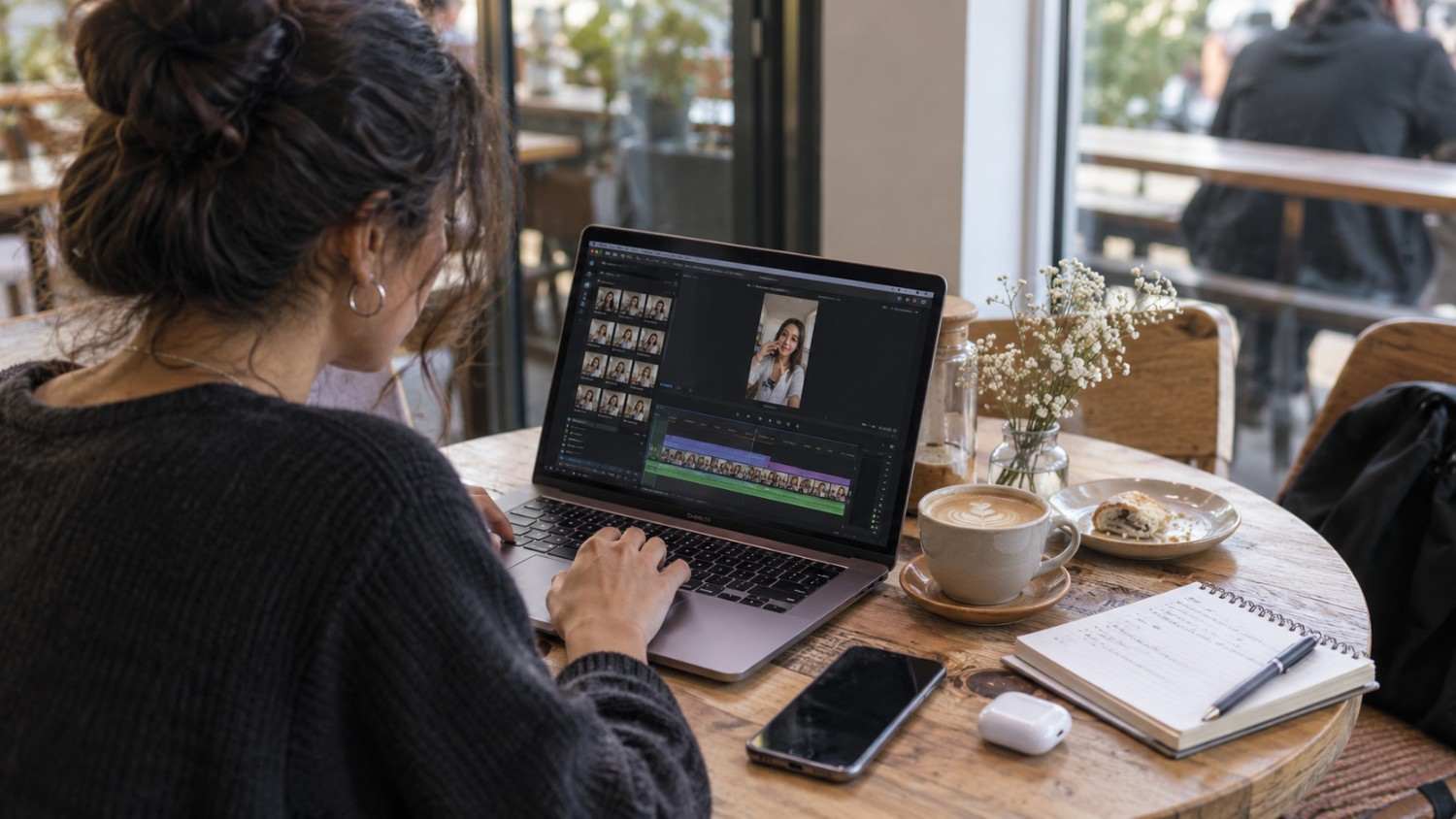
Best Tools for UGC Video Editing, Scripts and Captions
Video editing is essential for UGC, and the right tool depends a lot on how much control you want over the final product.
CapCut is free and powerful and comes with auto captions and templates built in. It is the tool most UGC creators default to because it covers ninety percent of what you actually need without a steep learning curve.
Adobe Premiere Rush gives you quick editing across both mobile and desktop, and it produces genuinely professional results in a short amount of time. It is a good step up once you outgrow the simplicity of CapCut but still want speed.
InShot is built for fast mobile editing with templates designed specifically for UGC-style content on TikTok and Reels. If you are editing entirely from your phone and need something quick between filming sessions, this software fits well.
Descript shows up again here because its transcript-based editing genuinely changes how fast you can cut a talking-head video. Removing filler words and awkward pauses becomes a text editing task rather than a timeline scrubbing task.
Canva rounds out the list with basic video editing and UGC templates, which works well if you want to create simple videos without learning a more advanced editor from scratch.
https://youtu.be/mt2WDHEMdWc?si=ON1XkMPgyIzgemHK
Best Platforms to Host and Share Your UGC Portfolio
Where you host your portfolio matters just as much as what is inside it. Here is what actually works.
A personal website is the most professional option available. Platforms like WordPress, Squarespace, or Carrd let you build something under your own domain, and owning that domain signals credibility in a way that a shared link never quite matches.
Notion works well here too, since you can create a shareable page with your work organised cleanly by category, and updating it takes minutes rather than a full rebuild.
Google Drive remains a simple, free fallback. Create a folder, organise your work clearly, and share the link. It lacks polish, but it is functional and instant.
Linktree lets you add your portfolio link directly to your link in bio, so brands browsing your social profiles can access your work in one tap without needing to search for it separately.
CreatorsKit again offers UGC-specific hosting, and it comes with built-in analytics, so you can actually see when a brand opens your portfolio and how long they spend looking at it.

Free vs Paid UGC Portfolio Tools
Free tools work well for beginners. Paid tools tend to offer more polish and more advanced features once you need them.
Free Options
Canva gives you a free website builder with portfolio templates ready to go. Notion offers free and flexible portfolio hosting that scales as your work grows. CapCut provides free video editing with auto captions built in. Google Drive offers free file hosting and sharing with no learning curve at all.
Paid Options
Carrd costs about nine dollars a year and gives you a custom domain with a genuinely professional design. Squarespace runs around sixteen dollars a month for a fully featured, professional website with strong templates. CreatorsKit costs roughly nineteen dollars a month for UGC-specific portfolio hosting built around exactly this use case. Adobe Premiere Rush runs about ten dollars a month for professional-level video editing.
The honest answer here is that free tools work fine until you specifically need a custom domain or a more advanced feature set. Start free, and upgrade only once you actually run into a limitation, not before.
Best Tools for Creating UGC Media Kits and Rate Cards
Media kits and rate cards help you pitch brands clearly and confidently. Here is what creators are using.
Canva offers media kit templates with genuinely professional designs, letting you create rate cards and one page overviews without starting from a blank canvas.
Notion works well for organising your rates, your package options, and your past work into a single shareable page that you can update as your pricing changes.
Google Docs handles the basics well. A simple rate card listing your services and prices does not need to be complicated, and Docs makes that easy to put together fast.
Social by InstantDM can help here too, since its AI can suggest media kit content and even rough rate suggestions based on your niche and experience level, which is genuinely helpful if you have no idea what to charge yet.
HoneyBook adds client management on top of proposal templates, so you can send polished, professional proposals directly to brands rather than a plain email with a price attached.

How to Organise UGC Samples, Testimonials and Brand Work
Organisation matters just as much as the content itself. Here is how to structure it properly.
Organise your work by content type. Separate videos, scripts, captions, and graphics so brands can find exactly what they need without scrolling through everything.
Include context for every sample. Explain the brand, the goal of the campaign, and the results if you have them. This approach shows brands you understand the business side of UGC, not just the creative side.
Add testimonials wherever you have them. Social proof builds trust faster than almost anything else in your portfolio.
Keep it updated constantly. Remove older, weaker work as your skills improve, and keep adding new samples so your portfolio always reflects your current best rather than where you started.
Make it skimmable. Brands review a lot of portfolios in a short window of time, so clear headings and short descriptions matter more than you might think.
Best AI Tools for UGC Hooks, Scripts and Content Ideas
AI can generate content ideas quickly when you are stuck. Here is who handles this well.
Social by InstantDM generates hooks, scripts, and content ideas, suggesting angles suited to different products and formats. It works especially well as a starting point when you have a product in front of you and no clear direction yet.
ChatGPT can generate a script for essentially any product once you give it enough detail. It is flexible, though you will likely spend more time refining the output to match your voice.
Predis.ai turns plain product descriptions into usable video scripts, which is handy when you are working through a list of products back to back.
Copy.ai focuses on copywriting specifically, generating hooks, calls to action, and product descriptions that work well for captions as much as scripts.
Jasper rounds this out with broader AI content generation suited to both UGC scripts and general social posts, useful if you are also managing captions and written content alongside your videos.
What Brands Actually Want to See in a UGC Portfolio
Brands are looking for specific signals when they browse a portfolio. Here is what actually matters to them.
Authentic content stands out. Brands want UGC that feels real and unscripted, not overly polished. Show your natural style rather than trying to look like a traditional ad.
Relevant examples matter more than volume. A skincare brand wants to see skincare content, not an unrelated mix of everything you have ever filmed.
Clear communication throughout your portfolio makes a difference. Brands should never have to search or guess where to find your best work.
Professional presentation counts too. Clean design, organized samples, and visible contact information all signal that you take this seriously as a business, not just a hobby.
Results close the deal more often than creativity alone. If you have any metrics showing your content performs, include them front and center.
How Many UGC Samples Should You Include in Your Portfolio?
Quality beats quantity every time. Here is the general guidance creators follow.
Five to ten samples is the sweet spot for most creators. It is enough to show range without overwhelming a brand that only has a few minutes to review your work.
Three to five samples works as a minimum for a tightly focused portfolio, especially if each one demonstrates a distinctly different skill.
Ten to fifteen samples is the upper limit for a comprehensive portfolio, and even then, variety matters more than raw count. Never pad your portfolio with weaker work just to hit a number.
The rule that matters most is simple. Only include work you are genuinely proud of. If a sample does not represent your best effort, leave it out entirely.
Common UGC Portfolio Mistakes That Make Brands Skip You
These mistakes quietly cost creators brand deals every day.
Too many samples overwhelms brands who simply do not have time to watch thirty videos. Show your best five to ten and stop there.
No context leaves brands guessing. Do not just show a video. Explain the brand, the goal, and the result whenever you can.
Poor design makes even great content look unprofessional. Clean templates and organized layouts go a long way toward building trust.
No contact information is a surprisingly common and costly mistake. Make sure your email and social links are visible without anyone needing to hunt for them.
Outdated work drags your portfolio down. Remove old, weaker samples regularly so what brands see always reflects your current skill level.
No niche focus makes your portfolio forgettable. A general, unfocused portfolio is far less compelling than one that clearly shows you understand a specific type of brand or product category.
The Bottom Line
A UGC portfolio is essential if you want to land consistent brand deals in 2026. It showcases your skills, proves your value with real examples, and makes brands want to reach out to you instead of the next creator in their inbox.
Tools like Social by InstantDM can help with the planning side, offering script ideas and content concepts so you are not starting from a blank page every time you sit down to film. Pair that with a solid editing tool, a clean hosting platform, and a portfolio that is easy to skim, and you have everything you need to start pitching brands with confidence.
Start building your portfolio today. Choose a platform. Create five to ten samples you are genuinely proud of. Organise them clearly with context behind each one. Share it with brands. That is how UGC careers actually start.
Sources Used for This Guide:
References:
https://designrevision.com/blog/best-ai-ugc-tools
Frequently asked questions
What is a UGC portfolio?
A UGC portfolio is a collection of your best user generated content work. It showcases your video samples, scripts, and brand collaborations to potential clients, and it functions as your business card as a UGC creator.
How many samples should I include in my UGC portfolio?
Five to ten samples is generally the sweet spot. Show your best work without overwhelming brands, and make sure each sample demonstrates a different skill or style rather than repeating the same idea.
Do I need brand experience to build a UGC portfolio?
No. You can create mock brands, do free work for small businesses in exchange for usable samples, or film product reviews for items you already own. All of these let you show real skill without needing an actual paying client first.
What tools do I need for UGC creation?
CapCut works well for video editing, Canva covers graphics and portfolio building, and AI tools such as [Social by InstantDM](https://social-app.instantdm.com/) can help with script ideas and early content planning before you start filming.
How do I make my UGC portfolio stand out?
Focus on quality over quantity, add context to every sample, keep the design clean, and show work within a specific niche rather than a scattered mix. Make it effortless for a brand to see your value within the first few seconds of landing on your page.