What Is an MCP Server for Social Media? (2026 Guide)
An MCP server lets an AI assistant like Claude or ChatGPT publish to your social accounts directly. What MCP is, how the protocol works, which schedulers support it in 2026, and how to connect one.

What is an MCP server for social media?
An MCP server for social media is a program that exposes your social publishing account to an AI application, so an assistant like Claude or ChatGPT can draft a post, schedule it, upload an image, and read your analytics by calling defined functions instead of you clicking through a dashboard.
MCP stands for Model Context Protocol. Its official documentation defines it as “an open-source standard for connecting AI applications to external systems,” and offers a useful analogy: think of MCP as a USB-C port for AI applications. Just as USB-C is a standard way to connect devices, MCP is a standard way to connect an AI app to your data and tools.
So a social media MCP server is the plug on the end of that cable, wired to your scheduling account.
That’s the whole idea. The rest of this page is what’s actually inside it, which schedulers have one in 2026, and whether you need one — including the honest answer that many people don’t.
Who created MCP, and is it a real standard?
MCP was created and open-sourced by Anthropic, the company behind Claude.
The reasonable next question is whether that makes it one vendor’s integration wearing a standard’s clothes. It doesn’t, and there are two checkable reasons.
First, the whole thing is public: the specification, the SDKs for different programming languages, a set of reference server implementations, and the MCP Inspector development tool. You can read the protocol and build against it without anyone’s permission.
Second, adoption crosses the vendor line. The official documentation lists AI assistants Claude and ChatGPT, plus development tools including Visual Studio Code, Cursor and MCPJam. An Anthropic-authored protocol that OpenAI’s product speaks is a standard in the sense that matters — build the server once, and it works in more than one place.
How does an MCP server actually work?
The mechanics are simpler than the acronym suggests, and worth understanding before you evaluate anyone’s implementation.
Who are the participants?
MCP uses a client-server architecture with three named roles:
- MCP Host — the AI application you actually use. Claude Desktop, Claude Code, VS Code.
- MCP Client — a connection manager the host creates, one per server it talks to.
- MCP Server — the program providing the context or capability. This is the part a social media tool builds.
The host spins up one client per server. Connect your AI app to a social scheduler, a database and your file system, and it’s running three clients against three servers at once, each on its own dedicated connection.
What are tools, resources and prompts?
MCP defines exactly three primitives a server can expose, and knowing them tells you what any server can and can’t do:
| Primitive | What it is | Social media example |
|---|---|---|
| Tools | Executable functions the AI can invoke to perform actions | create_post, delete_post, upload_media |
| Resources | Data sources that provide contextual information | The list of your connected accounts |
| Prompts | Reusable templates that structure an interaction | A house-style caption template |
A social media MCP server is overwhelmingly tools, because publishing is an action rather than a lookup. That’s worth knowing when a vendor says “we support MCP” — ask which primitives, and how many tools.
There’s also a discovery step that matters more than it sounds. The assistant calls tools/list and gets back every tool with a name, a human-readable title, a description, and a JSON Schema describing its inputs. Then it calls tools/call with arguments matching that schema. The AI is reading the manual before it acts. Nobody hand-codes the integration.
What’s the difference between stdio and Streamable HTTP?
MCP supports two transports, and the difference decides whether a server can be hosted for you or has to run on your own machine.
Stdio transport uses standard input and output streams between processes on the same machine. No network, minimal overhead, and it typically serves a single client. This is how a local file-system server works — your AI app launches it as a process on your laptop.
Streamable HTTP transport uses HTTP POST for client-to-server messages, with optional Server-Sent Events for streaming. This is what enables a remote server that many clients connect to at once. It supports standard HTTP authentication — bearer tokens, API keys, custom headers — and the specification recommends OAuth for obtaining tokens.
For social media, it has to be Streamable HTTP. Your scheduler lives on someone’s servers holding OAuth tokens for eight platforms; it isn’t a process your laptop starts.
Underneath either transport, the messages are JSON-RPC 2.0 — a long-established, boring, well-understood format. That’s a feature. Nothing here is exotic.
What can you actually do with a social media MCP server?
Concretely, with the assistant doing the calling:
- List your connected accounts and see which platforms are live
- Create a post — text, media, per-platform variants, scheduled or immediate
- Read, update or delete a scheduled post before it goes out
- Check a post’s status after publishing
- Upload media and manage a media library
- Pull analytics across platforms
- List and delete native platform posts — things published outside the tool
- Call the underlying platform API for anything the tool doesn’t wrap
The shift is in who does the clicking. “Take the three points from this doc, write a LinkedIn post and an X thread, and schedule them for Tuesday morning” becomes one instruction, and the assistant makes the calls.
It is also, obviously, a way to hand a machine the keys to your public voice. Hold that thought; there’s a section on it below.
Which social media tools have an MCP server in 2026?
Short answer: almost none, and that’s the most useful fact on this page.
I checked this on 28 July 2026:
| Tool | MCP support | How you get it |
|---|---|---|
| Social by InstantDM | Hosted server, 16 tools, full REST API parity | Included on every plan, from $19/month |
| Mixpost | Listed as a Pro edition feature | $299 one-time, self-hosted |
| Postiz | Separate postiz-agent repository (381 GitHub stars) | Open source, self-assembled |
| Buffer, Hootsuite, Sprout Social, Later, SocialPilot, Sendible, Agorapulse, Metricool, Planable, Vista Social, Loomly | None published | — |
That last row is eleven of the biggest names in social media scheduling, none of which publishes an MCP server. Several have perfectly good REST APIs. That’s a different thing, for reasons the next section covers.
If you’re reading this later than 2026, check again. This is exactly the kind of list that goes stale, and the gap is wide enough that it should close.
Which AI apps can connect to one?
The official MCP documentation names Claude and ChatGPT among AI assistants, and Visual Studio Code, Cursor and MCPJam among development tools, with “many others” unenumerated.
Two honest caveats.
Is remote support the same as MCP support?
No. An app can speak MCP for local stdio servers and not yet accept a remote Streamable HTTP one. When you’re evaluating, the question isn’t “does it support MCP” but “does it support remote MCP servers.”
What if your AI app only accepts a URL?
Some clients give you no custom headers, no auth configuration — a box for an address and nothing else. That’s a real constraint, and it’s why our server also accepts the API key as a URL query parameter rather than only as an X-Api-Key header. If your assistant of choice is one of the URL-only ones, check that the server you’re connecting to can be authenticated that way, or it simply won’t work.
How do you connect one to Claude or ChatGPT?
The pattern is the same everywhere, even though the menu wording differs:
- Get an API key from the tool whose server you’re connecting.
- Find the server URL in its docs — typically something ending in
/mcp. - Add it as a connector in your AI app’s settings, pasting URL and key.
- Confirm the tools loaded — ask the assistant what social tools it now has. It will call
tools/listand tell you. If the list is empty, the connection or the key is wrong. - Start with something reversible. “List my connected accounts” is a good first instruction. “Publish this now” is not.
Step 4 is the one people skip and shouldn’t. It takes ten seconds and separates “connected” from “connected and authenticated.”
For the exact menu paths — including the Developer mode setting ChatGPT hides the connector behind, and the ~/.codex/config.toml syntax for Codex — see the step-by-step setup guide for Claude, ChatGPT and Codex.
Do you need an MCP server, or is a REST API enough?
If you’re writing the integration code yourself, a REST API is enough, and often simpler. You know what you want to call. You don’t need a discovery protocol to tell you.
MCP earns its place when you want the AI to decide what to call. Because tool definitions carry a description and an input schema, the assistant discovers what’s available and works out how to use it. A REST API needs you to explain it; an MCP server explains itself.
So the rule of thumb:
- Building a product feature? Use the REST API.
- Running a one-off script? REST API.
- Want your assistant to handle publishing as part of a broader task? MCP.
- Building an agent that does research, drafting and publishing? MCP, clearly: it’s the case the protocol was designed for.
The honest version: most people reading this need neither today. If you schedule posts by hand in a calendar UI and that works, none of this improves your week. It matters if you’re already automating, or if “the assistant just does it” is a workflow you actively want.
Is it safe to give an AI agent access to post on your behalf?
It carries real risk, and anyone telling you otherwise is selling something.
The failure mode isn’t hypothetical: an assistant that misreads an instruction can publish the wrong thing to a real audience, and a post is public the moment it lands. Practical guardrails:
How should you scope the API key?
Use one limited to a single workspace, not your whole account. If the tool doesn’t offer per-workspace keys, that’s a mark against it.
Should the agent publish, or only draft?
Have the agent create scheduled posts or drafts you approve, rather than publishing immediately. Nearly all the value, far less of the risk.
Does your AI client confirm tool calls?
Some AI apps ask before running a tool; some don’t. Know which you’re using before you connect a publishing server.
What is the prompt-injection risk?
If your agent reads untrusted input — web pages, incoming email, user submissions — and also holds posting access, that’s a path from something you didn’t write to something published in your name. Keep those capabilities apart until you’ve thought it through.
MCP’s transport supports bearer tokens, API keys and custom headers, and the specification recommends OAuth. But the protocol secures the connection; it does not define what a given key is allowed to do. That permission model is the vendor’s, and it’s the thing worth asking about.
What does Social by InstantDM’s MCP server do?
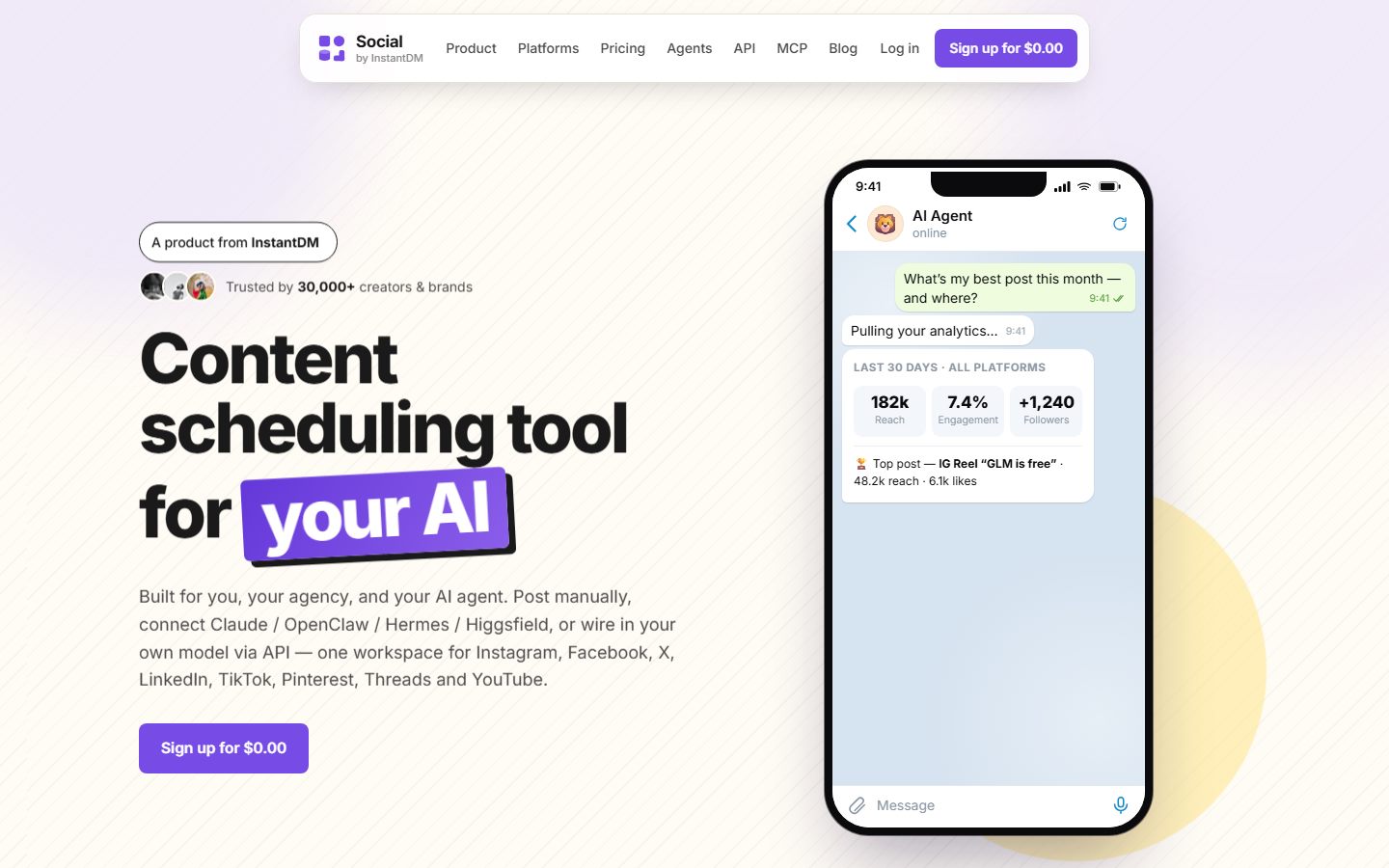 Everything in the dashboard is also a tool an AI agent can call.
We run a hosted MCP server over Streamable HTTP with 16 tools, at full parity with our REST API — anything the API does, an agent can do:
list_accounts · create_post · get_post · list_posts · update_post · delete_post · get_post_status · get_analytics · create_upload_url · complete_upload · list_media · delete_media · upload_media_from_url · list_platform_posts · delete_platform_post · platform_request
Details worth stating plainly:
- Authentication works two ways: an
X-Api-Keyheader, or the key as a URL query parameter for clients that only accept a URL. - API and MCP access are on every plan, including the $19/month one. Mixpost’s MCP is on its $299 Pro edition; nobody else in the mainstream list publishes one at all.
- Eight platforms: Instagram, Facebook, X, LinkedIn, TikTok, Threads, Pinterest, YouTube.
platform_requestis the escape hatch. It proxies a call to the underlying platform API for anything our 16 tools don’t cover, so you’re not blocked by our roadmap.
Where we don’t fit: we’re not open source and not self-hostable. If MCP matters to you and you need to own the stack, Mixpost Pro at $299 one-time is the honest recommendation — see our open-source scheduler comparison. And if you don’t want an agent touching your accounts at all, none of this is a reason to switch tools.
What should you expect next?
Two things worth watching, stated as expectations rather than predictions.
The gap closes. Eleven major schedulers with no MCP server is not a stable equilibrium when the protocol is open, the SDKs are public, and both Claude and ChatGPT already speak it. Expect that table to look different within a year.
The interesting question moves from “can it?” to “should it?” Once every tool has an MCP server, the differentiator won’t be having one — it’ll be permission granularity, approval flows, and audit trails. Which key can post where, who approved it, and what actually went out.
If you take one thing from this page: MCP is a genuinely open standard with a boring, well-specified core, and in social media scheduling it’s currently a near-empty category. Both of those facts are checkable, and both are more useful than any vendor’s claim about it — including mine.
Frequently asked questions
What is an MCP server for social media?
An MCP server for social media is a program that exposes your social publishing account to an AI application through the Model Context Protocol, so an assistant like Claude or ChatGPT can list your connected accounts, draft a post, schedule it, upload media and read analytics by calling defined tools rather than clicking a dashboard. MCP is an open-source standard created by Anthropic for connecting AI applications to external systems — the official documentation describes it as a USB-C port for AI applications.
Who created MCP, and is it an open standard?
MCP was created and open-sourced by Anthropic, the company behind Claude. It is a genuinely open standard rather than a single vendor's integration: the specification, the SDKs and a set of reference server implementations are all public, and the protocol is supported by AI assistants including Claude and ChatGPT as well as development tools such as Visual Studio Code and Cursor.
What is the difference between stdio and Streamable HTTP in MCP?
They are the protocol's two transports. Stdio uses standard input and output streams between processes on the same machine, so the server runs locally with no network overhead and typically serves one client. Streamable HTTP uses HTTP POST with optional Server-Sent Events, which lets the server run remotely and serve many clients at once. A hosted social media MCP server uses Streamable HTTP; a local file-system server uses stdio.
What are tools, resources and prompts in MCP?
They are the three primitives a server can expose. Tools are executable functions the AI can invoke to perform actions, such as creating a post. Resources are data sources that provide context, such as a list of connected accounts. Prompts are reusable templates that structure an interaction. A social media MCP server is mostly tools, because publishing is an action rather than a lookup.
Which social media schedulers have an MCP server in 2026?
Very few. Social by InstantDM runs a hosted MCP server with 16 tools at full parity with its REST API, included on every plan from $19/month. Mixpost lists MCP as a feature of its Pro edition at $299 one-time, self-hosted. Postiz maintains a separate postiz-agent repository, which had 381 GitHub stars when I checked on 28 July 2026. Beyond those, the category is close to empty — most schedulers still offer only a REST API, if that.
Which AI apps can connect to a remote MCP server?
The official MCP documentation names Claude and ChatGPT among AI assistants, plus development tools including Visual Studio Code and Cursor. Support for remote servers specifically varies by app and changes quickly, and some clients accept only a URL with no custom headers — which is why our server also accepts the API key as a URL query parameter as well as an X-Api-Key header.
Do I need an MCP server, or is a REST API enough?
If you are writing the code yourself, a REST API is enough and often simpler. MCP matters when you want an AI assistant to decide what to call. The protocol includes discovery — the assistant asks the server what tools exist and reads the input schema for each — so it can figure out how to publish without you writing integration code for it. A REST API needs you to explain it; an MCP server explains itself.
Is it safe to give an AI agent access to post on your behalf?
It carries real risk and should be scoped accordingly. Use a key limited to one workspace, prefer drafting and scheduling over immediate publishing while you build trust, and check whether the client asks you to confirm each tool call before it runs. MCP's Streamable HTTP transport supports bearer tokens, API keys and custom headers, and the specification recommends OAuth — but the permission model of what any given key can do is set by the vendor, not the protocol.