Social Media Image Sizes 2026: Instagram, Facebook, LinkedIn, TikTok & More
Every social media image size for 2026 — Instagram, Facebook, LinkedIn, TikTok, YouTube, Pinterest, and X. Exact pixels.
TL;DR
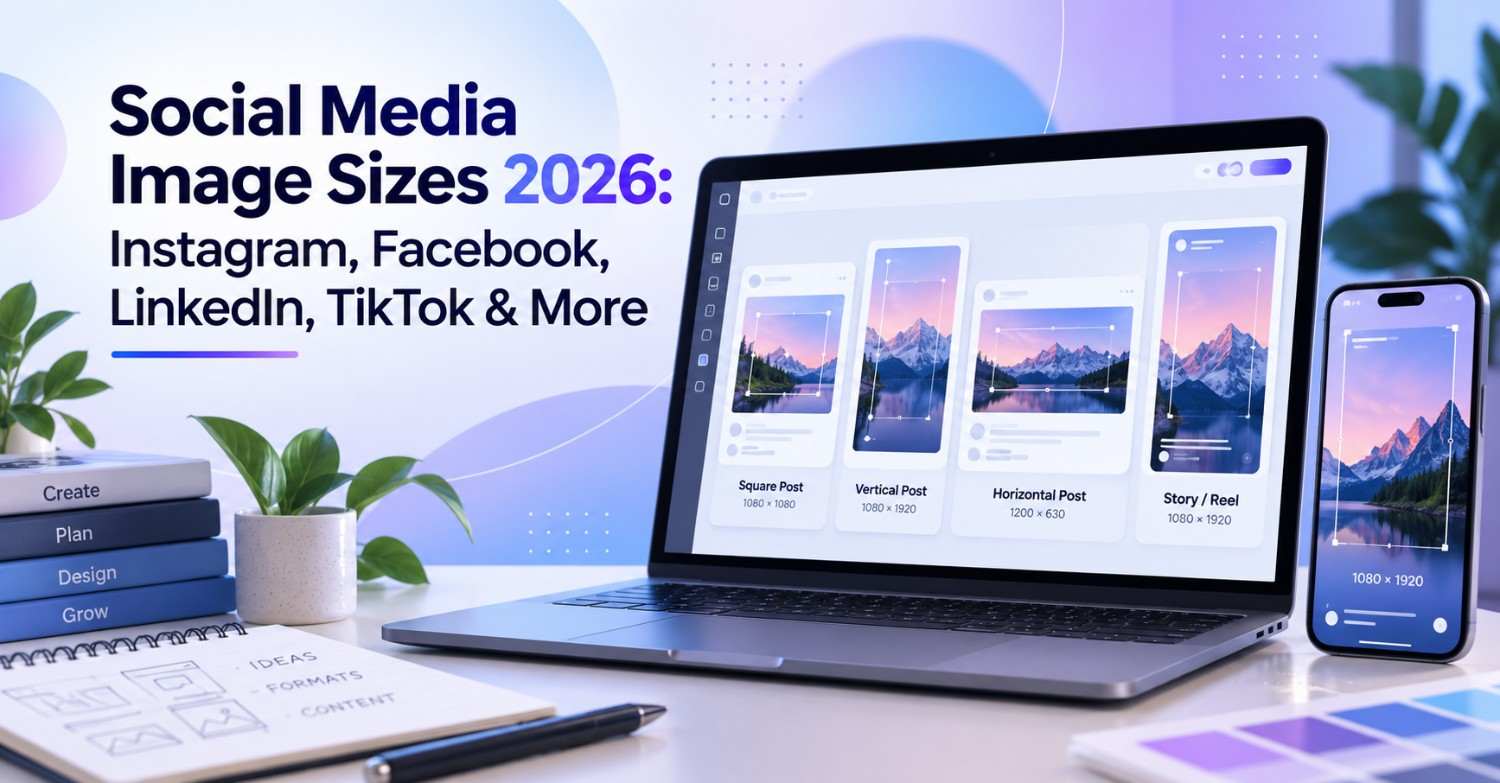
Nothing undermines otherwise good content quite like a badly cropped image or a thumbnail that looks slightly fuzzy for no obvious reason. Nine times out of ten, the actual cause is dimensions, not quality of design. Heading into 2026, most platforms have settled around 1080 pixels as the standard width, and if you only remember one universal size, make it 1080 by 1080 pixels at a 1:1 ratio, since that square format displays cleanly across nearly every platform without cropping anything important. Beyond that single fallback, the quick reference looks like this. Instagram wants 1080 by 1350 pixels at 4:5 for feed posts and 1080 by 1920 at 9:16 for Stories. Facebook prefers a straightforward 1080 by 1080 square for regular posts. LinkedIn runs on 1200 by 628 pixels at 1.91:1 for articles. TikTok uses 1080 by 1920 at 9:16 for all its content. YouTube thumbnails call for 1280 by 720 pixels at 16:9. Getting these numbers right, platform by platform, is the difference between content that looks intentional and content that looks like it was uploaded without much thought.
Introduction
Every platform seems to have its own idea of what a properly sized image should look like, and keeping track of all of them at once is genuinely more confusing than it should be. What looks perfect on Instagram gets awkwardly cropped on LinkedIn. A thumbnail that renders sharp on YouTube turns soft and pixelated the moment it gets repurposed somewhere else. Multiply that across seven or eight platforms and it becomes a real source of friction for anyone managing more than one account.
Part of the problem is that these specs genuinely do shift over time. A dimension that was standard two years ago might now get compressed differently, or a platform might have quietly updated its grid preview ratio without any real announcement. Design once, assume it works everywhere, and you end up with content that looks slightly off in ways that are hard to pin down without actually checking the numbers.
This guide walks through the exact dimensions for every major platform, Instagram, Facebook, LinkedIn, TikTok, YouTube, Pinterest, and X, along with the safe zones, file types, and resolution requirements that determine whether your content looks sharp or slightly compressed once it goes live. By the end, resizing for a new platform should feel like a quick reference check rather than a guessing game.
Social Media Image Sizes 2026: Complete Guide
Image sizes vary considerably from platform to platform, and understanding the underlying logic makes the individual numbers much easier to remember.
The universal standard across most platforms now sits at 1080 pixels wide. Nearly every major platform optimises around this width, so uploading at or near the largest recommended dimensions and letting the platform handle any downsizing tends to produce better results than trying to guess the exact final size yourself.
If you only need one safe, all-purpose size that works reasonably well everywhere, 1080 by 1080 pixels at a 1:1 square ratio is the closest thing to a universal answer, since it displays without cropping across virtually every platform on this list. If you specifically want the format that claims the most screen space on Instagram and Facebook feeds, 1080 by 1350 pixels at 4:5 is the stronger choice. And for anything meant to fill an entire mobile screen, Stories, Reels, or TikTok specifically, 1080 by 1920 pixels at 9:16 is the size to reach for.
https://youtu.be/ooPGHF7RGTc?si=fmUYfbHdsT9R4Z8a
Instagram Image Sizes for Posts, Stories, Reels and Carousels
Instagram runs on a fairly specific set of dimensions depending on exactly what you are posting.
Feed posts break down into three options. Square images sit at 1080 by 1080 pixels for 1:1, portrait images run 1080 by 1350 pixels at 4:5, and landscape images come in at 1080 by 566 pixels for a 1.91:1 ratio. Stories, Reels, and Reel covers all share the same 1080 by 1920 pixel spec at 9:16, which keeps everything visually consistent whether someone is watching a Story or scrolling through your Reels tab.
Carousels follow the same 1080 by 1350 pixel spec as portrait feed posts, and they support anywhere up to twenty slides within a single post. Profile pictures sit at 320 by 320 pixels, though it is worth remembering that Instagram’s grid preview now displays at a 3:4 ratio rather than the 4:5 you actually design at, which slightly crops the preview version without affecting how the full image displays once tapped.
The general recommendation worth holding onto is to default to 4:5 at 1080 by 1350 pixels for standard feed posts, since it consistently claims the most screen space compared to the square or landscape alternatives.
Facebook Image Sizes for Posts, Covers, Stories and Ads
Facebook maintains its own set of specifications, separate from Instagram despite sharing the same parent company.
Feed posts on Facebook support three options as well. Square sits at 1080 by 1080 pixels for 1:1, landscape runs 1200 by 630 pixels at roughly 1.91:1, and portrait matches Instagram’s own 1080 by 1350 pixel spec at 4:5. Cover photos differ depending on where they are viewed, with a desktop page cover sitting at 820 by 312 pixels and the mobile version scaling down to 640 by 360 pixels, while group covers run considerably larger at 1640 by 856 pixels.
Stories on Facebook follow the same 1080 by 1920 pixel format used across most other platforms for vertical content. Ads split between a square 1080 by 1080 pixel format and a 1200 by 628 pixel landscape option for feed placements, with Story ads sticking to the standard 1080 by 1920 spec. Profile pictures round this out at 170 by 170 pixels, though they display slightly larger at 176 by 176 pixels on desktop.

LinkedIn Image Sizes for Posts, Articles, Banners and Company Pages
LinkedIn’s more professional context comes with its own dimension requirements, and getting these right matters if a polished appearance is part of your brand positioning.
Feed posts support square images at 1080 by 1080 pixels, landscape at 1200 by 627 pixels for roughly 1.91:1, and portrait at the now familiar 1080 by 1350 pixels for 4:5. Articles call for a header image sized at 1200 by 628 pixels, matching the broader 1.91:1 ratio, while images placed within the body of an article should simply be 1200 pixels wide.
Company pages carry their own separate specs entirely, with a cover photo at 1128 by 191 pixels, a logo sized at 300 by 300 pixels, and a banner running 1584 by 396 pixels. Personal profile pictures sit at 400 by 400 pixels, and the background image behind your profile matches the same 1584 by 396 pixel spec used for company banners.
If there is one dimension worth memorizing above the rest here, it is 1200 by 628 pixels, since this matches the Open Graph standard used broadly across LinkedIn articles and posts alike.
TikTok Video, Cover and Profile Image Dimensions
TikTok was built around vertical viewing from the ground up, and its dimensions reflect that far more strictly than most other platforms on this list.
Standard videos run at 1080 by 1920 pixels for a full 9:16 aspect ratio. While TikTok technically allows videos up to ten minutes long, content sitting somewhere between fifteen and sixty seconds still tends to perform noticeably better across most accounts. Cover images match the video spec exactly at 1080 by 1920 pixels, and profile pictures sit at a comparatively small 200 by 200 pixels.
The core principle to keep in mind with TikTok specifically is that it remains a mobile first platform through and through, so every piece of content should be designed for vertical viewing from the very first draft rather than adapted afterward from a horizontal format.
YouTube Thumbnail, Channel Banner and Shorts Sizes
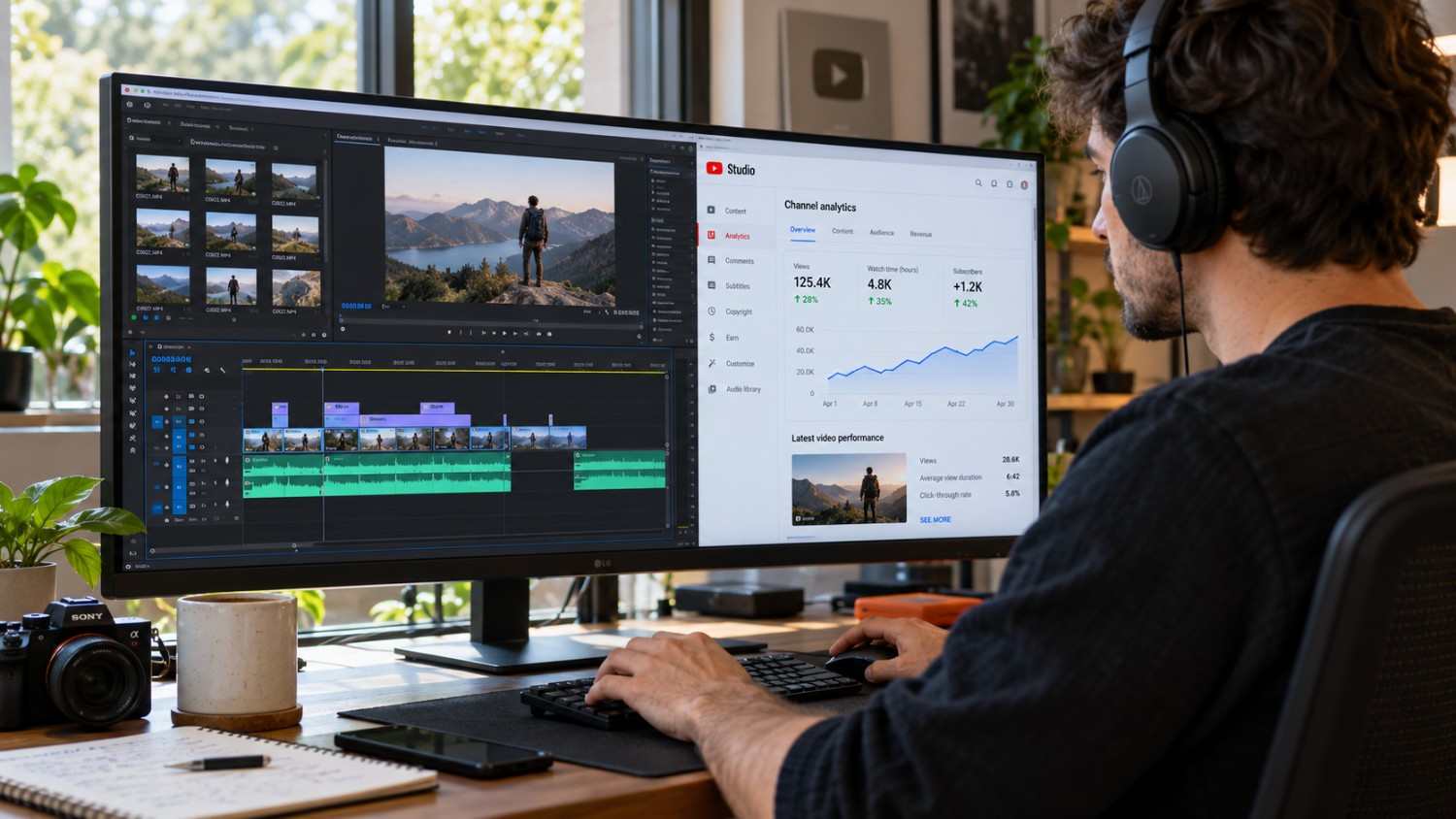
YouTube maintains distinct specifications across thumbnails, channel branding, and Shorts, each serving a different visual purpose.
Standard thumbnails run at 1280 by 720 pixels for a 16:9 ratio, with 640 pixels as the acceptable minimum width if you are working with size constraints. Channel art scales across several contexts, with the desktop version sitting at 2560 by 1440 pixels, the mobile safe area running 1546 by 423 pixels, and the version displayed on connected TVs matching the same 2560 by 1440 spec as desktop.
Shorts follow the same vertical logic as TikTok, with both the video itself and its cover image running at 1080 by 1920 pixels for 9:16. Profile pictures on YouTube sit considerably larger than most platforms at 800 by 800 pixels.
The recommendation worth remembering here is to always upload at the largest dimensions YouTube supports for each format, since the platform compresses uploads regardless, and starting from a higher resolution simply gives that compression more to work with.
Pinterest Pin Sizes and Recommended Aspect Ratios
Pinterest operates fundamentally as a visual discovery platform, and its dimensions reflect a strong preference for taller, more vertical imagery than most other platforms favor.
Standard pins run at 1000 by 1500 pixels for a 2:3 ratio, with a maximum length extending up to 1000 by 2100 pixels for particularly tall content. Idea pins, Pinterest’s more interactive, multi page format, use the familiar 1080 by 1920 pixel spec at 9:16 and support up to twenty individual pages within a single pin.
Profile pictures on Pinterest sit at a modest 165 by 165 pixels, while board covers run slightly wider at 222 by 150 pixels. The overall recommendation is to lean into the standard 1000 by 1500 pixel spec at 2:3 for most pins, since vertical imagery consistently outperforms squarer or wider formats on this particular platform.
X Image Sizes for Posts, Headers and Cards
X, still widely referred to by its former name Twitter, maintains its own dimension standards separate from the rest of this list.
In feed images support a landscape 1600 by 900 pixel option at 16:9, alongside a square 1080 by 1080 pixel format, with a maximum ceiling of 4096 by 4096 pixels for larger uploads. Header images run at 1500 by 500 pixels, and profile pictures sit at 400 by 400 pixels, consistent with several other platforms on this list.
Link preview cards come in two closely related formats, a standard summary card and a summary card featuring a larger image, both sized identically at 1200 by 628 pixels for a 1.91:1 ratio. The recommendation for standard in feed content is 1600 by 900 pixels, which tends to be the most reliably optimal size across X’s feed specifically.
Best Social Media Aspect Ratios: 1:1, 4:5, 9:16 and 16:9
Aspect ratio shapes how your image actually fits within its frame, and understanding when to use each one simplifies decisions considerably across every platform covered so far.
1:1 Square
Running at 1080 by 1080 pixels, this ratio works reliably across nearly every platform, making it the strongest choice when consistency across a grid layout matters more than maximizing screen space on any single platform.
4:5 Portrait
At 1080 by 1350 pixels, this ratio claims the most screen space specifically within Instagram and Facebook feeds, making it the default choice for standard feed posts on either platform.
9:16 Vertical
Filling the full screen at 1080 by 1920 pixels, this ratio is built specifically for Stories, Reels, and TikTok, where taking up the entire viewport is the intended effect rather than a side benefit.
16:9 Landscape
Running widescreen at 1920 by 1080 pixels, this ratio remains the standard for YouTube thumbnails and works well for X posts too, where horizontal framing suits the content better than a taller crop would.
The broader pattern worth internalizing is that mobile first platforms, Instagram and TikTok chief among them, generally favor vertical formats, while more desktop oriented platforms like YouTube and X tend to favor horizontal framing instead.

Social Media Safe Zones for Text, Logos and CTAs
Safe zones exist to protect your most important content from being covered by whatever interface elements a platform layers on top of your image.
On Instagram Stories, the actual safe zone sits at 1080 by 1610 pixels, with the top 155 pixels obscured by the username and timestamp, and the bottom 155 pixels covered by the reply bar and any stickers a viewer might add. TikTok follows a similar logic with a safe zone of 1080 by 1720 pixels, losing 100 pixels off both the top and bottom edges to its own interface elements. YouTube maintains a safe zone of 1280 by 720 pixels specifically for annotations and end screens layered onto video content.
The rule across every platform is essentially the same. Keep text, logos, and calls to action comfortably within the safe zone, since platform interfaces consistently cover the outer edges of whatever you upload, regardless of how carefully you designed the full canvas.
https://youtu.be/HukdKtYTN2U?si=Qwsjm6R49lO8WcFb
How to Resize One Image for Multiple Social Platforms
Resizing efficiently saves a meaningful amount of time once you are managing more than one platform at a time, and having a repeatable process makes the whole task far less tedious.
Start by creating your original image at the largest standard size available, 1080 by 1920 pixels at 9:16, since this gives you the most room to crop down from rather than trying to stretch a smaller image upward. From there, crop down for each specific platform as needed, 1080 by 1350 pixels at 4:5 for Instagram’s feed, 1080 by 1080 pixels at 1:1 for Facebook, and 1200 by 628 pixels at 1.91:1 for LinkedIn.
Leaning on dedicated design tools built for this kind of resizing, Canva and Adobe Express among the more popular options, tends to preserve quality far better than manually shrinking an image yourself. Whatever tool you use, export at the highest quality setting available rather than compressing beforehand, since letting the platform handle compression at the point of upload generally produces a sharper final result than pre compressing an already smaller file.
How to Prevent Cropping, Blurry Images and Compression
These three issues account for the vast majority of complaints creators have about how their content actually looks once it is live, and nearly all of them trace back to a handful of preventable mistakes.
Uploading at the correct dimensions for each specific platform is the single most effective fix, since mismatched dimensions are what trigger unwanted cropping in the first place. Starting with genuinely high resolution source material matters too, since every platform applies some degree of compression on upload, and a higher quality starting point simply survives that compression better. Keeping text and important visual elements away from the outer edges avoids the safe zone problem covered earlier, since platforms consistently crop or obscure content sitting too close to the border.
Exporting as PNG rather than JPG tends to preserve quality more reliably, particularly for graphics containing text or fine detail, even though PNG files do run noticeably larger as a tradeoff. And finally, previewing your image directly on the platform before publishing, rather than assuming it looks fine based on how it appeared in your design tool, catches cropping or compression issues while there is still time to fix them.

Best Resolution, File Types and Maximum File Sizes
Resolution and file type both play a meaningful role in how sharp your final content looks once compression has run its course.
As a general rule, upload at 1080 pixels wide across most platforms, since this matches what the majority of them are actually optimized to handle.
JPG
JPG files stay relatively small while still working well for standard photography, making this the most practical choice for most photo based content.
PNG
PNG files run larger but preserve detail and quality noticeably better, particularly for graphics containing text, logos, or sharp edges where compression artifacts tend to show up first.
GIF
GIF remains the standard format for simple animated images, though it comes with real limitations around color depth and file size compared to modern video formats.
WebP
WebP has become an increasingly common modern format, offering smaller file sizes than JPG or PNG while maintaining comparable quality, particularly useful for anything destined for the web rather than a native app.
Maximum file sizes vary considerably by platform as well. Instagram allows up to 30MB for images and 4GB for video. Facebook caps images at 10MB with the same 4GB ceiling for video. LinkedIn keeps things tighter at just 5MB for images. TikTok’s limits differ by device, allowing up to 287.6MB on iOS compared to 72MB on Android. YouTube, meanwhile, supports video files as large as 256GB, reflecting its focus on long form content over quick uploads.
Social Media Image Size Cheat Sheet by Platform
Here is the complete reference table for quick lookup whenever you need a specific dimension without digging back through the full breakdown above.
| Platform | Feed Post | Stories/Reels | Profile | Cover |
|---|---|---|---|---|
| 1080 x 1350 (4:5) | 1080 x 1920 (9:16) | 320 x 320 | N/A | |
| 1080 x 1080 (1:1) | 1080 x 1920 (9:16) | 170 x 170 | 820 x 312 | |
| 1200 x 628 (1.91:1) | N/A | 400 x 400 | 1128 x 191 | |
| TikTok | 1080 x 1920 (9:16) | 1080 x 1920 (9:16) | 200 x 200 | N/A |
| YouTube | 1280 x 720 (16:9) | 1080 x 1920 (9:16) | 800 x 800 | 2560 x 1440 |
| 1000 x 1500 (2:3) | 1080 x 1920 (9:16) | 165 x 165 | 222 x 150 | |
| X | 1600 x 900 (16:9) | N/A | 400 x 400 | 1500 x 500 |
Where Social by InstantDM Fits In
Worth mentioning on its own is Social by InstantDM, a tool that can help take some of the manual guesswork out of everything covered above. Rather than resizing each image by hand for every platform you post to, it suggests the optimal dimensions based on exactly where a given piece of content is headed, whether that is an Instagram feed post, a TikTok cover, or a LinkedIn article header. For anyone managing content across several platforms at once, having that resizing logic handled automatically tends to remove a genuinely tedious step from an already busy workflow.
The Bottom Line
Social media image sizes genuinely matter more than most creators give them credit for. Wrong dimensions lead directly to cropping, blurriness, or unwanted compression, all of which quietly undercut otherwise strong content. Heading into 2026, the standard width across most platforms sits at 1080 pixels, with 1080 by 1080 pixels at a 1:1 ratio remaining the single most reliable all purpose size available.
The core dimensions worth remembering are Instagram at 1080 by 1350 pixels for 4:5, Facebook at 1080 by 1080 pixels for 1:1, LinkedIn at 1200 by 628 pixels for 1.91:1, TikTok at 1080 by 1920 pixels for 9:16, and YouTube at 1280 by 720 pixels for 16:9.
Start applying the correct dimensions today. Resize what needs resizing, export at the correct size for wherever it is headed, and upload at the highest quality your tools allow. The difference shows up almost immediately in how much more professional your content looks across every platform you post to.
Sources for This Guide:
References:
https://blog.hootsuite.com/social-media-image-sizes-guide/
https://sproutsocial.com/insights/social-media-image-sizes-guide/
Frequently asked questions
What is the best all-purpose social media image size?
1080 by 1080 pixels at a 1:1 square ratio works reliably across nearly every platform without cropping. That said, 1080 by 1350 pixels at 4:5 claims noticeably more screen space specifically on Instagram and Facebook.
Why do my social media images look blurry?
In most cases, the image is either the wrong dimension for that specific platform or was uploaded at too low a resolution to begin with. Sticking to 1080 pixels wide and the recommended aspect ratios for each platform resolves this in the vast majority of cases.
How do I resize images for multiple platforms?
Tools like Canva and Adobe Express handle resizing across most major platforms while preserving image quality far better than manual resizing on your own.
What file type should I use for social media images?
JPG works well for standard photography and keeps file sizes manageable. PNG is the stronger choice for graphics containing text, since it preserves detail better, even though the files run larger. WebP is worth considering for anything specifically optimised for web use.
How do I prevent my images from being cropped?
Upload at the correct dimensions for each specific platform, keep important content safely within the relevant safe zone, and always preview the image on the actual platform before publishing to catch any issues while there is still time to fix them.