Planoly vs Later: Which Instagram Planner Wins in 2026?
Planoly costs $16-43/month. Later costs $25-110/month. Here's the honest comparison of features, pricing, and which tool actually wins.
TL;DR
I spent a while going back and forth between these two tools trying to figure out which one actually deserved a spot in my workflow, and the honest answer is that it depends heavily on what you’re actually trying to do. Planoly is the sharper pick if Instagram grid planning and pure visual aesthetics are your main concern, and it starts cheaper too at $16 a month. Later pulls ahead once you’re posting across more than just Instagram, mainly thanks to its broader platform support and the built in link in bio page, though it starts at $25 a month and no longer offers a permanent free plan. If neither quite fits and you’d rather not pay at all, Social by InstantDM has a free plan with unlimited posts across eight platforms and some genuinely useful AI features layered on top.
Introduction
I’ve used both of these tools long enough at this point to have real opinions rather than just a first impression from a demo. Planoly and Later get compared constantly because they both started out serving the same audience, Instagram focused creators who wanted their feed to look intentional rather than thrown together. But the two have drifted apart over the years in ways that matter a lot depending on what you actually need.
What follows is everything I found comparing them directly, side by side, on pricing, grid quality, content type support, multi platform reach, and who each tool genuinely suits best. I’ll also cover a couple of alternatives worth knowing about in case neither one is actually the right fit for how you work.
One thing worth saying upfront is that neither tool is objectively better across the board, and I’ve seen people talk themselves into the wrong pick simply because a friend recommended whichever one they happened to use. The right answer really does hinge on whether your work lives mostly inside Instagram or spreads out across several platforms at once, and that’s the lens I’d encourage you to read the rest of this through.
Planoly vs Later: what’s the main difference?
Let me start with the basics. Both Planoly and Later began as Instagram first scheduling tools, both built around visual content planning from the start. But they’ve grown in noticeably different directions since then.
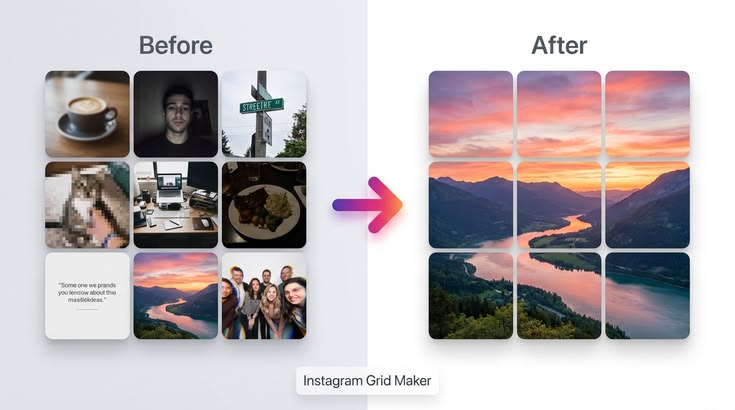
Planoly has stayed focused on Instagram grid planning specifically. Its drag and drop interface lets you see exactly how your feed is going to look before you ever hit post, which makes it the tool you reach for when the overall aesthetic of your profile genuinely matters to you.
Later has leaned the other direction, toward multi platform scheduling. It now covers nine platforms, Instagram, Facebook, TikTok, YouTube, LinkedIn, Pinterest, X, Threads, and Snapchat, and it comes with a link in bio page built directly into the tool.
The clearest way I can put the difference is this. Planoly is the specialist, Later is the generalist. If Instagram is genuinely the only platform you care about, Planoly tends to win. If you need to cover more ground than that, Later usually makes more sense.
It helps to think about how each company actually grew into its current shape. Planoly launched specifically as an Instagram companion app back when that was really the only platform worth planning around visually, and it’s stayed close to that original mission ever since rather than chasing every new platform that’s come along. Later started in a similar place but made a deliberate decision somewhere along the way to broaden out, which is exactly why its feature set today looks less like a dedicated Instagram tool and more like a full social media management suite that happens to still do Instagram well.
Planoly vs Later: features compared side by side
Here’s a detailed rundown of how the two stack up feature by feature.
| Feature | Planoly | Later |
|---|---|---|
| Grid Preview | Excellent | Good |
| Link-in-Bio Page | No | Yes |
| Multi-Platform Support | Limited | 9 platforms |
| Auto-Publishing | Yes | Yes |
| Analytics | Basic | Decent |
| AI Features | Limited | Limited |
| Content Calendar | Yes | Yes |
| Hashtag Suggestions | Yes | Yes |
| User-Generated Content | No | Yes |
| Team Collaboration | Limited | Better |
That table pretty much tells the story on its own. Planoly takes the win on grid preview specifically, while Later pulls ahead once you look at platform coverage and the extra features layered around scheduling.
A couple of rows on that table deserve a bit more context than a single word can really give. Team collaboration on Planoly is genuinely usable for a small team of two or three people, but it starts to feel restrictive the moment you’re coordinating with anyone beyond that. Later’s team tools scale more comfortably as headcount grows, largely because that’s the audience it’s been building toward for a while now. And on user generated content specifically, Later’s ability to pull in and reshare content that other people post about your brand is a feature Planoly simply doesn’t attempt to offer at all.
Planoly vs Later pricing in 2026
Let me break the actual numbers down for both tools.
On the Planoly side, the free tier gives you 10 uploads a month across a single social set. The Starter plan runs $16 a month and covers one social set with unlimited uploads for a single user. Growth runs $28 a month and opens up multiple social sets, unlimited uploads, and some AI features. Pro Plus tops out at $43 a month, adding everything in Growth plus priority support and more advanced team tools.
On the Later side, Starter runs $25 a month for one social set, 30 posts per profile, and a single user. Growth runs $45 a month for two social sets, unlimited posts, one user, and a batch of AI credits. Scale sits at $110 a month, covering six social sets, unlimited posts, and room for three users.
The gap between them is real. Planoly’s entry point sits at $16 a month, while Later starts at $25. And Later doesn’t run a permanent free plan anymore, which is worth factoring in if a genuinely free option matters to you.
If you’re watching your budget closely, Planoly comes out ahead on pure value. If multi platform support is what you actually need though, Later’s higher price starts to make sense pretty quickly.
It’s also worth factoring in how each plan scales as your needs grow, not just the entry price. Planoly’s jump from Starter to Growth mainly unlocks additional social sets and some AI features, which is a fairly natural next step if you’re adding a second brand or account. Later’s jump from Starter to Growth removes the post cap entirely and adds a second social set at the same time, which means you’re sometimes paying for more than you actually need just to escape that 30 post ceiling on the entry plan. Worth keeping that in mind before assuming the next tier up is automatically the right move.
Which has the better Instagram grid preview?
This is probably the single most important question for anyone who’s Instagram focused first and foremost, so let me give you my honest read on it.
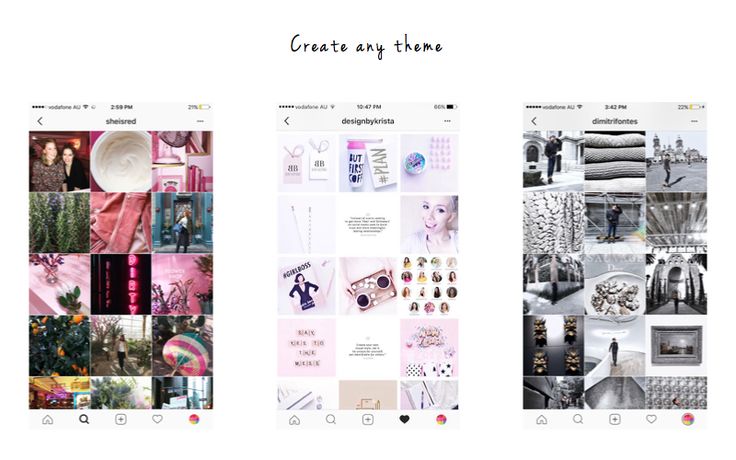
Planoly’s grid preview is genuinely the best I’ve come across in this space. The drag and drop interface feels smooth, letting you rearrange posts, preview exactly how your feed will look, and make small adjustments before anything actually goes live. It just feels intuitive in a way that’s hard to fully describe until you’ve used it yourself.
Later’s grid preview is solid, but it doesn’t quite reach the same level. It works fine, but the interface feels a bit more cluttered by comparison, and the overall experience isn’t as refined.
If grid aesthetics sit at the top of your priority list, Planoly wins this one clearly. Honestly, the grid preview alone is the reason most people end up choosing Planoly over Later in the first place.
I’d add that the difference becomes most obvious once you’re actually trying to plan around a specific color story or a repeating visual pattern across your feed. Planoly lets you drag a post two or three spots over and instantly see how that shifts the overall balance of your grid, which makes iterating on a layout feel almost playful. Later gets you to the same end result eventually, but the process feels more like editing a spreadsheet than arranging a mood board, and that difference in feel is really what people are reacting to when they say Planoly’s grid tool is simply nicer to use.
Which is better for scheduling Reels, Stories, and Carousels?
Here’s how the two compare once you get into specific content types.
For Reels, Later comes out ahead. It supports Reel scheduling across several platforms rather than just Instagram, while Planoly stays fairly narrowly focused on Instagram alone here.
For Stories, Later again has the edge, offering more built out Story scheduling features. Planoly’s Story support feels a bit more limited by comparison.
For Carousels, the two are genuinely close. Both handle them well, and Planoly’s grid preview does a nice job showing exactly how a carousel will actually sit within your feed once it’s live.
The overall pattern is pretty consistent. Planoly does its best work with Instagram specific content, while Later holds up better once you’re thinking across multiple platforms and formats at once.
Worth noting too that Later’s advantage with Reels and Stories really comes down to breadth rather than depth. It’s not that Later does Instagram Reels dramatically better than Planoly does, it’s that Later lets you take a similar piece of content and adapt it for TikTok or YouTube Shorts at the same time, which Planoly simply isn’t built to help with. If your content strategy already lives entirely within Instagram, that breadth advantage won’t mean much to you in practice.
Planoly vs Later for multi-platform scheduling
This is really the category where Later pulls decisively ahead.
Planoly’s platform support stays fairly limited, mainly covering Instagram, Facebook, Pinterest, and TikTok. If those four cover everything you need, Planoly handles them just fine.
Later supports nine platforms in total, Instagram, Facebook, TikTok, YouTube, LinkedIn, Pinterest, X, Threads, and Snapchat. If your presence extends beyond what Planoly covers, Later is simply the more capable option.
Later’s calendar also gives you a single view across every platform you’re scheduling on, which is genuinely useful once you’re juggling more than two or three accounts. Planoly’s calendar stays more narrowly built around Instagram specifically.
If you’re managing several accounts spread across several platforms, Later is the stronger tool here. If Instagram is really your only concern, Planoly does everything you need without the extra complexity.
There’s a middle scenario worth mentioning too, the creator who’s primarily on Instagram but occasionally cross posts a Reel to TikTok almost as an afterthought. For that specific case, I’d still lean toward Planoly and just handle the occasional TikTok post manually, rather than paying for Later’s full multi platform system to cover what amounts to one extra platform used lightly. The calculation only really flips once a second or third platform becomes a genuine part of your regular routine rather than an occasional extra.
Which tool is better for creators and small businesses?
Here’s how I’d steer different types of users based on everything above.
If you’re an Instagram only creator, Planoly is the clear pick. The grid preview is excellent, and the pricing is genuinely more approachable.
If you’re active across multiple platforms, Later makes more sense. The nine platform coverage and built in link in bio page make it a lot more versatile day to day.
For small businesses generally, Later tends to be the better fit, mainly because that broader platform support helps you reach audiences you’d otherwise miss entirely.
For visually driven brands, Planoly still takes the win, since its grid planning remains the strongest feature in this whole comparison.
For anyone working with a tight budget, Planoly’s $16 a month starting price beats Later’s $25 a month by a meaningful margin.
And for agencies specifically, Later tends to be the stronger choice, mostly because of its team features and better support for managing multiple accounts under one roof.
I’d add one more category that doesn’t fit neatly into any of the groups above, the solo creator who’s genuinely torn between the two and can’t quite decide. My honest advice there is to actually think about which mistake you’d rather make. Starting with Planoly and later needing to add a second platform means switching tools down the line, which is a bit of a hassle but not a disaster. Starting with Later and never actually needing the extra platforms means you’ve been paying more than necessary the whole time for capability you didn’t use. Neither mistake is catastrophic, but if I had to bet on which one people regret more often, it’s usually the second.

Planoly vs Later alternatives
Is there something better than both of these depending on your needs? Genuinely, yes.
Social by InstantDM has a free plan with unlimited scheduled posts across eight platforms, plus AI agent integration built right in. If AI powered scheduling without a price tag is what you’re after, this is the one worth trying first.
Buffer runs $6 per channel each month and remains about as simple as scheduling gets. Clean interface, easy to understand pricing, and a solid pick if you just want basic scheduling without a lot of extra complexity attached.
Metricool sits at $22 a month and works well as a budget-conscious option, with a free plan that covers one brand across every platform it supports.
Hootsuite runs $99 per user each month and fits best as the enterprise option, particularly for teams that need more complex approval workflows than either Planoly or Later really offer.
Both Planoly and Later are genuinely solid tools in their own right, but they’re far from the only options out there. There’s no reason to settle for something that doesn’t actually fit how you work.
It’s also worth mentioning that these alternatives aren’t just cheaper knockoffs of Planoly and Later, each one is actually built around a slightly different priority. Social by InstantDM leans hardest into AI assistance, Buffer leans into simplicity above everything else, Metricool leans into value for the analytics you get, and Hootsuite leans into team structure and approval chains. Picking based on which priority actually matches your own situation tends to serve you better than picking based on price alone.
How do Planoly and Later compare in terms of features and pricing?
Here’s the quick version if you just want the summary.
On price, Planoly wins, coming in at $16 a month against Later’s $25.
On grid preview, Planoly wins again, offering something noticeably more refined and intuitive to actually use.
On multi platform reach, Later wins clearly, covering nine platforms against Planoly’s more limited set.
On free plan availability, Planoly wins, since Later no longer offers a permanent free tier at all.
On AI features, it’s essentially a tie, since both tools keep their AI capabilities fairly limited right now.
On team collaboration, Later wins, offering noticeably stronger features for anyone working with more than one person on their content.
The short version is that Planoly wins on price and grid preview specifically, while Later wins on platform reach and the broader feature set around it.

What are the main differences between Planoly and Later?
Boiling it down to the essentials, here’s where the two genuinely diverge.
On focus, Planoly stays Instagram first while Later spreads across multiple platforms.
On pricing, Planoly starts at $16 a month against Later’s $25.
On grid preview, Planoly’s version is simply better refined, while Later’s is good without quite reaching the same polish.
On free plans, Planoly still has one, while Later doesn’t anymore.
On link in bio functionality, Later includes it directly, while Planoly doesn’t offer anything comparable.
If Instagram aesthetics are what matter most to you, Planoly is the natural choice. If you need real multi platform scheduling, Later is the one built for that.
Planoly vs Later: which one should you choose?
Here’s where I’d land on a final recommendation.
Choose Planoly if you’re only posting to Instagram, if grid aesthetics sit at the top of your priority list, if you want the more affordable option overall, or if having a genuine free plan matters to you.
Choose Later if you’re posting across multiple platforms, if a link in bio page would actually save you from paying for a separate tool, if you’re managing several accounts at once, or if you need stronger team features than Planoly currently offers.
Choose Social by InstantDM if AI powered scheduling genuinely appeals to you, if you want a free plan without a cap on posting volume, if eight platform coverage fits your needs, or if API access and MCP server integration matter to how you work.
The right tool really does come down to your specific situation. There’s no reason to overpay for a feature set you’ll never actually use.
Frequently asked questions
Is Planoly better than Later?
It genuinely depends on what you need. Planoly is stronger for Instagram grid planning specifically, while Later is the better pick for multi-platform scheduling. Planoly starts at $16 a month; Later starts at $25.
Does Later still have a free plan?
No, that option is gone now. What Later offers instead is a 14-day free trial. Planoly, on the other hand, still runs a genuine free plan covering 10 uploads a month.
What’s the cheapest option between Planoly and Later?
Planoly comes out cheaper here. Its Starter plan runs $16 a month compared to Later’s $25-a-month Starter plan.
Which tool is better for Instagram grid planning?
Planoly, without much question. Its grid preview is the most refined of anything I tested in this comparison, and it’s really the core reason people pick Planoly over Later in the first place.
What’s a good alternative to both Planoly and Later?
Social by InstantDM offers a free plan with unlimited posts, eight platforms, and AI agent integration built in. Buffer is worth a look too, starting at $6 per channel a month for straightforward scheduling.
The bottom line
Planoly and Later are both genuinely solid tools for planning Instagram content, but they’ve ended up specialising in different directions. Planoly wins on grid preview quality and overall pricing. Later wins on multi-platform reach and the broader set of features built around it.
If Instagram aesthetics are your main concern, Planoly at $16 a month is the smarter pick. If you need real multi-platform scheduling, Later, at $25 a month, earns its higher price tag.
And if neither one quite covers what you’re looking for, Social by InstantDM brings AI-powered scheduling into the mix without charging anything for it. A free plan, eight platforms, and AI agent integration together is a combination that’s genuinely difficult to beat at that price.
At the end of the day, the healthiest way to approach this decision is to actually map out your real posting habits for a typical month before committing to either tool. Count how many platforms you’re genuinely active on, how much team support you actually need, and how much the visual layout of your Instagram grid matters to your brand specifically. Once you have that picture clearly in front of you, the choice between Planoly and Later becomes much more obvious than any comparison article, including mine, can make it on its own.