Top 12 Instagram Grid Planner Apps in 2026 (Free & Paid)
I tested 12 Instagram grid planner apps to see what really works for feed planning. Here are the best free and paid suggestions.
TL;DR:
Instagram grid planners let you see and arrange your posts before they go live so your feed looks cohesive, not random. I tried 12 apps, free and paid, and the top 3 for 2026 are Later for visual planning, Planoly for simple drag-and-drop, and Social by InstantDM for AI-powered multi-platform scheduling. You’ll want the right tool whether you just need to see a grid preview or want full scheduling and analytics.
What’s an Instagram grid?
All right, so let me go back to the basics here because not everyone knows the lingo. Your Instagram grid is the main profile page — the 3-column layout of square thumbnails everyone sees when they land on your profile. Every post you make shows up there. Reels, carousels, and single images all go in the grid.
The grid is important because it’s your digital shopfront, basically. “When someone sees your profile for the first time, they glance at your grid in about three seconds. If it looks messy — random colours, styles, and no visual pattern — they bounce. If it seems intentional and coherent, they follow.
And that’s the purpose of grid planner apps. They let you see how your posts look all together before you hit publish. You can shift things around, switch things out, preview different layouts, and make sure everything matches your visual brand.

Why should you even care about grid planning in 2026?
Look, I used to think that grid planning was just about looks. Make your feed look pretty. But after tracking my own analytics for six months, I’ve realised it’s about so much more than that.
Follows based on first impressions. When someone arrives on your profile, they’re making a split-second decision. Professionalism is a uniform grid. Amateur has a messy grid. That’s how it goes.
Algorithm cautions. Instagram’s algorithm doesn’t rank you on how pretty your grid is, but it does track engagement. If your grid looks good, people will spend more time on your profile, tap on more posts and follow you. The more people who engage with your content, the more Instagram will show it to others.
Brand awareness. When your grid has a consistent colour palette, style or layout pattern, people will start to recognise your brand instantly. That’s free marketing any time someone sees your profile thumbnail in their feed.
Content planning grid planners are not only for previewing. They let you plan ahead. You’ll see what’s coming up next week, you’ll see gaps in your content mix and you’ll make sure you’re not posting 3 similar posts in a row.
How we picked these tools
I’ve trialled 12 grid planner apps this past month. This is the way I actually saw it.
Grid preview quality. Can you see what your feed will look like? Some apps offer a live preview. Others only display individual posts.
Drop & Drag. Can I easily reorder posts? This is handy if you want to change your grid layout without uploading everything again.
Timing. Does the tool allow you to schedule posts straight from the grid view? Or it is just a preview tool?
Pricing. Can you actually use the free plan? Or is it just a demo that wants you to upgrade?
Support for platform. Is it for Instagram only or can you plan across platforms?
Easy to set up. How long does it take to get going? Five minutes? Fifty?
I’ve ranked these based on what I’ve actually used, not what they promise in marketing.
Quick overview of tools
Here’s the short version before we go into the nitty-gritty.
Best overall: Later – best grid preview, scheduling & link-in-bio combo
Best free option: PlanMyGrid - no signup, works with any browser
Best for drag-and-drop: Planoly – easiest way to rearrange your grid
Best AI scheduling: Social by InstantDM – AI agents, 8 platforms, unlimited posts
Best for teams: Planable — visual approvals, collaboration features
Best for beginners: UNUM — mobile-first, easy to learn
Best for visual brands: Later, the Instagram grid preview is the best of this comparison
Best for multi-platform: Social by InstantDM – schedule across 8 platforms in one place
Best for budget creators: GridPeek - free, simple, no frills
Best for batching content: Preview — plan a week of content at once
Best for Instagram-only: PlanMyGrid – for Instagram grid planning only
Best for agencies: Planable — client approval workflows, white-label features

How can I make my Instagram feed look more visually appealing?
Your Insta feed is your grid. It’s about making it more visually attractive and having a cohesive look across all your posts. And here’s how.
Choose a colour scheme. Select 3 to 5 colours that represent your brand. Keep those colours in your photos, graphics and text overlays. As someone scrolls through your grid, the colours are consistent, making a visual pattern that feels intentional.
Use a consistent filter or editing style. If you use Lightroom presets, VSCO filters, or Instagram built-in tools, use the same style on every photo. This keeps the visual harmony intact even with varied content.
Build your design. Some brands switch between images and graphics. Others do a 3 post pattern (picture, quote, picture). Some like a chequerboard effect. Choose a pattern and stick with it.
Look at the transitions. If you look at your grid, you will learn about how adjacent posts work together. A dark photo next to a bright graphic can be jarring. A light photo next to a soft-toned graphic moves better.
Utilise grid preview tools. That’s where the apps in this list come in. They allow you to preview your entire grid prior to posting so you can rearrange and tweak until it looks just right.
Are there any tools to help me design my own layout for my Instagram posts?
Yes, and that is what grid planner applications do. These are some specific tools you can use to make custom layouts.
Later you can drag and drop posts in a grid preview. You can see what your feed will look like and rearrange it before you publish.
Planoly has a similar drag-and-drop interface with the added bonus of being able to plan stories and reels alongside your grid.
The Preview app helps you plan your whole grid on your phone. Upload photos. Sort them out and see the whole grid before you post.
PlanMyGrid is a free, browser-based tool that lets you see a live grid preview—no account needed.
UNUM is mobile-first, and you can build your grid layout directly on your phone.
Social by InstantDM is more than a grid preview. Plan posts on 8 platforms from one dashboard with AI agents that write and plan content based on your pillar topics.
How to make an Instagram photo grid
Creating a nice-looking Instagram photo grid isn’t difficult, but it does require some planning. That’s the way it is.
Step 1. Decide on your visual style. Choose a colour scheme, a filter style, and an overall mood. Are you airy and light? Dark and gloomy? Colourful & bold? Make a decision before you make anything.
Step 2: Make content in batches. Instead of creating one post at a time, create 9 to 12 posts at once. Which gives you a whole grid of content to work with.
- Upload to a grid planner. Upload your batch of content into a tool like Later, Planoly or Social by InstantDM’
Step 4: Configure your grid. Drag and drop posts until it looks right. Watch the colour flow, the variety of subjects, and the overall balance.
Step 5: Post or Schedule Once you’re happy with the layout, you can schedule the posts to go live automatically or save them to post manually.
The important insight here is this: your grid is a system, not a bunch of random posts. Plan it like a plan .
How do I change my Instagram layout grid?
You can’t change your grid layout from within Instagram itself. The app shows your posts in chronological order, with the oldest at the bottom and the newest at the top. That’s all.
But you can change the look of your grid by changing what you post, and when. Here’s how.
delete and re-post If you have a post that disrupts your visual flow, delete and repost it at a different time. It is a tedious process, but it works.
Preview changes using a grid planner. Use a tool like Later or Planoly to see how your grid would look with different arrangements of your posts before you delete anything.
Plan ahead. 2. Schedule your content in advance with a grid planner, rather than fixing your grid after the fact. That way you control the layout from the start.
Create content for the grid. Some brands make content specifically to fit their grid layout – alternating between photos and graphics, keeping a consistent colour palette, or following a certain pattern.
The bottom line: You can’t move your grid, but you can work it with planning and strategic posting.
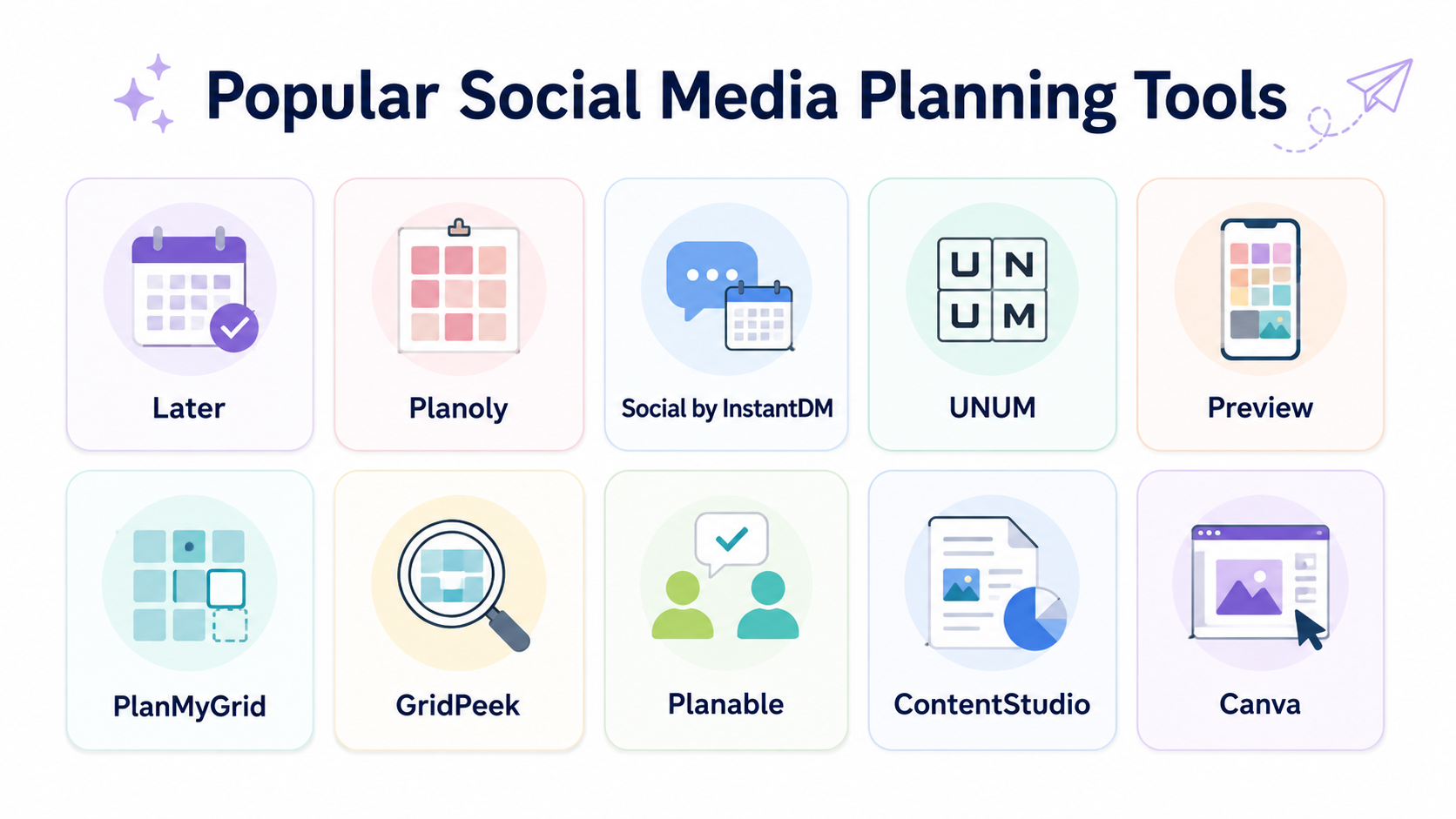
The best app for planning Instagram grid apps
I’ve tried many of them. Here’s what I really think.
Best all-rounder later. The grid preview is the most accurate — it’s exactly how your feed will look. The scheduling function works great. A link-in-bio page is a nice perk. The free plan includes 1 social account.
Planoly is the best for simple drag and drop. If all you want to do is shuffle your grid around with no learning curve, nobody does that better than Planoly. The interface is clean, and the mobile app is great.
UNUM is the best mobile-first option. UNUM feels most natural if you plan everything on your phone. The grid preview is great, and the editing tools are strong.
The preview app is best for batching content. You can schedule a week’s worth of content and get a feel for how it all looks in the grid.
PlanMyGrid is the best free one. No signup necessary. Upload photos, arrange them in a grid preview and see how your feed will look. Easy.
Social by InstantDM is great for grid planning and multi-platform scheduling. Schedule and plan your Instagram grid from one place for 8 platforms: Instagram, Facebook, X, LinkedIn, TikTok, Pinterest, Threads, and YouTube. The AI agent feature allows you to describe your content idea and have it draft and schedule automatically.
Free Instagram grid planner tools
Not everyone wants to pay for a grid planner. Here are the free ones that actually work.
PlanMyGrid: No sign-up needed. Upload pictures, arrange them in a grid preview, and see how it will look on your feed. Works in all desktop web browsers. Free plan capped at 1 grid and 20 uploads.
GridPeek: Easy and free. Upload your photos, see the grid and move them around if you want. No frills, no sign-up, no hassle.
Later (free plan): 1 social account, basic scheduling and grid preview. Enough for people who are just starting out.
Planoly (free plan): 1 social profile, basic grid planning, limited scheduling Nice to test with before going all in.
UNUM (free plan): mobile grid preview & basic editing. The free plan is feature-packed for casual users.
Preview app (free plan): Basic scheduling and grid planning on the go. Great for users who are only on Instagram.
Social by InstantDM: free plan available. Grid planning across multiple platforms. The AI agent integration is also available with the free plan.
What is an Instagram grid and why does it matter?
I’ve said this before, but let me make it crystal clear. Your Instagram grid is the visual arrangement of your profile. Every post you publish appears there in a 3-column grid.
It matters because it’s the first thing people see when they visit your profile. In 2026, when attention spans are at an all-time low, you only have about three seconds to impress. A good, well-designed grid says, “This person is serious about their content.” A chaotic grid says, “This person posts randomly.”
Grid planning tools. So you can manage that first impression. Preview and arrange your posts before publishing, instead of hoping they look good together.
How to Use a Grid Planner Step-by-Step
This is precisely the process I use when I plan out my Instagram grid.
Step 1: Select your tool. Choose one from list according to your needs and budget.
Step 2: Upload your content. Most tools allow you to upload directly from your phone, computer or cloud storage.
Step 3: Layout your grid. Drag and drop posts until it looks good. Emphasis on colour flow and variety of subject.
Step 4: See Full Grid Preview Get the big picture, zoom out . Does it feel together? awkward shifts?
Step 5: Tweak as necessary. Swap posts, jumble the order, or add new material to fill in gaps.
Step 6: save or schedule When you’re happy with it, you can either schedule the posts to go out automatically or save the layout to post manually.
That’s all. Once you get the hang of it the whole process takes about 15-20 mins.
Grid Planners Comparison Table
| Tool | Best For | Free Plan | Grid Preview | Scheduling | Platforms | Price |
|---|---|---|---|---|---|---|
| Later | Visual brands | Yes, 1 account | Great | Yes | 10+ | Free / $25 per month |
| Planoly | Drag-and-drop planning | Yes, 1 account | Very Good | Yes | Limited | Free / $14 per month |
| Social by InstantDM | AI scheduling | Yes | Good | Yes | 8 platforms | Free / Paid |
| UNUM | Mobile-first planning | Yes | Good | Limited | Free / $18 per month | |
| Preview | Content batching | Yes | Good | Yes | Free / $8 per month | |
| PlanMyGrid | Free planning | Yes, 1 grid | Good | No | Free | |
| GridPeek | Budget creators | Yes | Good | No | Free | |
| Planable | Teams and agencies | Yes, 50 posts | Good | Yes | Limited | Free / $33 per month |
| ContentStudio | Content discovery | No | Good | Yes | Multi-platform | $25 per month |
| Canva | Design | Yes | Basic | No | N/A | Free / $13 per month |
Which one is best will depend on your needs. For a free grid preview, just use PlanMyGrid or GridPeek. Later or social by InstantDM for scheduling and previews. As an agency? Planable.

Typical errors in grid design
I see these all the time
Post without preview. It might surprise you how many people simply throw up random content and hope it looks good. Always check first.
Ignoring colour consistency. If your grid goes from bright neons to dark moody tones with no pattern, it looks chaotic. Choose a palette and commit to it.
Too many similar posts one after another. Three selfies, or three product shots, in a row breaks visual flow. Switch between content types.
Think too much. Don’t spend three hours moving your grid. This is not the Sistine Chapel, this is the Instagram. Plan it, post it, then let it go.
(Except reels and carousels. Reels and carousels also appear in your grid in 2026. Make sure they match your visual style.
Grid planning for various categories of accounts
Personal brands. Maintain a consistent editing style and colour palette. Your face must be known all over your grid.
Business accounts. Alternate product shots, testimonials and educational content. Here’s how to humanise your writing: be professional yet approachable.
Developers. Visual variety is important. Combine photos, graphics, carousels and Reels. Keep the same colour palette even when the content type changes.
Local Business. 1. 1. Show off your space, your team and your customers. Make it warm and inviting.
E-commerce product shots should be the main focus, but add in some lifestyle and customer photos to add personality.
Content pillars and their relationship to grid planning
This is something most people don’t see. Content pillars are the best for grid planning.
Once you know what topics you’re posting about, you can plan your grid around those topics. Monday could be Pillar 1 content. Tuesday could be Pillar 2. This gives your audience a predictable rhythm to tap their feet to.
It’s even easier with tools like Social by InstantDM (https://socialbyidm.com). You can plan pillar content across your platforms and see how it all comes together in your grid preview.
Frequent questions
How many posts should I plan for my grid? 9 to 12 posts is a good starting point. That’s enough to see the full grid layout and make adjustments. Some people plan 30 posts (a full month) at once.
Do grid planners work with Reels and carousels? Yes, most modern grid planners support Reels and carousels. Later, Planoly, and Social by InstantDM all handle multiple content types in the grid preview.
Is grid planning worth the time investment? Absolutely. A cohesive grid can increase your follow rate by 20 to 30%. The 15 minutes you spend planning saves you from having a messy profile that drives people away.
What is the best free Instagram grid planner? PlanMyGrid is the best free option — no signup required, works in any browser, and gives you a live grid preview. GridPeek is another solid free option if you want something even simpler.
The takeaway
Instagram grid planning is not optional anymore. Your grid is your first impression in 2026, with shorter-than-ever attention spans and algorithms that reward good content. Make it matter.
These tools are making grid planning a breeze. Whether you are looking for a free browser-based preview or a full scheduling platform with AI integration, we have got you covered.
If you want grid planning and multi-platform scheduling, Social by InstantDM has you covered on both. Schedule and plan your Instagram grid across 8 platforms from a single dashboard. Get started on the free plan with no commitment.
Choose a tool. Design your grid. Start posting confidently.
Frequently asked questions
How many posts should I plan for my grid?
9 to 12 posts is a good starting point. That's enough to see the full grid layout and make adjustments. Some people plan 30 posts (a full month) at once.
Do grid planners work with Reels and carousels?
Yes, most modern grid planners support Reels and carousels. Later, Planoly, and Social by InstantDM all handle multiple content types in the grid preview.
Is grid planning worth the time investment?
Absolutely. A cohesive grid can increase your follow rate by 20 to 30%. The 15 minutes you spend planning saves you from having a messy profile that drives people away.
What is the best free Instagram grid planner?
PlanMyGrid is the best free option — no signup required, works in any browser, and gives you a live grid preview. GridPeek is another solid free option if you want something even simpler.