How to Let OpenClaw Post to Social Media (Without Wiring 9 APIs)
Connect OpenClaw to Instagram, LinkedIn, X, TikTok and Facebook through a hosted MCP server or ClawHub skill. list_accounts first, drafts second, publish never from cron.
Can OpenClaw post to Instagram, LinkedIn, X, TikTok and Facebook?
Yes — once you give it a publisher. It cannot post by chatting at Instagram from Telegram. OpenClaw is a Gateway that talks to WhatsApp, Telegram, Slack, Discord, Signal and iMessage. Those are chat sockets. Instagram Graph, LinkedIn member APIs, TikTok Content Posting and X are different systems with OAuth, media rules and bans. Plan thirty to forty-five minutes: a workspace, at least one connected account, a scoped API key, the skill or the MCP server (both if you can), a read-only list_accounts test, then one draft you open in the calendar.
I build the publisher in this example — Social by InstantDM. We sell the scheduler. I am not pretending OpenClaw grew a Graph API. Any scheduler with a hosted MCP server follows the same shape: swap the URL and the key. The rest of this page is the exact commands, the payloads the agent should send, and the failures I keep seeing when people skip a step.
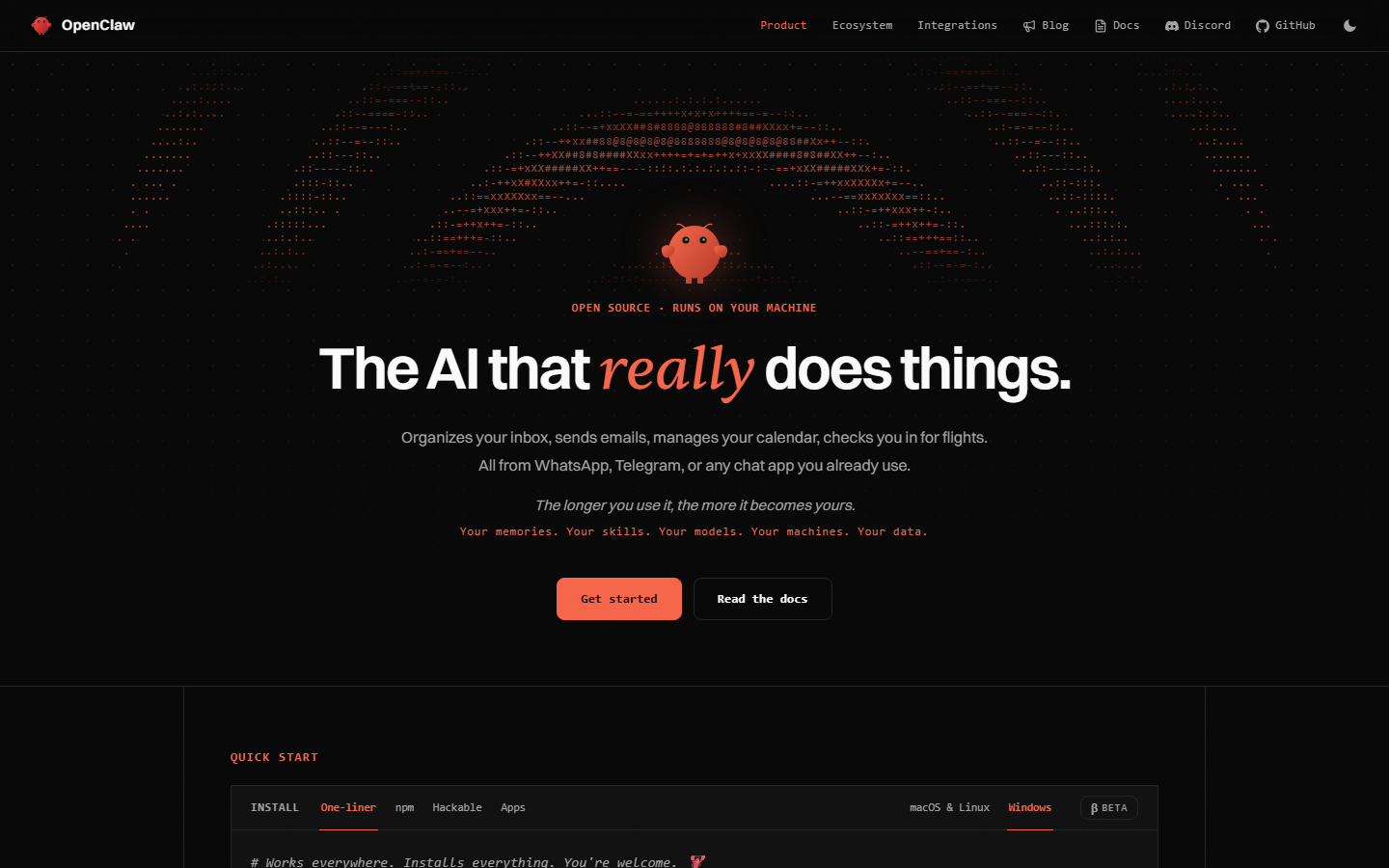 openclaw.ai. Notice it is a personal assistant and a Gateway — there is no Instagram publisher, no LinkedIn OAuth, no calendar. That gap is the whole setup.
If you landed here from a 2025 Clawdbot or Moltbot tutorial, you are in the right place. Same project, three names. Definition: What is OpenClaw in 2026?. Architecture split: personal agent vs social publisher. Protocol background: what an MCP server for social media is.
What do you actually need before you start?
Four things, all of them boring, all of them load-bearing.
- OpenClaw installed and a channel you actually use. Telegram is the usual one. iMessage is the reason some people stay on OpenClaw instead of switching to Hermes. Run
openclaw gateway statusand send one message in the Control UI before you attach posting tools. If the Gateway is not up, nothing below matters. Official installer and Node versions: What is OpenClaw. - A scheduler workspace with at least one social account connected via official OAuth. Ours lives at social-app.instantdm.com. Instagram still needs a professional account linked to a Facebook Page. LinkedIn personal profiles and Company Pages are different objects. Pinterest needs a board. YouTube needs a channel. Do this in the dashboard, not in chat.
- A scoped API key. Scopes that make sense on day one:
accounts:read,posts:read,posts:write,media:write. Addanalytics:readwhen you want a Friday report. Leaveplatform:proxyoff until you have a reason. This is not your login password. It is not a Meta app secret. - A SOUL.md that says never call
publish_nowunless the human said “publish now” or “post immediately”. Put the same rule in the skill. Redundancy is the point. Policy that only lives in MEMORY.md gets compacted away.
Optional but worth it on day one: bind the Gateway to loopback. Default port is 18789. Do not put it on 0.0.0.0 facing the public internet. Inbound DMs are untrusted input. A posting key plus an exposed Gateway is a prompt-injection path onto your grid.
How do you create the workspace and connect accounts?
Sign up at social-app.instantdm.com. Create a workspace for one brand. Agencies: one workspace per client, one key per workspace. Do not share a key across two brands because the agent will pick the wrong acc_ ID on a tired Tuesday.
Connect accounts through the official OAuth buttons. There is no “paste an Instagram session cookie” path, and if a ClawHub skill offers one, abort.
What “connected” looks like when you later call list_accounts:
{
  "accounts": [
    {
      "accountId": "acc_8fK2qz",
      "platform": "instagram",
      "handle": "@acme",
      "displayName": "Acme Inc"
    },
    {
      "accountId": "acc_p1L9wd",
      "platform": "linkedin",
      "handle": "acme-inc",
      "displayName": "Acme Inc"
    },
    {
      "accountId": "acc_x7n2ab",
      "platform": "twitter",
      "handle": "@acme",
      "displayName": "Acme"
    }
  ]
}
Those acc_… values are what create_post wants in accountIds. Handles are for you. The agent should copy IDs, not guess from @acme. If list_accounts returns { "accounts": [] }, OAuth is not done. The MCP connection can be perfect and the list still empty. That is a dashboard problem, not an OpenClaw problem.
Instagram-specific: a personal profile will not publish through Graph. Convert to a professional account, link a Facebook Page, reconnect if the token was minted before instagram_manage_contents existed. LinkedIn-specific: personal-profile posts cannot be deleted via the API — only Company Page posts can. TikTok-specific: photos must be JPEG, max 1920px, under 10MB; video must sit on a verified public domain. None of that is the agent’s job to invent. The publisher rejects the payload with 422 content_invalid or 422 post_type_invalid if you skip it.
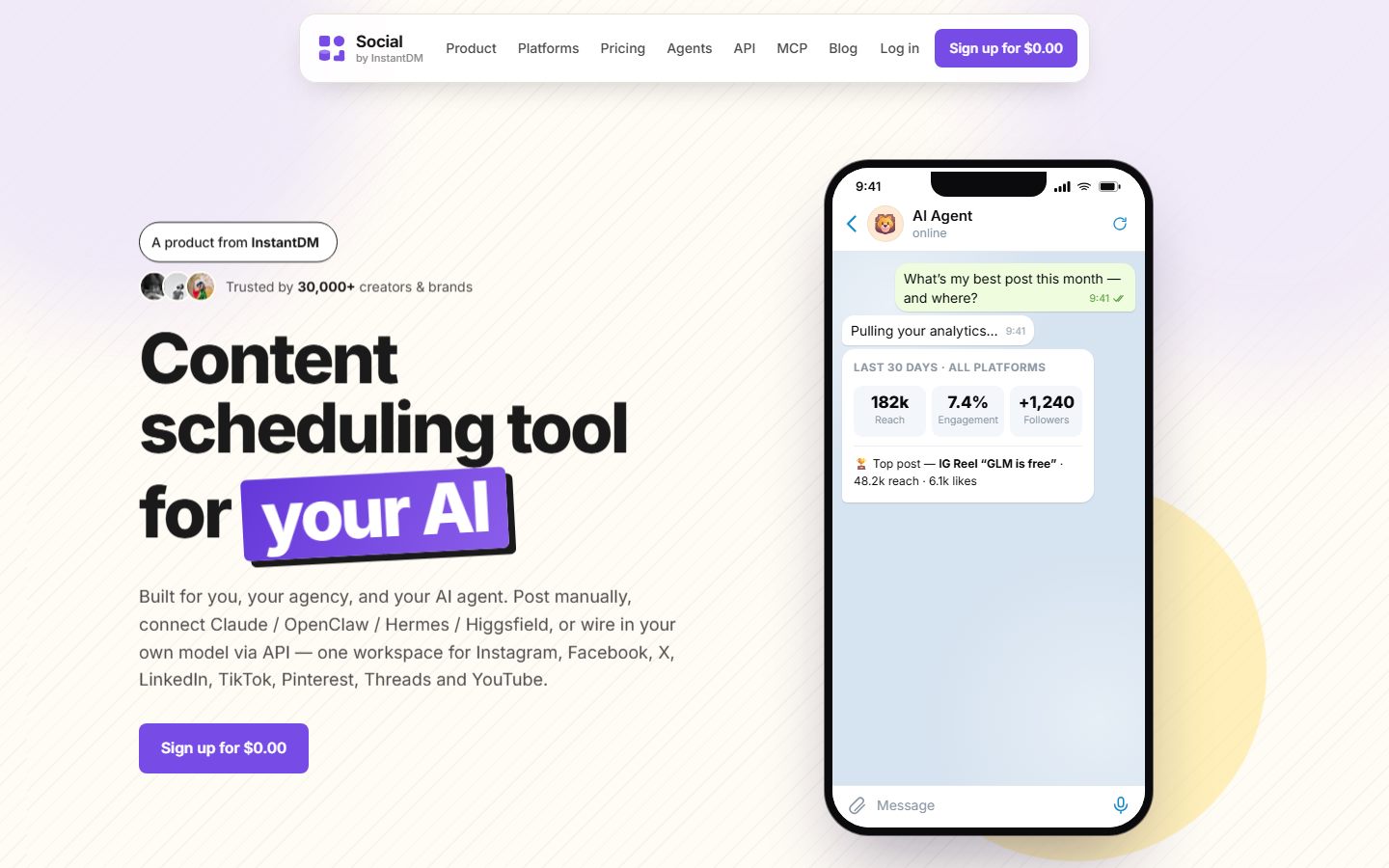
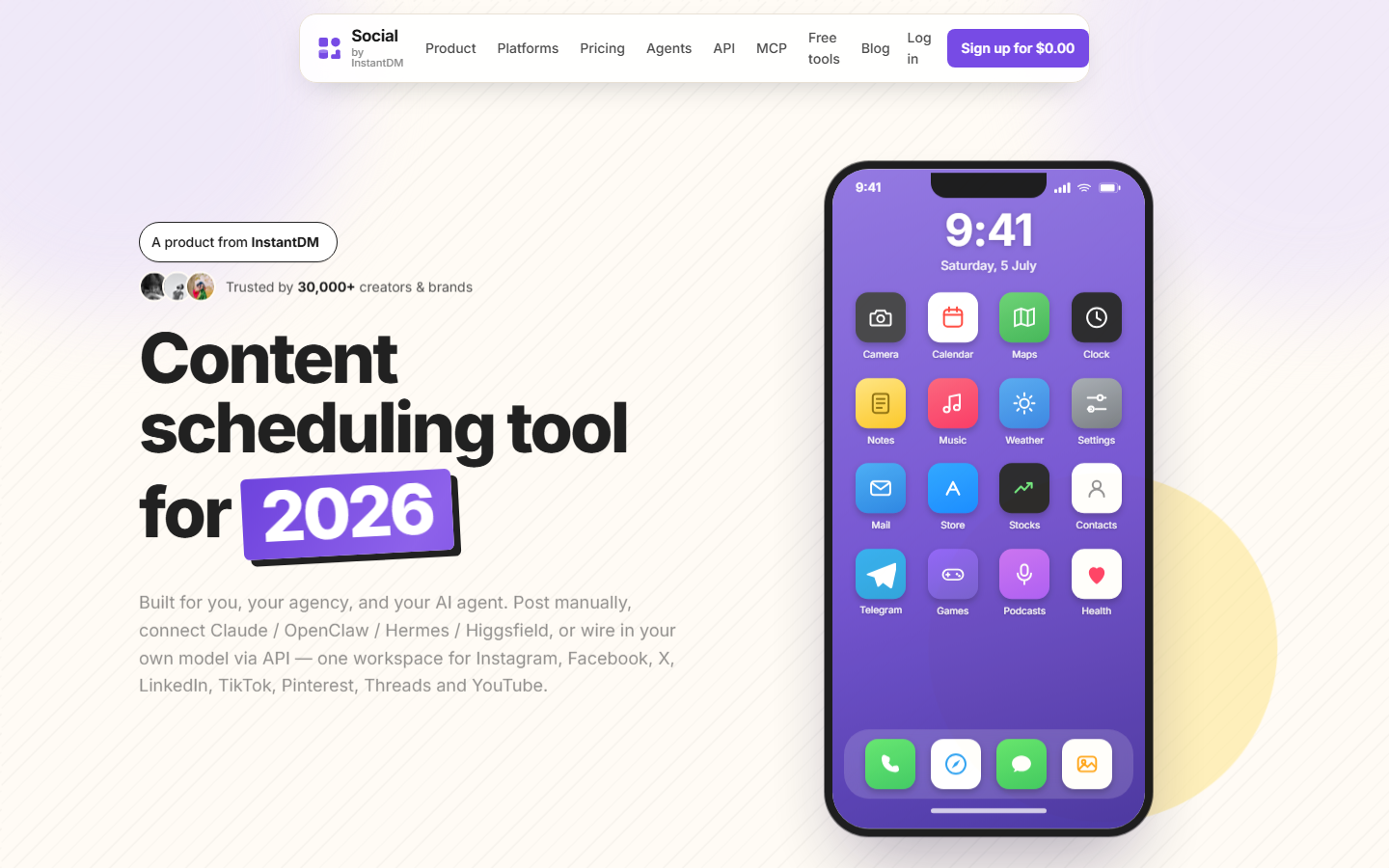 socialbyidm.com. Notice the product is a scheduler with an agent-native MCP server, not another chat runtime. The agent talks to this. This talks to Instagram.
How do you mint a scoped API key that cannot wreck everything?
In the dashboard: Developer → API keys. Name it something you will recognise in a log, such as openclaw-gateway-prod. Copy it once. It is stored hashed. If you lose it, rotate; do not go hunting in chat transcripts.
A key that is useful on week one:
| Scope | Why |
|---|---|
accounts:read | list_accounts — the first call |
posts:read | get_post, get_post_status, list_posts |
posts:write | create_post, update_post, delete_post |
media:write | upload_media_from_url, create_upload_url, complete_upload |
media:read | list_media when you want to reuse an asset |
analytics:read | optional; get_analytics |
platform:proxy | off. Escape hatch. Opt in later. |
A missing scope is 403, not 401. 401 means the key string is wrong or revoked. 403 means the key is valid and you forgot posts:write. People rotate the key when they should add a scope. Don’t.
URL-only clients (some Claude.ai connector screens, ChatGPT plugins) cannot set headers. For those we accept https://social-api.instantdm.com/mcp?key=sk_live_…. OpenClaw can send headers. Use headers. Treat a query-string URL as a secret: anyone with it has the key. Mint a dedicated key for URL-only clients so a leak does not take down your OpenClaw key.
Rate limit: 120 requests per minute per key. 429 rate_limited over that. A confused agent retrying create_post in a loop will hit it. The skill tells it to stop and report; SOUL.md should too.
Should you install the skill, add MCP, or both?
Skill teaches behavior: draft first, timezone offset, confirm before publish, do not hunt .env files, call list_accounts before any write. MCP is the tools: create_post actually hits our hosted server. Use both.
| You installed | What happens |
|---|---|
| Skill only | A lecture. The agent knows the policy and cannot call anything. |
| MCP only | Tools appear. The model guesses scheduledAt in UTC, skips drafts, and “helpfully” publishes. |
| Both | Policy plus typed tools. This is the setup. |
The skill is markdown. It is not a local binary. There is no CLI the skill drops on your PATH. Hosted tools live at https://social-api.instantdm.com/mcp. Longer skill notes: Install the Social by InstantDM skill on OpenClaw. Format: SKILL.md explained. Dedicated mcp add walkthrough: Add the hosted MCP server to OpenClaw.
How do you install the Social by InstantDM skill on OpenClaw?
Exact line:
openclaw skills install @sanjaykhanssk/social-by-idmExact owner, exact slug. Not @sanjaykhansk. Not a tutorial-blog fork. Not a “grow on Instagram overnight” pack from an account you do not know. ClawHub is full of near-miss slugs on purpose. ClawHavoc in early 2026 was hundreds of malicious skills; some were clean to antivirus because the harm was natural-language instructions, not a known malware hash.
If install wants to run shell in a Prerequisites block — curl a pastebin, chmod +x, POST your openclaw.json — abort. Ours does not. Ours is MIT-ish documentation around our API. You can read every line on GitHub.
After install, the agent loads SKILL.md when you mention scheduling, drafts, analytics, captions. The description field is the router. If twenty skills all say “social media,” the wrong one fires. Ours is named social-by-idm on purpose.
Update is the same command again. The file’s last-updated field is a freshness check — if it is more than 60 days old, the skill tells the agent to warn you. Pin a version once it works. Auto-updating a publishing skill is how a supply-chain hit becomes a live tweet.
Hermes users: your install is GitHub, not ClawHub.
hermes skills install github:instant-dm/agent-mode/skills/social-by-idmSame markdown, different loader. Hermes skill install. Hermes posting guide.
How do you add the hosted MCP server?
openclaw mcp add social-by-idm \
  --url https://social-api.instantdm.com/mcp \
  --transport streamable-http \
  --header "X-Api-Key: sk_live_YOUR_KEY"
Flags vary slightly by OpenClaw version. If this errors, openclaw mcp --help wins. You want streamable-http (or streamable_http / http — match --help), not stdio. Stdio would mean a process on the laptop. The scheduler holds OAuth tokens in the cloud. Streamable HTTP is HTTP POST with optional SSE. That is the hosted case.
Then:
openclaw mcp list
openclaw mcp probe social-by-idm
Names of subcommands move with releases. You want a probe that returns tools, not an empty list.
JSON equivalent some builds want in ~/.openclaw/openclaw.json:
{
  "mcp": {
    "servers": {
      "social-by-idm": {
        "url": "https://social-api.instantdm.com/mcp",
        "transport": "streamable-http",
        "headers": { "X-Api-Key": "sk_live_YOUR_KEY" }
      }
    }
  }
}
Do not commit that file. Do not paste it into Telegram to “debug.” If the key is already in a chat log, rotate it.
Restart the Gateway after adding the server if tools do not appear. Some builds hot-reload; some do not. openclaw gateway restart is cheaper than assuming the model is “bad at social.”
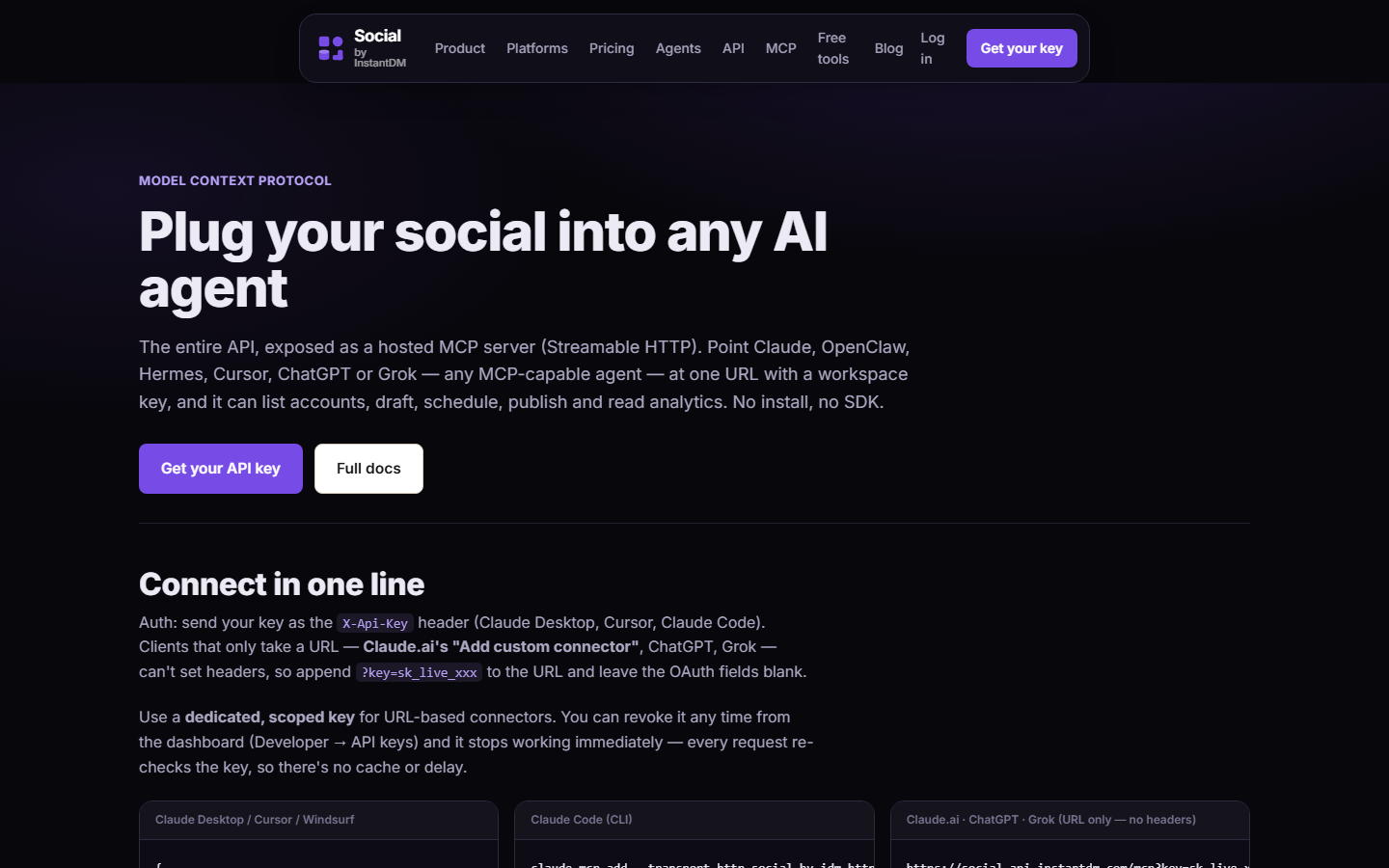 socialbyidm.com/mcp. Notice the URL is https://social-api.instantdm.com/mcp and auth is an X-Api-Key header (or ?key= for URL-only clients). Copy that URL, not a guess.
How do you store the key so it never ends up in Telegram?
Environment, not chat.
# in the environment the Gateway process actually sees
export SOCIAL_BY_IDM_API_KEY=sk_live_YOUR_KEY
On a systemd unit, put it in the service Environment= or an EnvironmentFile= the Gateway user can read. On Docker, a secret or an env file that is not in the image. On a laptop, the shell profile the daemon was started from — not a different terminal you opened later.
If you used --header on mcp add, the key still lands in openclaw.json. Restrict file mode:
chmod 600 ~/.openclaw/openclaw.jsonThe skill’s rule: if the API key is missing, stop. Do not hunt .env files. Do not read openclaw.json into a caption or a tool argument. If the agent asks you to paste a key in Telegram, you misconfigured env — and the skill should have refused. Do not “helpfully” relax that refusal. A key in a chat transcript is a key in someone else’s screenshot.
What should your first prompt be?
In Telegram, the Control UI, or the TUI:
List my connected social accounts. Do not create or publish anything.
That is the whole first test. You want the agent to call list_accounts and read back real IDs (acc_…), platforms, handles. You do not want it to “also draft a welcome post.” You do not want it to search the web for your Instagram. You do not want it to invent an account.
If it says it has no social tools, the MCP add failed. Empty tool list means wrong URL, wrong transport, or the header never went out. Not “OpenClaw is bad at social.”
If it has tools and returns an empty accounts array, OAuth is not connected in the dashboard.
If it reaches for create_post or anything that smells like publish_now, your SOUL.md is missing and the skill did not load. Ask:
What social tools do you have, and what is the first call you will make?
You want list_accounts first. Then a draft:
Draft an X post and a LinkedIn post from these bullets: we shipped dark mode; it’s on by default for new workspaces; existing users get a toggle in Settings. Save as drafts. Do not publish.
Then you open the calendar at social-app.instantdm.com. If the copy is wrong, the bug is SOUL.md or the prompt, not Instagram. If the draft is not there, the agent lied about the tool call — look at Gateway logs, not the caption.
 The 2026 app calendar. After the first draft prompt, this is where you look. If the row is not here, the tool call did not happen. Screenshot of our app, not a mock.
What does a real create_post payload look like?
The agent should send something shaped like this. I am showing the JSON because “just tell it to draft” is how UTC happens.
A draft, two accounts, no schedule:
{
  "accountIds": ["acc_x7n2ab", "acc_p1L9wd"],
  "content": "Dark mode is on by default for new workspaces. Existing users: Settings → Appearance.",
  "draft": true
}
draft: true saves without scheduling. Activate later with update_post and a scheduledAt or publishNow. HTTP 201 here means “saved as draft,” not “live on X.”
A scheduled post with an offset:
{
  "accountIds": ["acc_x7n2ab"],
  "content": "Dark mode is on by default for new workspaces.",
  "scheduledAt": "2026-09-16T09:00:00+05:30"
}
A scheduled post that is also a draft is a contradiction. Pick one. Draft means not on the clock. scheduledAt means on the clock.
An Instagram image the agent pulled from a public URL first:
{
  "accountIds": ["acc_8fK2qz"],
  "postType": "image",
  "content": "Dark mode, finally. Toggle lives in Settings → Appearance.",
  "mediaIds": ["md_1a2b3c"],
  "draft": true
}
The mediaIds value comes from upload_media_from_url (public URL) or from create_upload_url → PUT bytes → complete_upload (a local file). Do not paste a Google Drive preview link into content and hope Instagram fetches it. Graph will not.
A carousel needs at least two images. One image with postType: "carousel" is 422 post_type_invalid.
{
  "accountIds": ["acc_8fK2qz"],
  "postType": "carousel",
  "content": "Three frames: before, the toggle, after.",
  "mediaIds": ["md_1", "md_2", "md_3"],
  "draft": true
}
Immediate publish — only when you said so:
{
  "accountIds": ["acc_x7n2ab"],
  "content": "Going live right now because the human said publish now.",
  "publishNow": true
}
A past or near-now scheduledAt (within ~30 seconds) also publishes immediately. That is a foot-gun if the agent writes 2026-09-16T09:00:00 and the workspace timezone already passed 9am. Offset plus future time, or draft: true. No third option on day one.
REST equivalent if you want to prove the key works outside OpenClaw:
curl -X POST "https://social-api.instantdm.com/v1/posts" \
  -H "X-Api-Key: $SOCIAL_BY_IDM_API_KEY" \
  -H "Content-Type: application/json" \
  -d '{"accountIds":["acc_x7n2ab"],"content":"Work in progress","draft":true}'
If curl works and the agent does not, the bug is the MCP client config. If curl 401s, the key is wrong.
How do you write one idea as five captions with platformContent?
Same idea. Different networks. content is the fallback. platformContent overrides per platform.
{
  "accountIds": ["acc_x7n2ab", "acc_p1L9wd", "acc_8fK2qz"],
  "content": "Dark mode is on by default for new workspaces.",
  "platformContent": {
    "twitter": "Dark mode is the default for new workspaces. Existing users: Settings → Appearance.",
    "linkedin": "We turned dark mode on by default for new Social by InstantDM workspaces.\n\nExisting users keep their current theme. The toggle is in Settings → Appearance.\n\nIf you schedule from an agent, nothing changes in the MCP tools — this is a UI change only.\n\nWhat else should default to on?",
    "instagram": "Dark mode, on by default.\n\nSettings → Appearance if you want it on an old workspace.\n\n(Carousel in the next post.)"
  },
  "draft": true
}
X/Twitter key is twitter in this object even though the product says X. LinkedIn can take 120–260 words. Instagram wants line breaks and media — a text-only IG target fails content_invalid. Threads is 500 characters. Pinterest is 800 and wants a link for the pin destination.
Do not send the LinkedIn essay to X and hope truncation looks intentional. Do not send the X line to LinkedIn and hope “punchy” saves it. The agent should write three captions, not one caption three times.
Voice belongs in SOUL.md: three posts you like, three you would never publish, a banned-phrase list. Adjectives (“friendly, professional, bold”) produce LinkedIn sludge. Examples produce mimicry you can correct.
How do you stagger times with platformSchedules?
LinkedIn at 8:30 Eastern. Instagram at 11:00. TikTok at 18:00. One create_post. scheduledAt is the default. platformSchedules overrides per network.
{
  "accountIds": ["acc_p1L9wd", "acc_8fK2qz", "acc_tk01"],
  "content": "Dark mode is on by default for new workspaces.",
  "platformContent": {
    "linkedin": "We turned dark mode on by default for new workspaces. Toggle: Settings → Appearance.",
    "instagram": "Dark mode, on by default.",
    "tiktok": "Dark mode is the default now. Settings → Appearance."
  },
  "scheduledAt": "2026-09-16T08:30:00-04:00",
  "platformSchedules": {
    "linkedin": "2026-09-16T08:30:00-04:00",
    "instagram": "2026-09-16T11:00:00-04:00",
    "tiktok": "2026-09-16T18:00:00-04:00"
  }
}
Same timezone rule as scheduledAt: no offset means workspace timezone, not UTC. Put +05:30, -04:00, or Z on every stamp. Targets not listed in platformSchedules use scheduledAt. Pass {} on an update to clear per-network times and move everything to scheduledAt.
A bare scheduledAt change on update_post moves all targets and clears per-platform times. If you only wanted to nudge Instagram, send platformSchedules only.
Agent wake time is a different clock. OpenClaw automations decide when the writer runs. Scheduler times decide when the network posts. Writing at 08:00 Asia/Kolkata and going live at 11:00 America/New_York is normal. Collapsing those clocks is how you tweet whenever the model finishes a thought. Always-on calendars.
Why does a timestamp without an offset not mean UTC?
Because we interpret a naive ISO stamp in the workspace timezone (Settings → Timezone, default UTC). We do not assume UTC. That surprises people who live in UTC-in-code land.
| You send | Workspace TZ | What we do |
|---|---|---|
2026-09-16T09:00:00+05:30 | anything | 09:00 in India. Exact. |
2026-09-16T09:00:00Z | anything | 09:00 UTC. Exact. |
2026-09-16T09:00:00 | Asia/Kolkata | 09:00 in India, not 09:00 UTC. |
2026-09-16T09:00:00 | America/New_York | 09:00 Eastern. |
2026-09-16T09:00:00 | UTC (default) | 09:00 UTC — only because the workspace is UTC. |
If your workspace is Asia/Kolkata and the agent writes 2026-09-16T09:00:00 thinking UTC, the post goes out at 09:00 IST. If the agent writes that stamp thinking IST and the workspace is still default UTC, it goes out at 09:00 UTC, which is 14:30 in India — or 03:00 on a US grid, depending who you are.
The skill’s rule: always include a timezone offset on schedules. Put +05:30 or Z on every timestamp. Check the workspace timezone in the dashboard once, then stop relying on it. Offsets travel. Naive stamps do not.
A past or near-now time (≤30 seconds) publishes immediately. A naive stamp that already passed in the workspace TZ is publishNow in disguise.
How do you know it actually posted — and what does partial mean?
Call get_post_status. Do not trust HTTP 200 on create_post. Do not trust the model’s “done.”
Statuses:
| Status | Meaning |
|---|---|
draft | Saved, not on the clock. Activate with update_post + scheduledAt or publishNow. |
scheduled | Queued for a future time. |
publishing | Handed to the worker right now. ready is false. Instagram carousels sit here while media assembles. |
published | Live on every target. |
partial | Live on some targets, failed on others. This is the real failure. |
failed | Every target failed. Reason is on each target row. |
canceled | Deleted before or after going out. |
A partial payload looks like this:
{
  "postId": "pst_3kqz1a",
  "status": "partial",
  "ready": true,
  "scheduledAt": "2026-09-16T09:00:00+05:30",
  "targets": [
    {
      "accountId": "acc_8fK2qz",
      "platform": "instagram",
      "status": "published",
      "ready": true,
      "platformPostId": "17912…",
      "permalink": "https://www.instagram.com/p/…",
      "error": null
    },
    {
      "accountId": "acc_tk01",
      "platform": "tiktok",
      "status": "failed",
      "ready": false,
      "platformPostId": null,
      "permalink": null,
      "error": "Photo must be JPEG ≤1920px and <10MB"
    }
  ]
}
Instagram is live. TikTok is not. The agent must say that. “I posted it” is a lie when status is partial. Read the per-target error. Fix the file. Create a new TikTok-only post or wait until we support retry-on-one-target in your workflow. Do not create_post the same caption+image to Instagram again — that is a duplicate on a live post.
get_post returns the full object plus targets. get_post_status is the lightweight poll after publishNow. While publishing, wait. Do not spam it in a 50ms loop; you will 429.
Delete caveats: LinkedIn personal posts cannot be deleted via API — delete_post will put them under manual. TikTok, Threads, YouTube often the same. Instagram delete needs instagram_manage_contents; old connections must reconnect. A post mid-publish returns 409 publishing — retry once it settles.
What are the 16 tools the agent should see?
Ask “What social tools do you have?” The agent calls tools/list. You want all sixteen, same as the REST API. Product list: /mcp. Docs: /docs.
| Tool | Scope | What it does |
|---|---|---|
list_accounts | accounts:read | Connected accounts, platform, handle. First call. |
create_post | posts:write | Draft, schedule, or publish. Text, image, carousel, video, reel, story, thread, article, document. |
update_post | posts:write | Edit a scheduled post, reschedule, activate a draft. |
get_post | posts:read | Full post plus per-platform targets. |
get_post_status | posts:read | Lightweight status, permalinks, per-target errors. |
list_posts | posts:read | Drafts, scheduled, published. |
delete_post | posts:write | Cancel or delete a post created through us. |
upload_media_from_url | media:write | Pull an image or video from a public URL. |
create_upload_url | media:write | Presigned URL for a local file. |
complete_upload | media:write | Mark the PUT complete; get media_id. |
list_media | media:read | Library. |
delete_media | media:write | Remove an asset. |
get_analytics | analytics:read | Totals, status/type breakdown, per-account insights. |
list_platform_posts | posts:read | Native posts, including ones not created here. |
delete_platform_post | posts:write | Delete by platform post id. |
platform_request | platform:proxy | Proxy a native API call. Opt-in. X/Twitter currently disabled. |
Eight platforms behind those tools: Instagram, Facebook, X, LinkedIn, TikTok, Threads, Pinterest, YouTube. platform_request is the escape hatch for endpoints we do not wrap. It needs the platform:proxy scope. Do not enable it on the OpenClaw key until you have a reason.
If the list is shorter than sixteen, the server still connected — you are looking at a cached probe, a filtered client, or a very old page. Re-probe. If it is empty, see the table below.
What goes wrong — 401, 403, empty tools, empty accounts, agent publishes anyway?
| Symptom | Likely cause | What you do |
|---|---|---|
| Empty tool list | URL wrong, transport is stdio, header not actually sent, key still a placeholder sk_live_YOUR_KEY | openclaw mcp --help, probe, paste the real key, streamable-http |
401 unauthorized | Key revoked, typo, leading/trailing space, Bearer vs X-Api-Key mismatch | Recopy from the dashboard. Header is X-Api-Key: sk_live_…. Bearer also works on REST. Do not add quotes inside the header value. |
403 forbidden | Key valid, scope missing (posts:write, accounts:read, media:write) | Edit the key scopes or mint a new one. Do not rotate first. |
| Tools present, empty accounts | OAuth not connected, wrong workspace on the key | Dashboard → Accounts. Confirm the key belongs to that workspace. |
| Agent publishes anyway | SOUL.md / skill missing confirm; cron prompt says “post the week”; publishNow: true | Set draft: true. Write the never-publish-now rule in SOUL.md. Isolated cron sessions. |
422 post_type_invalid | Carousel with one image; reel without video; document without PDF | Match postType to media. Auto-detect is fine if you attach the right files. |
422 content_invalid | Caption over the platform limit; Instagram with no media; Threads over 500 | platformContent per network. IG always needs media. |
404 not_found | accountIds has an ID from a different workspace, or a hallucinated acc_… | Call list_accounts again. Never invent IDs. |
409 not_editable | Editing a post that is already publishing or failed | Wait, or create a new post. |
409 publishing | DELETE while the worker is in flight | Retry once it settles. |
429 rate_limited | More than 120 requests in a minute | Stop. Back off. Fix the loop. |
| Draft missing in calendar | Tool call never happened; agent role-played success | Gateway logs. Ask it to return the postId. Open /docs and curl GET /v1/posts. |
| Posted at 3am | Naive scheduledAt, workspace TZ not what the agent assumed | Offset on every stamp. |
| Duplicate grid posts | Same caption+image on three IG accounts | One IG account per idea unless you have a reason. Skill forbids the spam pattern. |
| Agent asks for the key in chat | Env not visible to the Gateway process | Fix the environment. Do not paste the key. |
Error body shape, for people who read logs:
{ "error": { "code": "unauthorized", "message": "Missing or invalid API key." } }{ "error": { "code": "forbidden", "message": "Key lacks posts:write." } }The model will sometimes “helpfully” retry with publishNow: true after a draft-related 400. That is why SOUL.md exists. A 400 bad_request on create usually means empty accountIds, neither content nor media nor thread, or no scheduledAt / publishNow / draft. Add draft: true, do not add publishNow.
How is this different from connecting Claude or ChatGPT?
Same server. Same 16 tools. Same key shape. Different client.
| Client | How you add the server | Auth |
|---|---|---|
| OpenClaw | openclaw mcp add or openclaw.json | X-Api-Key header |
| Hermes | mcp_servers in ~/.hermes/config.yaml | header or ${SOCIAL_BY_IDM_API_KEY} |
| Claude app | + → Connectors → Add custom connector | API KEY under Advanced settings (collapsed by default) |
| Claude Code | claude mcp add | --header "X-Api-Key: …" |
| ChatGPT | Developer mode → Plugins | Key in the URL; no documented custom headers |
| Codex | ~/.codex/config.toml | headers or bearer_token_env_var |
Claude’s gotcha is the collapsed Advanced settings. You can save a connector with no key and get an empty tool list. ChatGPT’s gotcha is URL-only auth: https://social-api.instantdm.com/mcp?key=sk_live_…. Full menus: Schedule social posts from Claude or ChatGPT.
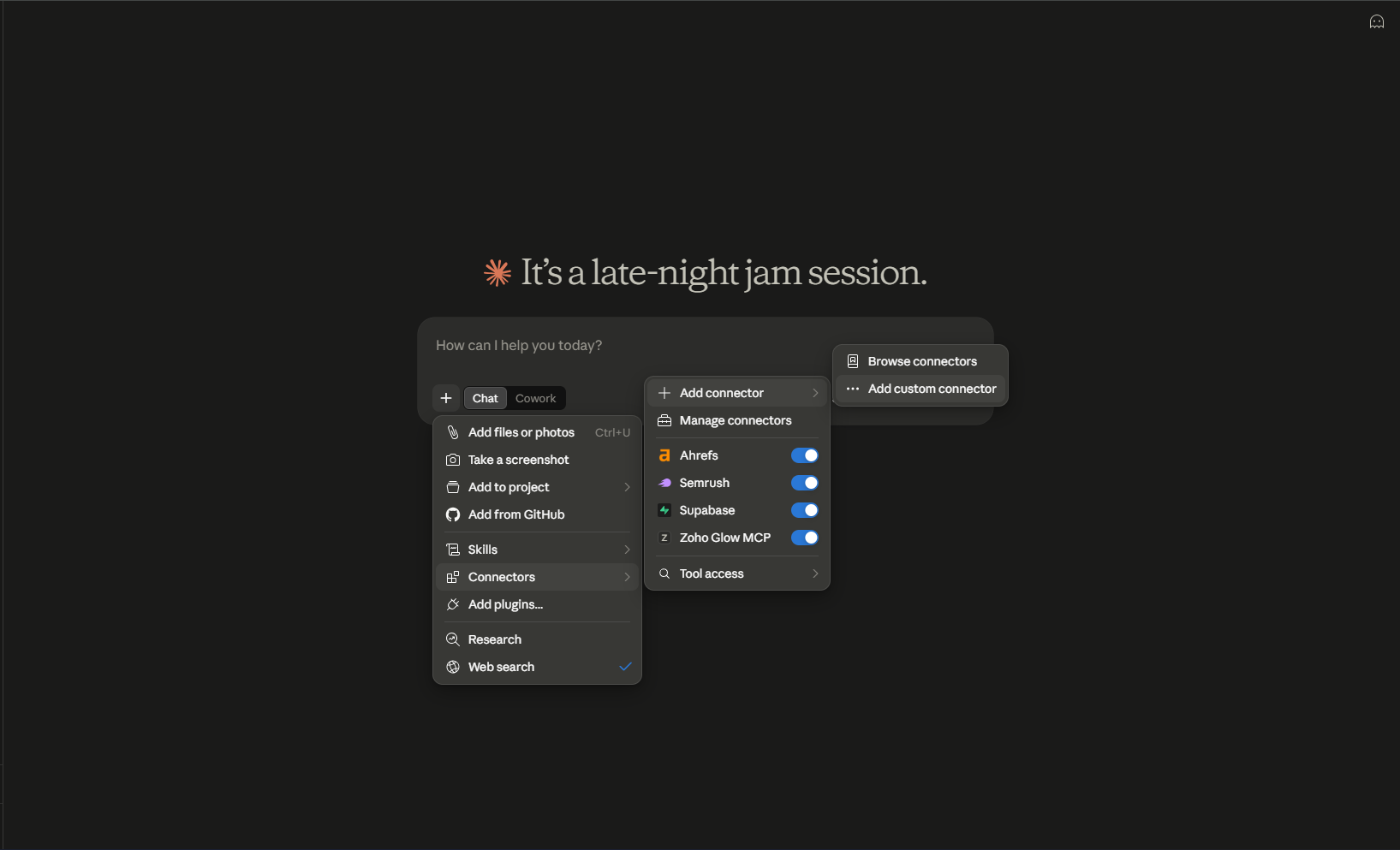 Claude.ai composer. + → Connectors → Add connector → Add custom connector. Notice this is a UI, not
 mcp add. Same hosted URL underneath. OpenClaw users can ignore this menu; it is here so you do not mix the two setup docs.
If you already connected Claude to the same workspace, you can point OpenClaw at the same key. Better: one key per client so a leak is isolatable. Both can draft. Only one should have a human who confirms.
Hermes comparison if you are choosing a runtime: OpenClaw vs Hermes Agent. Many operators keep OpenClaw as the chat front door and Hermes as the weekday writer. Give only one of them posts:write.
What should never be in this setup?
- Cron or automations that call
publish_now. Isolated session,draft: true, deliver IDs to Telegram. A human activates. Always-on plus irreversible is a 3am incident. - A ClawHub “instagram grow” skill from an account you do not know. Publishing rights are already the sensitive bit. Do not stack a second, unread skill on the same session. Read
SKILL.mdandscripts/first. ClawHub. - Gateway port 18789 on
0.0.0.0. Loopback. Tailscale. VPN. Not the public internet. - The same caption+image on three Instagram accounts. Spam pattern. Platforms notice. Our skill forbids it.
- Unofficial mobile APIs or browser automation against Instagram web. Breaks, looks like a bot, then the account is gone.
- Invented metrics in captions. If
get_analyticsdid not return it, it does not go in a post. - The API key in a prompt, a screenshot, or a GitHub gist “for the team.” Rotate.
platform:proxyon a YOLO key. That scope calls native APIs with your OAuth token injected. Opt in later.
A freeze line you should practice once before you need it:
Freeze social. Do not create, schedule, or publish. Confirm the queue is untouched.
Put the same sentence in SOUL.md. Crisis is not the time to invent process.
How should OpenClaw automations look if you want a weekday factory?
Not “post five things at 9.” Wake, write, draft, ping.
Isolated session. Read SOUL.md. Research today’s niche sources. Produce five drafts (IG, LinkedIn, X, TikTok, Facebook) for this week’s remaining empty slots.
draft: true. Do not publish_now. Deliver titles + post IDs to Telegram. Stop.
openclaw automations create with an isolated session and announce-to-channel. Exact flags move with releases; the isolated session bit should not. Yesterday’s rant must not leak into today’s caption. If the VPS was down at 9:00, do not dump seven missed posts at 14:02. Skip or wait. A burst looks like a bot because it is.
Hermes’s cron line is nicer. If you are on Hermes instead:
hermes cron create "0 8 * * 1-5" "Read SOUL.md. Draft five posts for empty slots this week. draft true. Never publish_now. Deliver IDs to Telegram." --name "weekday-drafts" --deliver telegramSame policy. Different runtime. Details: always-on agent content calendar.
What platform rules will the agent still trip on?
The publisher validates before it schedules. The agent does not get to bypass Graph because it is confident.
- Instagram: media required. Caption ≤ 2,200. Carousel 2–10 images. Reels take
coverMediaIdorcoverOffsetMs. Stories where the platform API allows. Delete needsinstagram_manage_contents. - X / Twitter: free tier 280 characters; longer text needs Premium (we allow up to 25,000 when the account supports it). Threads post as a reply chain via
postType: "thread"and athread: [{ text, mediaIds? }]array. No edit API. - LinkedIn: ≤ 3,000 characters. One media per post.
articleis a rich link share.documentis a swipeable PDF withdocumentTitle. Personal delete lies — you remove it in the LinkedIn app. - Facebook: publishes to the Page selected on Accounts. Caption can be long. Edit and delete work.
- TikTok: video or photo carousel. Photos JPEG ≤1920px, <10MB. Video on a verified public domain. No API delete.
- Threads: 500 characters. One image per segment. No list, no delete via API.
- Pinterest: image only, board required, carousel max 5 with a shared aspect ratio,
linkfor destination. Caption ≤ 800. - YouTube: video only.
youtubeTitle≤ 100 characters; caption becomes description.ytPrivacypublic / unlisted / private.
A thread payload, because people guess the shape:
{
  "accountIds": ["acc_x7n2ab"],
  "postType": "thread",
  "draft": true,
  "thread": [
    { "text": "1/ Dark mode is the default for new workspaces." },
    { "text": "2/ Existing users keep their theme. Toggle: Settings → Appearance." },
    { "text": "3/ MCP tools did not change. This is UI only." }
  ]
}
An article:
{
  "accountIds": ["acc_p1L9wd"],
  "postType": "article",
  "content": "We wrote up the agent setup.",
  "article": {
    "url": "https://socialbyidm.com/how-to-let-openclaw-post-to-social-media/",
    "title": "How to let OpenClaw post to social media",
    "description": "Skill, MCP, list_accounts, drafts."
  },
  "draft": true
}
How do you upload a local file from the Gateway machine?
upload_media_from_url needs a public URL. A PNG on disk does not qualify. Three tools, plus one HTTP PUT that is not MCP:
create_upload_url—{ "filename": "dark-mode.jpg", "contentType": "image/jpeg" }→mediaId,uploadUrl.- PUT the bytes to
uploadUrl:
curl -X PUT "$UPLOAD_URL" \
  -H "Content-Type: image/jpeg" \
--data-binary @dark-mode.jpgcomplete_uploadon thatmediaId. Thencreate_postwithmediaIds: ["md_…"],draft: true.
Skipping complete leaves the asset pending. OpenClaw sometimes tells you the upload worked because step 1 returned an id. Check list_media. Instagram still rejects a text-only target with 422 content_invalid. Carousel still needs two or more ids.
Windows Gateway: put the file somewhere the service user can read. A path under your interactive profile is invisible to a nssm/systemd-equivalent service. Prefer a URL you already host, or run the PUT from the same user that runs the Gateway.
If you are only testing copy, skip media and target X or LinkedIn with draft: true. Add Instagram once the caption is right. Mixing “first MCP test” with “first carousel” is how you debug four systems at once.
How do you verify the whole path in five minutes?
openclaw gateway statusis healthy. Send a ping in Telegram.openclaw skills listshowssocial-by-idm.openclaw mcp probe social-by-idmreturns 16 names.- Telegram: “List my connected social accounts. Do not create or publish anything.” Real
acc_IDs come back. - Telegram: the draft prompt with
draft: true. - Dashboard calendar shows the row. You read the caption. You either leave it as draft, set a
scheduledAtwith an offset, or delete it. - After any live publish: “Call get_post_status on pst_…. Tell me per-platform, including partial.”
Done looks like a draft in the calendar, not a live post. I sell the scheduler because OAuth, media, timezones and per-target status are a product. OpenClaw is the front door. Publishing is a different door. Connect them with MCP, load the skill so the model does not invent UTC, and make the first post a draft.
Product surfaces: /agents · /mcp · docs. Claude sibling: schedule from Claude or ChatGPT. Hermes sibling: how to let Hermes Agent post.
Frequently asked questions
Can OpenClaw post to Instagram?
Not by itself. Install a social skill or add a hosted MCP server that already holds your OAuth tokens. Then OpenClaw can draft, schedule and publish through those accounts. Instagram still requires a professional account and media — the agent cannot bypass Graph API rules.
What is the fastest OpenClaw social setup?
Create a workspace, connect accounts, mint a scoped API key, then either openclaw skills install @sanjaykhanssk/social-by-idm or openclaw mcp add pointing at https://social-api.instantdm.com/mcp. Ask it to list accounts before anything else.
Should OpenClaw publish immediately?
No, unless you said 'publish now'. Default to draft: true. Cron jobs must not call publish_now. Confirm each live post.
How is this different from connecting Claude?
Same MCP server, different client. Claude uses a connector dialog (API key under Advanced settings). OpenClaw uses mcp add or a SKILL.md. The tools list is identical. Claude/ChatGPT/Codex guide: /schedule-social-media-posts-from-claude-chatgpt/
What is the first prompt after connecting?
List my connected social accounts. Do not create or publish anything. That calls list_accounts, returns real acc_ IDs, and cannot go live. If the tool list is empty, the key or URL is wrong — not the model.
Why did my scheduled post go out at 3am?
You omitted the timezone offset on scheduledAt. No offset means workspace timezone, not UTC. Write 2026-09-16T09:00:00+05:30 or end the stamp with Z. Put the same rule on every platformSchedules value.
What does status partial mean?
get_post_status returned partial when some platforms published and others failed. HTTP 200 on create_post is not five green checkmarks. Read the per-target error — Instagram may be live while TikTok rejected the file.
Which MCP tools should OpenClaw see?
Sixteen tools at REST parity: list_accounts, create_post, update_post, get_post, get_post_status, list_posts, delete_post, upload_media_from_url, create_upload_url, complete_upload, list_media, delete_media, get_analytics, list_platform_posts, delete_platform_post, platform_request.
Do I need both the skill and the MCP server?
Use both if you can. The skill teaches draft-first, timezone offsets, and confirm-before-publish. MCP is the tools. Skill without MCP is a lecture. MCP without skill is a model guessing scheduledAt in UTC.
Can I put the API key in Telegram?
No. Store SOCIAL_BY_IDM_API_KEY in the Gateway environment or pass it as the X-Api-Key header on mcp add. If the agent asks you to paste a key in chat, you misconfigured env. Rotate that key if it already landed in a log.