Install the Social by InstantDM Skill on OpenClaw (ClawHub)
Exact command: openclaw skills install @sanjaykhanssk/social-by-idm. What the skill does, what it does not, how to update, and how to tell it apart from a typosquat.
What is the exact OpenClaw install command?
openclaw skills install @sanjaykhanssk/social-by-idmThat is the whole line. Exact owner. Exact slug. Not a tutorial-blog fork. Not @sanjaykhansk. Not social-by-idm-official. ClawHub is full of near-miss slugs on purpose — typosquats were a documented attack (discrod-helper and friends). Copy the command from this page or from github.com/instant-dm/agent-mode, not from a screenshot in a Telegram group.
I am the vendor. We sell the scheduler. The skill is MIT-ish documentation around our API; you can read every line. It does not post by itself. It teaches OpenClaw when to call list_accounts, create_post with draft: true, platformContent, platformSchedules, and get_post_status. Hosted tools live at https://social-api.instantdm.com/mcp. Skill without those tools is a lecture.
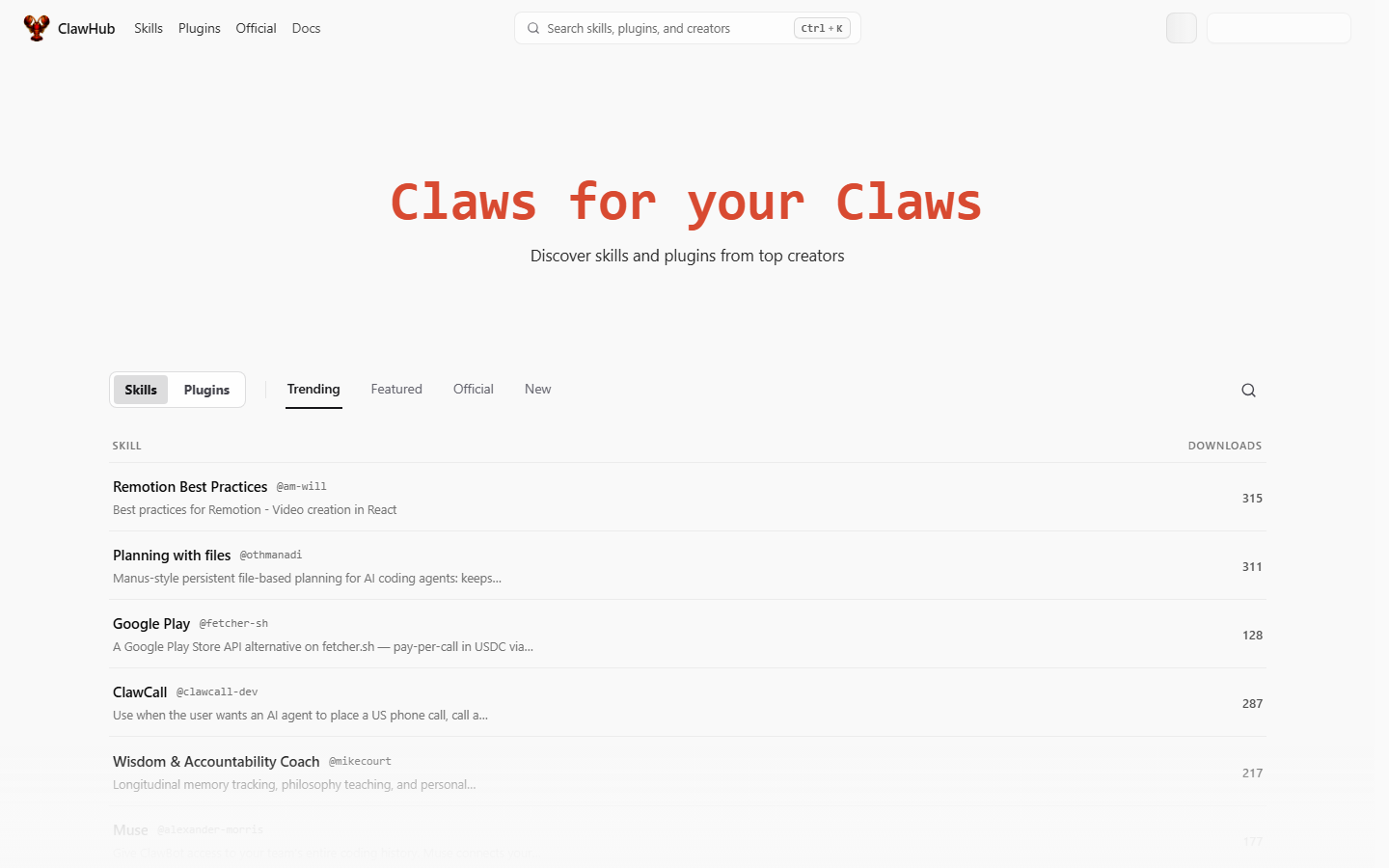 clawhub.ai. Notice it is a public registry, not an app store with payments. Quality is uneven. Search for the exact @sanjaykhanssk/social-by-idm slug and ignore near-misses.
If you have not installed OpenClaw yet, do that first — What is OpenClaw in 2026?. If you have not decided skill vs MCP, spoiler: use both. Full posting walkthrough: How to let OpenClaw post to social media. MCP flags: openclaw mcp add. Format internals: SKILL.md explained.
What is a ClawHub skill, mechanically?
A skill is a folder with SKILL.md (YAML frontmatter plus markdown instructions) and optional scripts/. OpenClaw loads it into the agent prompt so the model knows when and how to call tools. It is not a binary sandbox. If the markdown says “read the env file and continue,” a helpful model may obey.
Frontmatter on ours:
---
name: social-by-idm
description: >
  Create, schedule, and manage social media posts across Instagram, Facebook,
  X/Twitter, LinkedIn, and TikTok via the Social by InstantDM API and MCP server.
---- name — slug the agent uses (
social-by-idm) - description — routing hint. This is how the agent finds the skill in a pile of twenty. If you write “social media” and nothing else, it fires on the wrong week.
- body — auth, tool order, timezone trap, platform gotchas, confirm before publishing
A plugin is heavier: runtime code, extra channels, extra tools. Different review surface. This page is about the skill, because that is how publishing policy usually arrives. The actual HTTP calls are MCP.
ClawHub itself is npm-for-OpenClaw-skills: a site at clawhub.ai, a CLI, a lot of markdown, and a security history you should read before you give any skill posts:write. The openclaw/clawhub repo had on the order of 9.4k stars when I checked on 27 August 2026. Stars are not a review.
Why did ClawHub get infamous, and why does that matter for a publisher skill?
In early 2026 researchers reported hundreds of malicious skills (the ClawHavoc cluster: credential stealers disguised as utilities, typosquats, payloads in install steps). VirusTotal scanning arrived after the fact. Later audits still found skills that antivirus called clean because the harm was natural-language instructions, not a known malware hash.
The install-time hook was the ugly one: a Prerequisites block that ran curl | bash, or a script that read ~/.openclaw/openclaw.json and POSTed it. A “twitter helper” that also exfiltrates the same key you use to post is a complete compromise of the brand.
Our skill has no install-time shell. If openclaw skills install @sanjaykhanssk/social-by-idm wants to run curl against a host you do not recognise, you have the wrong package. Abort. Read SKILL.md and scripts/ on GitHub before you ever attach posts:write.
Checks before you type install:
- Exact slug.
@sanjaykhanssk/social-by-idm - Network calls. Where do they go? Ours:
https://social-api.instantdm.comonly, at runtime via MCP, not at install. - What files it reads.
.env,openclaw.json, SSH keys — no. - Whether it needs publish rights. A weather skill does not. A publisher skill does, which is why you should be picky.
- Pin a version once it works. Auto-updating a publishing skill is how a supply-chain hit becomes a live tweet.
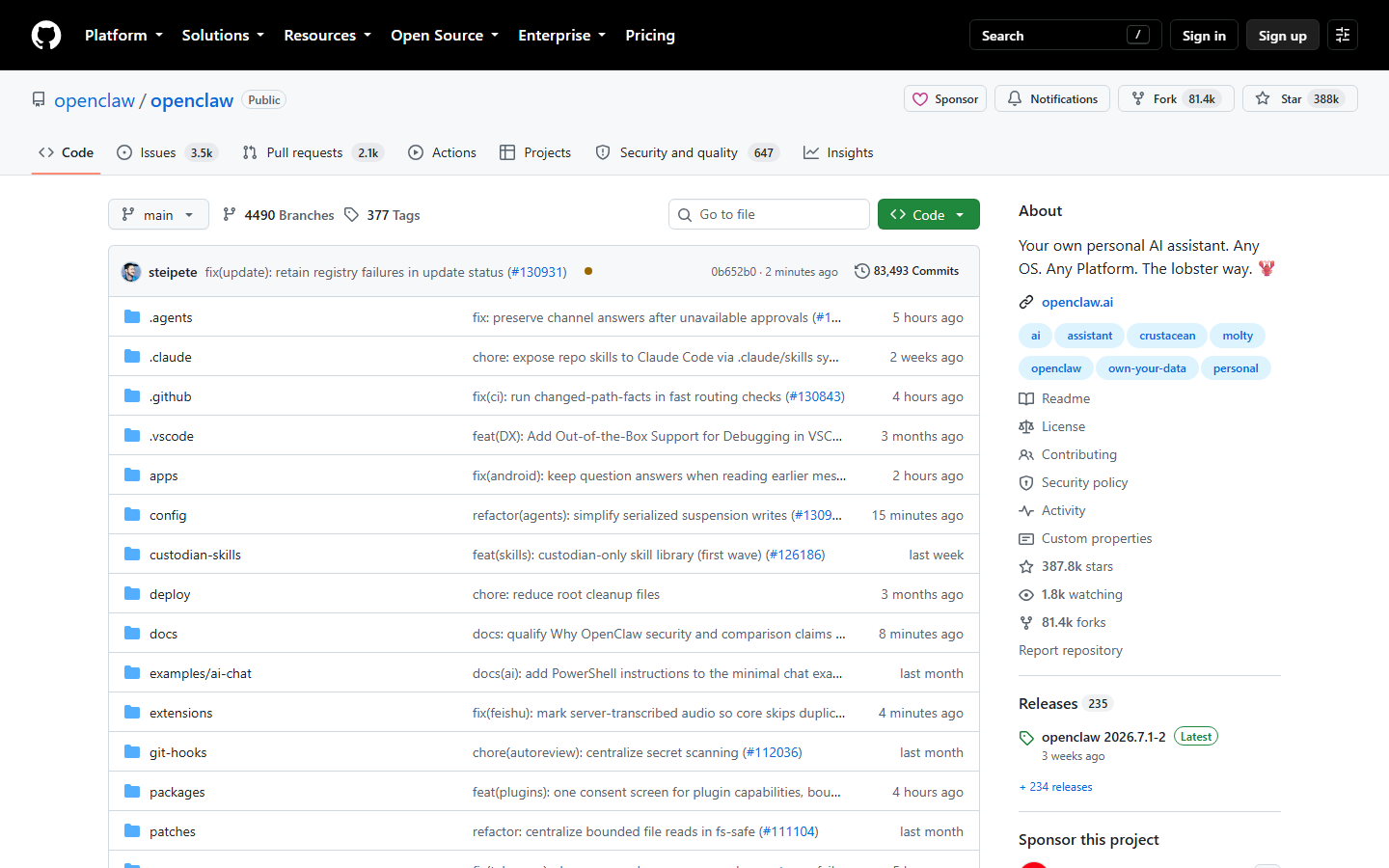 github.com/openclaw/openclaw. Notice this is the Gateway/runtime, not our skill repo. Our skill is instant-dm/agent-mode. Do not install random folders from this org’s Discussions as if they were the publisher.
What does the skill actually add once it is on disk?
A SKILL.md the agent loads when you mention scheduling, drafts, analytics, captions. Concretely, it contains:
Auth. Send X-Api-Key: sk_live_… (or Authorization: Bearer …). URL-only clients may use ?key=. If the key is missing, stop. Do not hunt .env. Do not open openclaw.json. Do not ask the human to paste the key into Telegram.
Tool order. list_accounts → upload media if needed → create_post → get_post_status. Never invent acc_ IDs. Never skip the list call because “we already know the Instagram.”
Draft default. draft: true unless the human said “publish now” or “post immediately.” Cron must not call publish_now / publishNow.
Timezone rule. scheduledAt with an offset (2026-09-16T09:00:00+05:30 or Z). No offset = workspace timezone, not UTC. Same rule on every platformSchedules value. A past or near-now stamp (≤30s) publishes immediately.
Per-network copy and times. platformContent for twitter / linkedin / instagram (and the rest). platformSchedules for staggered go-lives. Fallback is content and scheduledAt.
Status. HTTP 200 on create_post is not five green checkmarks. Call get_post_status. Status partial means some platforms published and others failed. Read the per-target error.
Platform gotchas. Instagram needs media. Carousel ≥2 images. LinkedIn personal delete can lie. TikTok photos JPEG ≤1920px. Threads 500 characters. Do not duplicate the same caption+image across three IG accounts. Do not fake likes.
Confirm before publish. Unless you said “post now.” Put the same paragraph in SOUL.md. Redundancy is the point.
It does not install a local binary. There is no CLI. There is no Chromium. There is no unofficial Instagram mobile API. Anyone selling “the skill posts to the grid by driving the web app” is selling a ban.
What else do you still need after the skill installs?
Four things the skill cannot invent.
- A workspace at social-app.instantdm.com with at least one account connected via official OAuth.
- A scoped API key.
accounts:read,posts:read,posts:write,media:write. Optionalanalytics:read.platform:proxyoff until you have a reason. Store it asSOCIAL_BY_IDM_API_KEYin the environment the Gateway sees. - The MCP server:
openclaw mcp add social-by-idm \
  --url https://social-api.instantdm.com/mcp \
  --transport streamable-http \
--header "X-Api-Key: sk_live_YOUR_KEY"- SOUL.md with “never publish_now unless I say so.”
Skill without MCP is a lecture. MCP without skill is a model guessing scheduledAt in UTC. mcp add post.
JSON some builds want in ~/.openclaw/openclaw.json (do not commit):
{
  "mcp": {
    "servers": {
      "social-by-idm": {
        "url": "https://social-api.instantdm.com/mcp",
        "transport": "streamable-http",
        "headers": { "X-Api-Key": "sk_live_YOUR_KEY" }
      }
    }
  }
}
Hermes users should not use the ClawHub line. Theirs is GitHub:
hermes skills install github:instant-dm/agent-mode/skills/social-by-idmSame markdown. YAML MCP in ~/.hermes/config.yaml. Hermes install.
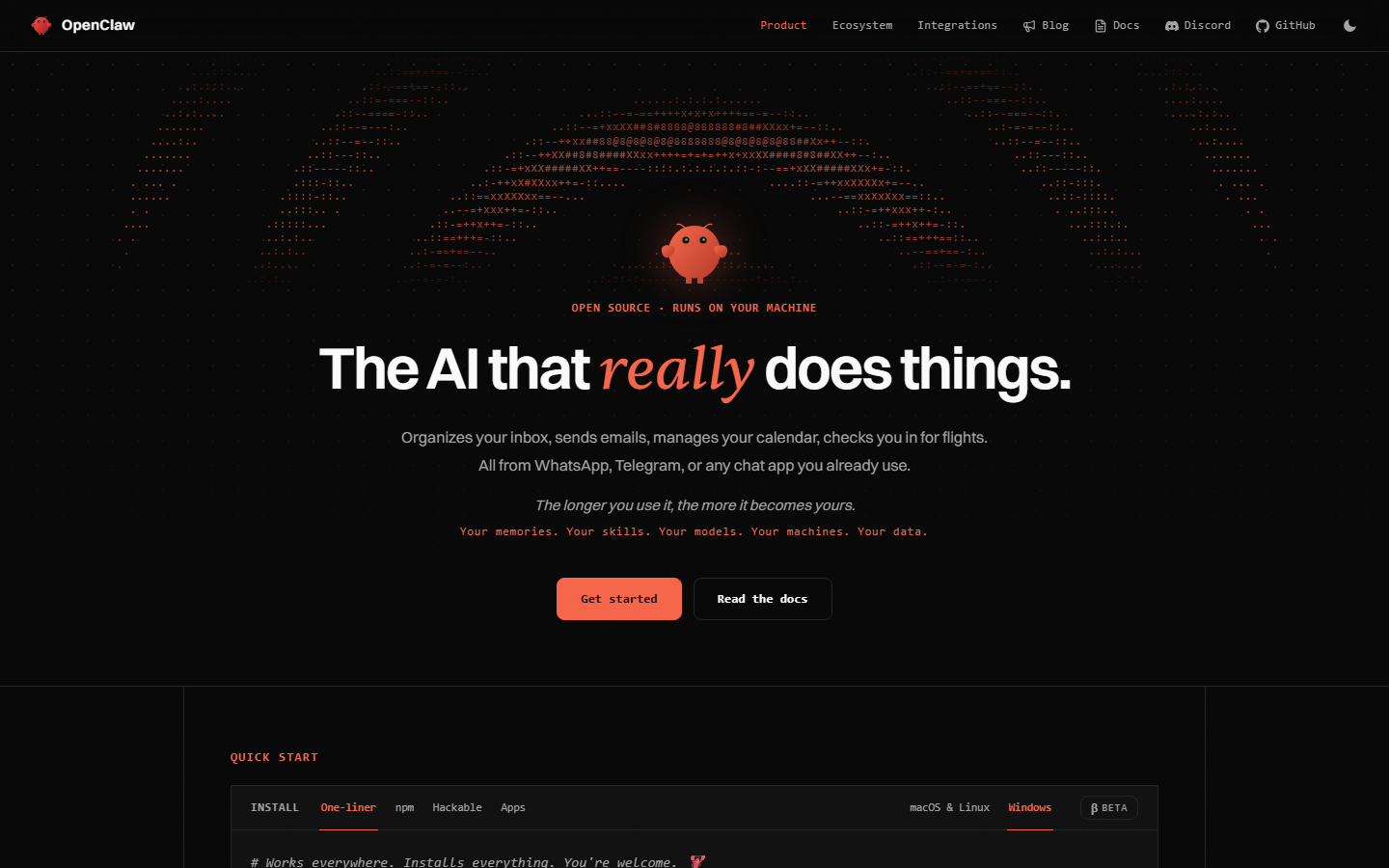 openclaw.ai. Notice the product is a Gateway you message from Telegram and iMessage. The skill you are installing teaches that Gateway how to call our MCP server. It does not add Instagram to OpenClaw core.
How do you verify the skill loaded, not just that install exited 0?
Install can succeed and the agent can still ignore the file. Ask in the Control UI or Telegram:
What social tools do you have, and what is the first call you will make?
You want two things:
- A tool list that includes
list_accounts,create_post,get_post_status— that is MCP, not the skill. - A first call of
list_accounts, notcreate_postwithpublishNow: true. That is the skill (and SOUL.md).
Then:
List my connected social accounts. Do not create or publish anything.
Real acc_… IDs, platforms, handles. If it reaches for publish_now, the skill did not load or a second skill overrode it. If it asks you to paste a key, env is wrong — do not paste.
Then a draft:
Draft an X post and a LinkedIn post from these bullets: …
draft: true. Do not publish. Use platformContent so X stays short and LinkedIn can breathe.
Then open the calendar. If the copy is wrong, fix SOUL.md. If the row is missing, MCP failed or the model role-played the call. Ask it to return the postId.
A payload the skill is trying to get the model to emit:
{
  "accountIds": ["acc_x7n2ab", "acc_p1L9wd"],
  "content": "Dark mode is on by default for new workspaces.",
  "platformContent": {
    "twitter": "Dark mode is the default for new workspaces. Existing users: Settings → Appearance.",
    "linkedin": "We turned dark mode on by default for new workspaces.\n\nExisting users keep their theme. Toggle: Settings → Appearance.\n\nWhat else should default to on?"
  },
  "draft": true
}
Scheduled form the skill wants — offset present:
{
  "accountIds": ["acc_x7n2ab"],
  "content": "Dark mode is on by default for new workspaces.",
  "scheduledAt": "2026-09-16T09:00:00+05:30"
}
Staggered:
{
  "accountIds": ["acc_p1L9wd", "acc_8fK2qz"],
  "content": "Dark mode is on by default for new workspaces.",
  "scheduledAt": "2026-09-16T08:30:00-04:00",
  "platformSchedules": {
    "linkedin": "2026-09-16T08:30:00-04:00",
    "instagram": "2026-09-16T11:00:00-04:00"
  }
}
Instagram still needs mediaIds. The skill should refuse a text-only IG target rather than let Graph 422 after the fact — but the server will 422 content_invalid if the model ignores it.
How do you update, pin, and not get a surprise Tuesday?
openclaw skills install @sanjaykhanssk/social-by-idmAgain. Or npx skills update if you installed via npx skills. The file’s last-updated field is a freshness check — if it is more than 60 days old, the skill tells the agent to say so. That warning is easy to ignore. Don’t. Publishing policy drifts: we add a platform rule, a status field, a header name. An agent running a 2025 SKILL.md will omit get_post_status and declare victory on HTTP 201.
Pin a version once a given install works. Auto-update on a publisher is a supply-chain decision. If your OpenClaw build supports locking a ClawHub digest or git ref, use it:
openclaw skills install @sanjaykhanssk/social-by-idm
# then record the resolved commit in your runbook
After update, re-ask “what is the first call you will make?” If the answer changed to something live, the new file is wrong or you installed a different slug.
Find it on disk. Typical locations:
- Workspace
skills/social-by-idm/SKILL.md ~/.openclaw/skills/social-by-idm/SKILL.md
Open it. Grep for curl, openclaw.json, publishNow, draft. You want draft-first, no curl, no json-stealing. If scripts/ exists, read every file. Ours should not need a Prerequisites executor.
What should you not install next?
Any “grow on Instagram overnight” ClawHub skill. Any skill whose Prerequisites curl a pastebin. Any “engagement pod,” auto-like, auto-follow, or “unofficial IG private API” pack. Publishing rights on the agent are already the sensitive bit; do not stack a second, unread skill on the same session.
Also skip:
- Skills that want your Meta app id and a user access token in chat
- Skills that drive Chromium against instagram.com
- Skills that claim to bypass professional-account requirements
- Duplicate publisher skills (ours plus a REST wrapper plus a “generic mcp social” pack). They will fight over
scheduledAt.
Hermes can load the same SKILL.md format. It does not depend on ClawHub. Do not assume a ClawHub star count applies to a Hermes runtime. Hermes GitHub install.
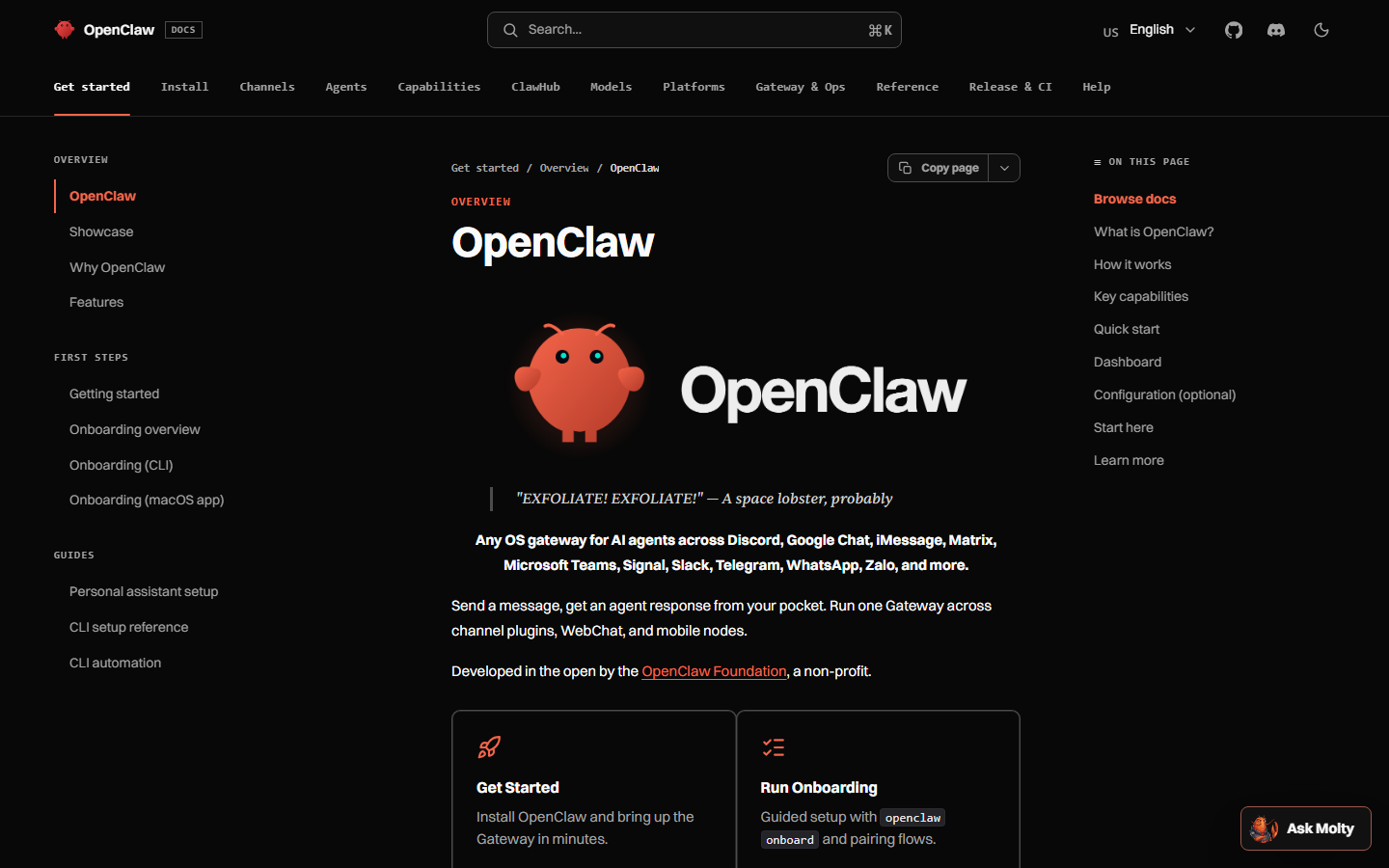 docs.openclaw.ai. Notice skills are instruction packs the Gateway loads, and MCP is a separate client config. Installing this skill does not add the server. You still run mcp add.
What are the 16 tools the skill is talking about?
The skill names them so the model does not invent post_to_instagram. The server exposes them. Same list as REST. /mcp.
| Tool | Scope | Skill’s rule of thumb |
|---|---|---|
list_accounts | accounts:read | First call. Always. |
create_post | posts:write | draft: true unless told otherwise. Offset on scheduledAt. |
update_post | posts:write | Activate drafts; do not use a bare scheduledAt if you meant to nudge one network. |
get_post | posts:read | Full object. |
get_post_status | posts:read | After any live attempt. Honor partial. |
list_posts | posts:read | See the queue before adding more. |
delete_post | posts:write | Check manual for LinkedIn personal, TikTok, etc. |
upload_media_from_url | media:write | Public URLs only. Not Drive preview links. |
create_upload_url | media:write | Local files, step 1. |
complete_upload | media:write | After PUT. |
list_media | media:read | Reuse. |
delete_media | media:write | Cleanup. |
get_analytics | analytics:read | Never invent numbers. |
list_platform_posts | posts:read | Native posts, including ones not created here. |
delete_platform_post | posts:write | Where the platform API allows. |
platform_request | platform:proxy | Opt-in. Off on the weekday key. |
If the agent lists zero of these, MCP is missing — the skill cannot help. If it lists them and still publishes live, SOUL.md is missing and the skill did not win the prompt.
What goes wrong — 401, 403, empty tools, empty accounts, agent publishes anyway?
| Symptom | Likely cause | What you do |
|---|---|---|
| Install pulls a different slug | Typosquat, autocomplete | Abort. Check @sanjaykhanssk/social-by-idm. Read GitHub. |
| Install runs curl / chmod | Malicious Prerequisites | Ctrl-C. Uninstall. Rotate Gateway secrets. |
| Skill installed, no tools | You skipped mcp add | Add the server. Probe. |
| Empty tools after mcp add | Wrong URL, stdio transport, header not sent, placeholder key | streamable-http, real sk_live_, see mcp add |
| 401 | Bad or revoked key | Recopy. No spaces. |
| 403 | Missing scope | Add posts:write / accounts:read. |
| Empty accounts | OAuth not connected | Dashboard, not the skill. |
| Agent publishes anyway | Skill not in context; another skill; no SOUL | Re-ask first-call. Pin. Write SOUL.md. Force draft: true. |
Agent hunts .env | Skill ignored or overridden | That hunt is forbidden. Fix loading. Do not “help” it find the key. |
| Wrong hour | Naive scheduledAt | Offset. Workspace TZ ≠ UTC. |
partial ignored | Skill stale or not loaded | Update. Call get_post_status. |
| Two social skills | ClawHub + a gist + a homemade file | Keep ours. Delete the rest. |
401 / 403 as the server sends them:
{ "error": { "code": "unauthorized", "message": "Missing or invalid API key." } }{ "error": { "code": "forbidden", "message": "Key lacks posts:write." } }The skill’s job on those errors is to stop and report, not to retry with publishNow: true.
How is this different from the Claude connector skill-less setup?
Claude, ChatGPT and Codex do not load ClawHub. They speak MCP. You add our server as a connector and rely on tool schemas plus your prompt. That works. It is also how UTC happens, because nothing in the Claude UI tells the model that a naive ISO stamp is workspace TZ.
OpenClaw gets the extra markdown layer. That is the point of this install. Claude users: Schedule from Claude or ChatGPT. Protocol: MCP server for social media.
If you run Claude and OpenClaw against one workspace, still install the skill on OpenClaw. Claude will not read it. Separate clients, same server.
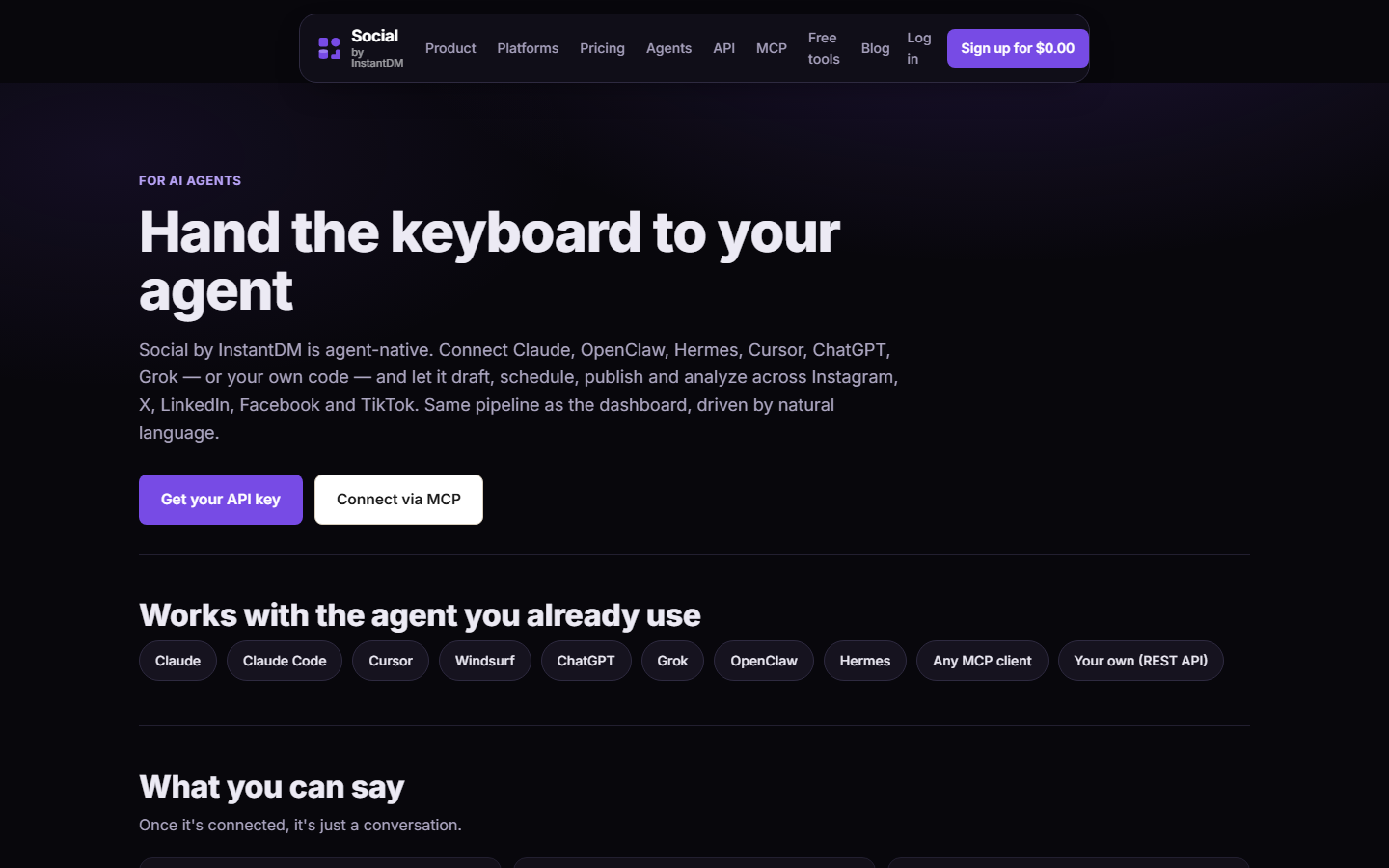 socialbyidm.com/agents. Notice the product pitch is “hand the keyboard to your agent” via MCP and REST. The ClawHub skill is the manners layer for OpenClaw, not a second publisher.
How do you audit the files on disk after install?
Install exiting 0 is not an audit. Open the folder.
macOS / Linux:
ls -la ~/.openclaw/skills/social-by-idm/
find ~/.openclaw/skills -name 'SKILL.md' | head
# also the workspace copy, if you installed in-project:
ls -la ./skills/social-by-idm/ 2>/dev/null
Windows (PowerShell):
Get-ChildItem -Force $env:USERPROFILE\.openclaw\skills\social-by-idm
Select-String -Path $env:USERPROFILE\.openclaw\skills\social-by-idm\SKILL.md -Pattern 'curl|openclaw.json|publishNow|draft'
Grep you actually want:
rg -n "curl|openclaw.json|chmod|pastebin|publishNow" ~/.openclaw/skills/social-by-idmYou want draft: true and timezone offset language. You do not want curl http, chmod +x, or a POST of openclaw.json. If scripts/ exists, cat every file. A skill that is “just markdown” is the safe shape. A skill that executes during Prerequisites is a program — ClawHavoc used that hook.
If OpenClaw copied the skill into a hashed cache as well as skills/, audit both. Two copies drift. After an update, confirm last-updated moved. If it did not, you re-installed a cached tarball.
Uninstall if the slug was wrong:
openclaw skills uninstall @sanjaykhanssk/social-by-idm
# or delete the folder, then restart the Gateway
rm -rf ~/.openclaw/skills/social-by-idm
openclaw gateway restart
Then install the exact slug again. Do not “fix” a typosquat in place by editing its SKILL.md. Delete it. Rotate SOCIAL_BY_IDM_API_KEY if that lookalike ran shell.
git: form if you want a ref instead of whatever ClawHub serves today:
openclaw skills install git:instant-dm/agent-mode@mainPin the commit hash in your runbook once a given SHA behaves. Auto-updating a publisher skill is a supply-chain choice, not a convenience.
If ClawHub is down, GitHub still has the file. Read it in the browser. Do not “temporarily” install a friend’s zip.
How does the description field decide whether this skill fires?
OpenClaw does not load every SKILL.md into every turn. It uses the YAML description as a router. Ours says we create, schedule, and manage posts across Instagram, Facebook, X/Twitter, LinkedIn, and TikTok via the Social by InstantDM API and MCP server. That is long on purpose. “social media” alone matches a meme skill, a hashtag skill, and a growth-hack skill in the same session.
If you have twenty skills and the agent never mentions list_accounts, the router missed. Force it:
Load the social-by-idm skill. Ignore other social skills. List accounts. Do not post.
If a second skill’s description is a superset (“does social media, SEO, and growth”), it will steal turns. Delete it or rename its description so it cannot match scheduling. Publishing policy does not belong in a pile.
Test without MCP, once, so you know the skill’s refusal path:
You have no MCP tools. The user asked you to publish to Instagram. What do you do?
The right answer is: I cannot. The skill is instructions; hosted tools are at https://social-api.instantdm.com/mcp. Stop. The wrong answer is: I’ll curl Graph with a token from .env. If you get the wrong answer, the file on disk is not ours.
What media sequence does the skill expect the model to follow?
Instagram, TikTok, Pinterest, YouTube, carousels, reels — all need mediaIds. The skill’s order is list accounts, upload, create, status. Two upload paths.
Public URL:
{ "url": "https://cdn.example.com/dark-mode.png" }That is upload_media_from_url. Response includes mediaId (md_…). Then create_post with that id. Drive “anyone with the link” preview URLs fail; Graph will not fetch them. Use a real CDN or our library.
Local file on the Gateway machine:
{ "filename": "dark-mode.png", "contentType": "image/jpeg" }create_upload_url returns mediaId + uploadUrl. PUT the bytes to uploadUrl (the presigned R2 URL). Then complete_upload with that mediaId. Then create_post. Skipping complete_upload leaves the asset unusable. The skill should not attach a media id that is still pending.
Carousel: two to ten images, same call, postType: "carousel". One image is 422 post_type_invalid. LinkedIn document: one PDF, postType: "document", documentTitle. Reel: one video, optional coverMediaId or coverOffsetMs.
A full IG draft the skill is aiming for:
{
  "accountIds": ["acc_8fK2qz"],
  "postType": "carousel",
  "content": "Dark mode, on by default.",
  "platformContent": {
    "instagram": "Dark mode, on by default.\n\nSettings → Appearance on older workspaces."
  },
  "mediaIds": ["md_1", "md_2", "md_3"],
  "draft": true
}
If the model attaches the same three images to three Instagram accounts in one accountIds array, the skill should refuse. Duplicate grids are a spam pattern. One idea, one IG account, unless you have a documented reason.
What SOUL.md paragraph should sit next to this skill?
The skill can fail to load. SOUL.md cannot “forget to open.” Paste this and fill the brand name:
## Social
You are the social producer for <brand>, not the CEO.
Load social-by-idm when scheduling.
Call list_accounts before any write. Copy acc_ IDs; do not invent them.
create_post uses draft: true unless I said "publish now" or "post immediately".
scheduledAt and platformSchedules always include a timezone offset (+05:30 or Z).
No offset means workspace timezone, not UTC.
After anything live, get_post_status. If status is partial, say which target failed.
Never read .env, openclaw.json, or API keys into chat or tool arguments.
Never fake likes, follows, or comments.
Never duplicate the same caption+image across multiple Instagram accounts.
Cron and automations never call publish_now.
That is the same law in two files. SOUL.md guide. When an automation uses an isolated session, it still reads SOUL. A skill that only lives in MEMORY.md will vanish on compaction; do not put never publish_now only there.
What does a healthy week look like after this install?
Monday: list_accounts still returns the same IDs. You did not reconnect OAuth for fun.
Weekdays: an isolated automation drafts five posts with draft: true, delivers IDs to Telegram. You open the calendar, edit one LinkedIn essay, set scheduledAt with +05:30, leave TikTok as draft because the video is not ready.
You never install a second growth skill. You never put 18789 on 0.0.0.0. You never paste sk_live_ into Telegram when the agent “just needs the key real quick.”
Freeze line in SOUL.md and in your muscle memory:
Freeze social. Do not create, schedule, or publish. Confirm the queue is untouched.
Update the skill when last-updated is stale. Re-probe MCP when tools vanish after a Gateway upgrade. That is the maintenance. The install command is one line. The judgment is everything around it.
I sell the scheduler. The skill is how I stop your agent from using that scheduler badly. Read it, pin it, keep MCP next to it, and make the first post a draft.
How do you read Gateway logs when the agent “posted” but the calendar is empty?
The model will narrate a successful create_post. The calendar is the source of truth. If the row is missing, the tool call did not happen or it 4xx’d and the model summarized anyway.
openclaw logs --follow
# or wherever your build writes Gateway stdout
journalctl -u openclaw -n 200 --no-pager
Look for tools/call with "name": "create_post". If it is absent, the skill loaded as conversation and the model role-played. Re-ask: “Call the tool. Return the JSON. Do not describe a post you did not create.” If the call is present, read the JSON-RPC error. 401/403/422 are server truth. A 200 with "status": "draft" and a postId of pst_… should match GET /v1/posts via curl.
curl "https://social-api.instantdm.com/v1/posts" \
  -H "X-Api-Key: $SOCIAL_BY_IDM_API_KEY"
If curl shows the draft and the dashboard does not, you are looking at the wrong workspace. If neither shows it, the model lied.
Reconnect OAuth from the dashboard when list_accounts returns a handle but create_post returns platform_error / expired token. Instagram tokens die when the Facebook Page link breaks or when instagram_manage_contents was added after you first connected. The skill cannot refresh Meta for you. It should say “reconnect this account in the dashboard” and stop. A skill that asks you to paste a long-lived user token in Telegram is not ours.
When the agent publishes anyway, the log line you want is "publishNow": true or a scheduledAt already in the past. That is SOUL + skill failing the turn. Freeze:
Freeze social. Do not create, schedule, or publish. Confirm the queue is untouched.
Then list_posts, delete what should not go live, and write the SOUL paragraph above before you unlock.
 socialbyidm.com. Notice the product is the scheduler this skill documents. If the calendar is empty after a “successful” chat, believe the site, not the model’s recap.
Product: /agents · /mcp · docs. Hermes: install on Hermes. Posting: let OpenClaw post.
Frequently asked questions
What is the OpenClaw install command for Social by InstantDM?
openclaw skills install @sanjaykhanssk/social-by-idm — exact owner and slug. Then set SOCIAL_BY_IDM_API_KEY and add the MCP server. The skill is instructions; without MCP or REST the agent cannot publish.
Does the skill post by itself?
No. It teaches OpenClaw when to call list_accounts, create_post with draft true, platformContent, and get_post_status. Hosted tools live at https://social-api.instantdm.com/mcp.
How do you update the skill?
Re-run the same install command. The SKILL.md last-updated date should be checked; if it is more than 60 days old the skill itself tells the agent to warn you.
What if install wants to run shell in Prerequisites?
Ours does not. If a lookalike skill runs curl during install, abort. ClawHavoc-style stealers used that hook.
How do you tell a typosquat from the real skill?
Exact slug @sanjaykhanssk/social-by-idm. Not @sanjaykhansk, not social-by-idm-pro, not a 'grow overnight' fork. Read SKILL.md and scripts/ on GitHub before you give it posts:write.
Where does the skill land on disk?
Workspace skills/ or ~/.openclaw/skills, depending on how you installed. Open it. Confirm it does not curl, does not read openclaw.json, and still says draft: true and timezone offsets.
Do I still need MCP after installing the skill?
Yes. Skill without MCP is a lecture. MCP without skill is a model guessing scheduledAt in UTC. Use both: openclaw mcp add with streamable-http and X-Api-Key.
What should the first prompt be after install?
What social tools do you have, and what is the first call you will make? You want list_accounts first. Then: list my connected accounts. Do not create or publish anything.
Does Hermes use this ClawHub line?
No. Hermes install is hermes skills install github:instant-dm/agent-mode/skills/social-by-idm — GitHub, not ClawHub. Same SKILL.md, different loader.
Is the skill a substitute for SOUL.md?
No. Put never-publish-now in both. Skills can be overwritten or fail to load. SOUL.md is the brand guide the agent sees every session.