Add the Hosted MCP Server to OpenClaw
openclaw mcp add with streamable-http and X-Api-Key. How to confirm tools/list, what URL-only clients need, and the first call after it works: list_accounts.
How do you add the Social by InstantDM MCP server to OpenClaw?
openclaw mcp add social-by-idm \
  --url https://social-api.instantdm.com/mcp \
  --transport streamable-http \
  --header "X-Api-Key: sk_live_YOUR_KEY"
That is the client-side half. Replace sk_live_YOUR_KEY with a real workspace key. Then probe. Empty tools/list means URL, transport, or key — not “the model is bad at social.” The skill is the manners (draft: true, offsets, confirm). This page is the socket.
I build the server. We sell the scheduler. I am not going to pretend OpenClaw ships Instagram. Background on the protocol: What is an MCP server for social media?. Operator walkthrough once tools appear: How to let OpenClaw post.
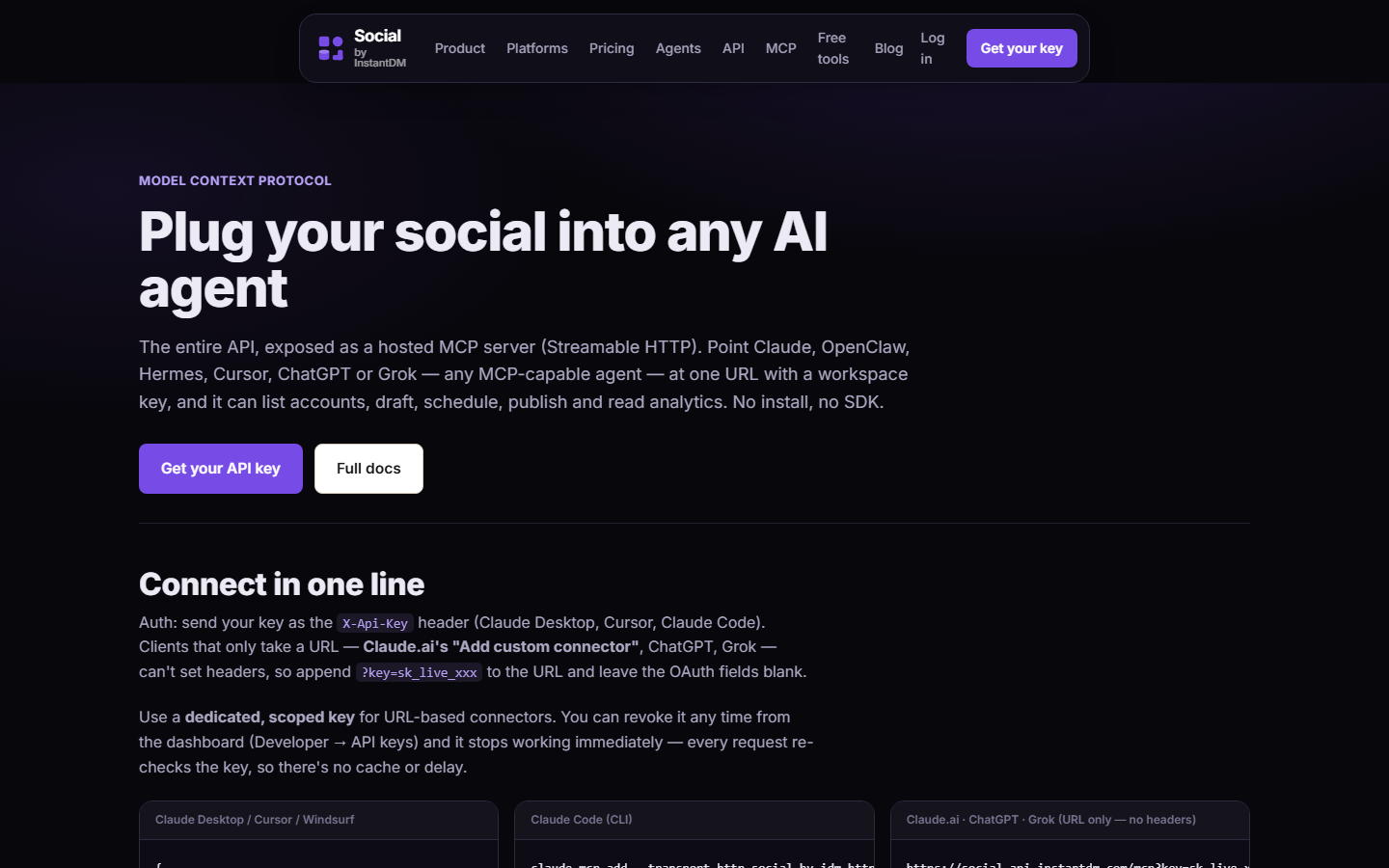 socialbyidm.com/mcp. Notice the hosted URL is https://social-api.instantdm.com/mcp, transport is Streamable HTTP, and auth is X-Api-Key (or ?key=). Copy this URL. Do not append /sse or guess localhost:3000.
What is MCP doing here, in one screen?
MCP is JSON-RPC 2.0 over a transport. The host (OpenClaw Gateway) spins up a client per server. The server exposes tools (callable functions with JSON Schema), optionally resources and prompts. A social publisher is almost entirely tools, because publishing is an action.
Two transports:
| Transport | Where the server runs | Social publisher? |
|---|---|---|
| stdio | Child process on the laptop. stdin/stdout. One client. | No. We do not hold your Instagram token on your Mac. |
| Streamable HTTP | Remote HTTP POST, optional SSE. Many clients. | Yes. This is us. |
If mcp add defaults to stdio, you will launch nothing useful and tools/list will be empty or an error about a missing command. Force --transport streamable-http. Some OpenClaw builds say streamable_http or http. openclaw mcp --help is canonical. Names of subcommands move with releases.
Under the hood the client sends tools/list, then tools/call with arguments matching the schema. The model reads the schema. You do not hand-code the integration. That is the whole point of MCP versus a REST API you wrap yourself.
Auth on our server:
- Header:
X-Api-Key: sk_live_…(preferred on OpenClaw) - Header:
Authorization: Bearer sk_live_…(also accepted) - Query:
https://social-api.instantdm.com/mcp?key=sk_live_…(URL-only clients)
OpenClaw can send headers. Use them. Query-string keys leak via access logs, screenshots, and shell history. Mint a dedicated key if you must use ?key=.
Rate limit: 120 requests/minute/key → 429 rate_limited.
How do you confirm the add actually stuck?
openclaw mcp list
openclaw mcp probe social-by-idm
You want the name social-by-idm in the list, transport HTTP-ish, and a probe that prints tool names. If probe errors, do not skip to Telegram. Fix the socket.
Restart if needed:
openclaw gateway restartSome builds hot-reload MCP. Some freeze the tool list at Gateway boot. Restart is cheaper than a philosophy thread.
In the Control UI or Telegram:
What social tools do you have?
The agent should call tools/list and read names back. Empty list = wrong URL, wrong transport, or key not applied.
First real call:
List my connected accounts. Do not create a post.
That is list_accounts. It proves the header authenticated and that OAuth accounts exist. It cannot go live.
JSON some builds want in ~/.openclaw/openclaw.json if the CLI wrapper is missing or you prefer files:
{
  "mcp": {
    "servers": {
      "social-by-idm": {
        "url": "https://social-api.instantdm.com/mcp",
        "transport": "streamable-http",
        "headers": { "X-Api-Key": "sk_live_YOUR_KEY" }
      }
    }
  }
}
Do not commit that file. chmod 600. If you already pasted it into Slack, rotate the key.
Environment form, if your build interpolates:
export SOCIAL_BY_IDM_API_KEY=sk_live_YOUR_KEYThe Gateway process — not a random interactive shell — must see it. systemd EnvironmentFile=, Docker secrets, or the profile the daemon was started from.
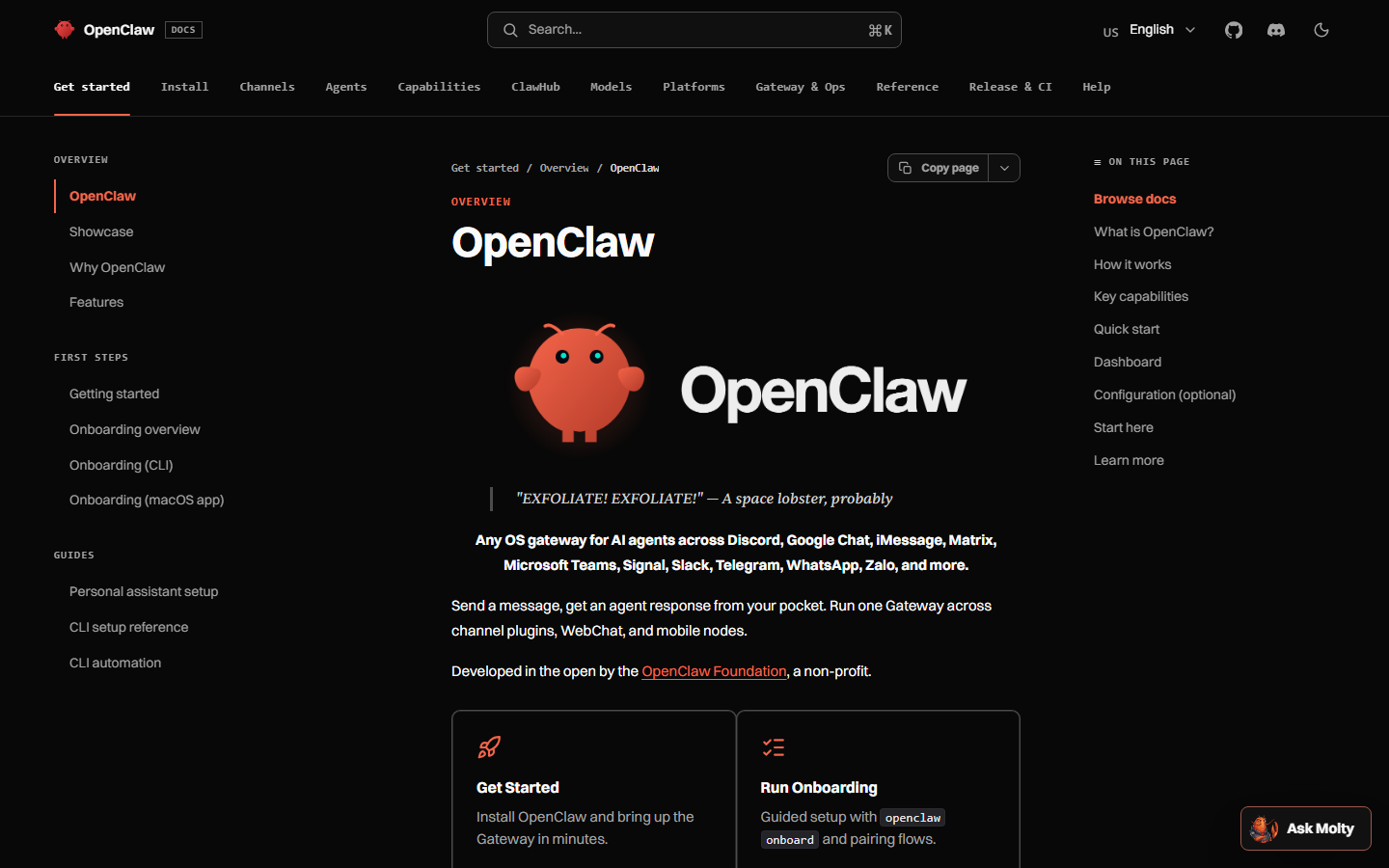 docs.openclaw.ai. Notice MCP is configured on the Gateway (CLI or JSON), and transport is a first-class field. Match —help on your installed version; do not copy a 2025 stdio example.
What should tools/list return — all 16, with scopes?
Same tools as REST. Full parity. Product page: /mcp. Reference: /docs.
| Tool | Scope | What a correct call looks like |
|---|---|---|
list_accounts | accounts:read | No body. Returns accountId, platform, handle. |
create_post | posts:write | accountIds, content and/or mediaIds/thread, plus draft or scheduledAt or publishNow. |
update_post | posts:write | id plus fields to change. Activates a draft if you pass scheduledAt or publishNow. |
get_post | posts:read | id. Full post + targets. |
get_post_status | posts:read | id. Lightweight. Honor partial. |
list_posts | posts:read | Optional filters. Queue view. |
delete_post | posts:write | id. Check manual for platforms without delete. |
upload_media_from_url | media:write | { "url": "https://…" } → mediaId. |
create_upload_url | media:write | { "filename": "sunset.jpg", "contentType": "image/jpeg" }. |
complete_upload | media:write | After PUT to uploadUrl. |
list_media | media:read | Library. |
delete_media | media:write | mediaId. |
get_analytics | analytics:read | Totals; do not invent. |
list_platform_posts | posts:read | Native posts, including ones not created here. |
delete_platform_post | posts:write | Platform post id. |
platform_request | platform:proxy | Opt-in native proxy. X currently disabled. |
If you see four tools, you are on a cached, filtered, or ancient probe. Re-probe. If you see zero, stay on this page — do not start drafting captions.
A list_accounts result:
{
  "accounts": [
    { "accountId": "acc_8fK2qz", "platform": "instagram", "handle": "@acme", "displayName": "Acme Inc" },
    { "accountId": "acc_p1L9wd", "platform": "linkedin", "handle": "acme-inc", "displayName": "Acme Inc" },
    { "accountId": "acc_x7n2ab", "platform": "twitter", "handle": "@acme", "displayName": "Acme" }
  ]
}
Empty accounts with a full tool list: OAuth is not connected in the dashboard, or the key belongs to a different workspace. MCP is fine.
What payloads should OpenClaw send once the socket works?
Draft — first write on a new connection:
{
  "accountIds": ["acc_x7n2ab", "acc_p1L9wd"],
  "content": "Dark mode is on by default for new workspaces. Existing users: Settings → Appearance.",
  "draft": true
}
Scheduled with offset — always an offset. No offset = workspace timezone, not UTC.
{
  "accountIds": ["acc_x7n2ab"],
  "content": "Dark mode is on by default for new workspaces.",
  "scheduledAt": "2026-09-16T09:00:00+05:30"
}
platformContent for twitter / linkedin / instagram:
{
  "accountIds": ["acc_x7n2ab", "acc_p1L9wd", "acc_8fK2qz"],
  "content": "Dark mode is on by default for new workspaces.",
  "platformContent": {
    "twitter": "Dark mode is the default for new workspaces. Existing users: Settings → Appearance.",
    "linkedin": "We turned dark mode on by default for new workspaces.\n\nExisting users keep their current theme. Toggle: Settings → Appearance.\n\nWhat else should default to on?",
    "instagram": "Dark mode, on by default.\n\nSettings → Appearance for older workspaces."
  },
  "draft": true
}
platformSchedules for staggered times (same offset rule):
{
  "accountIds": ["acc_p1L9wd", "acc_8fK2qz"],
  "content": "Dark mode is on by default for new workspaces.",
  "scheduledAt": "2026-09-16T08:30:00-04:00",
  "platformSchedules": {
    "linkedin": "2026-09-16T08:30:00-04:00",
    "instagram": "2026-09-16T11:00:00-04:00"
  }
}
A past or near-now scheduledAt (≤30 seconds) publishes immediately. That is how a naive stamp becomes publishNow in disguise.
Instagram image: upload first, then attach. Text-only IG → 422 content_invalid. Carousel needs ≥2 media ids → else 422 post_type_invalid.
{
  "accountIds": ["acc_8fK2qz"],
  "postType": "image",
  "content": "Dark mode, on by default.",
  "mediaIds": ["md_1a2b3c"],
  "draft": true
}
After any live attempt, get_post_status. HTTP 200 on create_post is not five green checkmarks. Status partial means some platforms published and others failed:
{
  "postId": "pst_3kqz1a",
  "status": "partial",
  "ready": true,
  "targets": [
    {
      "accountId": "acc_8fK2qz",
      "platform": "instagram",
      "status": "published",
      "permalink": "https://www.instagram.com/p/…",
      "error": null
    },
    {
      "accountId": "acc_tk01",
      "platform": "tiktok",
      "status": "failed",
      "error": "Photo must be JPEG ≤1920px and <10MB"
    }
  ]
}
REST sanity check that bypasses OpenClaw entirely:
curl "https://social-api.instantdm.com/v1/accounts" \
  -H "X-Api-Key: $SOCIAL_BY_IDM_API_KEY"
If curl works and mcp probe does not, the bug is the client config. If curl 401s, stop blaming OpenClaw.
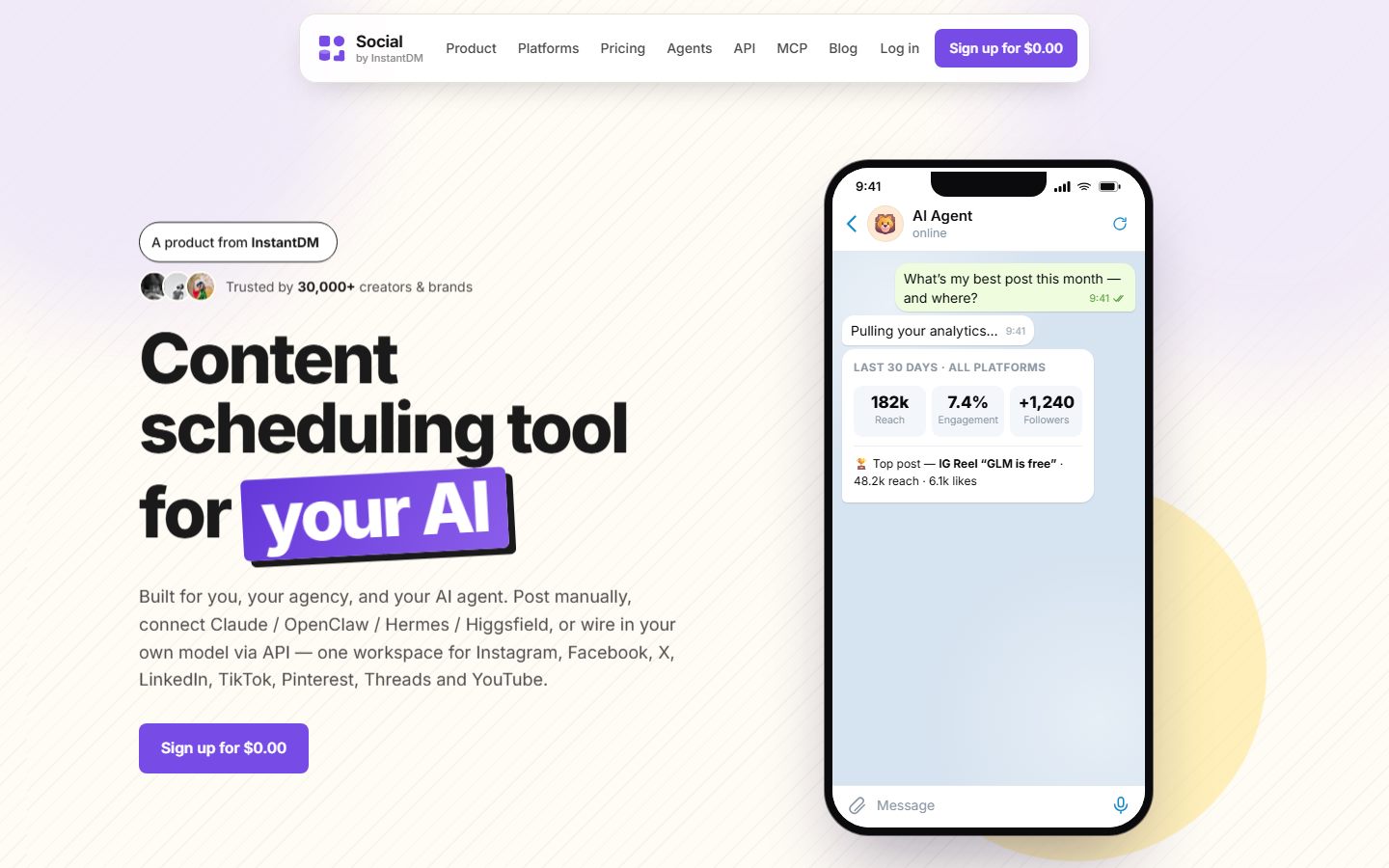 The 2026 app. If you can do it in this UI, the agent can do it with a key. After create_post with draft true, the row appears here. Screenshot of our app.
What if your other clients are URL-only?
ChatGPT’s connector screen historically did not document custom headers. Some Claude.ai paths hide the key under Advanced settings and people skip it. We accept:
https://social-api.instantdm.com/mcp?key=sk_live_YOUR_KEYOpenClaw can send headers — use them. Do not “standardize” on query strings just because ChatGPT needs them. Dedicated key for URL-only clients so a leaked plugin URL does not take down the Gateway key. Revoke is instant; we re-check the key every request.
Claude app path, so you do not mix docs:
- Composer + → Connectors → Add connector → Add custom connector
- Name, URL
https://social-api.instantdm.com/mcp - Expand Advanced settings, paste API KEY
- Leave OAuth Client Secret empty
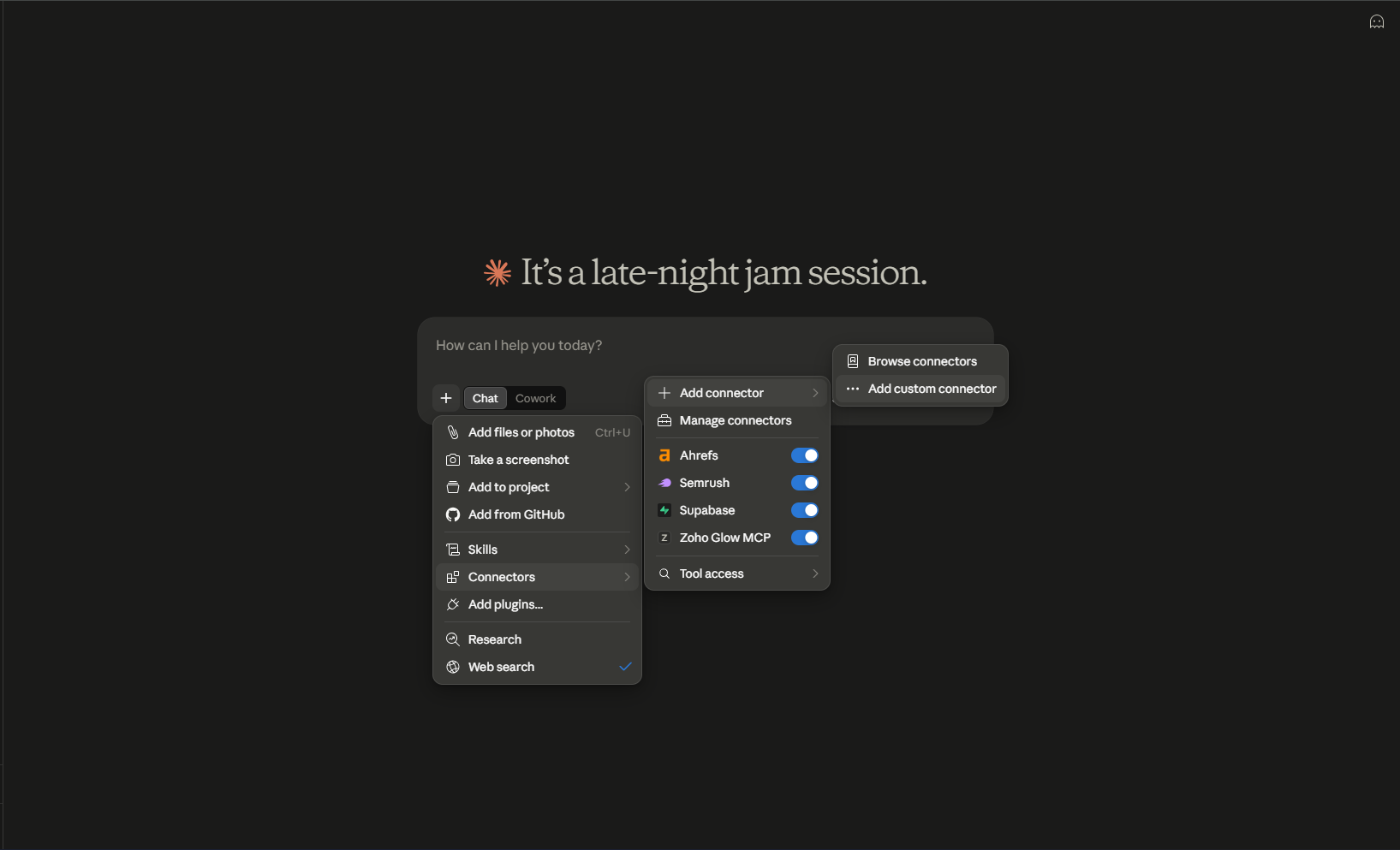 Claude.ai. Notice this is a UI path, not openclaw mcp add. Same server underneath. OpenClaw users should not hunt this menu unless they also use Claude.
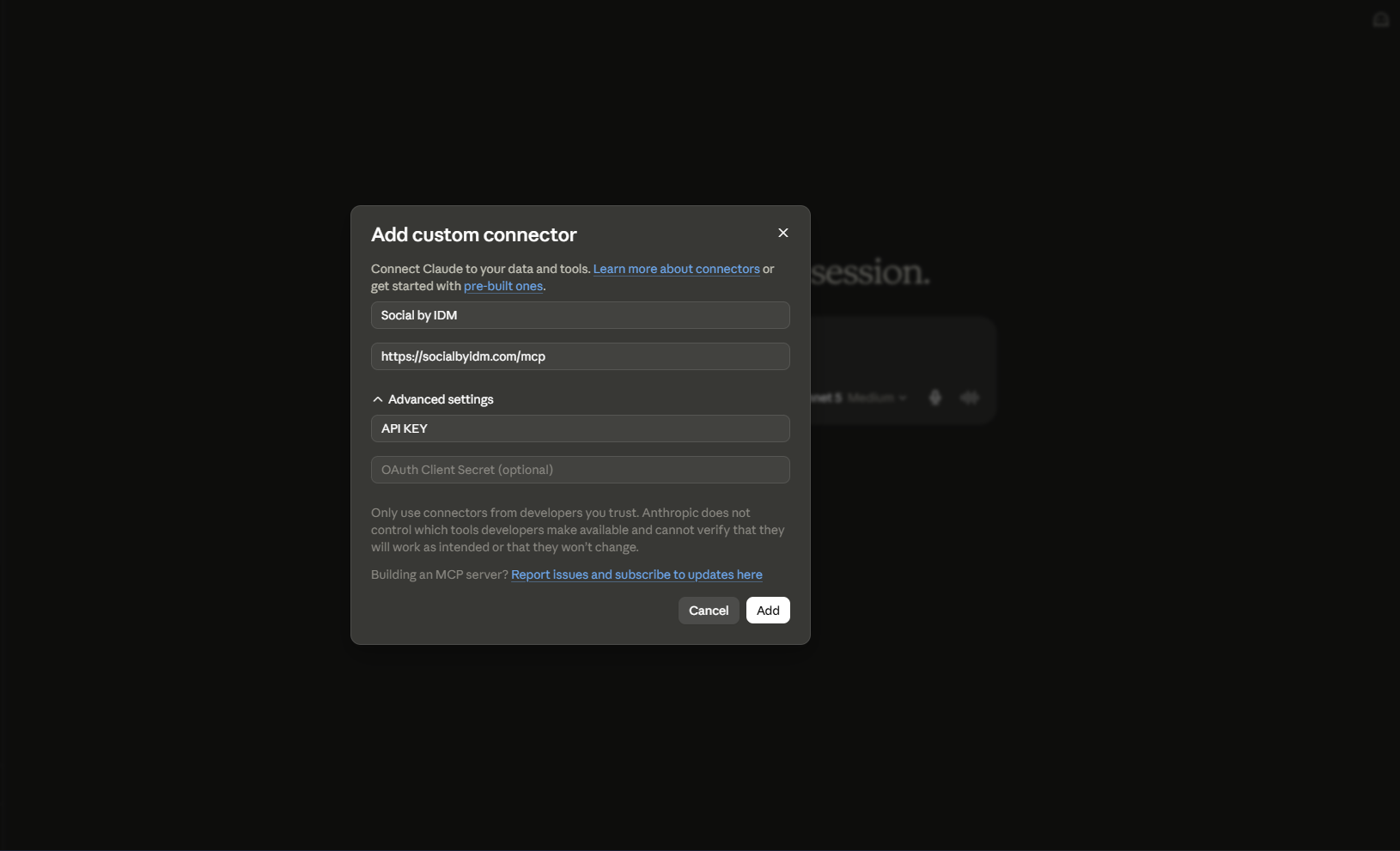 Claude’s Add custom connector dialog. Notice the API KEY field lives under Advanced settings, collapsed by default. That is why Claude connectors save “fine” and load no tools. OpenClaw’s equivalent bug is a missing —header.
Full Claude / ChatGPT / Codex menus: schedule social posts from Claude or ChatGPT.
Hermes YAML sibling — not mcp add:
mcp_servers:
  social-by-idm:
    url: "https://social-api.instantdm.com/mcp"
    headers:
      X-Api-Key: "${SOCIAL_BY_IDM_API_KEY}"
    enabled: true
Hermes posting guide. Hermes skill.
Codex, for completeness, uses ~/.codex/config.toml with http_headers or env_http_headers. Same URL.
What goes wrong — 401, 403, empty tools, empty accounts, agent publishes anyway?
| Symptom | Likely cause | Fix |
|---|---|---|
| No tools | Header not sent; placeholder sk_live_YOUR_KEY; stdio transport; typo in URL (/mcp/ extra slash, http://, /sse) | Exact URL. streamable-http. Real key. Probe. Restart Gateway. |
| Probe TLS errors | Corporate proxy, clock skew, old Node | Fix TLS. Do not disable verify “just to test” on a box that holds posting keys. |
401 unauthorized | Revoked, typo, leading space, extra quotes in JSON "\"sk_live_…\"" | Recopy from dashboard. JSON value is the raw key. |
403 forbidden | Key valid, scope missing | Add accounts:read / posts:write / media:write. Do not rotate first. |
| Tools present, empty accounts | OAuth not connected; wrong workspace | Dashboard → Accounts. Check which workspace minted the key. |
| Agent publishes anyway | No skill, no SOUL.md, cron said “post” | Install the skill. draft: true. SOUL.md. |
422 content_invalid | IG without media; caption over limit | Upload media. platformContent. |
422 post_type_invalid | Carousel with one image | ≥2 or postType: "image". |
| 404 | Hallucinated ids | list_accounts again. |
409 publishing | Delete in flight | Wait, retry. |
| 429 | >120/min | Stop the retry loop. |
| Tools vanish after upgrade | Config key renamed (mcp vs mcpServers); Gateway did not reload | Re-read --help. Re-add. |
| Key in Telegram | Agent asked; you pasted | Rotate. Put key in header/env only. Skill forbids hunting. |
| Posted at 3am | Naive scheduledAt | Offset. Workspace TZ, not UTC. |
partial treated as success | Never called get_post_status | Call it. Read per-target error. |
401 body:
{ "error": { "code": "unauthorized", "message": "Missing or invalid API key." } }403 body:
{ "error": { "code": "forbidden", "message": "Key lacks posts:write." } }400 on create_post usually means empty accountIds, neither content nor media nor thread, or none of draft / scheduledAt / publishNow. Add draft: true. Do not “fix” a 400 by flipping publishNow.
Gateway bind reminder while you have a posting key attached: port 18789 on loopback, not 0.0.0.0. An exposed Gateway plus MCP posts:write is a prompt-injection path onto Instagram.
 openclaw.ai. Notice OpenClaw is the host (Gateway + channels). MCP servers are extras you add. This command is how social becomes one of those extras.
How do you debug the HTTP socket without asking the model?
The model is a bad debugger. Use curl against the same URL the Gateway uses.
Initialize (MCP handshake is JSON-RPC). A minimal check that the host is alive and the key authenticates:
curl -sS -D - "https://social-api.instantdm.com/mcp" \
  -H "X-Api-Key: $SOCIAL_BY_IDM_API_KEY" \
  -H "Accept: application/json, text/event-stream" \
  -H "Content-Type: application/json" \
  -d '{"jsonrpc":"2.0","id":1,"method":"initialize","params":{"protocolVersion":"2025-03-26","capabilities":{},"clientInfo":{"name":"curl","version":"0"}}}'
If this 401s, OpenClaw will 401. If this 200s and OpenClaw shows no tools, the Gateway is not sending the header. Common causes: --header swallowed by the shell because you used smart quotes; JSON headers key misspelled; placeholder sk_live_YOUR_KEY still in openclaw.json.
tools/list after a session exists is what mcp probe wraps. You want sixteen name fields. A tools/call for the first live test should look like this conceptually (the Gateway builds it; you should recognise it in logs):
{
  "jsonrpc": "2.0",
  "id": 2,
  "method": "tools/call",
  "params": {
    "name": "list_accounts",
    "arguments": {}
  }
}
Verbose header dump when you think the key is right:
curl -v "https://social-api.instantdm.com/v1/accounts" \
  -H "X-Api-Key: $SOCIAL_BY_IDM_API_KEY"
REST and MCP share the key and the scopes. REST is simpler to stare at. If REST lists accounts and MCP does not, stay on transport and headers. If both 401, stay on the key.
Windows path for the JSON file:
notepad $env:USERPROFILE\.openclaw\openclaw.json
icacls $env:USERPROFILE\.openclaw\openclaw.json /inheritance:r /grant:r "$($env:USERNAME):(R,W)"
Do not commit that file. Do not sync it to a public gist “as a backup.”
Multiple MCP servers on one Gateway are fine (filesystem, browser, social). Name this one social-by-idm so logs are greppable. Two social servers (ours plus a hobby wrapper) will duplicate create_post names or confuse the model. One publisher.
Timeouts: a create_post that uploads a carousel can sit in publishing for a while. Claude’s MCP timeout is 300 seconds in the app; OpenClaw’s varies. Do not set a 2-second client timeout and then decide the server is dead. Poll get_post_status instead of retrying create_post.
Node: OpenClaw wants current Node (22.22.3+, 24.15+ or 25.9+ in the install docs I last checked). An ancient Node with a broken fetch/undici against Streamable HTTP looks like “empty tools.” node -v before you rewrite YAML.
What does the three-step local upload look like over MCP?
Agents skip step 3. Spell it.
create_upload_url
{ "filename": "dark-mode.jpg", "contentType": "image/jpeg" }Response: mediaId, uploadUrl, key.
- HTTP PUT the file bytes to
uploadUrl. This is not an MCP tool. It is a presigned URL. The Gateway (or a script) must PUT. Content-Type should match what you declared.
curl -X PUT "$UPLOAD_URL" \
  -H "Content-Type: image/jpeg" \
--data-binary @dark-mode.jpgcomplete_uploadwith thatmediaId(optionalsizein bytes). Status becomesuploaded. Thencreate_postwithmediaIds: ["md_…"]anddraft: true.
If you only have a public URL, skip all three and call upload_media_from_url. If the file is on your laptop and not on a CDN, you need the three steps. Google Drive and Notion image URLs are not CDNs.
How do you mint the key so MCP is not over-privileged?
Dashboard → Developer → API keys. Workspace-scoped. Shown once. Stored hashed.
Day-one scopes:
accounts:read— required orlist_accounts403sposts:read— status, list, getposts:write— create, update, deletemedia:write— uploadsmedia:read— optionalanalytics:read— optionalplatform:proxy— off until you needplatform_request
One key per client (OpenClaw vs Claude vs a CI script). One workspace per brand. Agencies that share a key across clients will watch the agent pick the wrong acc_.
Name the key openclaw-gateway-prod so a leak in logs is identifiable. Rotate from the same screen. There is no cache; revoke stops the next request.
How does this sit next to the ClawHub skill?
| Layer | Job | Command |
|---|---|---|
| MCP | Typed tools over Streamable HTTP | openclaw mcp add … (this page) |
| Skill | When to draft, offsets, confirm, no key-hunt | openclaw skills install @sanjaykhanssk/social-by-idm |
| SOUL.md | Identity, never publish_now | You write it |
| Dashboard | OAuth, calendar, human review | social-app.instantdm.com |
MCP without skill: tools appear, UTC happens, live posts happen. Skill without MCP: a lecture. Use both. Skill install notes: Install the Social by InstantDM skill on OpenClaw. Format: SKILL.md.
Hermes install is GitHub, not ClawHub:
hermes skills install github:instant-dm/agent-mode/skills/social-by-idmDo not run that in an OpenClaw shell. Do not run openclaw mcp add expecting Hermes to read it. Different config trees.
What should a weekday automation do once MCP is live?
Not publish. Wake, write, draft, ping.
Isolated session. Read SOUL.md. List accounts. Produce five drafts for empty slots.
draft: true. Never publish_now. Deliver postIds to Telegram. Stop.
If you also use Hermes cron, same policy:
hermes cron create "0 8 * * 1-5" "Read SOUL.md. Draft five posts for empty slots this week. draft true. Never publish_now. Deliver IDs to Telegram." --name "weekday-drafts" --deliver telegramAlways-on calendars. Agent wake ≠ network go-live. platformSchedules owns the second clock.
Freeze:
Freeze social. Do not create, schedule, or publish. Confirm the queue is untouched.
If MCP is the only thing you added today, freeze still works — the tools are there, the prompt tells the model not to use them.
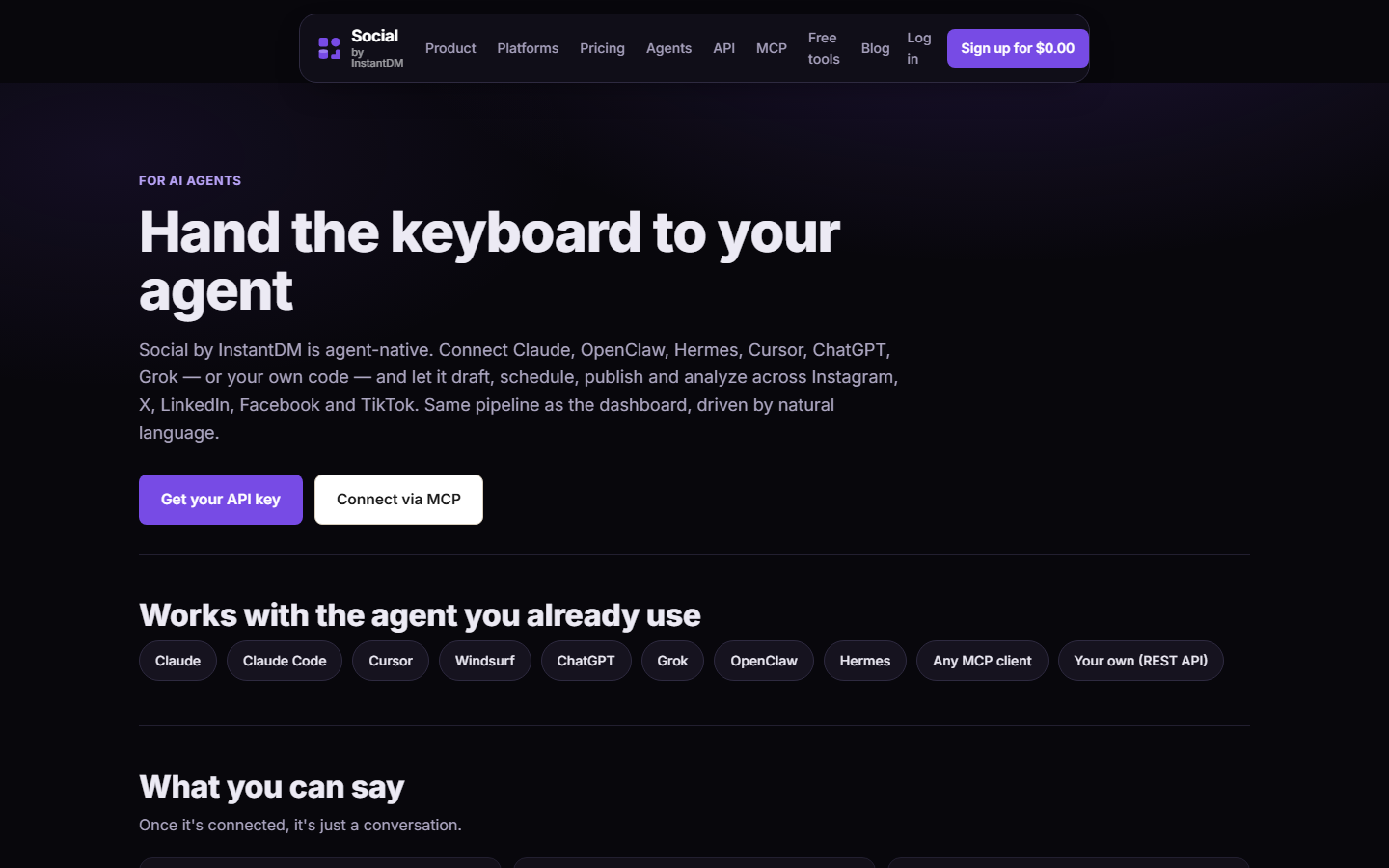 socialbyidm.com/agents. Notice OpenClaw is a supported client of the same 16 tools Claude gets. mcp add is how OpenClaw joins that list.
How do you know you are done?
- The exact
openclaw mcp addcommand ran with a real key and--transport streamable-http. openclaw mcp probe social-by-idmprints 16 names.- Telegram: “What social tools do you have?” matches the table.
- Telegram: “List my connected accounts. Do not create a post.” returns
acc_IDs. - Optional but recommended: skill installed, SOUL.md forbids
publish_now. - A
create_postwithdraft: trueshows up in the calendar. - You have practiced freeze.
- 18789 is not on the public internet.
Done is tools/list plus a draft, not a live grid post. I sell the hosted server because OAuth tokens should not live in an OpenClaw plugin. Point the Gateway at one URL, send a header, call list_accounts first.
What does an empty-tools session look like, turn by turn?
You type: “What social tools do you have?”
Healthy: the model calls tools/list (or the Gateway already injected the list) and reads back the sixteen names, including list_accounts and get_post_status. Then you type “List my connected accounts. Do not create a post.” and you see acc_ IDs.
Empty tools: the model says it cannot access social, or it offers to write a Python script against Graph, or it asks for your Instagram password. None of those is a model intelligence problem. Walk the socket:
openclaw mcp list— issocial-by-idmthere?openclaw mcp probe social-by-idm— names or error?- curl REST
/v1/accountswith the same key — 200 or 401/403? openclaw.json— is the key stillsk_live_YOUR_KEY? Is transport stdio?- Gateway restart.
If probe works and chat does not, the session started before the add. New session. If probe fails and curl REST works, transport/header. If curl REST 403s, scopes. If curl REST 401s, the key string.
Do not “debug” by pasting the key into Telegram so the model can retry with ?key=. That creates a second, leaked credential and teaches the agent that chatting secrets is allowed. The skill, once installed, should refuse that. MCP add is the place the secret belongs — in a header the Gateway sends, not in a chat transcript.
I sell this hosted endpoint so you do not run nine OAuth refresh loops inside OpenClaw. Add it, probe it, call list_accounts, draft. That is the whole job of this command.
Product: /mcp · /agents · docs. Claude sibling: schedule from Claude or ChatGPT.
Frequently asked questions
How do you add Social by InstantDM MCP to OpenClaw?
openclaw mcp add social-by-idm --url https://social-api.instantdm.com/mcp --transport streamable-http --header "X-Api-Key: sk_live_…". Then probe the tool list. Empty list means URL or key, not the model.
What transport does the hosted server use?
Streamable HTTP. Not stdio. Stdio would mean a process on the laptop; the scheduler holds OAuth tokens in the cloud.
Can you put the API key in the URL instead?
Yes: https://social-api.instantdm.com/mcp?key=sk_live_… for clients that cannot set headers. Anyone with that URL has the key. Prefer headers on OpenClaw.
What tools should appear?
list_accounts, create_post, update_post, get_post, get_post_status, list_posts, delete_post, upload_media_from_url, create_upload_url, complete_upload, list_media, delete_media, get_analytics, list_platform_posts, delete_platform_post, platform_request — 16 tools, same as the REST API.
What is the first call after MCP works?
List my connected accounts. Do not create a post. That is list_accounts. It proves auth and OAuth without going live.
Why is my tool list empty?
Wrong URL, transport set to stdio, header not actually sent, or the key still the placeholder sk_live_YOUR_KEY. Probe the server. Restart the Gateway. This is not 'OpenClaw is bad at social.'
What is the difference between 401 and 403 here?
401 unauthorized means the key string is missing, revoked, or mistyped. 403 forbidden means the key is valid but lacks a scope such as posts:write or accounts:read. Add the scope before you rotate.
Do I still need the ClawHub skill?
Yes if you can. MCP is the tools. The skill teaches draft: true, timezone offsets, and get_post_status. MCP without skill is a model guessing UTC.
How is this different from Claude's connector?
Same URL and tools. Claude uses + → Connectors → Add custom connector, with the API key under Advanced settings. OpenClaw uses mcp add or openclaw.json. Claude/ChatGPT guide: /schedule-social-media-posts-from-claude-chatgpt/
Does Hermes use this same mcp add command?
No. Hermes takes a YAML mcp_servers block in ~/.hermes/config.yaml with url https://social-api.instantdm.com/mcp. Different client, same server.